
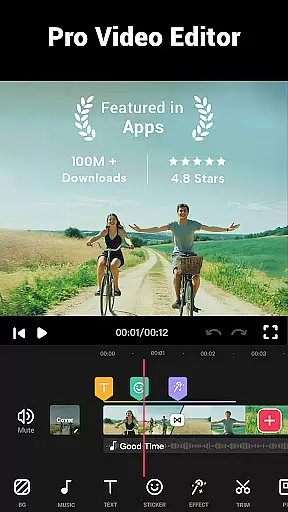
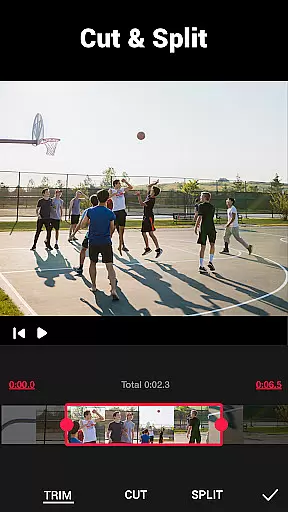

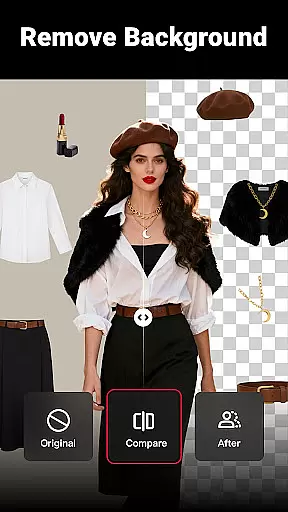
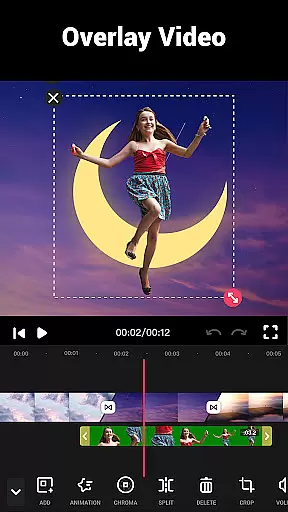
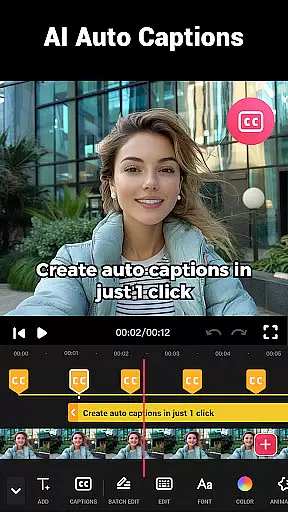
Video Maker by Video.Guru is a versatile AI-powered video editor designed for both beginners and professionals. This all-in-one app allows users to create and edit videos with features like trimming, cutting, adding transitions, filters, and music.
The app stands out with its user-friendly interface and powerful editing tools, enabling creators to produce high-quality 4K videos without watermarks. It's perfect for sharing memories on platforms like YouTube, Instagram, and TikTok.
With support for multi-layer editing, speed adjustments, and various aspect ratios, Video Maker ensures professional-grade results for vlogs, intro videos, and more.
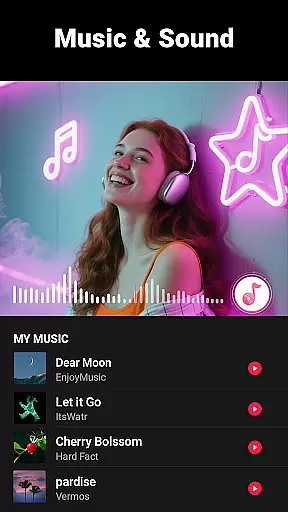
Video Maker offers an extensive suite of editing features including video trimming, splitting, and merging with transition effects. Users can add music, voice-overs, and sound effects while adjusting playback speeds from 0.2x to 100x.
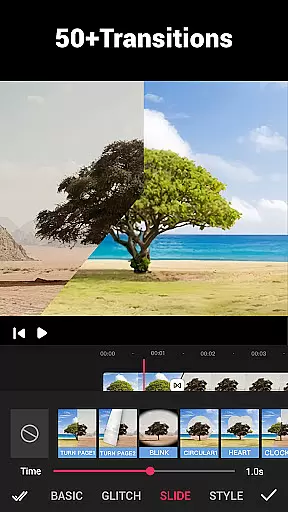
The app provides over 50 transition effects, HD free music tracks, and advanced video filters. It supports extracting audio from videos, changing background colors, and compressing files without quality loss.
Additional capabilities include cropping videos into different ratios, enhancing video quality up to 4K, and exporting projects directly to social media platforms.
Video format compatibility is a crucial feature for any video editing application, ensuring that users can work with a wide range of video files without conversion hassles. Video Maker excels in this area by supporting various popular formats, allowing creators to import and export videos seamlessly.
The app's powerful video editing capabilities enable users to save high-quality videos in multiple resolutions, including 4K, without watermarks. This flexibility ensures that whether you're creating content for YouTube, Instagram, or TikTok, your videos will meet platform specifications and retain their visual fidelity.
Moreover, Video Maker doesn't just stop at basic format support; it also includes advanced features like video compression and conversion. Users can customize resolutions and enhance video quality up to 4K, making it an all-in-one solution for both amateur and professional video editors.
By offering extensive format compatibility alongside features such as multi-layer editing, transition effects, and speed adjustments, Video Maker empowers users to focus on their creative process rather than technical limitations, significantly enhancing the overall video production experience.
AI-powered editing features represent the cutting edge of video editing technology, automating complex tasks and enabling creators to produce professional-quality content with minimal effort. Video Maker incorporates these intelligent tools to simplify the editing process while delivering impressive results.
One standout feature is the automatic audio extraction from videos, which allows users to add markers according to music rhythm effortlessly. The AI-driven system also suggests optimal transitions and effects based on the content, streamlining the editing workflow for both beginners and experienced editors.
In addition to smart audio handling, Video Maker utilizes AI for its filter and effect suggestions. These recommendations are designed to enhance the visual storytelling of each project, providing stunning movie-style filters and FX effects that would typically require advanced manual adjustments.
The integration of AI-powered features not only speeds up the editing process but also maintains creative control, giving users the ability to fine-tune automated suggestions. This combination of intelligent automation and artistic freedom makes Video Maker an exceptional choice for anyone looking to elevate their video content efficiently and effectively.
User-friendly interface
4K video export
No watermark
Multi-platform sharing
Regular updates
Limited advanced tools
Occasional bugs
Ads in free version
Learning curve
Device compatibility

Video player, file manager for all formats, 4K/HD media player supports subtitle
 4.30
4.30
The smartest M3U IPTV Player your playlists have ever seen.
4.2
Online Videos Player
3.90
IPTV-Smarters Player Pro M3U - Watch Live Stream TV Channels with Chromecast
4.00
Stream Web Videos to Chromecast, Samsung, LG, Sony, Roku, Fire TV, DLNA + more
4.00
Seamlessly connect and control your smart devices, anytime, anywhere with ease.
4.60
Web Browser for LG TV to stream webvideos, online movies and livestreams in HD
4.20
Photo editor & video maker with music and slideshows.
4.10
Make videos you’re proud to share with Edits, a video editor for creators.
4.70
Flud is a simple and beautiful BitTorrent client for Android.
4.80
Screen recorder with audio to take live videos & Screenshot in high quality!
4.70
Snaptubè Video Downloader app allows to download videos and music in Snaptube. .
4.60
Auto video maker with music & exclusive filters. Video editing made simple.
4.50
HD video maker with no watermark, no ads & vlog maker with music, PIP, text
4.50
VLC for Android is the best open source video and music player, fast and easy!
4.10
Save photos and videos from social apps in one tap.
3.60
All in one multi protocols stream receiver for AirPlay, Cast and DLNA.
3.60
Watch full episodes of your favorite Cartoon Network and Cartoonito shows!
3.50
Play and download HD videos from all sources — fast, simple, and all-in-one.
4.1


User Reviews