
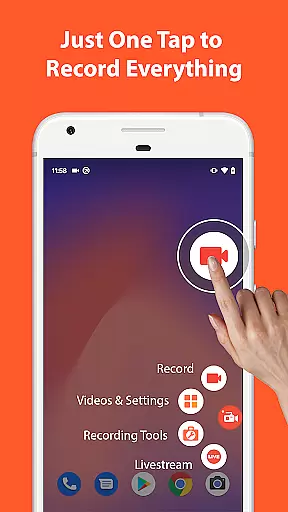

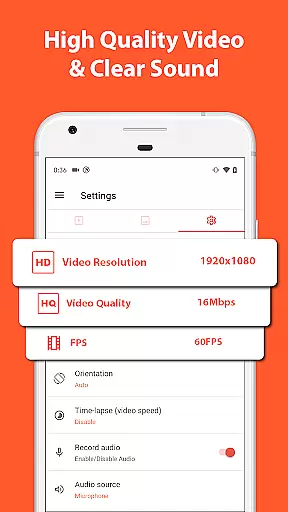
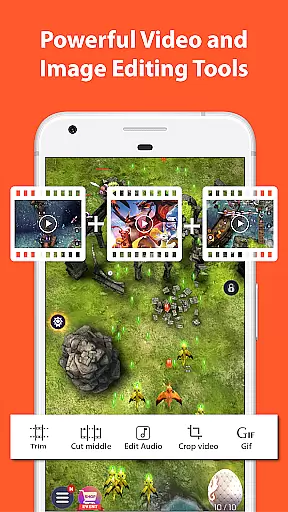
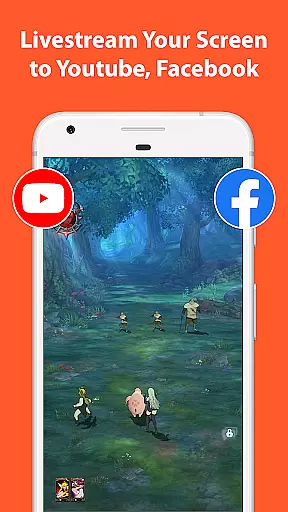
AZ Screen Recorder is a versatile screen recording application that allows users to capture high-quality videos of their device screens with audio. The app offers multiple functionalities including screen recording, video editing, live streaming, and image editing. With its intuitive interface and advanced features, it caters to various user needs such as creating gameplay videos, recording video calls, or capturing content that cannot be downloaded directly.
One of the standout features of AZ Screen Recorder is its ability to record both internal audio and microphone input, making it ideal for gamers, educators, and content creators. Additionally, the app provides tools for trimming, merging, adding subtitles, and compressing videos, ensuring that users can produce professional-grade content without needing separate software. Its multi-purpose design extends beyond just screen recording, offering capabilities like taking screenshots and editing images, which enhances its value as an all-in-one digital content creation tool.
AZ Screen Recorder stands out due to its comprehensive set of features tailored for diverse use cases. The primary feature is its robust screen recording capability, allowing users to start and stop recordings easily using control buttons. It supports pausing and resuming recordings, capturing audio from both the microphone and internal sources, and even showing the user's face in a floating window during recordings. This flexibility makes it suitable for everything from gaming sessions to live presentations.
Beyond basic recording, AZ Screen Recorder includes a powerful video editor. Users can trim unwanted sections, merge clips, add background music, insert subtitles, extract frames, crop, rotate, and compress videos. These editing tools ensure that final outputs meet professional standards. Furthermore, the app facilitates live streaming to platforms like YouTube and Facebook, providing options to broadcast the phone screen along with audio and optionally show the user’s face. Lastly, the integrated image editing suite allows users to stitch images, blur sensitive areas, and annotate screenshots, enhancing the overall utility of this multifunctional app.
One of the standout features of Screen Recorder - AZ Recorder is its extensive video format compatibility, ensuring users can work with a wide array of file types. This flexibility allows creators to import, edit, and export videos in formats that best suit their needs, whether for professional or personal use.
The app supports popular formats such as MP4, AVI, and MOV, making it versatile for different kinds of video projects. Users can record their screens and save the output in high-quality formats without worrying about compatibility issues when sharing or transferring files across devices.
Additionally, AZ Recorder provides options to convert videos into various formats, enhancing its utility for content creators who need to adapt their work for different platforms or audiences. This ensures that no matter where your video is viewed, it maintains its quality and intended impact.
AZ Screen Recorder incorporates AI-powered editing features that significantly enhance the video production process. These intelligent tools assist users in refining their videos effortlessly, offering functionalities like automated trimming, smart filters, and dynamic transitions that elevate the final product's quality.
Among these features is the ability to remove unwanted sections from videos seamlessly. The AI technology intelligently identifies and suggests parts that might not be necessary, streamlining the editing process for users. Moreover, adding subtitles becomes an intuitive task with speech recognition algorithms generating accurate text overlays.
Furthermore, the app leverages AI to optimize video settings based on content type, ensuring optimal brightness, contrast, and color balance. This results in professional-grade videos that captivate audiences and convey messages effectively, all while maintaining ease of use for creators at any skill level.
User-friendly interface
High-quality video output
No watermarks on recordings
Unlimited recording time
Versatile editing tools
Advanced features require Android 10+
Some features limited to specific devices
Occasional bugs reported by users
Premium version needed for full functionality
Ads present in free version

The smartest M3U IPTV Player your playlists have ever seen.
 4.0
4.0
Auto video maker with music & exclusive filters. Video editing made simple.
4.50
Full HD Video mp3 Player, MP4 player play 1080p, File manager, Video Downloader
4.40
GENRAL PRO - General Pro is the best video player that fully supports all formats.
4.70
All in one HD video downloader & player for multiple formats with full privacy
4.70
Cast to Smart TV, Fire TV. Cast video, photo - Fast & Stable!
3.90
Browser for Sony TV to stream web videos, online movies and live tv
3.20
This app is an emulator of some specific IPTV boxes
3.50
Browser for Fire TV to stream webvideos, online movies, livestreams in HD
4.40
VLC Remote lets you control your VLC Media Player on Mac, PC or Linux.
4.60
Fast & Private HD Video Downloader with Built-in Proxy Browser and Video Player.
4.50
Viddo: Generate Action Figure, AI Anime, AI kiss, AI hug Video from image & text
4.40
Powerful video player with advanced hardware acceleration and subtitle supports
4.20
VLC for Android is the best open source video and music player, fast and easy!
4.10
1)AirPlay/DLNA Mirroring/Streaming, up to 4 connections; 2)Samba/NAS/DMS Player.
4.00
Make your own Animations, Video and Photo Edits, Visual Effects, and more!
4.00
Kodi media center, a free and open source cross-platform entertainment hub
3.60
IPTV Player - Watch live TV from m3m & m3u8 playlist, stream IPTV on mobile
3.30
Stream high quality video from your camera over NDI protocol
4.2


User Reviews