
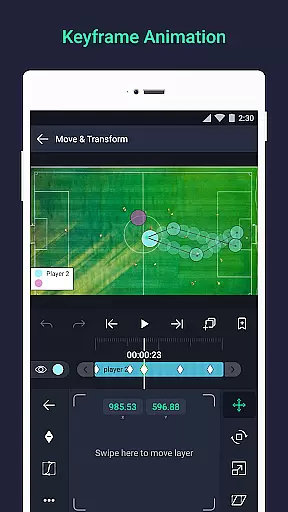
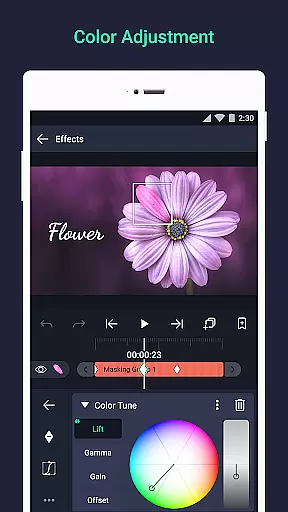
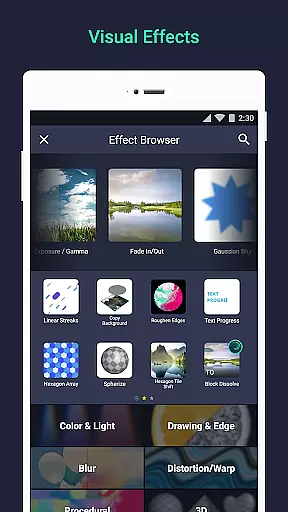

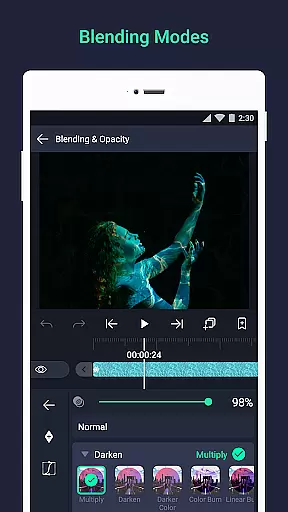
Alight Motion is a pioneering motion design app that brings professional-quality animation and video editing tools to your mobile device. This application allows users to create sophisticated visual effects, motion graphics, and video composites with multiple layers of graphics, video, and audio. With support for both vector and bitmap editing, Alight Motion provides a versatile platform for designers to craft animations directly on their phones.
The app offers an extensive range of features including 160+ basic effect building blocks, keyframe animation capabilities, layer linking, and camera effects like pan, zoom, focus blur, and fog. Users can group layers, create masks, adjust colors, and utilize animation easing for fluid motion. Additionally, the velocity-based motion blur ensures smooth video output. Export options are diverse, supporting MP4, GIF, PNG sequences, and stills, making it suitable for various multimedia projects.
Whether you're a beginner or a professional designer, Alight Motion caters to a wide audience by providing powerful tools that are accessible on-the-go. Its comprehensive feature set makes it ideal for creating engaging content for social media, marketing materials, or personal projects, thus enhancing creative expression through mobile technology.
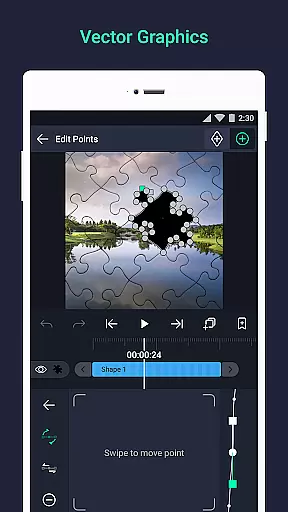
Alight Motion stands out with its rich feature set tailored for motion design enthusiasts. The app supports multiple layers, enabling complex compositions with graphics, video, and audio integration. One of its core strengths is the robust vector and bitmap support, allowing users to edit vector graphics directly on their mobile devices, which is crucial for creating scalable designs without quality loss.
With 160+ basic effect building blocks, users can combine different elements to build sophisticated visual effects. Keyframe animation is available for all settings, offering precise control over animations. Advanced features such as parent-child layer linking, character joint rigging, and camera effects like pan, zoom, focus blur, and fog provide users with professional-grade tools. Grouping layers and creating masks further enhance the creative possibilities.
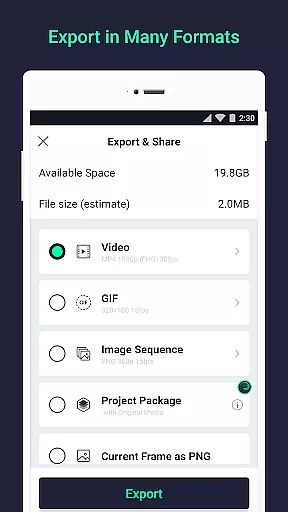
Additional functionalities include color adjustments, animation easing presets, bookmarks for efficient editing, and velocity-based motion blur for smooth videos. Export flexibility is another highlight, with options for MP4 video, GIF animation, PNG sequences, and stills. These features collectively empower users to produce high-quality motion graphics and animations, rivaling desktop software capabilities while maintaining the convenience of mobile access.
Video format compatibility is a crucial feature for any video editing application, ensuring that users can work with a wide range of file types. Alight Motion supports multiple formats including MP4 video, GIF animation, PNG sequences, and still images, providing flexibility in content creation.
The app's ability to handle both vector and bitmap graphics allows creators to edit high-quality visuals directly on their mobile devices. With support for importing various media types, users can seamlessly integrate graphics, video, and audio layers into their projects.
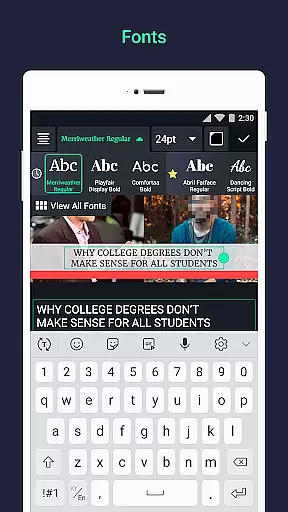
This versatility in format support enables professionals and hobbyists alike to produce content that meets industry standards. The inclusion of custom font support for text layers further expands the creative possibilities within the application.
By offering comprehensive export options, Alight Motion ensures that finished projects can be shared across different platforms without compatibility issues. This feature set makes the application suitable for both personal and professional video editing needs.
AI-powered editing features are revolutionizing the way users approach video production, and Alight Motion incorporates several intelligent tools to enhance workflow efficiency. The application offers sophisticated visual effects through its library of 160+ basic effect building blocks that can be combined to create complex animations.
Keyframe animation capabilities extend to all settings, allowing precise control over motion parameters. The velocity-based motion blur feature creates smooth transitions between frames, while animation easing presets help achieve more natural movement patterns.
Advanced features such as parent-child layer linking and character joint rigging demonstrate the application's commitment to professional-grade tools. These features, combined with camera effects including focus blur and fog, enable users to create sophisticated compositions.
The implementation of AI extends to practical workflow enhancements like bookmarking for easier navigation and element reuse functionality. These intelligent features streamline the editing process while maintaining the precision required for professional motion design projects.
User-friendly interface
Extensive effect library
Powerful vector editing
Versatile export options
Regular feature updates
Subscription fees apply
High system requirements
Occasional performance issues
Limited free version
Complex for beginners

Photo and Music Video Creator into Stunning Videos—Effortlessly
 4.40
4.40
?100% FREE! Download & save videos? safely in this app. All formats supported.
4.60
Watch a large amount of high-definition short drama content
4.60
Turn your phone into a wireless camera!
4.20
Explore the largest library of free GIFs, Stickers & Memes - or create your own!
3.90
Seamlessly connect and control your smart devices, anytime, anywhere with ease.
4.60
Fast & Private Video Downloader App. Save all videos easily from the Internet.
4.40
Video Downloader, Multiple Resolution Options, Video Player
4.50
The essential companion to your Blue Iris PC software
2.50
An easy-to-use and all-round screen recorder with audio
4.80
Video Trimmer, Video to MP3 Converter. Extract music from video, Easy & Fast.
4.80
Screen recorder with audio to take live videos & Screenshot in high quality!
4.70
VLC Remote lets you control your VLC Media Player on Mac, PC or Linux.
4.60
Browser + Remote for Roku to stream webvideos, online movies and livestreams
4.60
Full HD Video mp3 Player, MP4 player play 1080p, File manager, Video Downloader
4.40
Video player, file manager for all formats, 4K/HD media player supports subtitle
4.30
Livestream, news, & gaming content. Watch, chat, and upload. Join Rumble today!
3.80
You can play SWF format file!
2.50
Video player with powerful streaming playback and various convenient features.
2.10


User Reviews