
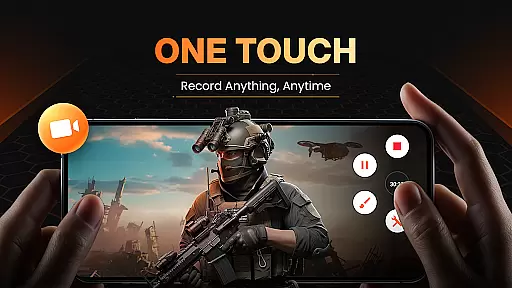
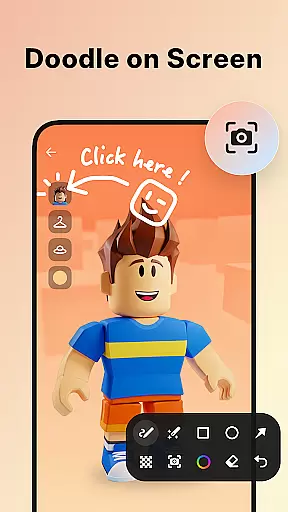
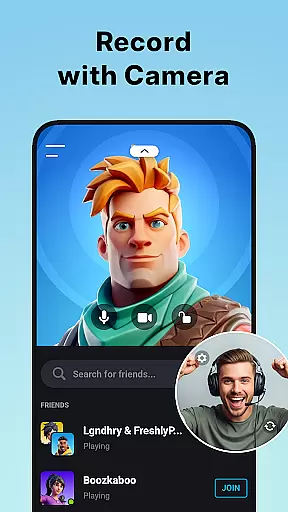
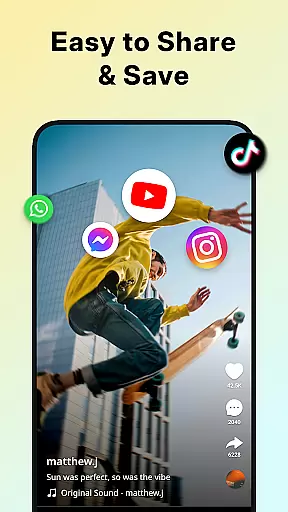
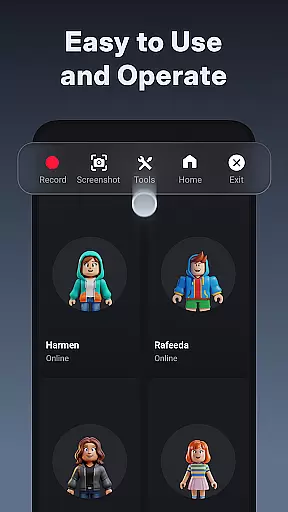
XRecorder is a versatile screen recording app designed for capturing smooth and clear videos, screenshots, and live game shows without any watermarks or time limits. It offers advanced features such as internal audio recording, facecam, and brush tools to enhance your recording experience.
With support for Full HD recording at 120 FPS, XRecorder ensures high-quality video output with customizable settings. The app also includes a built-in video editor for trimming, adding music, and controlling playback speed, making it an all-in-one solution for content creators.
Whether you're recording gameplay, tutorials, or live streams, XRecorder provides the tools necessary to produce professional-grade content effortlessly.
XRecorder stands out with its comprehensive feature set tailored for both casual users and professional content creators. The app supports high frame rate recording up to 120 FPS and resolutions up to 1080p, ensuring top-notch video quality.
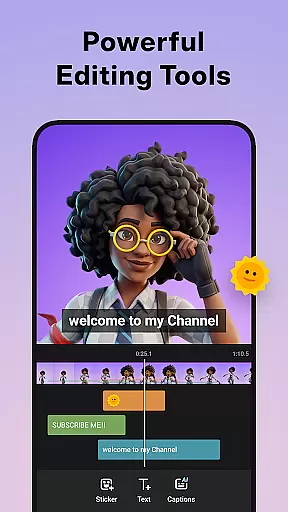
One of the key highlights is the facecam feature, allowing users to record their reactions in a draggable overlay window. Additionally, the built-in video editor offers functionalities like trimming, cropping, rotating, and adding music or filters, enabling users to personalize their videos extensively.
Other notable features include customizable floating controls, countdown timers, trash bin recovery, and alternative storage options. These tools collectively provide a seamless and flexible recording experience that caters to various user needs.
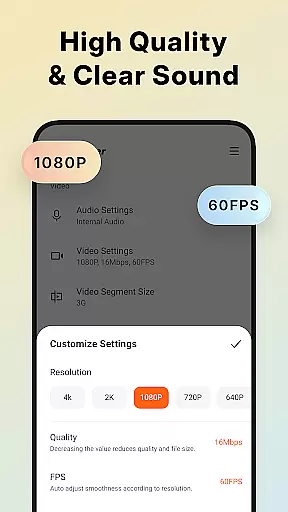
Video format compatibility is a crucial feature for any video player and editor, ensuring that users can work with a wide range of video files without the need for conversion. Screen Recorder - XRecorder supports an impressive array of formats, from standard 240p to crisp Full HD 1080p, accommodating bitrates up to 12Mbps and frame rates of 60FPS.
This flexibility allows content creators to import videos from different sources and devices, edit them seamlessly within the app, and export their projects in high-quality formats suitable for various platforms. Whether you're recording gameplay or capturing live streams, the assurance of format versatility means your work will be accessible to a broader audience without quality degradation.
Moreover, the ability to adjust resolution, quality, and FPS settings gives users precise control over their video output. This is particularly beneficial when optimizing videos for specific platforms or devices, ensuring that each piece of content meets the desired specifications while maintaining visual fidelity.
AI-powered editing features are revolutionizing the way we approach video post-production, making sophisticated editing techniques accessible to everyone. Screen Recorder - XRecorder incorporates intelligent tools that simplify complex tasks such as trimming, cropping, rotating, and adjusting video ratios. These AI-driven capabilities ensure that even novice editors can produce professional-looking content effortlessly.
In addition to basic edits, the app offers creative enhancements like stylish filters, speed adjustments, and music integration. Users can apply vintage effects, create time-lapse sequences, or add popular soundtracks to personalize their captures. The inclusion of facecam functionality further enriches storytelling possibilities by allowing creators to overlay reactions directly onto their footage.
By leveraging these advanced yet user-friendly features, Screen Recorder - XRecorder empowers users to transform raw recordings into engaging narratives. With continuous updates and improvements driven by artificial intelligence, the app remains at the forefront of mobile video editing technology, providing unparalleled convenience and creativity to its users.
User-friendly interface
High-quality recording
No watermark
Advanced editing tools
Customizable settings
Limited to Android
Some features require newer OS
Occasional bugs reported
Ads present in free version
Complex for beginners

Save photos and videos from social apps in one tap.
 3.60
3.60
Video Trimmer, Video to MP3 Converter. Extract music from video, Easy & Fast.
4.80
Create photo video with music & template. AI video maker for stunning slideshow.
4.60
Powerful HD video player with support for all formats & subtitles.
4.1
VLC Remote lets you control your VLC Media Player on Mac, PC or Linux.
4.60
Download videos easily & play them all in one smart, powerful video manager.
3.40
Watch IPTV on your Android device
4.60
Browser + Remote for Roku to stream webvideos, online movies and livestreams
4.60
convenient, safe and fast at Video Downloader & Player
4.60
A Quick and Pro Video Editor
4.70
Find, download, and play torrents with the official BitTorrent® Pro app
4.70
?100% FREE! Download & save videos? safely in this app. All formats supported.
4.60
Fast & easy HD video downloader for all formats, support 4K playback & download.
4.60
Video player with 4K & 1080P support, popup play, background play and subtitle.
4.20
Online Videos Player
3.90
Livestream, news, & gaming content. Watch, chat, and upload. Join Rumble today!
3.80
AirMirror is Receiver for Screen Mirroring and Casting from Apple Devices.
3.60
Video player with powerful streaming playback and various convenient features.
2.10
The smartest M3U IPTV Player your playlists have ever seen.
4.3


User Reviews