
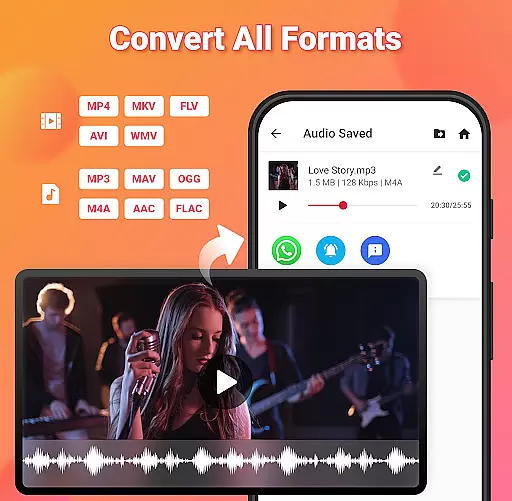
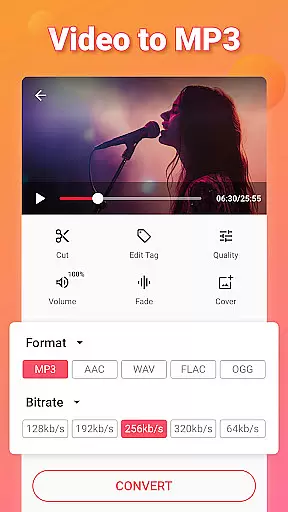
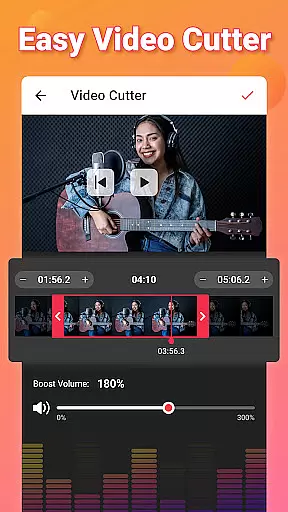
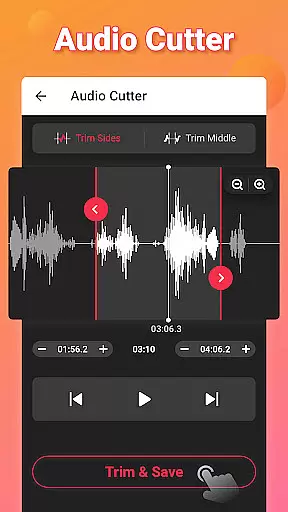
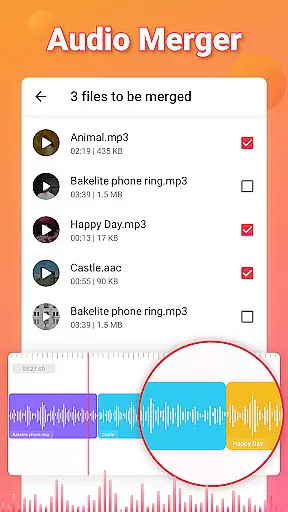
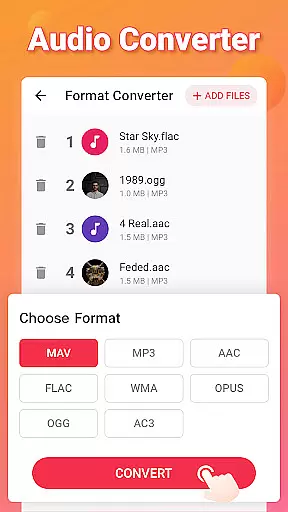
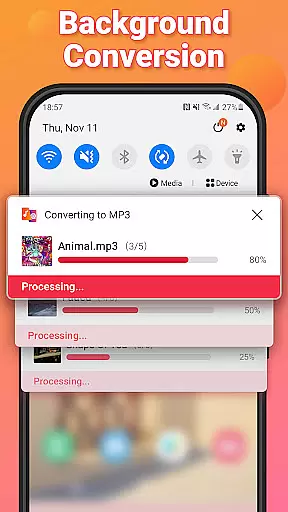
Video to MP3 is a versatile media converter tool that allows users to convert video files to high-quality audio formats. The app supports batch conversion of up to 15 videos at once, making it efficient for processing multiple files. It also offers advanced editing features such as trimming and cutting videos, merging audio tracks, and adjusting sound levels.
In addition to its core conversion capabilities, Video to MP3 provides options for customizing audio output with fade effects, bitrate settings, and metadata tagging. Users can extract music from videos and save them in various formats including MP3, AAC, and M4A. The app's compatibility with numerous video and audio formats ensures maximum flexibility for both casual users and professionals.
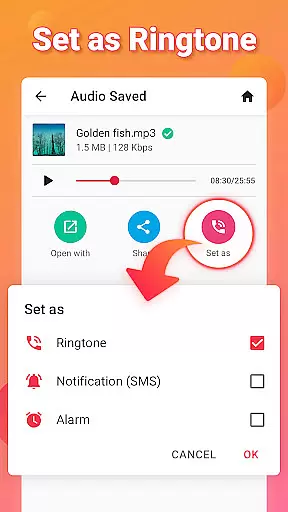
This application is particularly useful for content creators who need to repurpose video content into audio formats for podcasts or music projects. With its intuitive interface and powerful features, Video to MP3 simplifies the process of creating custom ringtones, notification sounds, and edited audio clips.
Video to MP3 stands out with its comprehensive set of features designed for both video and audio manipulation. The app's batch processing capability allows users to convert multiple files simultaneously, significantly reducing processing time. Its support for various input and output formats, including MOV, MP4, MKV, AVI, MP3, WAV, and FLAC, makes it a universal solution for different media conversion needs.
The editing tools within Video to MP3 are particularly noteworthy. Users can precisely trim and cut video segments, adjust audio levels with the sound boost feature, and merge multiple audio tracks into one. The app also includes specialized functions such as fade-in and fade-out effects, customizable bitrate settings, and the ability to add cover art to audio files.
What sets Video to MP3 apart from other converters is its combination of professional-grade features with user-friendly implementation. The app maintains a simple interface while offering advanced capabilities like format conversion, metadata editing, and ringtone creation. This balance makes it suitable for both beginners and experienced users who require reliable media conversion tools.
Video to MP3 stands out with its extensive video format compatibility, ensuring users can convert nearly any video file to audio. The app supports a wide array of video formats including MP4, MKV, FLV, AVI, and WMV, making it versatile for various user needs.
This broad compatibility is crucial for users who work with different video sources, allowing them to focus on content creation rather than format limitations. Whether you're converting videos from social media, recorded meetings, or personal footage, Video to MP3 ensures seamless conversion without the need for prior format conversion.
The application's ability to handle such a diverse range of video formats not only simplifies the conversion process but also saves time. Users can batch convert up to 15 videos at once, streamlining workflows and enhancing productivity for content creators, educators, and professionals alike.
Beyond basic conversion, Video to MP3 incorporates AI-powered editing features that elevate the user experience. These include smart tools for cutting and trimming videos, merging audio files, and adjusting sound levels with precision, all powered by advanced algorithms that simplify complex editing tasks.
One notable feature is the Sound Boost, which intelligently increases audio volume without distortion, ensuring high-quality output. Additionally, the app offers fade-in and fade-out effects, adding a professional touch to audio edits. Such AI-driven capabilities make audio editing more accessible to users without requiring professional skills.
These sophisticated yet user-friendly editing features ensure that even novice users can achieve professional-grade results. By automating intricate processes and offering intuitive controls, Video to MP3 empowers users to create polished audio files efficiently, whether for personal projects or professional use.
User-friendly interface
Batch conversion support
Wide format compatibility
Advanced editing features
Free to use
Limited advanced features
No cloud integration
Occasional ads
Basic UI design
Large file size

Auto video maker with music & exclusive filters. Video editing made simple.
 4.50
4.50
Client application for NextPVR software
3.00
Video player with powerful streaming playback and various convenient features.
2.10
KMPlayer Plus (Divx Codec) officially support Divx codec.
4.30
Video Downloader, Multiple Resolution Options, Video Player
4.50
IPTV Loader, loads your own Playlist. DOES NOT CONTAIN ANY LIST OR CHANNELS
4.60
Browser for Fire TV to stream webvideos, online movies, livestreams in HD
4.40
VLC for Android is the best open source video and music player, fast and easy!
4.10
convenient, safe and fast at Video Downloader & Player
4.60
Snaptubè Video Downloader app allows to download videos and music in Snaptube. .
4.60
Browser + Remote for Roku to stream webvideos, online movies and livestreams
4.60
Photo and Music Video Creator into Stunning Videos—Effortlessly
4.40
Fast video downloader & private browser. Save HD clips to watch offline.
4.40
Powerful Video Editor & Photo Editing App —— Quick Edits & Stunning Effects!
4.30
Web Browser for LG TV to stream webvideos, online movies and livestreams in HD
4.20
Video player with 4K & 1080P support, popup play, background play and subtitle.
4.20
HD video & music player - All format support with floating & PIP mode!
3.80
Manage your IPTV live channels and VOD playlists (no playlist included)
3.80
Kodi media center, a free and open source cross-platform entertainment hub
3.60


User Reviews