
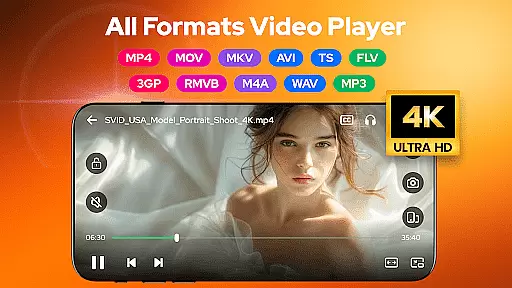
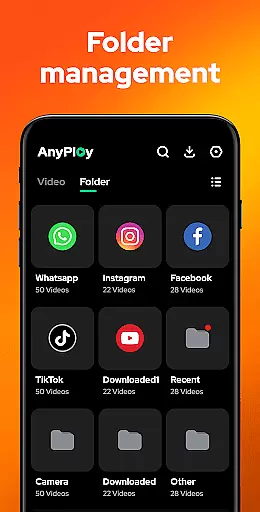

Video Player - AnyPlay is a versatile all-in-one media solution for Android users. This app combines a powerful video player, an efficient file manager, and a high-quality video downloader in a single package. Supporting all video formats, it provides an exceptional playback experience with features like customizable subtitles, gesture controls, and pop-up playback.
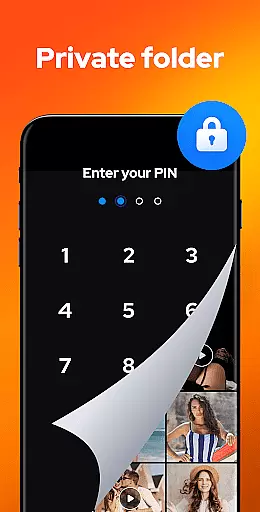
The application also excels in file management by automatically detecting and organizing media files on your device and SD card. With the added ability to hide private videos and play HQ music, AnyPlay ensures both privacy and entertainment. Whether you're looking to manage local files or stream online content, this app meets diverse media needs efficiently.
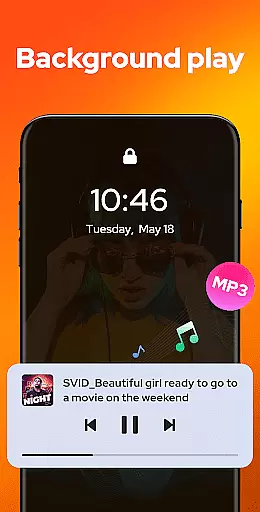
AnyPlay stands out with its comprehensive feature set tailored for media enthusiasts. The HD video player supports all formats and includes advanced options like subtitle customization, gesture-based controls, and background play. These features ensure an uninterrupted and personalized viewing experience that caters to individual preferences.
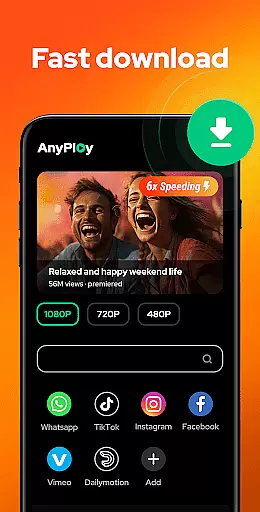
Beyond video playback, the app serves as a robust file manager. It auto-detects media files, offers sorting options, and allows hiding sensitive content in a private folder. Additionally, the built-in HD video downloader enables users to save videos from websites and social media platforms directly to their devices. Such functionality makes AnyPlay a complete tool for managing and enjoying digital media.
Video Player - AnyPlay stands out with its exceptional video format compatibility, ensuring users can enjoy HD video playback of all formats. The app supports a wide range of video types including MKV, MP4, M4V, AVI, MOV, 3GP, FLV, WMV, RMVB, and TS.
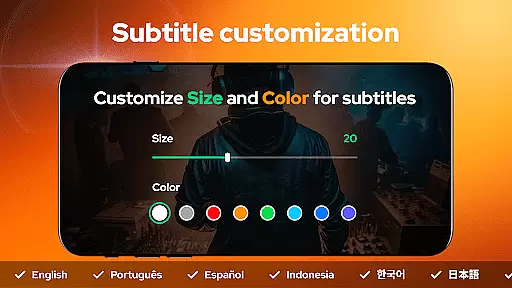
Beyond just playing videos, the app offers customizable subtitles, allowing users to import local subtitles or download online ones for free. Users can adjust the color and size of subtitles according to their preferences, enhancing the viewing experience.
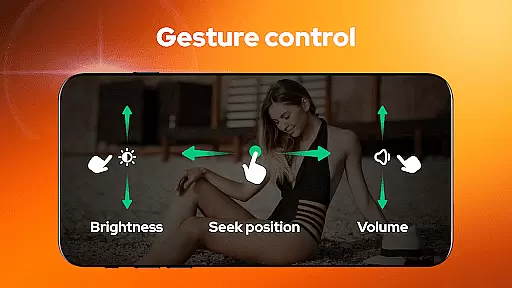
The application also features smart gesture control for fast forward/rewind, brightness adjustment, and volume control. This intuitive interface ensures that users have a seamless and enjoyable experience while watching videos in various formats.
With both hardware and software decoder support, Video Player - AnyPlay guarantees smooth playback regardless of the video format. This versatility makes it an indispensable tool for anyone looking to manage and enjoy their media collection without compatibility concerns.
While primarily known for its video playback capabilities, Video Player - AnyPlay also incorporates AI-powered editing features that enhance user interaction with media files. These features include automatic detection and management of all media files on your phone and SD card.
The app's built-in file manager presents media files clearly in lists, enabling quick access to needed files. It supports sorting videos by date, name, length, or size, streamlining the organization process through intelligent categorization.
For privacy-conscious users, Video Player - AnyPlay allows hiding videos in a private folder with one click. This feature effectively protects personal content from unauthorized access, showcasing the app's commitment to user security.
Additionally, the app includes a built-in browser for easy navigation and downloading of HD videos from any website. Users can choose video resolution during downloads, ensuring they save content in their preferred quality. These AI-driven functionalities make Video Player - AnyPlay not just a video player but a comprehensive media management solution.
User-friendly interface
Comprehensive format support
Advanced playback options
Efficient file management
Privacy protection features
May consume more storage
Occasional ads in free version
Complex for beginners
Limited cloud integration
Heavy on system resources

Kodi media center, a free and open source cross-platform entertainment hub
 3.60
3.60
HD video & music player - All format support with floating & PIP mode!
3.80
Powerful HD video player with support for all formats & subtitles.
4.0
Download videos easily & play them all in one smart, powerful video manager.
3.40
Movie maker & video editing app with AI effects and green screen
4.30
Fast & Private Video Downloader App. Save all videos easily from the Internet.
4.40
Cast to Smart TV, Fire TV. Cast video, photo - Fast & Stable!
3.90
VLC for Android is the best open source video and music player, fast and easy!
4.10
Video&Drama Player All Format is a HD video player, music player
3.00
?100% FREE! Download & save videos? safely in this app. All formats supported.
4.60
Create photo video with music & template. AI video maker for stunning slideshow.
4.60
Cast to Chromecast, Xbox, Fire Stick, Roku, DLNA, Smart TV & No Feature Limited!
4.50
Video Downloader, Multiple Resolution Options, Video Player
4.50
Add date and time watermark to photos and videos
4.50
Photo and Music Video Creator into Stunning Videos—Effortlessly
4.40
Browser for Fire TV to stream webvideos, online movies, livestreams in HD
4.40
AI Video Editor:AI Music, Text to Video,Text to Speech,Auto Caption,Video Effect
4.00
IPTV Player - Watch live TV from m3m & m3u8 playlist, stream IPTV on mobile
3.30
Mix with Virtual DJ directly from your phone or tablet !
3.10


User Reviews