
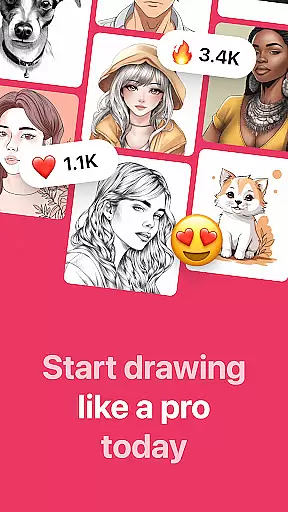
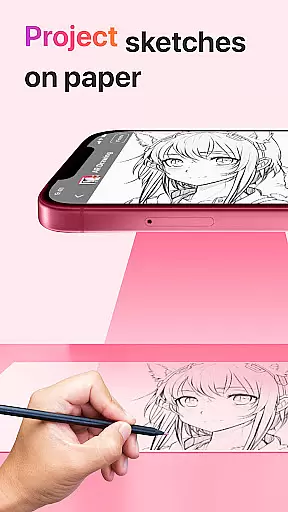
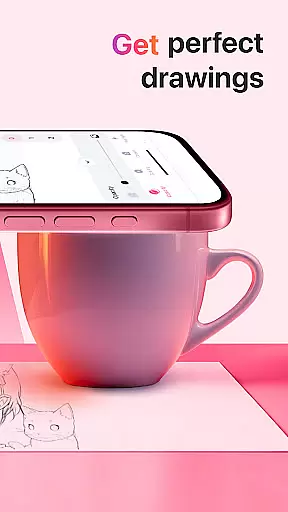
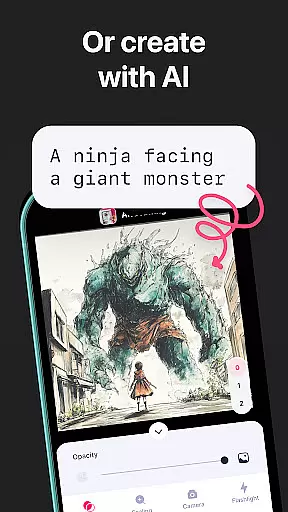
AR Drawing: Sketch & Paint is an innovative mobile application that utilizes augmented reality technology to help users learn drawing and create impressive artworks. The app projects images onto any surface, allowing users to trace and color them with ease. Whether you're a beginner or an experienced artist, this app provides the perfect platform to unleash your creativity.
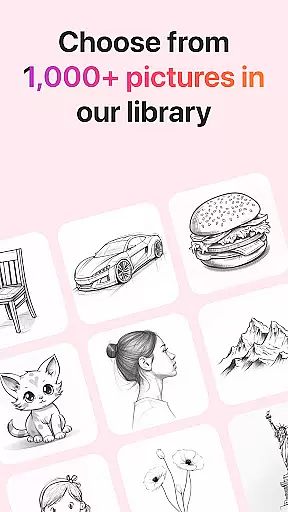
The core feature of AR Drawing is its ability to transform your smartphone into a powerful drawing tool. With built-in templates covering various categories like animals, cars, nature, food, and anime, users can choose their preferred style and start drawing immediately. Additionally, the app includes practical features such as a built-in flashlight for better visibility and video recording functionality to capture the entire drawing process.
This app is particularly useful for art enthusiasts who want to improve their skills quickly. By following the projected images, users can learn basic drawing techniques within days. The app's user-friendly interface and diverse template library make it suitable for all age groups, turning anyone into a capable artist in no time.
AR Drawing offers a comprehensive set of features designed to enhance the drawing experience. One of its standout capabilities is the vast collection of tracing templates, which cater to different interests and skill levels. From realistic animal portraits to intricate anime characters, these templates provide endless inspiration for users.
In addition to its extensive template library, the app incorporates several practical tools. The built-in flashlight ensures optimal lighting conditions for drawing, while the video recording feature allows users to document their artistic journey. Furthermore, the app enables users to save their finished drawings in a personal gallery and share them directly with friends or on social media platforms.
What sets AR Drawing apart from other art applications is its implementation of augmented reality technology. This feature allows users to project any image onto any surface, effectively turning their surroundings into a canvas. The combination of traditional drawing methods with modern technology creates a unique and engaging experience that appeals to both novice and professional artists alike.
AR Drawing: Sketch & Paint offers a comprehensive suite of creative tools that cater to both novice and experienced artists. The app provides various tracing templates, including Animals, Cars, Nature, Food, and Anime, which serve as a starting point for users who may not be confident in their drawing skills.
In addition to the extensive template library, the app includes a built-in flashlight feature, allowing users to draw in low-light conditions without any hassle. This ensures that the creative process is not interrupted by environmental constraints, thus enhancing user experience.
The ability to save drawings in a gallery within the app not only helps users to keep track of their artistic journey but also serves as a portfolio showcasing their progress over time. Furthermore, the option to record videos of the drawing and painting process adds an educational aspect, enabling users to review their techniques or share their creative process with others.
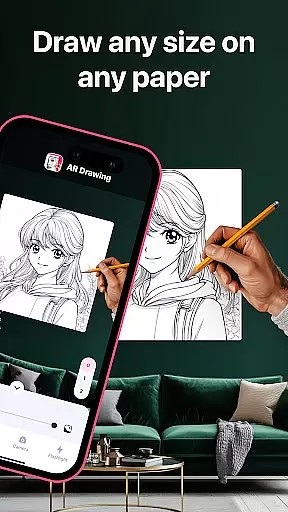
One of the standout features of AR Drawing: Sketch & Paint is its canvas and format flexibility, which allows users to draw anything they want on any surface. This innovative use of augmented reality technology breaks free from the traditional digital canvas constraints, offering unparalleled freedom in art creation.
Whether you're sketching on paper or another physical medium, the app adapts to your chosen surface, providing a projected picture that you can trace. This adaptability makes it an ideal tool for artists who prefer a tactile drawing experience but still want the guidance and convenience that digital tools offer.
Moreover, the app supports sharing your finished artwork with friends, which means that regardless of the format or canvas you choose, your creations can be easily distributed and appreciated by a wider audience. This social aspect encourages community building and feedback, which is crucial for growth and motivation in the art world.
User-friendly interface
Extensive template library
Built-in flashlight
Video recording capability
Augmented reality projection
Limited free templates
Subscription required
Occasional glitches
High storage usage
Learning curve for beginners

Vidu is an AI video generator made for creators and aspiring makers.
 3.30
3.30
AI generated images & photos, turn your words into drawing, painting & pictures.
4.30
The ultimate tool for creating animations
4.60
Draw on screen: FP sDraw is a simple and lightweight drawing app
4.70
Art of Combination Wear OS Watch faces
4.5
Unleash the artist in you with our AR drawing and tracing tool for photo drawing
4.10
Retouch photos. Create or edit images. Endless capabilities.
2.70
Video AI: Revolutionize Your Content Creation with Advanced Video Generation
4.50
Explore future self face age filter & remove background image for a unique look.
3.50
Novices can also easily complete diamond painting masters
4.70
Minecraft & Roblox Clothes
4.70
Digital, Abstract, Classic - all types of color wheels in one app!
4.60
Discover Cartoon Dream : Unleash Your Creativity with CuttingEdge AI
4.50
Share the joy of painting with ibis Paint! Drawing anime and manga art.
4.50
OneUI 8.5 icons ✨ Smooth, modern & based on the latest Play Store design ??
4.10
AI Art Generator transforms your words into AI generated art & paintings.
3.70
Art of Combination Wear OS Watch Faces
3.30
Create trending AI photos & videos with powerful effects and 3D styles.
3.20
A luxurious gold watch face for an elegant and refined look.
4.5


User Reviews