
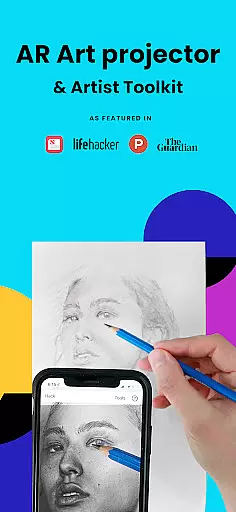
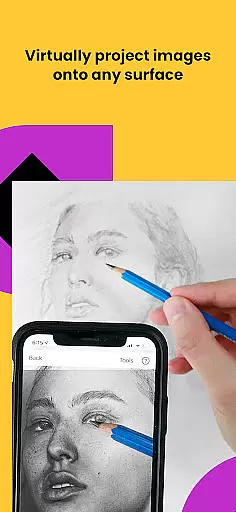
Da Vinci Eye's AR Art Projector is a revolutionary tool designed to elevate your drawing and sketching skills. This app combines augmented reality technology with traditional art techniques, allowing users to project images onto their canvas for precise tracing. With features like the strobe function for hyper-realistic drawings and color layer separation, it caters to artists of all levels.
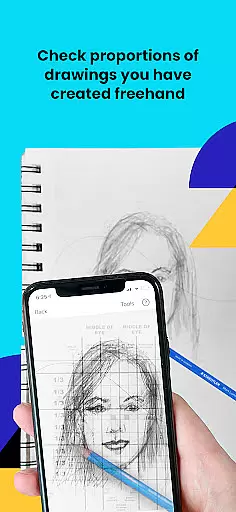
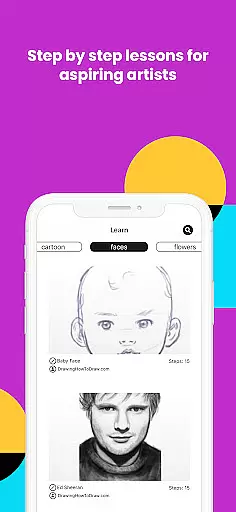
Beyond basic tracing, the app offers comprehensive learning tools including video tutorials and step-by-step drawing lessons. The supportive artist community provides valuable feedback and inspiration. Whether you're a professional illustrator or hobbyist baker, this app adapts to various artistic needs while helping users master proportion, shading, and detail work.
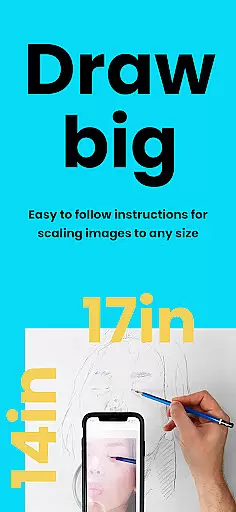
The application works best with newer devices that support AR mode, though it includes a classic mode for older equipment. By projecting reference images directly onto your workspace, Da Vinci Eye streamlines the artistic process and helps artists focus on technique development rather than initial sketch accuracy.
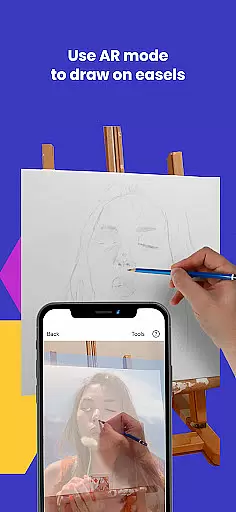
Da Vinci Eye stands out with its innovative combination of AR technology and traditional art methods. The app's core feature is its augmented reality tracing tool, which projects any image onto your canvas while maintaining alignment through device movement. This functionality particularly excels when working on easels or larger surfaces.
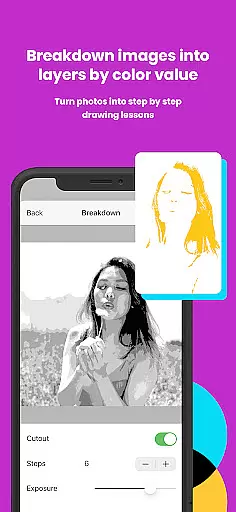
Advanced features include the ability to break down images into color value layers, zoom in for micro-details, and record time-lapse videos of your artwork's progress. The unique patent-pending learning method transforms any photo into a step-by-step drawing lesson, while video tutorials cover fundamental sketching techniques.
Additional professional-grade tools include adjustable filters for easier drawing, community sharing capabilities, and responsive customer support. The app's versatility extends across various artistic disciplines, from tattoo design to animation, making it an essential tool for both beginners and experienced artists seeking to refine their craft.
For any digital art application, the comprehensiveness of creative tools is crucial. AR Art Projector offers an extensive suite of features that cater to artists of all levels. The app includes a unique AR tracing tool, which acts as a modern Camera Lucida, allowing users to project images onto their canvas for accurate tracing.
In addition to its primary function, the app provides advanced drawing utilities such as color value layer separation and virtual overlays, which assist in mastering light and shadow placement. These capabilities ensure that whether you're working on hyper-realistic drawings or experimenting with different artistic styles, AR Art Projector has the tools necessary to support your creative process.
The inclusion of video tutorials and step-by-step shading lessons further enriches the user experience, making it not just a tool for creation but also a platform for learning and growth in artistic skills.
Flexibility in canvas and format options is essential for artists who work with various mediums and sizes. AR Art Projector excels in this area by enabling users to sketch or draw on any surface, unrestricted by the limitations found in traditional digital art apps. This means artists can choose their preferred canvas, be it paper, walls, or digital screens, without compromising the quality or method of their work.
Moreover, the app's zoom functionality allows for capturing micro-details in drawings, providing precision that is often lacking in other applications. Whether you're an animator needing fine control over character features or a tattoo artist perfecting intricate designs, this level of detail ensures professional-grade results every time.
By supporting both AR and Classic drawing modes, AR Art Projector accommodates different workflows and preferences, ensuring that each artist can tailor the app's functionality to suit their specific needs and environment.
User-friendly interface
Comprehensive learning tools
Versatile artistic applications
Active artist community
Responsive customer support
Requires newer devices for AR
Learning curve for beginners
Subscription fees apply
Device setup can be challenging
Limited offline functionality

Download now for a stylish and functional timepiece
 4.1
4.1
Create trending AI photos & videos with powerful effects and 3D styles.
3.20
Create neon drawing with magic doodle and fun doodle art effects!
4.50
Paint with oils and sketch with natural tools on a realistic virtual canvas.
3.80
Your Essential Color Theory Guide: Red, Yellow, Blue (RYB)
4.1
Photo stitcher for automatically screenshot stitching into a long screenshot
4.70
Retouch photos. Create or edit images. Endless capabilities.
2.70
Sketch and paint on your device with the feel and freedom of drawing on paper
4.00
Multiplayer Drawing game, Coloring, Painting・Sketch, Handwriting・Paint, draw
4.30
Logo Generator powered by AI: Create stunning logos effortlessly!
4.70
Your AI soulmate — meaningful chats, and unique emotional moments
4.70
Draw beautiful mandala's very easily
4.60
Share the joy of painting with ibis Paint! Drawing anime and manga art.
4.50
Image/ Text to Video Generator
4.40
Draw, make movies & animate cartoons easily with our 2D animation maker app
4.40
Trace, draw, and create art with AR - from memes to masterpieces!
4.30
Create stylish invitation cards using templates for weddings, birthdays & RSVP.
4.20
AI Assistant, powered by ChatGPT GPT-4 & GPT-4o. Your intelligent companion.
3.50
Create stunning video, photo & magic from text with FlixAI GPT video generator.
3.10


User Reviews