
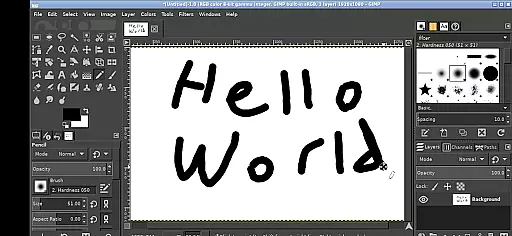
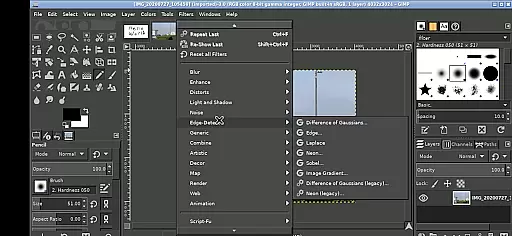
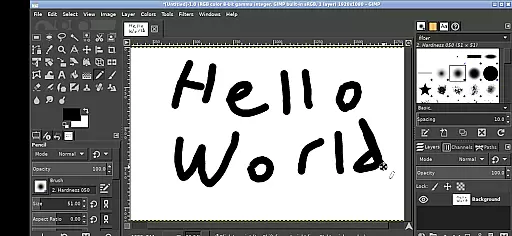
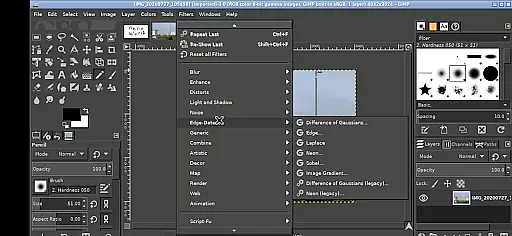
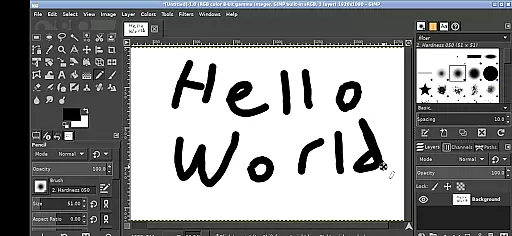
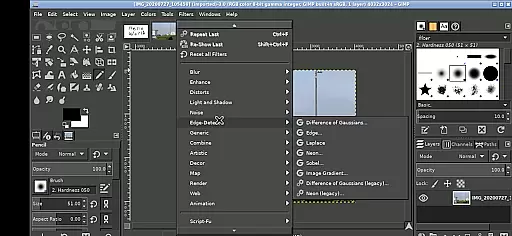
GIMP, the GNU Image Manipulation Program, is a powerful and versatile image editing tool now available on Android devices. This app brings professional-grade photo editing capabilities to your fingertips.
With features comparable to desktop image editing software, GIMP allows users to perform complex photo manipulations, graphic design, and digital painting directly on their mobile devices. Its comprehensive toolset makes it suitable for both amateur enthusiasts and professional designers.
The Android version maintains the full functionality of the original program while adapting its interface for touch-based interaction. Whether you're retouching photos or creating digital artwork, GIMP provides a professional solution for mobile image editing.
GIMP stands out with its extensive feature set that rivals professional desktop image editing software. The app supports layers, channels, masks, and various selection tools, enabling sophisticated image manipulation.
Specifically adapted for Android, the interface incorporates intuitive touch controls. Users can zoom with pinch gestures, pan with press-and-hold movements, and access different click functions through simple tap combinations. The app also integrates seamlessly with Android's file system, allowing direct access to documents and media files.
Advanced capabilities include support for various file formats, customizable brushes, and sophisticated path tools. These features, combined with precise control options, make GIMP a powerful mobile art studio suitable for detailed graphic work and creative projects.
In the realm of digital art and design, having access to a comprehensive suite of creative tools is paramount. GIMP, the GNU Image Manipulation Program, stands out by offering an extensive array of features that cater to both amateur artists and professional designers. This includes advanced photo retouching, image composition, and image authoring capabilities.
GIMP's functionality spans from basic editing tasks such as cropping and resizing to complex operations like color correction, cloning, and airbrushing. The program supports a wide variety of plugins, which further extends its capabilities and allows users to tailor their experience according to specific needs or preferences.
For users on Android devices, GIMP maintains its commitment to providing powerful tools without compromise. Despite the challenges of adapting a desktop-grade application for mobile use, it retains most of its core features while introducing touch-friendly controls. This ensures that creatives can achieve professional-grade results even when working on the go.
The true value of GIMP's complete toolset lies in its ability to support unrestricted creativity. Whether you're editing photographs, creating digital paintings, or designing graphics for web and print, GIMP provides all the necessary instruments to bring your vision to life with precision and efficiency.
Flexibility in canvas size and format options is crucial for accommodating diverse artistic projects and ensuring compatibility across different platforms and mediums. GIMP addresses this need by offering unparalleled adaptability in terms of project setup and output settings.
Users can initiate projects with custom canvas dimensions tailored to their specific requirements, whether they are designing for social media, web banners, or high-resolution prints. Additionally, GIMP supports multiple file formats including JPEG, PNG, GIF, and its native XCF format, allowing seamless integration into various workflows.
On Android, GIMP continues to deliver this level of flexibility despite the constraints of mobile hardware. Users have access to the same range of canvas and format options as they would on a desktop environment, empowering them to work on projects of any scale directly from their device.
This adaptability not only enhances productivity but also encourages experimentation. Artists and designers can freely explore different formats and resolutions without being hindered by technical limitations, making GIMP a versatile companion for creative endeavors on Android devices.
Professional-grade tools
Extensive format support
Customizable interface
Seamless Android integration
Active community support
Steep learning curve
Complex interface
High system requirements
Limited mobile optimization
No native Android design

Discover Cartoon Dream : Unleash Your Creativity with CuttingEdge AI
 4.50
4.50
Premium version of Shimeji-ee app with no ads & no limit active shimeji
4.0
Sketch, plan, take notes and illustrate on an infinite canvas.
4.20
Logo Generator powered by AI: Create stunning logos effortlessly!
4.70
Paint with oils and sketch with natural tools on a realistic virtual canvas.
3.80
Draw anime easily with AR guidance, sketch templates & trace tools!
3.10
Mobile pixel art editor. Simple. Fast. Portable.
4.80
Create amazing pictures and unleash your creative genius with AR Drawing Sketch
4.40
AI-powered photo & video creation—fast, fun, and effortless with Quick Actions
4.60
Make your phone cooler and have a fantastic experience
4.80
2D animation studio for Android tablets - unlimited layers, infinite timeline
4.70
Draw, fidget, and spin glow art! Relax and express your creativity with a finger
4.60
Share the joy of painting with ibis Paint! Drawing anime and manga art.
4.50
Just trace a projected picture on paper and color! Draw & Paint with AR drawing
4.40
Custom Character Creator & PFP Maker!
4.20
Create stylish invitation cards using templates for weddings, birthdays & RSVP.
4.20
Resize photos and print photos in exact size with our powerful photo printer!
3.80
Your homescreen as an elegant glass with customized blur, lighting, and visuals.
3.70
Create stunning video, photo & magic from text with FlixAI GPT video generator.
3.10


User Reviews