
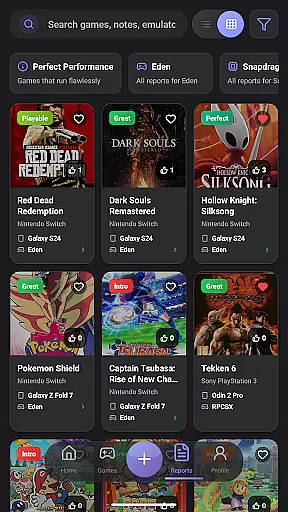
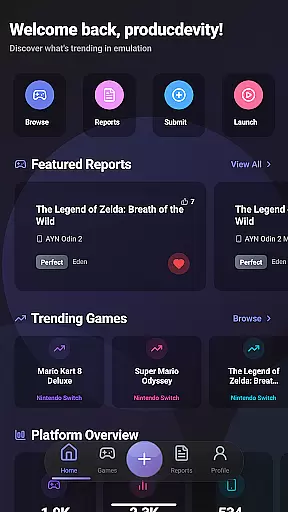
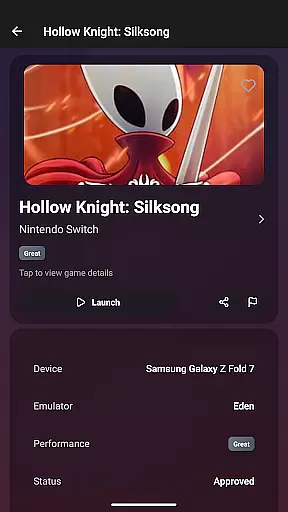
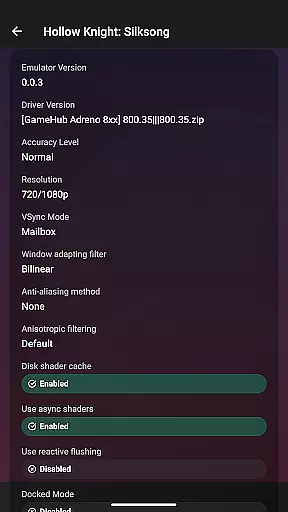

EmuReady Beta is a comprehensive emulation compatibility tool designed to help users discover the best gaming experience on their devices. The app provides detailed compatibility reports for various games, emulators, and devices, ensuring optimal performance without wasting time on trial and error.
Key features include a vast game compatibility database, community-driven reports, device-specific information, and support for multiple emulators. Users can filter results based on performance ratings, vote on helpful reports, track detailed metrics, and save favorite games. EmuReady also offers a comfortable viewing experience with its automatic dark mode feature.
This app is particularly useful for retro gaming enthusiasts who want to maximize their emulation setup's potential. By providing reliable compatibility data, EmuReady empowers users to make informed decisions about which games will run smoothly on their specific hardware configurations.
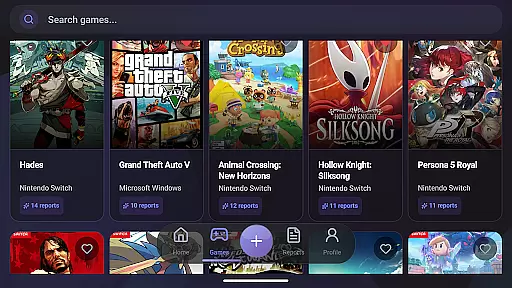
EmuReady Beta stands out with its robust set of features tailored for emulation enthusiasts. The app boasts a comprehensive game compatibility database that allows users to browse thousands of titles and instantly view performance metrics across different devices and emulators. This extensive catalog supports searches by game title, system, or other criteria, making it easy to find relevant information quickly.
Another notable feature is the community-driven reporting system. Real users contribute detailed compatibility reports, complete with performance ratings, custom settings, and helpful notes. This collaborative approach ensures that users receive practical advice from others who have faced similar challenges. Additionally, the app supports multiple emulators for systems like Nintendo Switch and 3DS, enabling users to compare performance and choose the best option for each game.
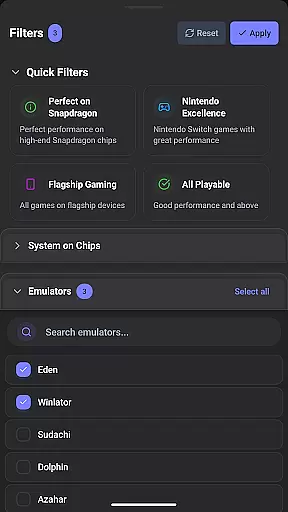
Smart filtering options allow users to refine search results by device, emulator, performance rating, and more. The inclusion of a vote and comment system fosters an active community where users can upvote useful reports and share their experiences. Performance tracking provides insights into FPS, graphical fidelity, and playability ratings, while the ability to save favorites helps users build a personalized library of compatible games.
EmuReady Beta focuses on providing accurate and effective core functions that are essential for retro gaming enthusiasts. The app's Game Compatibility Database allows users to browse thousands of games, offering instant insights into how each game performs across different devices and emulators. This feature ensures that users can make informed decisions about which games will work best on their specific hardware.
The app actively supports its community by enabling real users to share detailed compatibility reports. These reports include performance ratings, custom settings, and helpful notes, contributing to the overall accuracy and reliability of the app's content. By aggregating real-world data, EmuReady Beta provides a trustworthy guide for users looking to optimize their emulation experience.
Device-specific information further enhances the app's effectiveness. Whether you're using a flagship phone or a budget tablet, EmuReady Beta tailors its reports to match your exact device model. This personalized approach helps users avoid the trial and error process, saving time and ensuring a smoother gaming experience.
Despite being in Beta, EmuReady Beta offers an interface that is both simple and intuitive, making it accessible even to those new to emulation. The app's design emphasizes ease of use, allowing users to quickly find compatibility reports with minimal effort. Key features like Smart Filtering enable users to sort through reports by device, emulator, performance rating, and more, streamlining the search process.
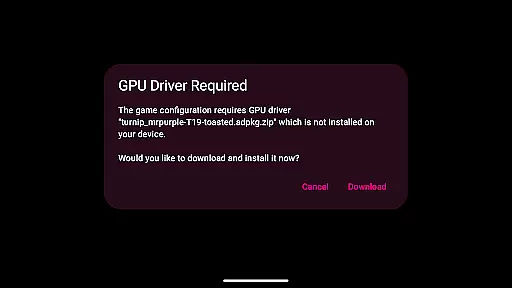
One of the standout aspects of EmuReady Beta is its one-touch functionality. With just a single press, users can launch a game, apply all necessary settings, and start playing immediately. This seamless integration of features reduces complexity and enhances user engagement, making the app not only functional but also enjoyable to use.
Additionally, EmuReady Beta includes thoughtful touches such as Dark Mode, which provides a comfortable viewing experience at any time of day. Automatic theme switching ensures that users can enjoy a visually pleasing interface whether they're browsing during the day or late at night. These elements contribute to an overall intuitive and user-friendly experience.
User-friendly interface
Extensive game database
Community-driven reports
Device-specific information
Multiple emulator support
Limited to compatibility checking
Beta version instability
No emulator provided
Dependent on user contributions
Occasional outdated data

 4.50
4.50
A powerful, easy-to-use flight computer on your phone or tablet!
3.80
Just swipe the edge to do something!
4.40
Excellent scientific calculator with symbolic algebra, integrals, derivatives
4.80
Screen Mirroring with sound for Samsung TV, LG TV, Sony TV, Smart TV and Browser
4.20
Game Booster, GFX Tool is now compatible with newer game update
4.50
Creation, Learning, Entertainment & More — The All-in-One AI Search Engine
4.70
Mobile Security with Scam Protection | Malware & Virus Cleaner | Safe Browser
4.70
A clean app.
4.50
Monitor car performance in real time and troubleshoot malfunctions.
4.80
Bedrock Together: Join any bedrock server on Xbox/PS
4.80
Learn the vast amount of system information about device and monitor it's state
4.70
Canon PRINT is a companion app for your Canon printer.
4.60
Button mapper, mouse toggle, sleep timer and a lot of another features
4.50
Clean up large files and similar photos, fast and easy to use
4.40
PC precision for mobile gaming: dominate with keyboard and mouse!
4.30
Quickly & easily calculate the spacing of handrail balusters
4.20
MS-DOS in your pocket. Play old DOS games anywhere you are ;)
4.10
This app unlocks the Pro features of the Central for DayZ app
3.60


User Reviews