
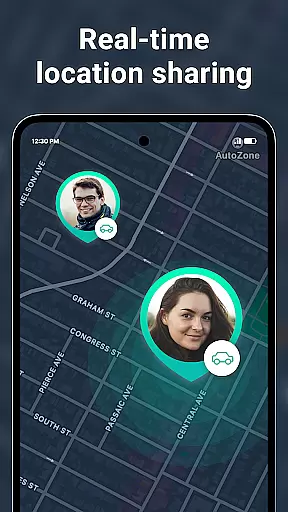
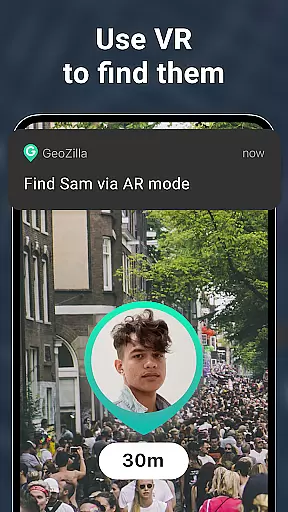
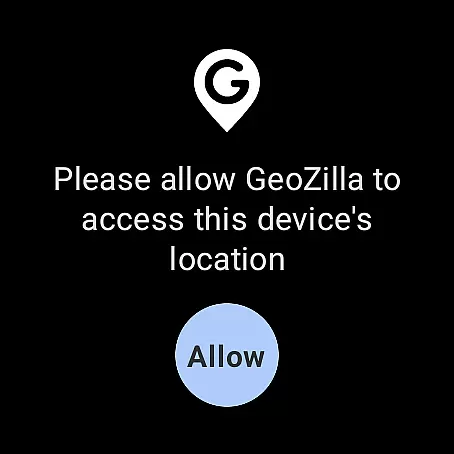
Geozilla is a comprehensive family safety app designed specifically for Android Wear devices, allowing families to stay connected through real-time location sharing. The app provides peace of mind by offering features such as live GPS tracking, geofencing alerts, and driving behavior reports. With its smart functionalities, Geozilla ensures that family members can monitor each other's whereabouts while maintaining complete transparency and consent.
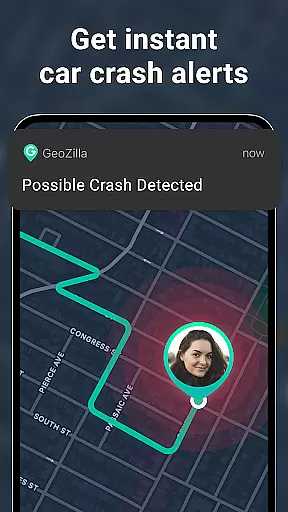
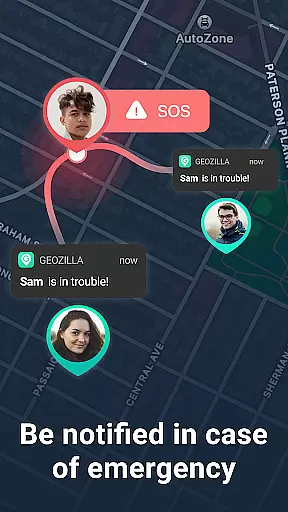
The app also includes advanced safety features like crash detection and SOS alerts, which are crucial during emergencies. Through the integration with Wear OS, users can access location data directly from their smartwatches, making it convenient to keep track of loved ones on the go. Whether ensuring kids arrive safely at school or monitoring elderly family members, Geozilla offers a reliable solution for modern family safety needs.
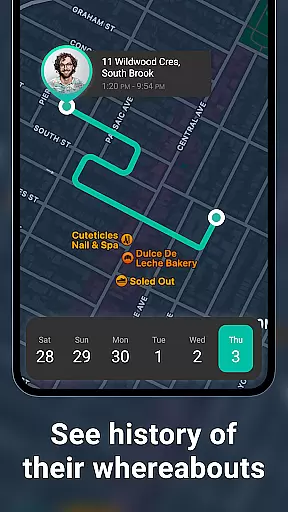
Geozilla stands out with its robust set of features tailored for family safety. One of the core functionalities is real-time location sharing, which allows users to view the current GPS positions of their family members instantly. This feature is complemented by location history, enabling users to review past movements and establish patterns over time.
In addition to live tracking, Geozilla offers geofencing capabilities where users can set up specific zones such as home or school. The app sends notifications when family members enter or leave these predefined areas. Furthermore, the app monitors battery levels and provides driving insights, promoting safer travel habits. These innovative tools collectively enhance family security and communication, making Geozilla an indispensable app for today's connected families.
Companion app integration is essential for wearable technology, ensuring seamless interaction between mobile devices and wearables. Geozilla excels in this area by offering a robust connection between its smartphone application and Wear OS devices.
The app allows users to share locations and receive alerts directly on their smartwatches, maintaining constant communication without the need to check their phones. This integration is particularly useful for receiving notifications about family members' whereabouts and safety alerts, such as arrival and departure from specific locations.
By leveraging the capabilities of Wear OS, Geozilla ensures that users can access critical information at a glance, thus enhancing the overall user experience. The ability to interact with the app via a smartwatch provides convenience and peace of mind, knowing that important updates are always within reach.
For apps like Geozilla, which focus on family safety and location sharing, compatibility with Wear OS and various devices is crucial. The app supports a wide range of devices, ensuring that families can stay connected regardless of the hardware they use.
Geozilla's compatibility extends to multiple Android devices, allowing for flexible usage among family members who may have different smartphones or smartwatches. This inclusivity ensures that no one is left out of the safety network due to device limitations.
Moreover, the app's optimization for Wear OS means that it runs smoothly on compatible smartwatches, providing reliable performance and minimal battery drain. Users can trust that their location data will be accurately reflected, and they can manage their safety settings with ease, directly from their wrist.
User-friendly interface
Real-time GPS tracking
Comprehensive safety features
Transparent privacy controls
Wear OS compatibility
Requires constant internet
Dependent on user consent
Limited to family use
Premium features may cost extra
Background location drains battery

Elegant animated Christmas tree with multiple customization options
 4.20
4.20
Contemporary digital watch face with five complications
4.3
Easy Voice Recorder is your everyday companion to record important moments.
4.70
Be an elegant and classy secret agent, with this carefully detailed watch face
4.70
Stylish digital watch face for Wear OS devices with customizable features
4.4
Digital watch face. For Wear OS devices.
4.40
Fitness interactive virtual pet super fighter boy watch face
4.0
Daily Weather forecast with 15 weather images for Day & Night plus Big Bold time
4.10
Control your Samsung Smart TVs, appliances, and SmartThings-compatible devices
4.60
The most customizable hybrid watch face. For Wear OS 5.0, API 34+ and later
4.70
Gym & home workout plans with strength training, exercise tracking, HIIT & more.
4.60
Retro digital watch face with customizable colors and a unique lighting effect
4.60
Simple, helpful messaging by Google
4.60
Embrace the holiday spirit with this magical animated watch face!
4.40
Digital watch face with big numbers and many customization for Wear OS devices
4.40
"PER27 Galaxy Digital" is a digital Wear OS watch face designed by PERSONA
4.10
Embrace the festive spirit with our Christmas Countdown watchface for Wear OS
4.10
Connect, create, and collaborate with Gmail, part of Google Workspace.
4.10
3 Complications. All shadow on/off. 30 Themes color palette...
4.2


User Reviews