
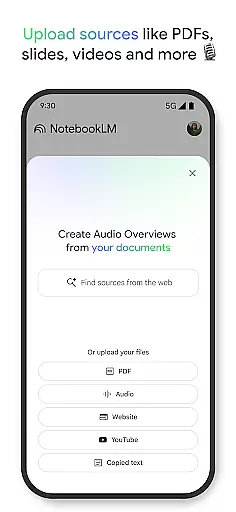
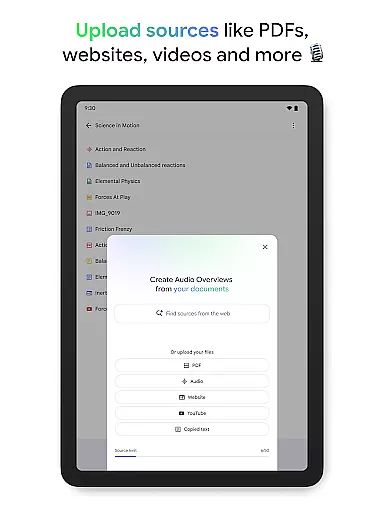
NotebookLM is a productivity app designed to simplify complex information management. It allows users to upload various sources like PDFs, websites, and videos, transforming them into easily digestible formats. The app's AI capabilities provide trusted insights by analyzing uploaded content and making meaningful connections.
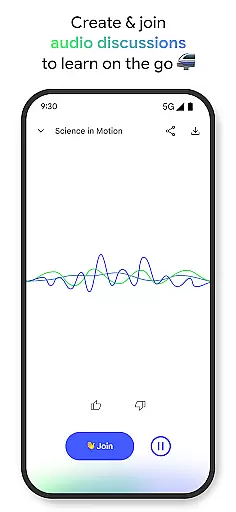
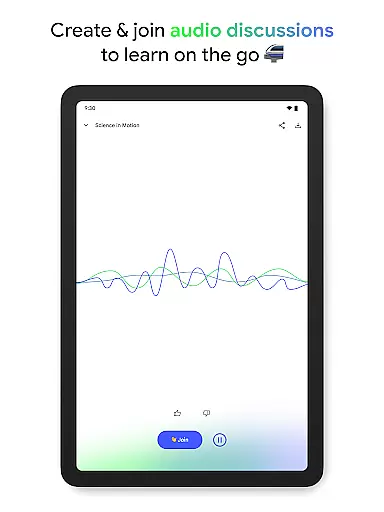
With features like Audio Overviews, users can learn on-the-go through podcast-style discussions. This makes it an ideal tool for students, researchers, and professionals who need to process large amounts of information efficiently. The app's offline support and background playback enhance its usability across different environments.
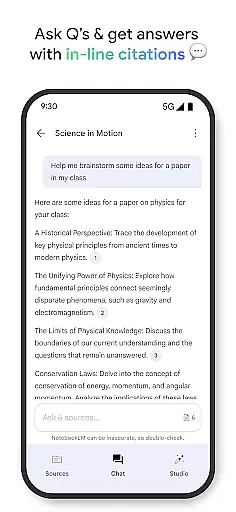
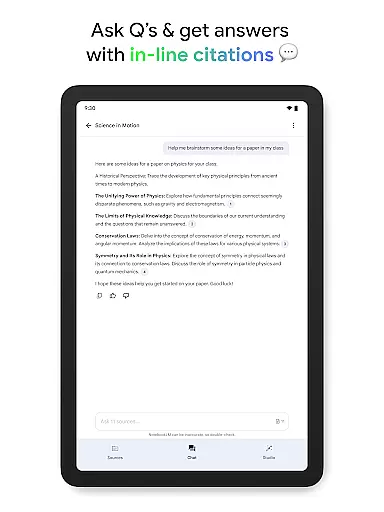
The app's key feature is its ability to handle multiple source types, including PDFs, websites, and YouTube videos. Its AI engine creates summaries and draws connections between different pieces of content, providing users with valuable insights. The in-line citation system ensures all information is verifiable and trustworthy.
NotebookLM stands out with its Audio Overview functionality, offering podcast-style learning experiences. Users can engage with two AI hosts or participate in the discussion themselves. The combination of expert analysis and flexible learning formats makes this app particularly valuable for knowledge workers and learners.
Additional features include background playback for multitasking and offline support for uninterrupted access. These capabilities, combined with its cross-platform availability, make NotebookLM a comprehensive solution for modern information processing needs.
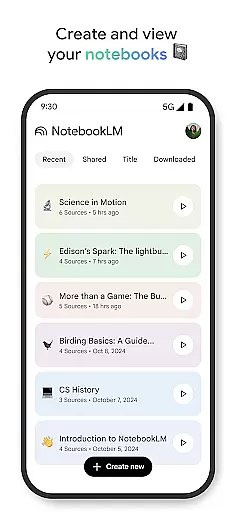
NotebookLM revolutionizes the way users handle complex information by offering robust core task management features. This functionality allows users to upload various sources such as PDFs, websites, and videos, transforming them into manageable notebooks.
The app's intelligent system then becomes well-versed in these sources, providing summaries and drawing insightful connections. Users can trust the cited responses to their queries, ensuring accuracy and reliability in the information provided.
With NotebookLM, managing tasks related to studying, research, or professional work is seamless. The app saves time and enhances productivity, making it an invaluable tool for a diverse range of users including students, researchers, and CEOs.
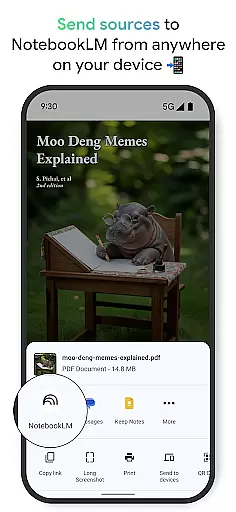
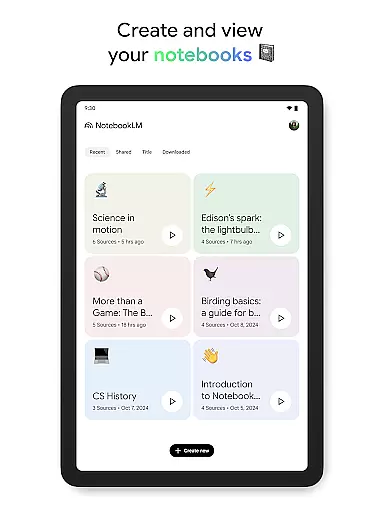
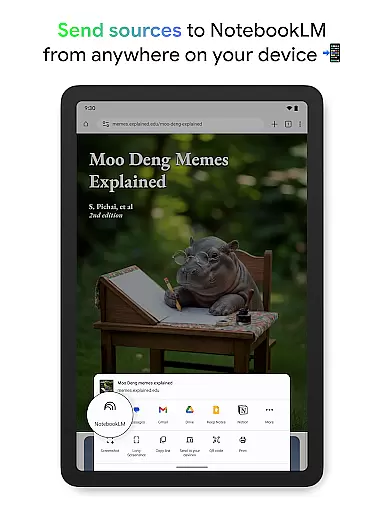
Cross-device synchronization is a critical feature of NotebookLM, enabling users to create and access their notebooks from any device with impeccable reliability. Whether you're at home, in the office, or on the move, your data remains consistent and up-to-date across all platforms.
This ensures that all your important information, queries, and insights are accessible wherever you are. The ability to ask questions and receive trusted answers on the go further enhances the utility of the app, supporting a dynamic and mobile lifestyle.
In addition to reliable synchronization, NotebookLM offers offline support and background playback for Audio Overviews. This means users can continue learning and stay productive without an active internet connection, making it an essential tool for modern, flexible work environments.
Trusted AI insights
Flexible learning formats
Offline functionality
Background playback
Multi-source support
Limited free features
Requires internet
Premium pricing
Steep learning curve
Occasional bugs

Easily read and manage all your PDF files
 4.10
4.10
8 custom complications. Custom Time Fonts. Beautiful color schemes. A++ Design.
5.00
Customizable calendar widget for seamless event sync, planning & scheduling.
4.00
Fill, sign & send docs, forms, agreements & contracts via electronic signature.
4.50
Make apps & sites with natural language prompts
4.10
All document reader, all in one file viewer read PDF, DOCX, XLS, PPT, TXT files.
4.60
Scan paperwork into PDF/JPG, generate your own e-signature and send fax or email
4.70
Daily processing of PDF documents.
4.40
Put a lock on your cloud: Take the security of your data into your own hands
3.70
Best Tool for the professionals Electrician, Electrical contractors, etc.
4.90
Seamlessly integrate data and reports to build your presentation to impress
4.80
aCalendar+ makes your day, week and month
4.70
App Lock with fingerprint, password: Lock apps & hide photos with lock screens
4.60
Translate text/voice/photos in 150+ languages. Offline & fast translator app.
4.50
Todo reminder
4.10
Secure, open-source, SPICE and SSH Remote Desktop for QEMU KVM virtual machines
4.00
A Revolutionary All-in-One Artificial Intelligence Tools
3.80
All in one sketching tool. Technical and General drawing. Online Maps support.
3.70
IP Camera Viewer - Android TV : RTSP Surveillance camera viewer for Android TV
4.4


User Reviews