
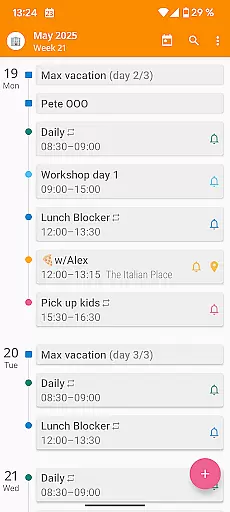

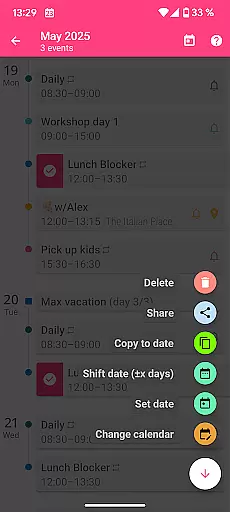
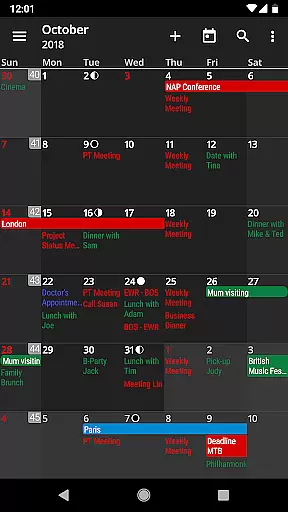
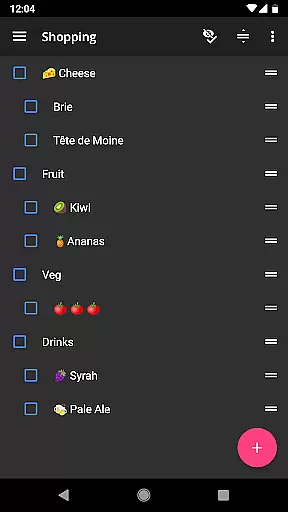
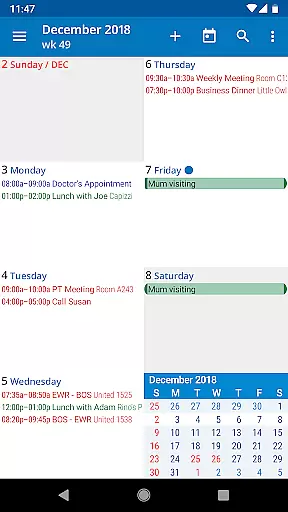
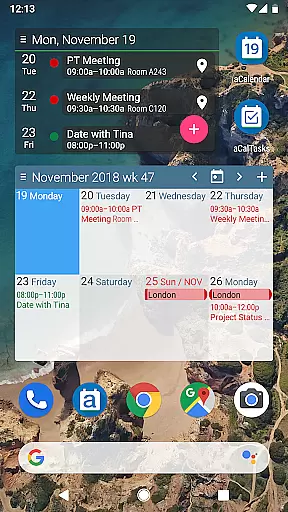
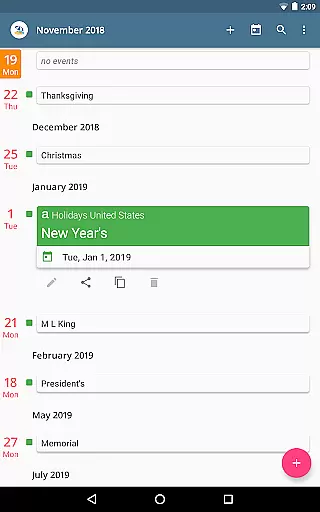
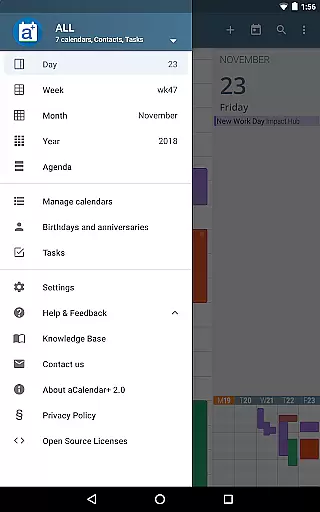
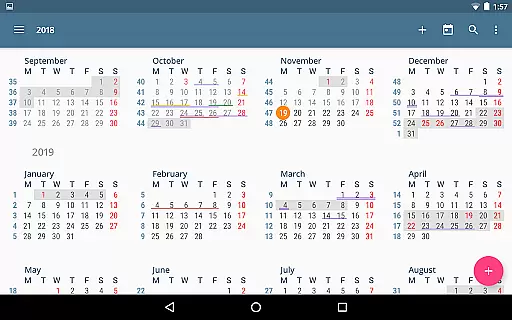
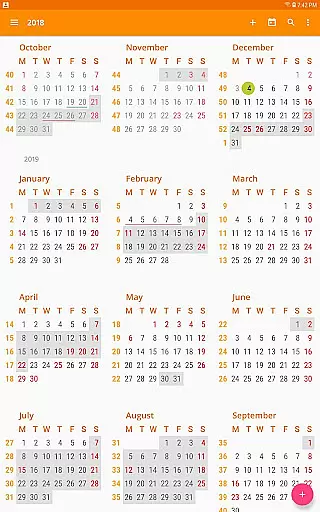
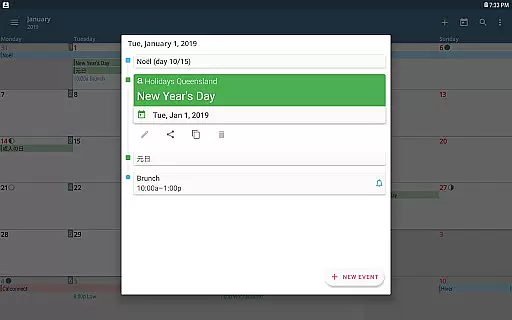
aCalendar+ is a premium productivity application designed to enhance your time management with its robust calendar and task features. The app offers an intuitive navigation system with smooth transitions between day, week, month, and year views, ensuring you stay organized across all timeframes. With over a decade of experience, aCalendar+ stands out by providing users with advanced functionalities such as public holidays configuration, additional color themes, and business-oriented capabilities.
One of the key highlights of aCalendar+ is its ability to manage Google Tasks or tasks from CalDAV/OpenTasks, making it an indispensable tool for both personal and professional use. The app also supports Android's native calendar backend and synchronization, ensuring seamless integration with your existing systems. Whether you need to track birthdays, anniversaries, or critical business meetings, aCalendar+ delivers a comprehensive solution that caters to diverse scheduling needs while promoting environmental conservation through its donations to rainforest protection.
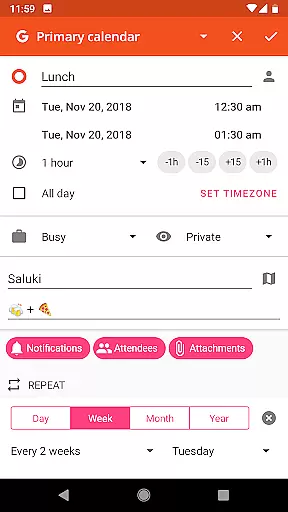
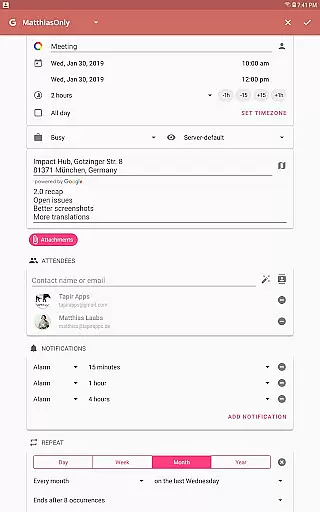
aCalendar+ boasts a rich set of features designed to provide users with a superior calendar management experience. One of the standout features is the flexible recurrence options, allowing events to be scheduled every 3 weeks, every 17 days, or custom patterns like every Monday, Wednesday, and Friday. This flexibility ensures that users can tailor their schedules precisely to their needs. Additionally, the app offers over 100 color choices for calendar events, enabling clear differentiation and organization of various activities.
The app also excels in its business features, including the ability to invite attendees, link contacts, manage free/busy statuses, and create private profiles. Users can share events as ICS files, making collaboration effortless. Furthermore, aCalendar+ provides fullscreen widgets and per-event color customization, even if the event's calendar doesn't support it. These features collectively ensure that users have a highly customizable and visually distinct calendar experience, enhancing both usability and aesthetic appeal.
Effective task management is essential for productivity apps, and aCalendar+ excels in this area. The app provides comprehensive tools for managing tasks from various sources, including Google Tasks and CalDAV/OpenTasks.
Users can organize their tasks with ease, thanks to the intuitive interface that supports different views such as day, week, month, and year. This allows for a clear overview of upcoming responsibilities and deadlines.
In addition to basic task tracking, aCalendar+ offers advanced features like configurable actions on specific gestures, enabling users to tailor their experience according to personal preferences or workflow requirements.
The ability to switch between views with simple swipe gestures ensures that users can quickly adapt the app's display to suit their current needs, whether they are planning their day or reviewing long-term projects.
aCalendar+ leverages Androidu2019s native calendar backend and synchronization capabilities to ensure reliable cross-device syncing. This means users can access their schedules and tasks seamlessly across all their devices without worrying about data loss or inconsistencies.
With full support for calendar colors, event colors, and even per-event color coding, aCalendar+ maintains visual consistency regardless of where an entry was made, enhancing recognition and organization.
Furthermore, the inclusion of flexible recurrence options and over 100 color choices empowers users to create a personalized and visually coherent system that syncs effortlessly, promoting efficient time management.
By respecting user privacy and only synchronizing data as configured by the user, aCalendar+ guarantees peace of mind while providing a robust platform for maintaining an up-to-date digital planner.
User-friendly interface
Extensive customization options
Robust task management
Seamless synchronization
Supports environmental causes
Premium version costly
Occasional sync delays
Limited free features
Complex for beginners
Ads in free version

The long-awaited modern gallery app for your Nextcloud server
 4.70
4.70
IP Camera Viewer - Android TV : RTSP Surveillance camera viewer for Android TV
4.5
Customizable calendar widget for seamless event sync, planning & scheduling.
4.00
Todo reminder
4.10
Multilingual translator for text, voice, and image translation!
4.90
Code on-the-go with VScode for Android. Edit,debug and collaborate from mobile!!
3.10
Docker, Kubernetes management over Portainer Mobile
4.40
Simple notepad & memo. Take notes, to-do list, shopping list with reminders.
4.80
Daily processing of PDF documents.
4.40
Great calculator for Android named one of USA TODAY's "25 Essential Apps".
4.90
Scientific calculator for Android - looks and operates like the real thing!
4.90
Seamlessly integrate data and reports to build your presentation to impress
4.80
Protect and view your important info on your phone and tablet with eWallet®
4.80
All in One PDF Reader: Manage, Read and Edit your Documents
4.20
Make apps & sites with natural language prompts
4.10
Secure, open-source, SPICE and SSH Remote Desktop for QEMU KVM virtual machines
4.00
A Revolutionary All-in-One Artificial Intelligence Tools
3.80
Smart PDF reader & editor to view, organize and manage PDF documents easily.
3.70
The upgraded version of Name Wheel with AI and the power to add your own wheels.
4.4


User Reviews