
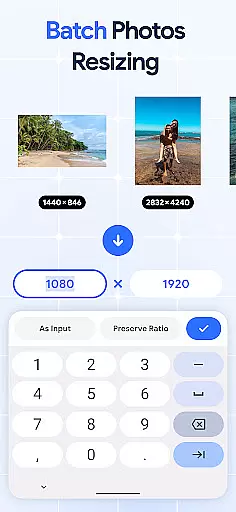
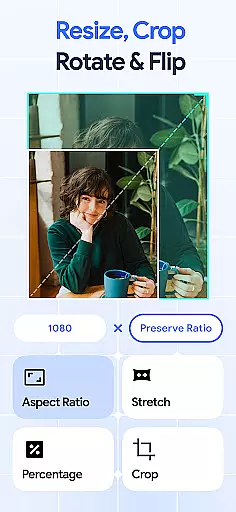
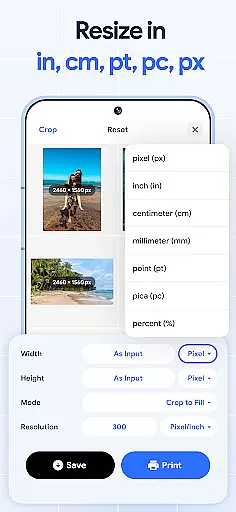
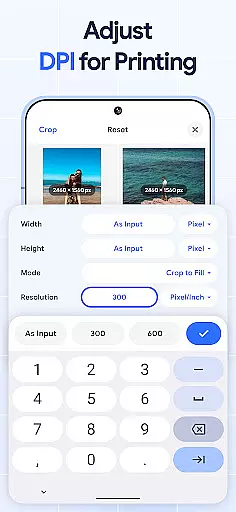
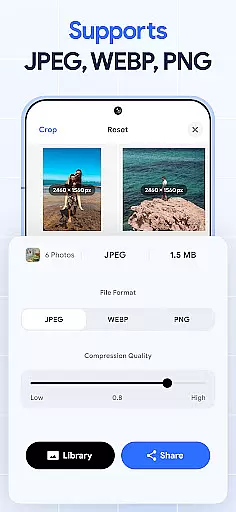
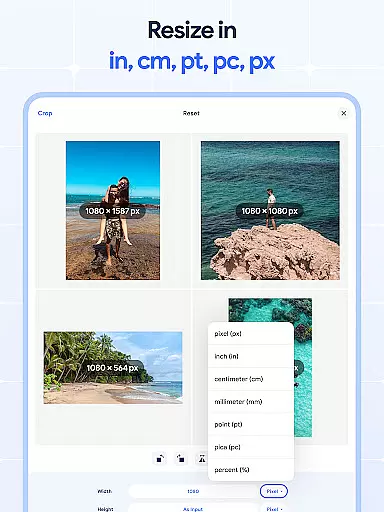
Image Resizer: Crop Photo is a versatile tool designed for resizing, cropping, rotating, flipping, and compressing images. This app caters to users who need to adjust image dimensions for various purposes such as social media optimization, storage management, or printing needs. With its intuitive interface, the app allows effortless modification of photo resolution and orientation while maintaining high-quality output.
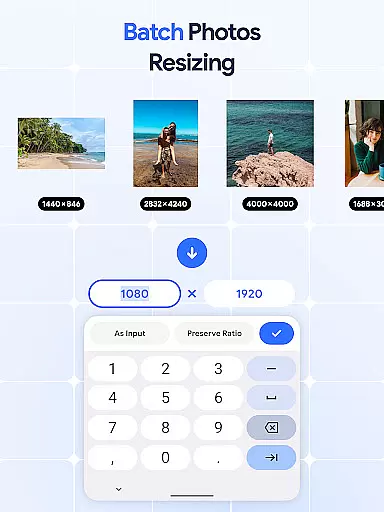
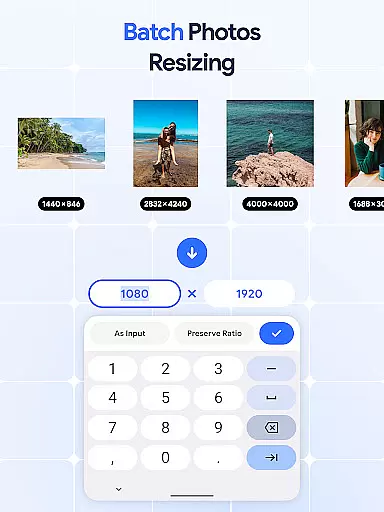
The application stands out with its batch processing capabilities, enabling users to edit multiple images simultaneously. Whether you need to resize photos in bulk, rotate several pictures at once, or compress numerous files for better storage, Image Resizer provides efficient solutions. Its comprehensive feature set makes it an essential tool for photographers, digital marketers, and casual users looking to optimize their image assets quickly and effectively.
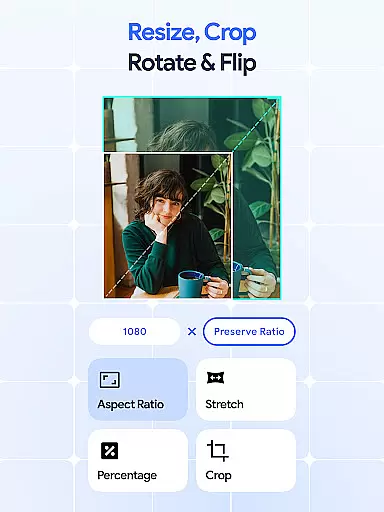
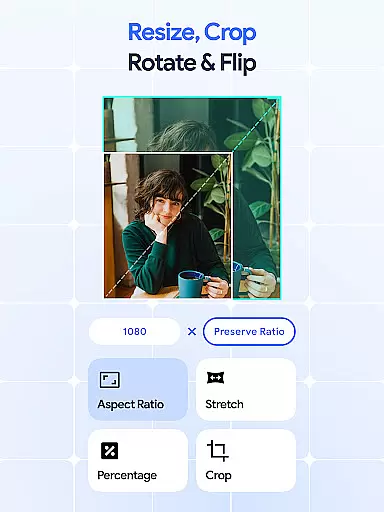
Image Resizer offers an extensive range of features that cater to diverse image editing needs. The app's resizing functionality allows users to quickly adjust photo dimensions for different platforms and uses. With dedicated tools for cropping, users can remove unwanted parts of an image or focus on specific areas, ensuring precise edits every time.
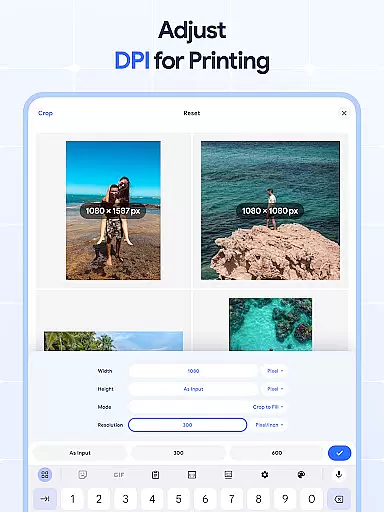
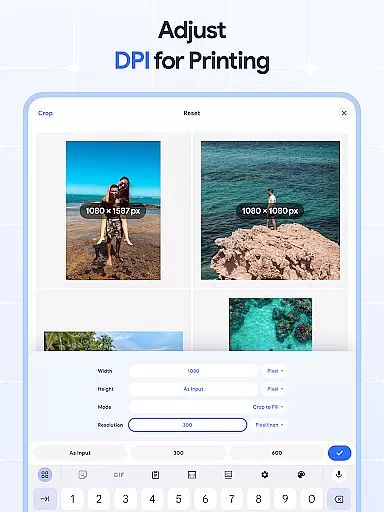
One of the standout features is the batch processing capability, which enables simultaneous editing of multiple images. Users can rotate, flip, or compress several photos at once, significantly improving workflow efficiency. Additionally, the built-in DPI changer helps optimize images for printing by allowing users to modify resolution settings. These comprehensive tools, combined with user-friendly controls, make Image Resizer a powerful solution for both basic and advanced image manipulation tasks.
In the realm of digital art and design, having access to comprehensive tools is essential for bringing creative visions to life. Image Resizer: Crop Photo stands out by offering an extensive suite of features that cater to various image editing needs.
From resizing and cropping to rotating and flipping images, this app provides artists and designers with everything they need to modify their visuals accurately. The inclusion of a dpi changer and photo compressor further extends its utility, allowing users to optimize their images for both print and digital platforms without compromising on quality.
What sets this application apart is its batch processing capabilities. Users can perform bulk operations such as resizing, rotating, or compressing multiple images simultaneously. This feature not only saves time but also ensures consistency across projects, which is crucial for professional outcomes.
By consolidating these powerful tools into one platform, Image Resizer empowers creators to focus more on their artistic process rather than technical limitations. Whether you're adjusting photos for social media or preparing high-resolution images for printing, this app streamlines your workflow while maintaining exceptional standards of precision and performance.
A versatile canvas is fundamental in art and design applications, enabling creators to work with diverse formats and dimensions seamlessly. Image Resizer: Crop Photo excels in providing unparalleled flexibility when it comes to handling different image sizes and resolutions.
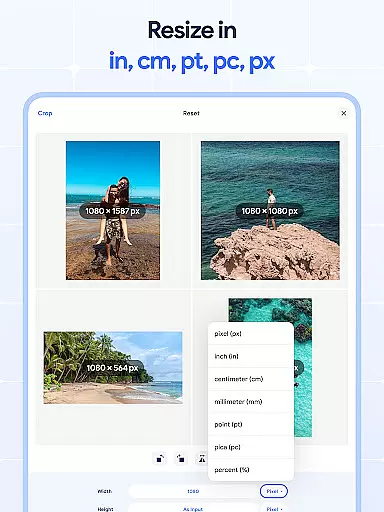
This app allows users to resize images effortlessly, catering to specific requirements such as social media posts, website banners, or print materials. With precise control over width, height, and resolution settings, designers can tailor their visuals exactly how they envision them without being constrained by predefined templates.
Beyond basic resizing, the application supports advanced functionalities like cropping and rotating images with pinpoint accuracy. These features ensure that every element within a composition aligns perfectly with the creator's intent, whether it involves removing unwanted sections or adjusting orientation for dynamic layouts.
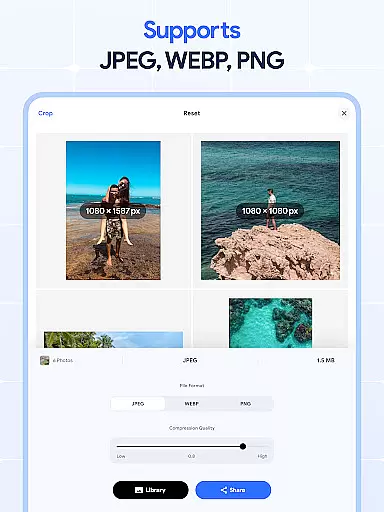
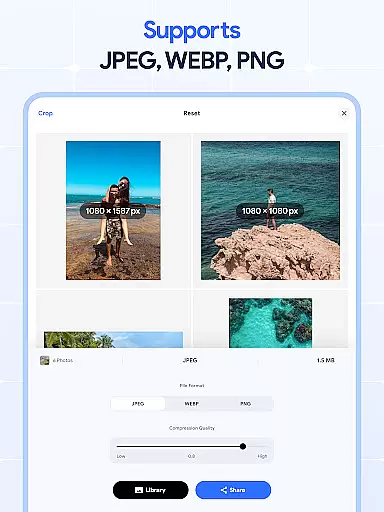
Moreover, the ability to manage DPI settings adds another layer of adaptability, making it suitable for both screen display and physical prints. By accommodating a wide range of file types and sizes while preserving original quality, Image Resizer offers a robust platform where creativity knows no boundsu2014empowering artists to explore new possibilities without format restrictions holding them back.
User-friendly interface
Batch processing support
High-quality output
Comprehensive editing tools
Efficient workflow management
Limited advanced editing options
No cloud integration
Basic color adjustment tools
Occasional performance lag
Subscription required for premium features

Premium version of Shimeji-ee app with no ads & no limit active shimeji
 4.1
4.1
Customizable Outlined Fonts. Watch Face Format. Battery friendly Digital Clock.
4.20
Design your dream room with AI. Get decor ideas & plan home interiors
3.90
Create neon drawing with magic doodle and fun doodle art effects!
4.50
Digital, Abstract, Classic - all types of color wheels in one app!
4.60
Photo editor for art, avatars, filters & fun transformations.
4.60
Your homescreen as an elegant glass with customized blur, lighting, and visuals.
3.70
OneUI 8.5 icons ✨ Smooth, modern & based on the latest Play Store design ??
4.10
AI-powered photo & video creation—fast, fun, and effortless with Quick Actions
4.60
2D animation studio for Android tablets - unlimited layers, infinite timeline
4.70
Minecraft & Roblox Clothes
4.70
Get an overview over all your embroidery threads, projects and more.
4.60
Discover Cartoon Dream : Unleash Your Creativity with CuttingEdge AI
4.50
Unleash your drawing and painting potential
4.50
Kling AI is an image and video generation and editing studio powered by AI.
4.50
Remove Background, Magic Eraser, Photo Enhancer, Story Templates, Collage Maker
4.30
Custom Character Creator & PFP Maker!
4.20
AR Anime Drawing: How to draw anime with AR drawing & sketching apps!
4.00
Sketch, trace and master AR drawing with awesome anime art!
3.30


User Reviews