
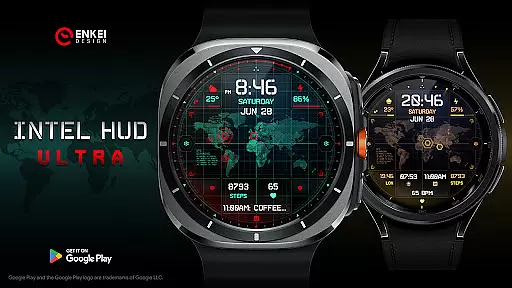
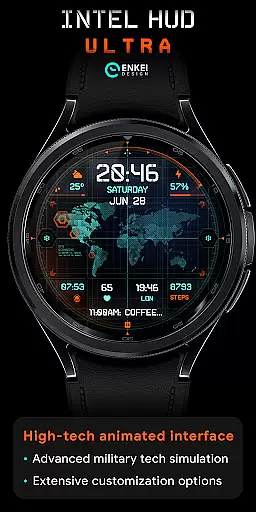
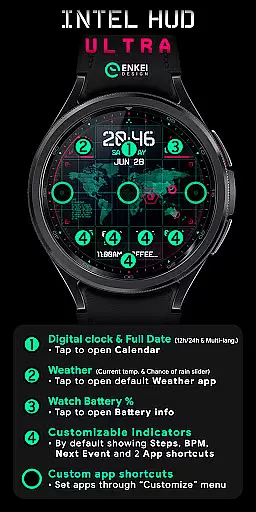
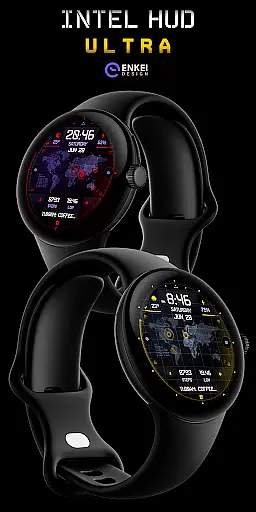
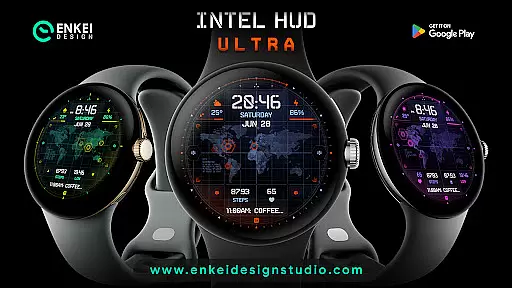
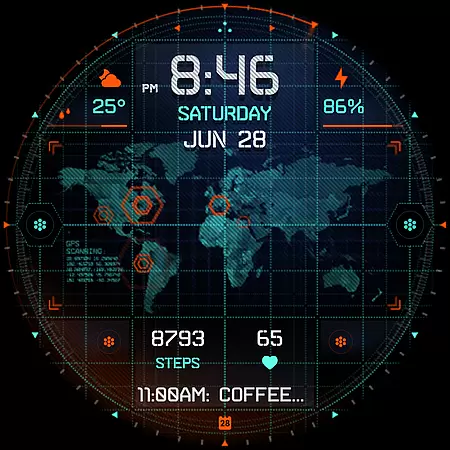
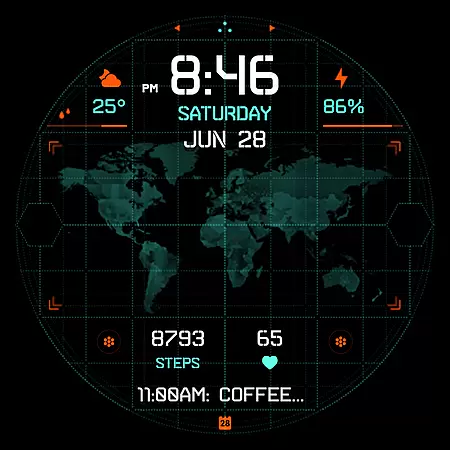
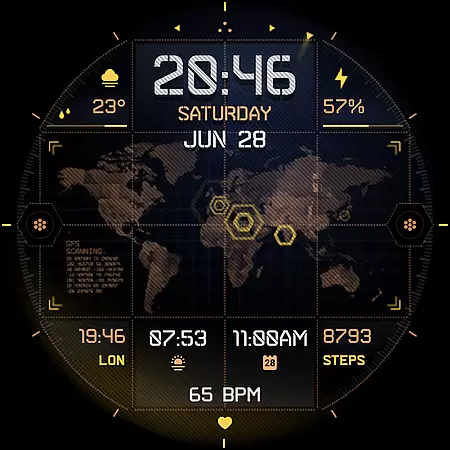
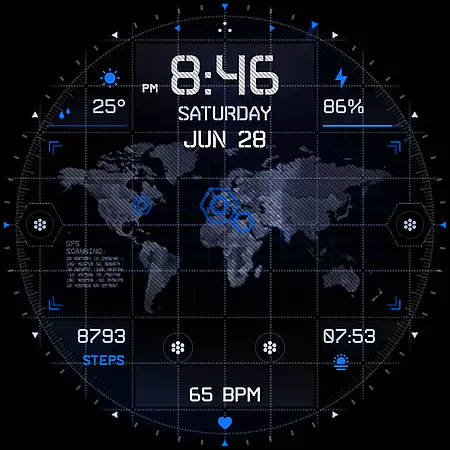
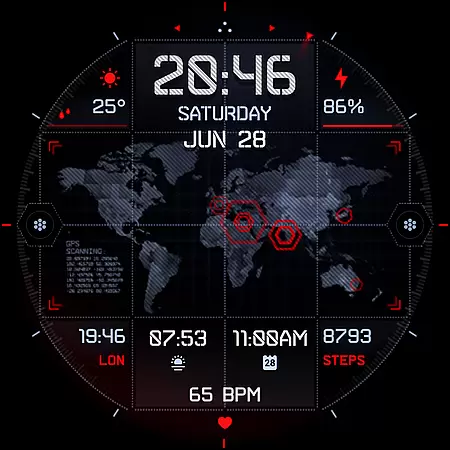
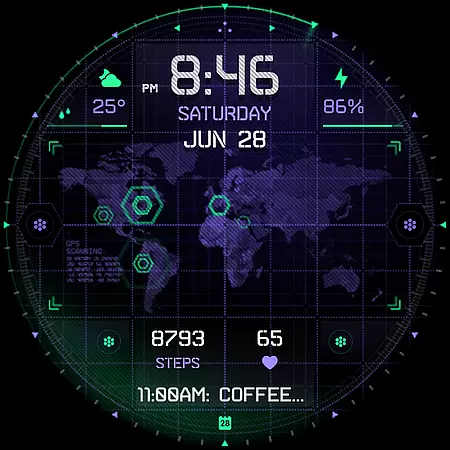
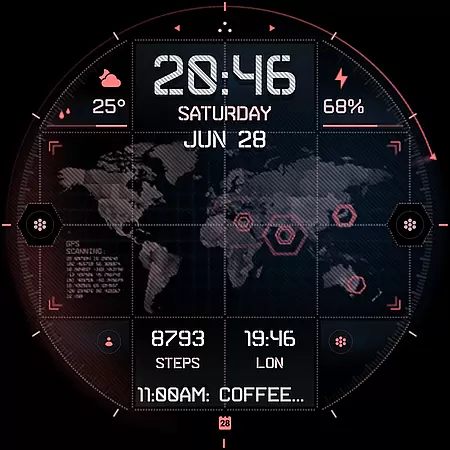
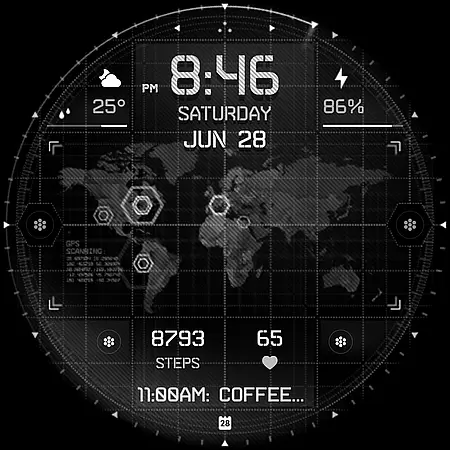
INTEL HUD Ultra is a high-tech digital watch face designed for smartwatches running Wear OS 5.0 and newer versions. This advanced watch face features an animated interface optimized for maximum performance while minimizing battery consumption, with the option to disable animations partially or fully.
The watch face offers extensive customization options, allowing users to personalize their layout by adjusting indicators, shortcuts, colors, and other visual elements. With support for weather updates, app shortcuts, heart rate monitoring, and more, it provides both style and functionality in one package.
INTEL HUD Ultra stands out with its feature-rich design tailored for tech-savvy users. The digital clock supports both 12h/24h formats and integrates tap actions to open apps like Calendar and Weather. It includes weekday, month, and date displays with multi-language support, as well as weather information such as current temperature and chance of rain.
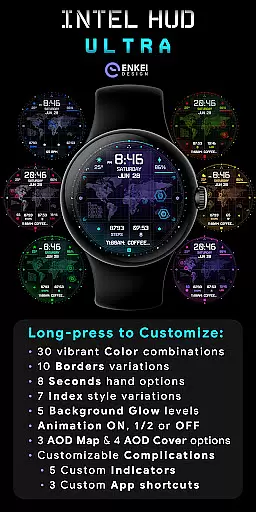
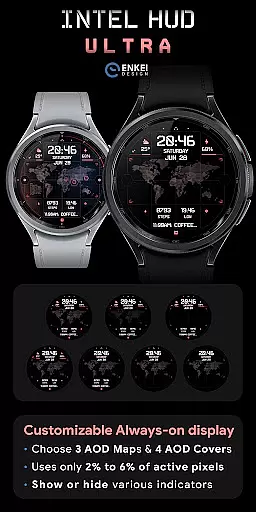
Customization is at the core of this watch face. Users can configure up to four short-text indicators (e.g., steps, heart rate), one long-text indicator (e.g., next event), and three app shortcuts. Additionally, the Always-On Display (AOD) is both battery-efficient and customizable, offering vibrant color combinations, various border styles, and multiple animation settings.
Long-pressing the watch face opens a detailed Customize menu, providing options for colors, borders, seconds display, background glow, and more. These features ensure that every user can tailor the watch face to their specific preferences while maintaining optimal performance.
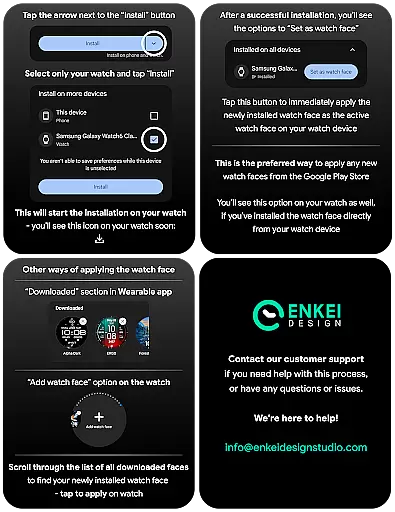
Companion app integration is essential for smartwatch applications as it ensures seamless synchronization between the wearable and its paired mobile device. INTEL HUD Ultra excels in this area by providing a dedicated phone companion app that facilitates direct installation to your watch device.
The companion app serves as more than just an installer; it acts as a bridge, ensuring that all features are optimally configured on both devices. This allows users to enjoy the full range of functionalities without any hiccups or compatibility issues.
By installing the companion app, users can easily access customization options and useful features powered by Watch Face Format. This results in an enhanced user experience with expanded capabilities tailored specifically for Wear OS 5.0 and newer versions (API 34+).
Ultimately, the companion app's role is to simplify the setup process while maximizing functionality, making sure you get the most out of your high-tech animated digital watch face.
Device compatibility is crucial when selecting a smartwatch application, ensuring that the software runs smoothly on supported devices. INTEL HUD Ultra has been meticulously designed exclusively for devices running Wear OS 5.0 and newer versions (API 34+), guaranteeing optimal performance.
This specialized compatibility ensures that users benefit from advanced features such as extensive customization options, high-tech animated interfaces, and battery-efficient always-on display (AOD) modes. These features have been optimized to work seamlessly within the specified operating system parameters.
By focusing on Wear OS 5.0 and above, INTEL HUD Ultra leverages the latest technological advancements, offering a refined layout inspired by military tech seen in video games and movies. Users can expect a cutting-edge experience with minimal battery drain.
In summary, INTEL HUD Ultrau2019s strict adherence to Wear OS/device compatibility standards ensures a reliable, feature-rich experience that takes full advantage of modern smartwatch capabilities.
Highly customizable
Battery efficient
Modern aesthetic
Advanced features
Great performance
Wear OS 5.0+ only
No iOS support
Paid features
Complex setup
Limited AOD

A customizable Christmas watch face for Wear OS with a countdown.
 4.20
4.20
A Wintery Snow Globe on Your Wrist; now celebrating Christmas!
4.5
Simple Analog-Digital Watchface For Wear OS 3.0 and Up Smartwatches
4.0
3 Complications. All shadow on/off. 30 Themes color palette...
4.3
Your second brain for organizing your life: to-do, calendar, reminder.
4.70
Retro digital watch face with customizable colors and a unique lighting effect
4.60
Viewer for Wyze/Yi/Eufy/Arlo/ONVIF/RTSP/P2P IP cams w/ adv. features & DIY DVR
4.00
Track your active life in one place and share the journey with friends.
4.40
Fitbit is dedicated to helping people lead healthier, more active lives.
4.10
Hyperlocal rain alerts by MyRadar using patent-pending technology, radar & more
4.80
Easy Voice Recorder is your everyday companion to record important moments.
4.70
Gym & home workout plans with strength training, exercise tracking, HIIT & more.
4.60
To-Do List: daily schedule planner, task organizer, to do reminder app, calendar
4.60
Digital watch face with big numbers and many customization for Wear OS devices
4.40
Find EV charging stations
4.30
Watch face for Wear OS.
4.20
Connect, create, and collaborate with Gmail, part of Google Workspace.
4.10
Professional weather radar and more
3.90
Watch face designed for Thanksgiving Day. 7 Background Styles included.
3.20


User Reviews