
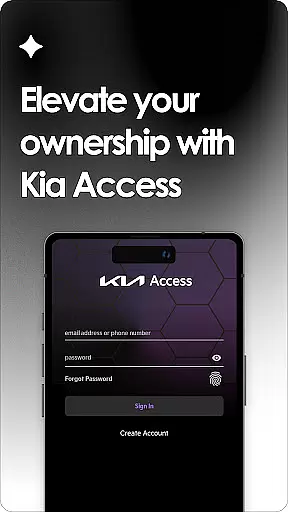
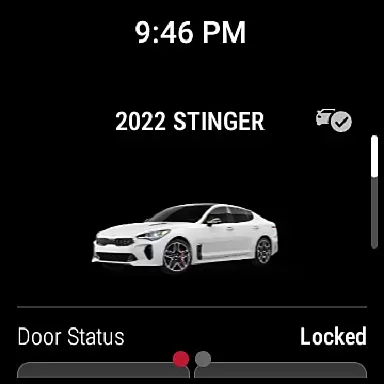
Kia Access is the official app from Kia America, Inc., designed to provide vehicle owners with seamless access to essential information and services. The app combines features of the Kia Owner's Portal with convenient tools from Kia Connect (formerly UVO link), making it easier than ever to manage your vehicle directly from your smartphone or Wear OS device.
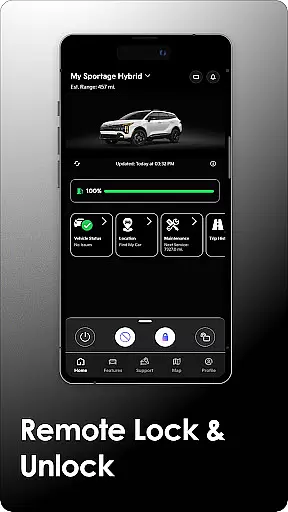
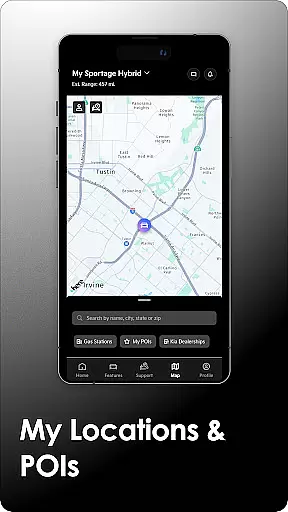
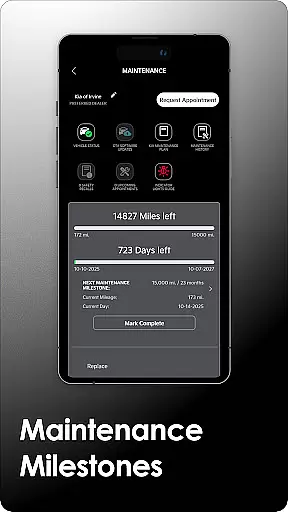
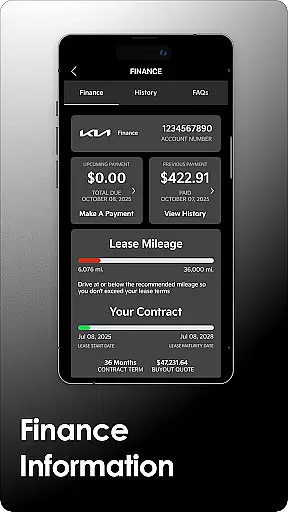
With Kia Access, users can view their Owner’s Manual, track maintenance milestones, and even manage vehicle payments if financed through Kia Motors Finance. For vehicles equipped with Kia Connect, additional remote functionalities are available, such as locking/unlocking doors, setting cabin temperature, and locating your car on a map. Electric and hybrid vehicles gain access to specialized features like battery status checks and charging station locators.
This app is ideal for modern Kia owners who want to stay connected to their vehicles while on the go. Whether you need quick access to warranty details or wish to control certain aspects of your car remotely, Kia Access delivers convenience and peace of mind right in the palm of your hand.
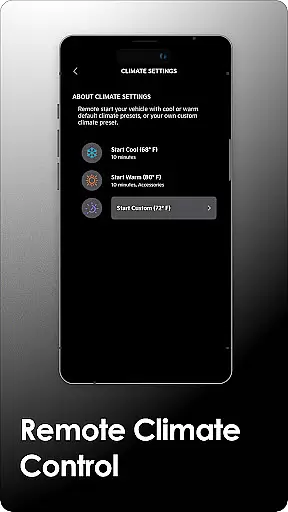
Kia Access offers an impressive range of features tailored to enhance the ownership experience. One standout capability is its integration with Kia Connect, which allows users to perform remote actions such as locking/unlocking doors, initiating horn and light commands, and setting the vehicle's cabin temperature—all from their mobile devices. This functionality proves particularly useful when managing your vehicle in challenging situations, such as locating it in a crowded parking lot.
In addition to remote controls, the app provides detailed vehicle health reports that monitor powertrain, chassis, and airbag systems. These reports help ensure timely maintenance and prevent potential issues before they escalate. Plug-in hybrid and electric vehicle owners benefit from specialized tools, including battery status tracking, driving range estimation, and charging station locators. Such features not only simplify daily operations but also promote eco-friendly driving habits.
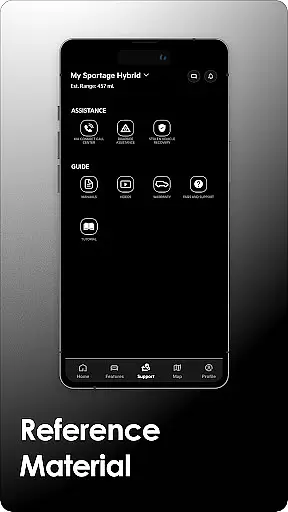
The app also supports multimedia resources, offering quick guides, instructional videos, and warranty information at your fingertips. By consolidating these resources into one platform, Kia Access eliminates the need for physical manuals and streamlines access to critical information. Overall, this combination of remote management, health monitoring, and educational content makes Kia Access a comprehensive solution for Kia owners.
Companion app integration is essential for users who want seamless connectivity between their smart devices and vehicles. Kia Access excels in this area by offering a comprehensive suite of features that sync directly with your Kia vehicle, ensuring you have all necessary information and controls at your fingertips.
The app consolidates vital vehicle data such as maintenance milestones, payment information if financed through Kia Motors Finance, and even the owner's manual. For vehicles equipped with Kia Connect, users can access advanced functionalities like sending locations to the car's navigation system and remotely locking or unlocking doors.
One significant advantage of Kia Access is its ability to support electric and plug-in hybrid vehicles with specialized features. These include checking battery status, locating charging stations, and scheduling charging times. This ensures that owners of these vehicles can maximize their driving range and manage energy consumption efficiently.
By integrating smoothly with Wear OS, Kia Access extends its utility beyond smartphones, allowing users to interact with their vehicle from their wrist. This level of companion app integration enhances convenience and provides peace of mind, knowing that your vehicle's critical systems are always within reach.
Wear OS/device compatibility is crucial for users looking to leverage their wearable technology for enhanced vehicle interaction. Kia Access offers robust support for Wear OS, making it easier than ever to stay connected with your vehicle directly from your smartwatch.
This compatibility allows users to receive important notifications and alerts about their vehicle's status without needing to pull out their phone. Whether it's a reminder about an upcoming service milestone or an alert regarding your vehicle's health report, having this information on your wrist ensures you're always informed.
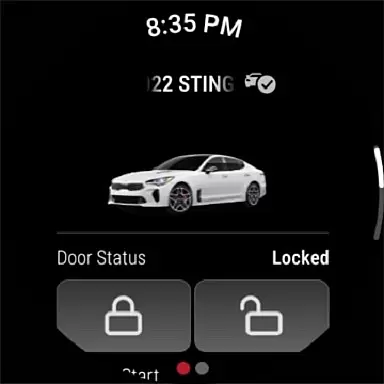
Kia Access takes full advantage of Wear OS capabilities by enabling remote commands such as locking and unlocking doors, sounding the horn, or flashing lightsu2014all from the convenience of your smartwatch. This functionality not only saves time but also adds a layer of security when you're away from your vehicle.
Moreover, the appu2019s design ensures smooth performance across different devices, maintaining consistent usability whether accessed via smartphone or smartwatch. With Kia Access, Wear OS users enjoy a streamlined experience that keeps them connected to their vehicle's essential functions no matter where they are.
User-friendly interface
Remote vehicle control
Comprehensive maintenance tracking
Specialized EV features
Wear OS compatibility
Limited to Kia vehicles
Subscription required
Dependent on cellular coverage
No offline functionality
Regional restrictions apply

Animated Watch Face and Customizable with 24 Backgrounds. Perfect for Christmas!
 3.90
3.90
Find EV charging stations
4.30
Real-time results, stats, schedules and player profiles for all leagues
4.60
Funny animated watch face for Thanksgiving
4.3
A modern hybrid informative watch face for Wear OS designed by BALLOZI
4.80
A digital watch face that celebrates Christmas.
4.00
A realistic hybrid watch face with many customization options.
4.60
Connect, create, and collaborate with Gmail, part of Google Workspace.
4.10
Your local weather forecast, storm tracker, radar maps & live weather news
3.40
Christmas - Festive - Christmas Village - Winter - Christmas lights
5.00
Diet tracker for weight loss - track calories, food and macros. Simple and easy!
4.70
To-Do List: daily schedule planner, task organizer, to do reminder app, calendar
4.60
Simple, helpful messaging by Google
4.60
Fast and smart typing with Emojis, GIFs, and more
4.50
The ultimate destination for kids ages 3-8 to explore the Marvel Universe!
4.30
Hyper-Realistic Airplane Dashboard Watch Face With 10 Skins and Custom AOD
4.00
Want to take charge of your health? Let Google Fit help you reach your goals.
3.50
A Wintery Snow Globe on Your Wrist; now celebrating Christmas!
4.5
Hybrid Vibrant Health Watch Face for Wear OS
4.0


User Reviews