
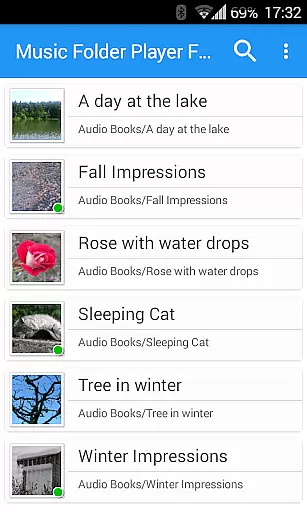
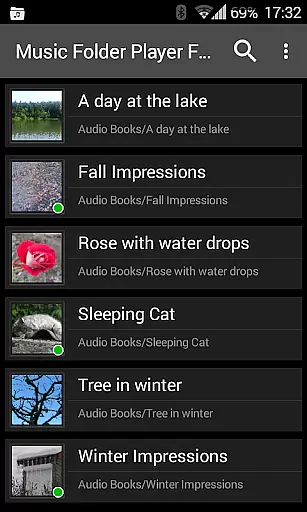
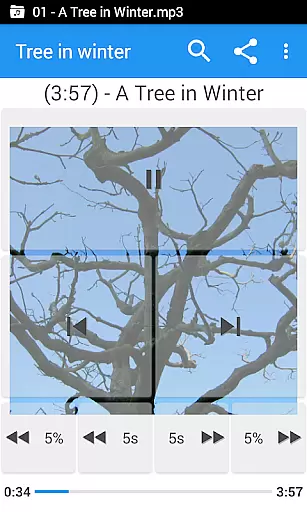
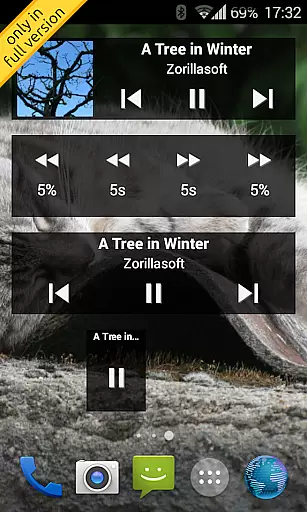
Music Folder Player Full is a specialized audio player designed for users who prefer organizing their music files in folders rather than traditional categories like artist or album. The app offers a unique folder-based playback experience, making it ideal for those with custom file organization systems.
In addition to its core functionality, the app provides advanced features such as homescreen widgets, resume playback where you left off, and multiple display options for different collection sizes. Users can enjoy enhanced audio controls including speed adjustment, equalizer presets, and virtual sound effects, all of which contribute to a versatile listening experience tailored to various audio formats and preferences.
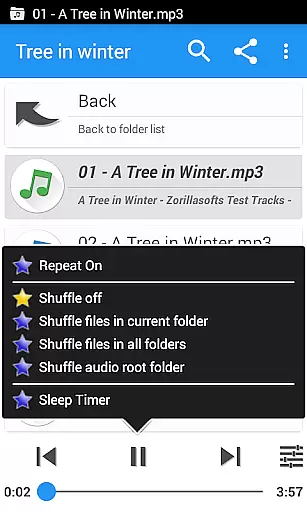
This audio player stands out with its comprehensive feature set tailored for both casual listeners and audiophiles. It includes a 432 Hz playback mode, speed control with pitch correction, and four customizable seek buttons, which are particularly useful for navigating through podcasts or audiobooks.
The app also offers practical functionalities such as virtual folders for favorite songs, playlist creation, and a two-finger gesture for volume and balance adjustments. With additional options like sleep timer, undo function, and Last.fm scrobbling integration, Music Folder Player Full ensures a personalized and convenient music management and playback solution.
Music Folder Player Full offers an extensive music library management system that allows users to organize their audio tracks in folders rather than traditional categories like artist or album. This unique approach provides a personalized way to manage your music collection.
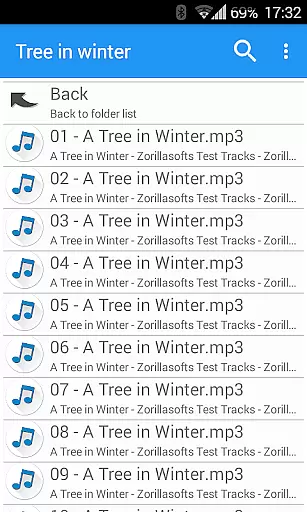
The application supports various audio formats and enables users to import and play music directly from their folders. With the ability to create virtual folders for favorite songs and playlists, users can curate their music library according to their preferences while maintaining copyright authenticity.
Additionally, the app includes features such as folder hierarchy display for larger collections and flat list views for smaller ones. These organizational tools ensure that users can efficiently navigate and access their entire music library with ease.
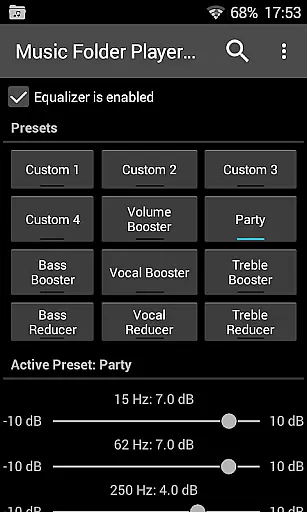
One of the standout features of Music Folder Player Full is its advanced audio quality options. The app includes an equalizer with four customizable settings and eight predefined options, such as Bass Booster and Vocal Booster, allowing users to fine-tune their listening experience.
For those seeking even more control over sound output, the app offers virtual room and reverb effects on Android 2.3 devices. Users can also adjust playback speed with pitch correction on Android 4.2 and newer versions, making it ideal for podcasts and audiobooks without distorting the audio.
Furthermore, Music Folder Player Full provides a pre-amplifier feature to boost low-level recordings and a 432 Hz playback mode for a different listening experience. These comprehensive audio quality options cater to audiophiles who demand the best sound possible from their mobile device.
User-friendly interface
Advanced audio controls
Customizable playback options
Comprehensive folder management
Unique 432 Hz mode
No free version
Complex for beginners
Limited visual design
Occasional bugs reported
Heavy on system resources

Simply convert wav to mp3. Clear. Reliable. Safe.
 4.4
4.4
Over 100 million tracks available for high quality streaming and download
4.60
Control your MIDI USB or Bluetooth devices in app and avoid some trampling
3.30
DJ Music Mixer Pro is a real DJ controllers and DJ Music Studio to remix DJ.
4.40
Listen to live FM radio stations, sports, music and news on global radios online
4.70
Your song collections with lyrics and chords on Android smartphones and tablets.
4.80
Guzheng Master supports many playing techniques as an acoustic Guzheng
4.50
Turn your Android phone into a professional audio analyser with up to 120 bands.
4.00
Travel To The Music Universe
3.40 4.70
4.70
Pay Once, no monthly payment
4.60
Formerly known as Spotistats! View your top tracks, artists, albums and more!
4.40
DJ Music Mixer - DJ Remix: remix songs, make beat music & record mix of DJ.
4.40
Play KORG’s revolutionary touch-based instrument on a variety of devices.
4.40
Ringtone Maker is free app create ringtone from music files or your recording.
4.40
Bass Booster Pro takes auto-equalizing to the next level!
4.30
Powerful 10-Band equalizer pro with sound booster improves Android audio quality
4.30
No wifi music app. Mp3 offline. Tuner radio, young radio music. Music downloader
4.20
The Minimalistic Premium Music Player. Handmade with passion for music
2.20


User Reviews