
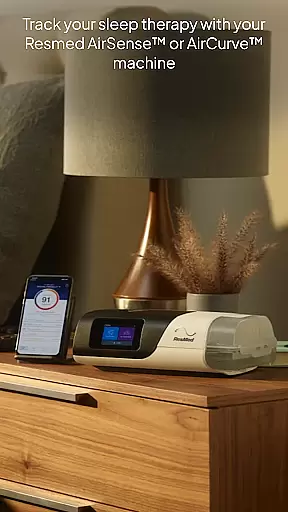
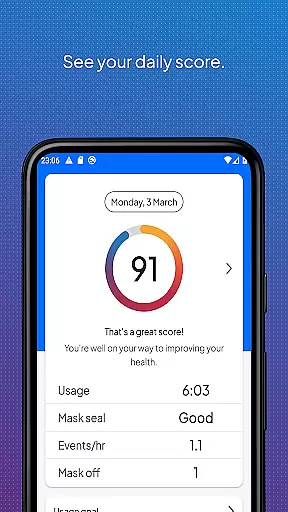
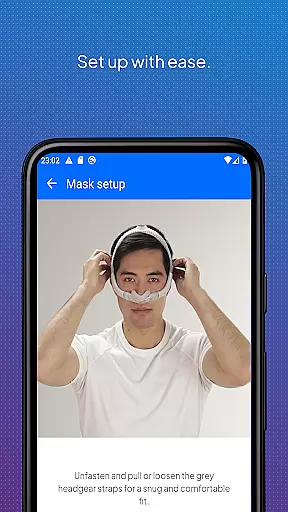
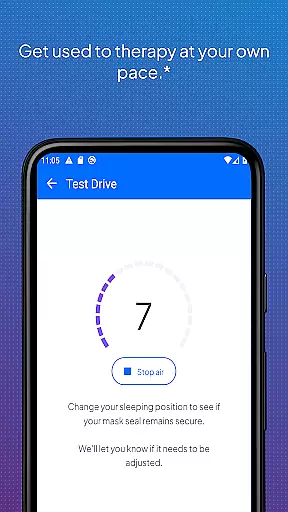
myAir by Resmed is an innovative app designed exclusively for users of Resmed AirSense and AirCurve machines, helping them manage their sleep therapy effectively. The app offers a comprehensive guided setup process that includes interactive voice-guided instructions and a Test Drive feature to ensure users are comfortable with their equipment.
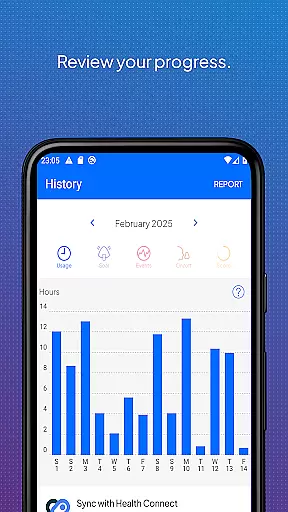
In addition to setup assistance, myAir provides personalized support through tailored coaching, tips, and educational videos. Users can track their sleep therapy progress with detailed metrics and a nightly myAir score. The app also integrates seamlessly with Apple Health and Health Connect, offering a holistic view of health data alongside therapy metrics.
One of the standout features of myAir is its Personal Therapy Assistant, which uses interactive voice guidance to help users set up their equipment and fit their masks correctly. The Test Drive feature allows users to acclimate to different levels of air pressure, ensuring comfort during therapy.
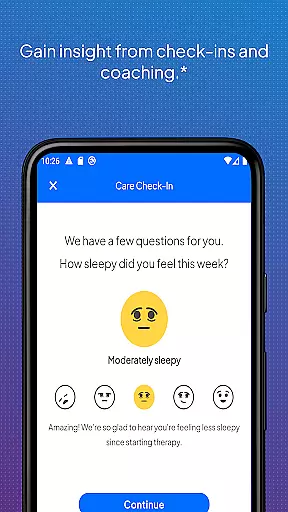
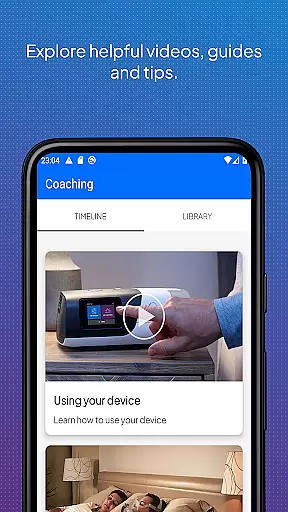
The app's personalized support system acts as a virtual sleep coach, providing tailored advice and proactive check-ins via email and push notifications. Users can access a library of helpful resources, including videos and guides, to troubleshoot common issues like mask seal problems. Additionally, myAir's integration with Apple Health and Health Connect enables users to monitor various health metrics alongside their therapy data.
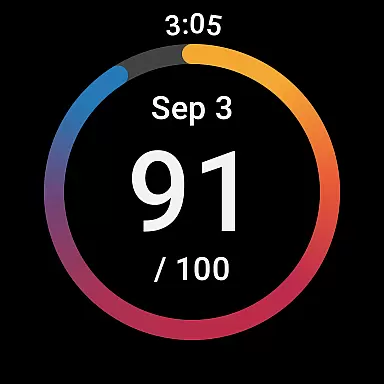
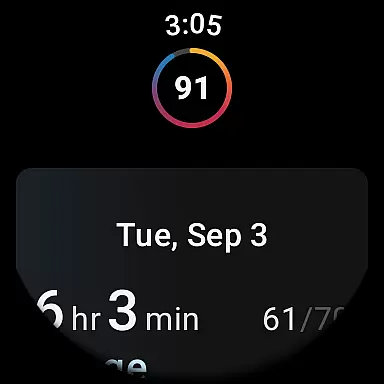
Companion app integration is crucial for users who want a seamless experience between their wearable devices and primary applications. myAir by Resmed excels in this area by offering a dedicated Wear OS smartwatch app, which allows users to conveniently access their therapy data directly from their wrists.
The myAir Wear OS app works in tandem with the main myAir application, ensuring that all sleep therapy metrics are synchronized in real-time. This means whether you're viewing your nightly sleep score or monitoring detailed therapy progress, the information remains consistent across devices.
By integrating with compatible Samsung Galaxy Watches, myAir ensures that patients using AirSense 11 machines can stay updated on their therapy without needing to reach for their phones. This feature enhances accessibility and encourages regular monitoring of one's sleep therapy success.
Ultimately, the companion app integration provided by myAir supports better health management by making critical data more accessible. Users can enjoy peace of mind knowing they have their most important sleep metrics available at a glance, anytime and anywhere.
Device compatibility is a key consideration when selecting a wearable app, as it ensures the software functions correctly with your specific hardware. myAir by Resmed offers robust support for Wear OS, making it compatible with a range of smartwatches, including select Samsung Galaxy Watch models.
This compatibility extends the utility of the myAir platform beyond smartphones and tablets, allowing users to engage with their sleep therapy data through an additional touchpoint. As long as the user has a compatible device, they can download and install the myAir Wear OS app to start tracking their progress.
It's important to note that while the Wear OS app provides valuable insights, certain advanced features may be exclusive to newer devices like the AirSense 11 machine. Nonetheless, the core functionalityu2014viewing daily sleep scores and accessing essential metricsu2014remains accessible across supported wearables.
By focusing on broad yet reliable device compatibility, myAir ensures that patients using Resmed's AirSense and AirCurve machines can benefit from continuous access to their therapy data, enhancing overall convenience and engagement with their health management.
User-friendly interface
Comprehensive guided setup
Personalized coaching tips
Detailed sleep therapy tracking
Integration with health apps
Limited to Resmed devices
Some features require AirSense 11
No offline functionality
Dependent on wireless connectivity
Premium features may require subscription

Elegant animated Christmas tree with multiple customization options
 4.20
4.20
Simple Analog-Digital Watchface For Wear OS 3.0 and Up Smartwatches
4.3
The most customizable minimal watch face. For Wear OS 5.0, API 34+ and later
4.70
Find EV charging stations
4.30
Connect to your Bluelink equipped Hyundai vehicle from your smartphone.
4.50
Period, ovulation & pregnancy tracker. Fertility insights & menstrual calendar.
4.90
Fast and smart typing with Emojis, GIFs, and more
4.50
Track your active life in one place and share the journey with friends.
4.40
Back up your contacts & access them anywhere
4.30
Christmas Theme Watch Face for Wear Os
5.00
Christmas - Festive - Christmas Village - Winter - Christmas lights
5.00
Easy Voice Recorder is your everyday companion to record important moments.
4.70
Ideal for surviving in the wasteland left after nuclear fallout
4.50
A customizable Christmas watch face for Wear OS with a countdown.
4.20
Connect, create, and collaborate with Gmail, part of Google Workspace.
4.10
Your local weather forecast, storm tracker, radar maps & live weather news
3.40
Watch face designed for Thanksgiving Day. 7 Background Styles included.
3.20
Christmas is near, let's count together the days left until Santa comes
4.3
Fitness interactive virtual pet super fighter boy watch face
4.5


User Reviews