

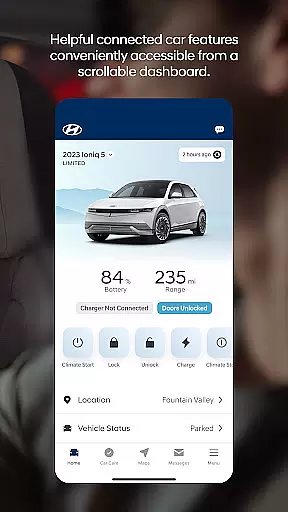
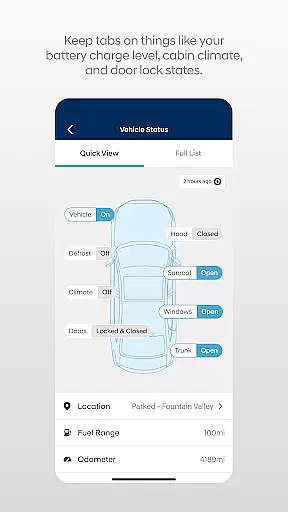

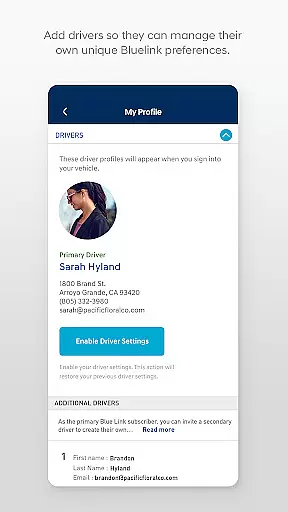
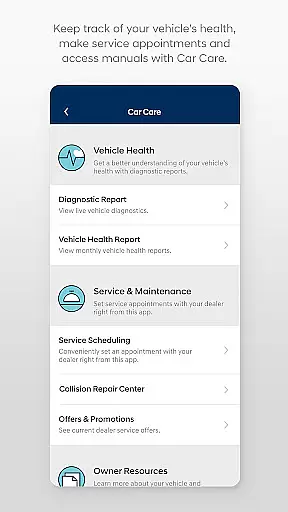
The MyHyundai app with Bluelink is a comprehensive vehicle management solution designed specifically for Hyundai car owners. This innovative application allows users to remotely interact with their Bluelink-enabled vehicles directly from their mobile devices. The core functionality includes remote start, door lock/unlock, horn and light activation, and vehicle location services.
What sets this app apart is its seamless integration with both smartphones and Wear OS smartwatches, providing unprecedented convenience and accessibility. Whether you're at home, in the office, or on the go, you can maintain complete control over your vehicle's essential functions. The app also offers maintenance scheduling, charging management for electric vehicles, and Points of Interest navigation features.
This application proves particularly valuable for busy professionals who need to manage their vehicles efficiently. Imagine being able to start your car and set the perfect cabin temperature while finishing your morning coffee indoors, or quickly locating your vehicle in a crowded parking lot - these practical features significantly enhance the overall vehicle ownership experience.
The MyHyundai app distinguishes itself through its comprehensive feature set that extends beyond basic vehicle control. One of its most notable capabilities is the advanced remote vehicle management system, which allows users to customize and save vehicle start presets, including climate control settings and seat configurations. The app's integration with Wear OS smartwatches takes convenience to another level, enabling voice-activated commands for essential vehicle functions.
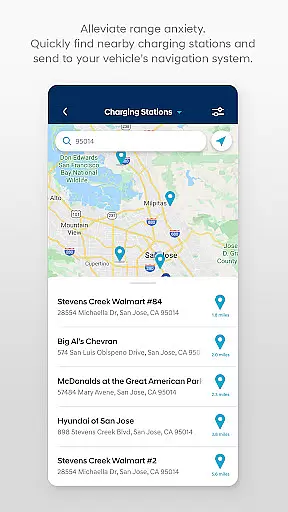
For electric and hybrid vehicle owners, the app provides sophisticated charging management tools. Users can monitor charging status in real-time, schedule charging sessions during off-peak hours, and adjust charging preferences remotely. The Points of Interest (POI) functionality offers intelligent navigation features, allowing drivers to search for destinations and send them directly to their vehicle's navigation system.
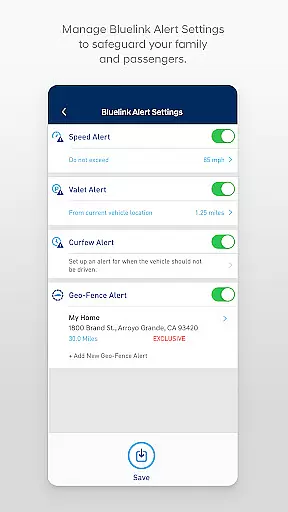
The app's security features are equally impressive, requiring multiple layers of authentication including biometric verification through fingerprint or facial recognition. Four dedicated phone widgets provide quick access to frequently used functions, while the comprehensive vehicle status reports help owners stay informed about their car's condition and maintenance needs.
Companion app integration is a crucial feature for wearable devices, ensuring seamless connectivity between the smartphone and smartwatch applications. The MyHyundai app excels in this area by extending its core functionalities to Wear OS devices.
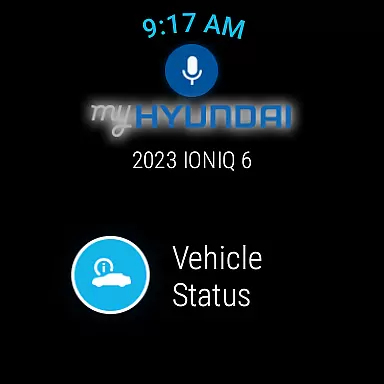
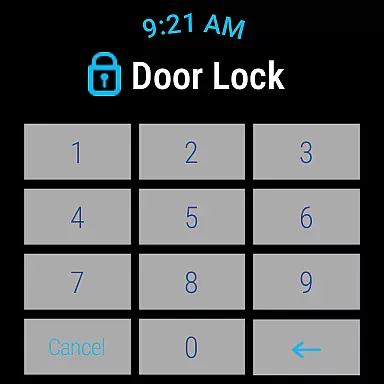
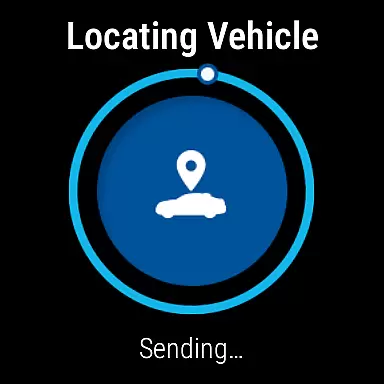
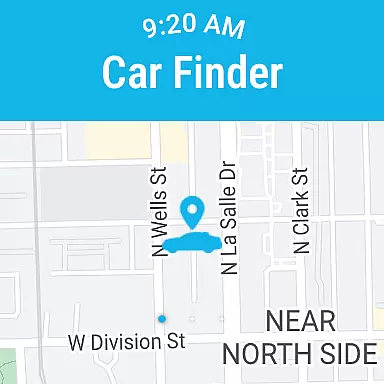
Through the MyHyundai app, users can access key features directly from their smartwatches. This includes remote vehicle commands such as starting the engine, locking or unlocking doors, activating the horn and lights, and locating the parked car. These functions are particularly valuable when users need quick access without reaching for their phones.
The integration is made possible through Bluelink technology, which requires an active subscription. Users can conveniently send commands using voice controls or the smartwatch interface, making it ideal for situations where hands-free operation is preferred. This level of integration enhances user convenience significantly.
By maintaining consistent functionality across both mobile and wearable platforms, the MyHyundai app demonstrates excellent companion app integration. This approach not only improves accessibility but also maximizes the utility of connected devices, providing users with greater flexibility in managing their vehicles.
Wear OS and device compatibility ensures that applications function properly across different Android Wear devices. The MyHyundai app supports this by offering dedicated features optimized for Wear OS smartwatches.
Users with Bluelink-equipped vehicles can access several remote functions directly from their smartwatches. These include essential commands like remote start, door lock/unlock, horn and light activation, and vehicle location. The app achieves this through careful optimization for Wear OS, guaranteeing smooth performance on compatible devices.
This compatibility extends the app's usability beyond smartphones, allowing users to interact with their vehicles more conveniently. Whether at home, in the office, or on the go, smartwatch users can execute commands quickly without needing their phones nearby.
The MyHyundai app's support for Wear OS demonstrates Hyundai's commitment to embracing modern technologies. By ensuring broad device compatibility and maintaining consistent functionality across platforms, the app provides users with reliable and convenient ways to manage their vehicles, regardless of their chosen device.
User-friendly interface
Comprehensive vehicle control
Advanced security features
Seamless smartwatch integration
Real-time vehicle monitoring
Subscription required
Limited vehicle compatibility
Feature restrictions
Occasional connectivity issues
Additional costs for premium features

Gym Log & Workout Tracker | Fitness Journal, Training & Weight Lifting Planner
 4.90
4.90
WTW M17 is a premium and luxurious hybrid watch face
4.70
Highly customizable hybrid watch face for Wear OS, perfect for everyday use.
4.60
Snowflake Rose Gold Watch Face - Digital, modern, & sleek with GYRO effect.
4.10
Christmas is near, let's count together the days left until Santa comes
4.0
Analog watch face with 8 complications and expedition styling
4.4
Easy Voice Recorder is your everyday companion to record important moments.
4.70
Period, ovulation & pregnancy tracker. Fertility insights & menstrual calendar.
4.90
Reliable phone calls with spam protection, caller ID and more helpful features
4.40
The Chevron App allows you to pay for fuel from the comfort of your car!
4.80
To-Do List: daily schedule planner, task organizer, to do reminder app, calendar
4.60
A realistic hybrid watch face with many customization options.
4.60
Calming & relaxing sounds for sleeping and stress relief. Stay focused all day!
4.20
A customizable Christmas watch face for Wear OS with a countdown.
4.20
Daily Weather forecast with 15 weather images for Day & Night plus Big Bold time
4.10
The #1 source of faces for your smartwatch!
4.00
Hyper-Realistic Airplane Dashboard Watch Face With 10 Skins and Custom AOD
4.00
Animated Watch Face and Customizable with 24 Backgrounds. Perfect for Christmas!
3.90
Structured watch face with seven complications and modular UI elements
3.90


User Reviews