

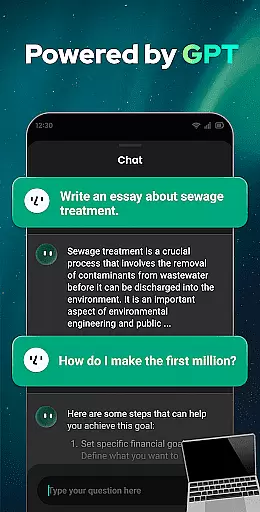
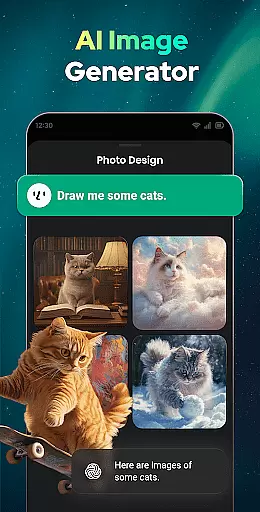

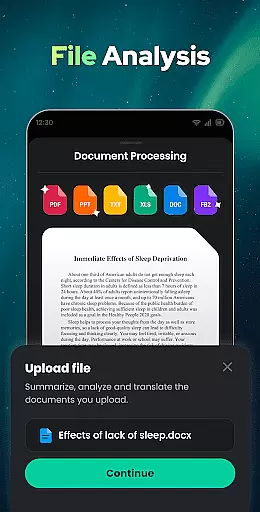

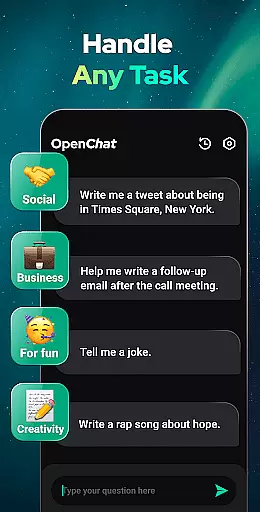
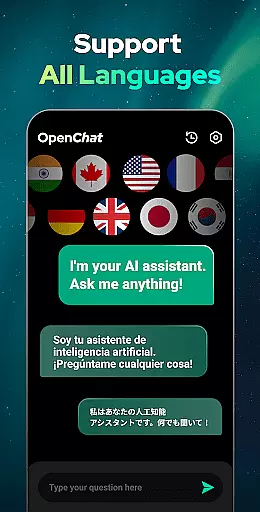
Open Chat represents a breakthrough in AI-powered communication, offering users an intelligent chatbot experience that leverages the latest advancements in natural language processing. As the leading AI assistant app powered by ChatGPT technology, this productivity tool stands out for its ability to generate human-like text responses across various topics and languages.
The application's core functionality lies in its versatile conversational capabilities. Users can engage with Open Chat for diverse purposes, from seeking information across multiple fields to creative writing assistance. Its sophisticated AI engine supports continuous dialogue, remembers conversation history, and adapts to user preferences over time, making it an invaluable tool for both personal and professional productivity enhancement.
Particularly useful for content creators, students, and professionals, Open Chat serves as a multifaceted writing assistant that can handle tasks ranging from essay composition to social media content creation. The app's multilingual support and grammar checking features make it especially valuable for international users and language learners, providing a comprehensive productivity solution that combines practical utility with advanced AI capabilities.
Open Chat distinguishes itself through a comprehensive suite of features designed to maximize user productivity. At its core, the application utilizes GPT-4 technology to deliver industry-leading conversational capabilities, enabling users to engage in meaningful dialogue across various topics and languages. The continuous dialogue feature maintains context throughout conversations, allowing for follow-up questions and seamless topic transitions.
The app's writing assistance functionality extends beyond basic chat capabilities, offering specialized tools for content creation. These include advanced grammar checking, spell verification, and punctuation correction services that ensure professional-quality writing. Additionally, Open Chat's multilingual support enables users to communicate and translate in any language, while its chat history feature provides convenient access to past conversations for reference and review.
What sets Open Chat apart is its ability to serve as both a reliable chat partner and a sophisticated writing assistant. The app's night mode enhances usability during extended work sessions, while its elegant user interface streamlines the interaction process. These features collectively create a powerful productivity tool that adapts to various user needs, from casual conversations to complex writing projects, all while maintaining a simple and intuitive user experience.
Effective task management is essential for productivity applications, serving as the backbone for organizing and executing tasks efficiently. Open Chat excels in this area by offering users a versatile platform to manage various types of tasks.
The app leverages advanced AI technology to assist with task creation, delegation, and completion. Whether it's drafting an essay, composing a story, or planning a travel itinerary, Open Chat provides continuous support through its intelligent chat interface.
Users benefit from features like continuous dialogue and chat history, which ensure that task-related conversations are seamless and easily accessible. This functionality allows users to pick up where they left off, making task management fluid and intuitive.
By integrating capabilities such as grammar checking and multilingual support, Open Chat ensures that all tasks, regardless of complexity or language, are handled with precision and ease, enhancing overall productivity.
Cross-device synchronization is crucial for users who operate across multiple devices, ensuring that their data and progress are consistently updated and accessible. Open Chat addresses this need by providing reliable synchronization features.
The application supports real-time updates, allowing users to start a conversation or task on one device and seamlessly continue on another. This is particularly beneficial for individuals who switch between smartphones, tablets, and computers throughout their day.
Open Chat's synchronization extends to its chat history and user preferences, maintaining continuity in user experience. This means users can trust that their interactions and settings will be preserved, regardless of the device they choose to use.
With robust cloud-based infrastructure, Open Chat guarantees that all synchronized data is secure and up-to-date, empowering users to stay productive without worrying about data loss or inconsistencies.
User-friendly interface
Multilingual support
Advanced AI capabilities
Continuous dialogue feature
Comprehensive writing tools
Requires internet connection
Free version limitations
Occasional response delays
Limited offline functionality
Premium subscription costs

Create study competitions, track your hours, and stay consistent with friends
 4.0
4.0
Smart PDF reader & editor to view, organize and manage PDF documents easily.
3.70
Remotely view listen control and record cameras.
3.70
Stay on top of your to-dos with Google Tasks, part of Google Workspace.
4.60
Code on-the-go with VScode for Android. Edit,debug and collaborate from mobile!!
3.10
Experience and share your SolidWorks designs on your Android® phone and tablet.
2.50
Scientific calculator for Android - looks and operates like the real thing!
4.90
Lightweight PDF, Word, Excel reader.
4.60
AT&T Internet customers can use this app to personalize their Wi-Fi network.
4.40
Seamlessly integrate data and reports to build your presentation to impress
4.80
Absolutely the best CNC machinist speed and feed calculator around. fswizard.com
4.60
Functional QR scanner and barcode reader that requires little storage space.
4.60
Calendar 2023 widget for Android. Appointment scheduler, planner, and reminder
4.60
Planet Free VPN - The best Fast Unlimited and Secure VPN Without Logs
4.50
Experience Reading - Night Mode for Documents
4.40
When you Focus, so will your Bean in this cozy focus timer
4.30
Intelligent AI Assistant
4.10
Customizable calendar widget for seamless event sync, planning & scheduling.
4.00
⏰ Finally a timer app which can run multiple timers simultaneously on your watch
3.90


User Reviews