
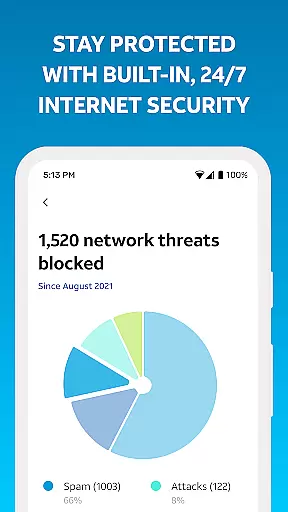
Smart Home Manager is a comprehensive productivity app designed to simplify the management of your AT&T home network. The app provides an intuitive interface that allows users to easily set up and manage their Internet service without needing technical assistance. With features like Wi-Fi network customization, device management, and parental controls, it serves as an all-in-one solution for optimizing your home network.
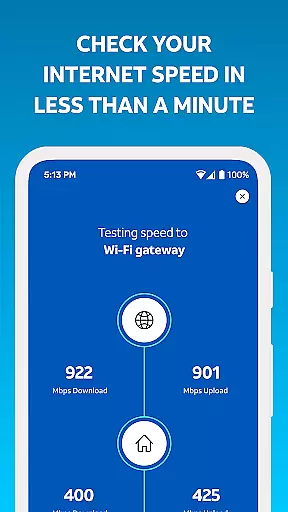
The app also offers advanced tools such as Internet speed testing, signal strength mapping, and network health monitoring. These capabilities ensure that users can maintain optimal performance and quickly address any connectivity issues. Whether you're looking to customize your Wi-Fi settings or manage screen time for your family, Smart Home Manager delivers essential tools to enhance your home networking experience.
Smart Home Manager stands out with its robust feature set tailored for efficient home network management. One of its key functionalities is the ability to troubleshoot network issues without requiring a technician. This feature empowers users to resolve common connectivity problems independently, saving both time and resources.
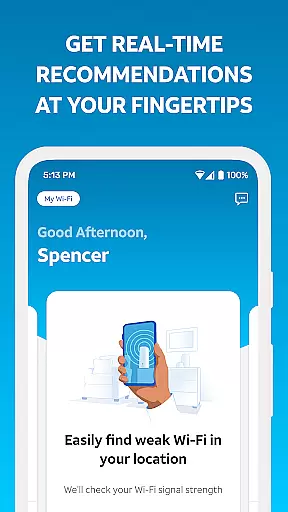
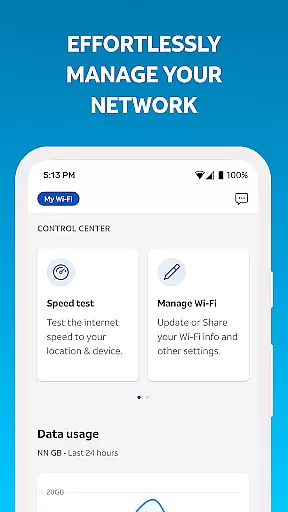
In addition to troubleshooting, the app enables users to personalize their network by renaming devices, updating Wi-Fi credentials, and setting up parental controls. These customization options allow for a more secure and tailored home network experience. Furthermore, the app's ability to test Internet speed and identify weak signal areas ensures that users can optimize their network's performance effectively.
Another notable feature is the app's proactive approach to network health. Users receive notifications about potential issues and service outages, allowing them to take preemptive action. The ability to restart the Wi-Fi gateway directly from the app further enhances its utility, making Smart Home Manager an indispensable tool for AT&T Internet customers.
Smart Home Manager excels in core task management by providing users with a comprehensive suite of tools to oversee their home network efficiently. The app allows for seamless Wi-Fi network monitoring and control, enabling users to perform essential tasks such as updating Wi-Fi credentials and managing connected devices.
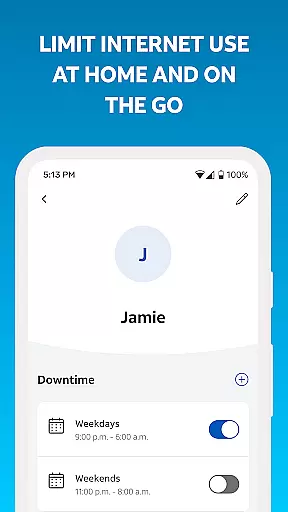
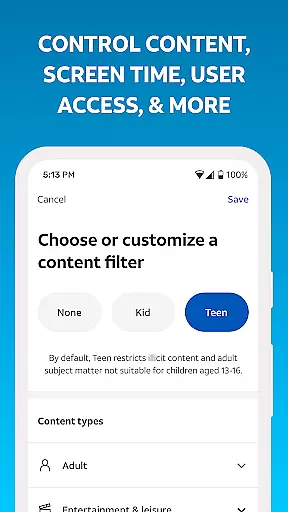
With features like parental controls and downtime scheduling, the app empowers users to create personalized profiles that cater to their family's digital wellbeing. This level of customization ensures that each household member has an internet experience tailored to their needs while maintaining a safe online environment.
The ability to pause Wi-Fi access for specific devices adds another layer of control, allowing parents or homeowners to manage screen time effectively. Such functionality is crucial in maintaining a balanced lifestyle and ensuring that home internet usage aligns with personal or family priorities.
Cross-device synchronization is a standout feature of Smart Home Manager, offering reliable and consistent updates across all user interfaces. Whether accessing the app from a smartphone or tablet, users can expect real-time data accuracy regarding their home network status, ensuring informed decision-making no matter the device used.
This synchronization extends to network health checks and notifications about service outages, keeping users promptly informed about any issues affecting their connectivity. By delivering timely alerts, the app enables quick troubleshooting actions like restarting the Wi-Fi gateway directly from the mobile interface.
Furthermore, the app's capacity to test Internet speed and identify weak signal areas within the home provides valuable insights into optimizing one's network setup. These features collectively enhance the overall reliability of cross-device management, making Smart Home Manager an indispensable tool for productivity-focused individuals seeking optimal home network performance.
User-friendly interface
Comprehensive network tools
Technician-free troubleshooting
Customizable Wi-Fi settings
Proactive issue notifications
Limited to AT&T customers
Gateway model dependent
No offline functionality
Requires account login
Home Wi-Fi only

A Revolutionary All-in-One Artificial Intelligence Tools
 3.80
3.80
The upgraded version of Name Wheel with AI and the power to add your own wheels.
4.5
Make your handwriting beautiful, even more than pen on paper.
3.60
All in One PDF Reader: Manage, Read and Edit your Documents
4.20
PDF scanner & converter for files, photos, lottery, QR codes. One swipe away!
4.50
Tally and goal counter for Wear OS & mobile
4.50
Quickly and easily keep track of your work shifts
4.70
Understand anything with a personalized AI research assistant
4.80
AI Chatbot and AI writing assistant powered by ChatGPT.
4.60
Best Tool for the professionals Electrician, Electrical contractors, etc.
4.90
Great calculator for Android named one of USA TODAY's "25 Essential Apps".
4.90
Use powerful, industry-leading AI tools to generate visual charts from any data
4.80
Scan paperwork into PDF/JPG, generate your own e-signature and send fax or email
4.70
All document reader, all in one file viewer read PDF, DOCX, XLS, PPT, TXT files.
4.60
Automates browsing any website and notifies you of important changes or events
4.30
Todo reminder
4.10
Unlock AutoNotification
4.00
Ultimate Virtual AI Character for immersive Roleplay Chat. Perfect Companion
3.90
A simple, portable logger for POTA, SOTA, Field Day, and more
4.4


User Reviews