
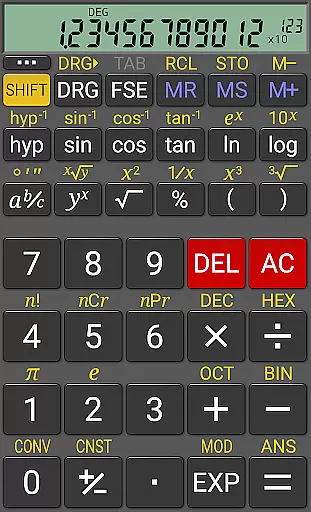
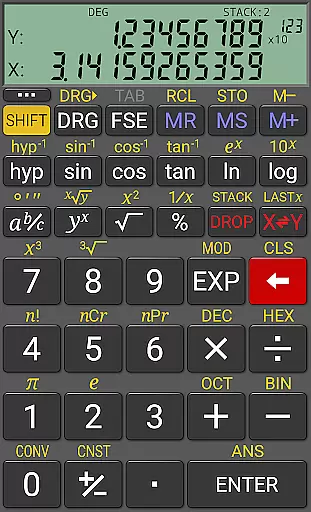
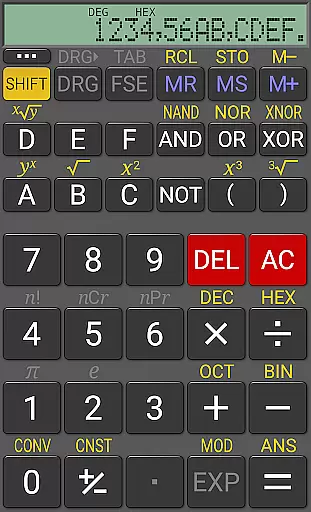
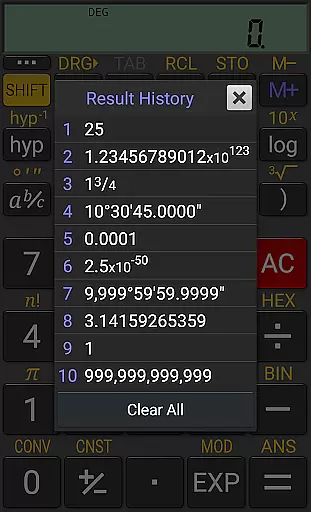
RealCalc Plus is the advanced version of RealCalc, a leading scientific calculator on Android. It mirrors the functionality of a real hand-held calculator and includes all standard scientific functions along with additional capabilities such as fraction calculations, degrees/minutes/seconds conversions, and history tracking. The app also offers customizable unit conversions, constants, and supports binary, octal, and hexadecimal calculations. With an optional RPN mode and multiple display styles, it caters to both simplicity and customization needs.
The calculator is designed for precision with its 12-digit display and extended internal precision of up to 32 digits. Users can choose from various modes including algebraic or RPN operation, scientific, engineering, and fixed-point display modes. Its user-friendly interface, combined with full help documentation, makes it accessible for students, professionals, and anyone in need of reliable calculation tools.
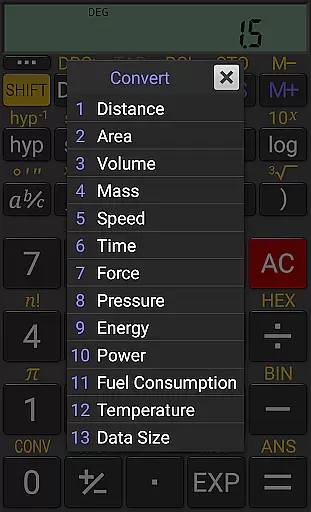
RealCalc Plus stands out with its comprehensive set of features tailored for diverse calculation needs. It supports traditional algebraic or RPN operations, offering flexibility in how calculations are performed. Fraction calculations and conversions to/from decimal, along with degrees/minutes/seconds calculations, provide specialized tools for precise computations. The inclusion of 10 memories and result history ensures that users can keep track of their work efficiently.
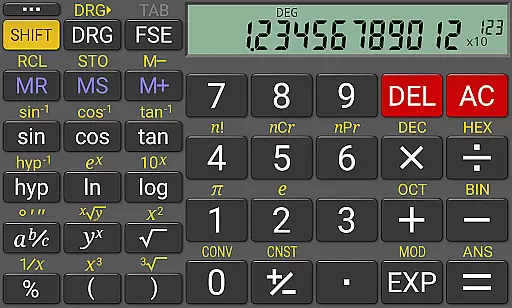
Customization is at the heart of RealCalc Plus, allowing users to tailor unit conversions and constants to their specific requirements. The calculator's support for binary, octal, and hexadecimal calculations, alongside trigonometric functions in degrees, radians, or grads, extends its utility across different fields. With landscape mode, multi-window support, and external keyboard compatibility, it enhances productivity and usability on Android devices.
For a productivity app like RealCalc Plus, core task management refers to how effectively it handles essential calculator functions while maintaining ease of use. This app excels by offering both traditional algebraic and RPN operational modes, catering to different user preferences.
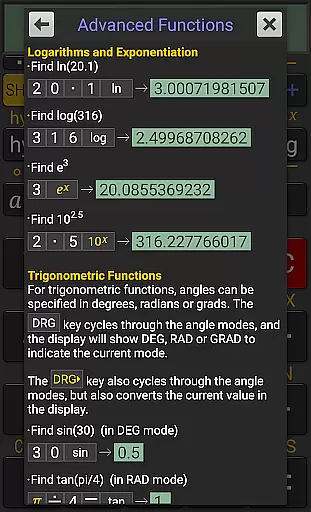
RealCalc Plus supports fraction calculations, degrees/minutes/seconds conversions, and trigonometric functions in degrees, radians, or grads. These features ensure that users can perform a wide range of scientific calculations with precision.
The app also includes 12-digit display and extended internal precision (32-digit), providing accuracy for complex computations. With result history and ten memories, users can easily track previous work and store important values.
Ultimately, the value lies in its comprehensive yet user-friendly design. Whether you're performing basic arithmetic or advanced scientific calculations, RealCalc Plus ensures efficiency and reliability, making it an indispensable tool for students, professionals, and anyone needing robust computational capabilities.
Cross-device synchronization is crucial for productivity apps, ensuring seamless transitions between devices without losing data or functionality. Although RealCalc Plus does not explicitly advertise cloud-based syncing, its multi-window support and external keyboard compatibility enhance its versatility across various devices.
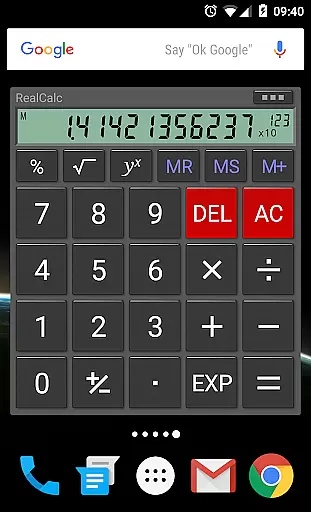
The app offers a customizable experience through user-customizable unit conversions and constants, allowing personalized settings that remain consistent on any device where the app is installed. Additionally, the homescreen widget now supports RPN mode, enabling quick access to preferred configurations.
RealCalc Plus provides landscape mode and configurable digit grouping options, which adapt well to different screen sizes and orientations. Its three distinct RPN stylesu2014direct-entry, buffered-entry, or XYZT rolling stacku2014offer flexibility depending on your workflow needs.
While direct cross-device sync isn't highlighted, these features collectively contribute to a reliable and adaptable experience. Users benefit from consistent performance whether they are using their phone, tablet, or other compatible Android devices, enhancing overall productivity.
User-friendly interface
Highly customizable
Extended precision
Multiple calculation modes
Comprehensive help included
Paid version only
No graphing capabilities
Limited design options
Advanced features may overwhelm beginners
Occasional bugs reported

Mega cloud explorer plugin for Solid Explorer
 3.80
3.80
Wake up & get tasks done! Add alarms & reminders on the Clock Launcher.
4.00
Android Wallet Password Manager
4.80
Protect and view your important info on your phone and tablet with eWallet®
4.80
Remotely view listen control and record cameras.
3.70
A simple Whisper AI keyboard for reliable speech transcription and rewording
4.60
Share files & memories safely. Keep your photos and videos secure.
4.40
Intelligent AI Assistant
4.10
Daily processing of PDF documents.
4.40
Multilingual translator for text, voice, and image translation!
4.90
App lock - lock apps with fingerprint, password, pin or pattern, protect privacy
4.70
Absolutely the best CNC machinist speed and feed calculator around. fswizard.com
4.60
Lightweight PDF, Word, Excel reader.
4.60
Automates browsing any website and notifies you of important changes or events
4.30
Access, manage and transfer files on Android, PC, Mac, NAS and cloud storages.
4.30
Cloud storage, automatic phone backup, and more.
4.10
Create and edit presentations with Google Slides, part of Google Workspace.
4.00
Take control of your clipboard with Clipper!
3.90
Create study competitions, track your hours, and stay consistent with friends
4.5


User Reviews