
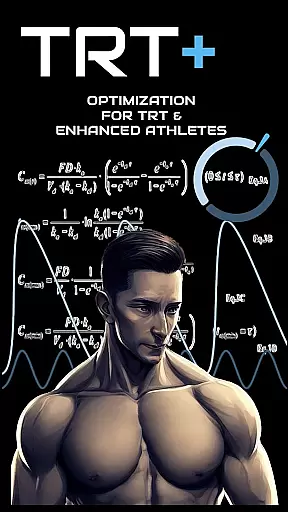
TRT Plus is a comprehensive health and fitness application specifically designed for individuals undergoing Testosterone Replacement Therapy (TRT) and those pursuing peak physical conditioning. The app serves as an all-in-one solution, offering advanced tools to manage protocols, track medications, analyze bloodwork, and optimize overall health performance.
With its sophisticated features, TRT Plus caters to enhanced athletes who require meticulous tracking of their regimens. Users can benefit from protocol trackers, steroid plotter charts, and specialized bloodwork analysis tailored for optimization. The app's dynamic inventory management and automated reminders ensure users stay on top of their schedules while maintaining optimal levels of medication and supplements.
This application proves invaluable during various phases of an athlete's journey—from starting TRT to preparing for competitions. By providing in-depth insights into health metrics and enabling seamless adjustments to protocols, TRT Plus empowers users to achieve their fitness goals efficiently and safely.
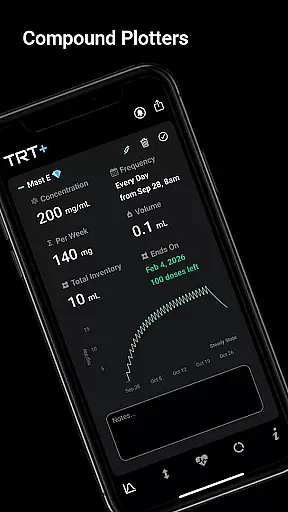
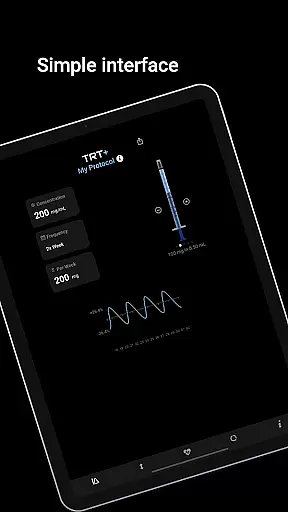
TRT Plus stands out with its robust feature set meticulously crafted for the needs of TRT and enhanced athletes. One of the key highlights is the advanced pharmacokinetic modeling that visualizes compound behavior over time, allowing users to understand how different substances interact within their bodies. This feature includes compound half-life charting and T level fluctuation analysis, ensuring precise tracking and adjustment of protocols.
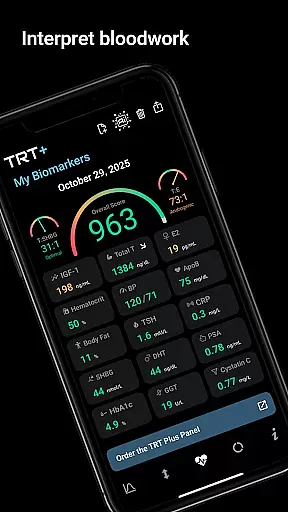
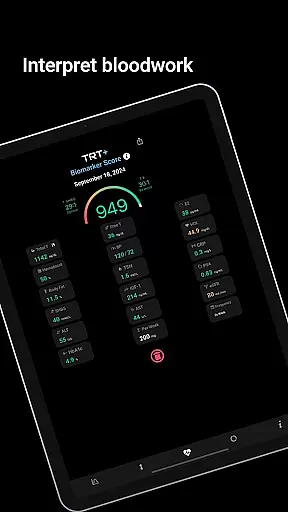
The app offers an extensive library of over 80 pre-configured compounds, ranging from classic anabolics to cutting-edge peptides and SARMs. Each compound comes with one-tap setup options, simplifying the process of adding them to personal protocols. Additionally, TRT Plus provides detailed bloodwork analysis using enhanced reference ranges built for optimization rather than general averages, giving users clear red, amber, green breakdowns of their biomarkers.
Another significant aspect is the integration with pathology partners, which allows access to athlete-specific markers beyond standard panels. The inclusion of international bloodwork support ensures compatibility across different regions by quickly converting units for critical markers like Testosterone, Estradiol, Free T, DHT, HbA1c, ApoB, and IGF-1. These features collectively enable users to fine-tune their regimens based on accurate data and expert recommendations.
TRT Plus offers a highly personalized approach to testosterone replacement therapy and performance optimization. The app's advanced pharmacokinetic modeling allows users to visualize compound behavior over time, ensuring precise dosing schedules tailored to individual needs.
With over 80 pre-configured compounds available through one-tap setup, athletes can easily customize their protocols. The Compound Half-Life Charting feature provides detailed insights into peak levels, steady-state timing, and clearance patterns for each selected compound.
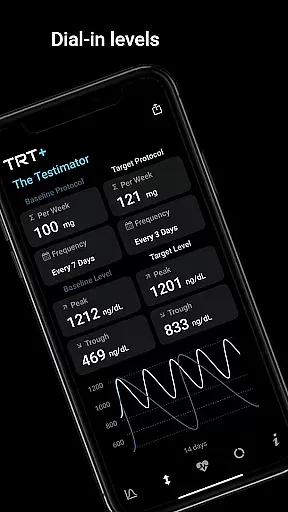
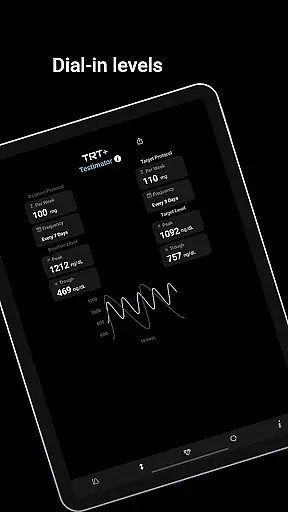
The Testimatoru2122 tool takes personalization further by analyzing individual responses to testosterone. Users can predict and fine-tune their hormone levels across different protocols, with dynamic reference ranges based on personal biomarker results.
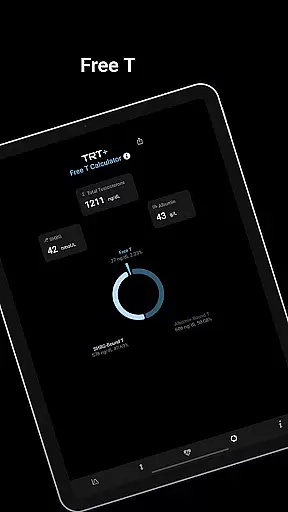
This level of customization extends to the My Free T calculator, which employs four different methods including the gold standard Vermeulen calculation, ensuring maximum accuracy in determining free testosterone levels.
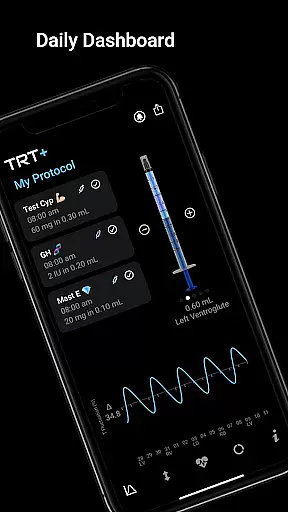
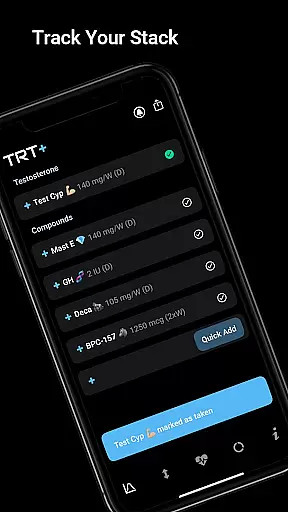
Visual tracking is at the core of TRT Plus, providing users with clear representations of their progress. The Daily Dashboard offers a comprehensive view of today's schedule, complete with checkboxes for task completion and a Visual Syringe feature for quick injection stacking.
The app's Compound Library includes detailed charts that display pharmacokinetic data in an accessible format. Users can monitor their T Level Fluctuation through advanced models showing peak to trough oscillation, helping them maintain optimal hormone levels.
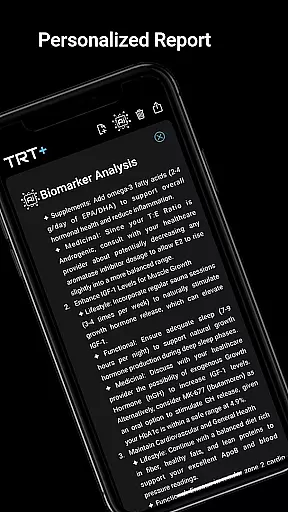
Biomarker analysis receives special attention with the enhanced bloodwork visualization system. Results are presented using a clear red, amber, green breakdown based on athlete-specific reference ranges, making it easy to identify areas needing improvement.
Protocol Summaries in clean 'bro notation' format provide straightforward visual representations of current treatment plans, while the Inventory Management system uses visual cues to indicate supply levels and reorder needs.
User-friendly interface
Comprehensive protocol tracking
Advanced bloodwork analysis
Dynamic inventory management
One-time purchase option
Complex for beginners
Requires regular updates
Premium pricing
Limited free features
Region-specific limitations

For Absolute Novices to Strength Training. Simple. Effective.
 4.40
4.40
Meditation app, head space app provides calm music to help you meditate & sleep
5.00
50 HD sounds to help you relax during the day and sleep great at night!
4.40
A brain game that moves you
4.70
The Crunch Mobile app - Find a gym, manage favorites, reserve & cancel classes.
4.60
Step Counter, track steps when you walk or run
4.70
Track sleep cycle, relax with white noise, sleep sounds & smart alarm clock
3.80
Understand your body’s most meaningful messages and transform your health.
3.90
Lazy home workouts with your virtual fitness coach for weight loss.
4.30
Home workouts for fitness & fast bodybuilding at home - no equipment needed.
4.90
App to stop smoking slowly or now with a motivational badges and helpful tips
4.80
Walk. Earn: Get rewarded for every step! Walk, move, and earn real rewards.
4.70
You deserve easy access to important insurance information. Download for FREE.
4.70
Personal step counter for you, private and accurate
4.50
Download MadMuscles to start your positive body transformation!
4.30
Looking to take control of your health? Our psychology-based programs can help.
4.10
Control your sleep in real-time wearing Garmin device
3.60
Enjoy the Gluten Free living with the best app. SCAN the barcodes & SEARCH.
3.60
Using Recognise™ has been shown to reduce pain and improve performance
4.0


User Reviews