
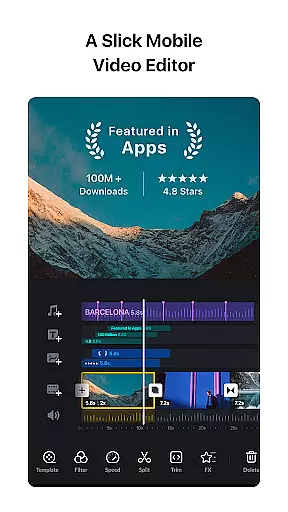
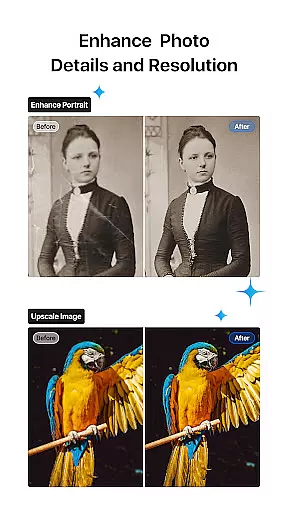
VN is a versatile video editing app that combines professional-grade features with an intuitive interface, making it accessible for both amateur and experienced editors. The app offers a complete suite of tools including multi-track editing, keyframe animation, speed curve adjustments, and rich cinematic filters. With support for 4K resolution export and advanced customization options, VN empowers users to create high-quality videos without watermarks.
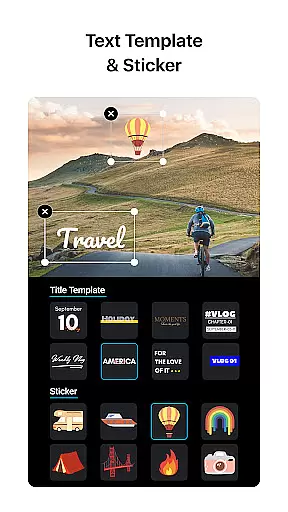
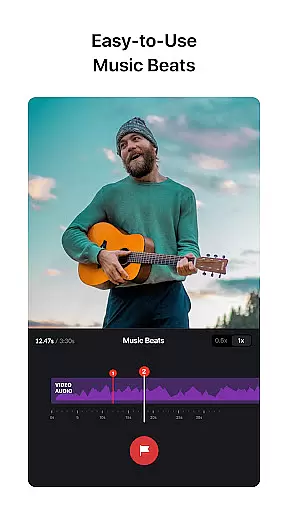
One standout feature is its precise editing capabilities, allowing frame-by-frame adjustments as short as 0.05 seconds. The app also includes creative elements like music beats synchronization, transitions, and text templates, enabling users to produce engaging content. Whether you're editing on mobile or collaborating across devices via cloud services, VN provides a seamless experience that satisfies diverse video editing needs.
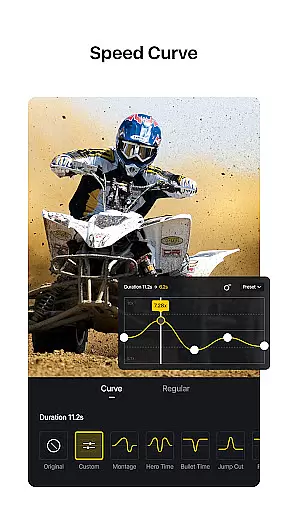
VN distinguishes itself through its robust feature set tailored for efficient and creative video production. Its multi-track timeline supports picture-in-picture videos, stickers, texts, and animations, while the non-destructive editing ensures original files remain intact. Advanced tools such as Time Remapping-inspired speed curves and reverse/zoom effects offer dynamic control over video playback and style.
The app's user-friendly design simplifies complex tasks. For instance, adding voice-overs or synchronizing clips to music beats requires minimal effort. Additionally, VN allows flexible material imports via Wi-Fi, WhatsApp, or Telegram, and even bulk imports using ZIP files. With customizable export settings up to 4K resolution at 60 FPS, VN delivers professional results adaptable to various platforms and purposes.
One of VN's core strengths lies in its exceptional video format compatibility, making it a versatile tool for both amateur and professional video editors. The app supports a wide range of video formats, allowing users to import and edit footage without the need for prior conversion.
The multi-track timeline feature further enhances this compatibility. Users can seamlessly integrate various types of media, including picture-in-picture videos, photos, stickers, and texts. This flexibility ensures that creative ideas are never limited by technical constraints.
VN also offers advanced customization options for video exports. Editors can tailor the video resolution, frame rate, and bit rate to their specific needs, with support for 4K resolution and up to 60 FPS. This level of control guarantees that final outputs meet professional standards while maintaining the original quality of the imported materials.
By removing technical barriers and providing tools for high-quality output, VN enables creators to focus on their artistic vision. Whether you're editing casual vlogs or professional-grade content, the app's comprehensive format support ensures a smooth and efficient editing process from start to finish.
VN incorporates several AI-powered editing features that significantly enhance the video creation process. While maintaining an intuitive interface, these intelligent tools help users achieve professional results without requiring extensive technical knowledge.
The app's Music Beats feature utilizes advanced algorithms to automatically detect music rhythms. This allows users to precisely synchronize video cuts with musical beats, creating perfectly timed transitions and effects. The implementation of this AI-driven functionality elevates the overall quality of video productions.
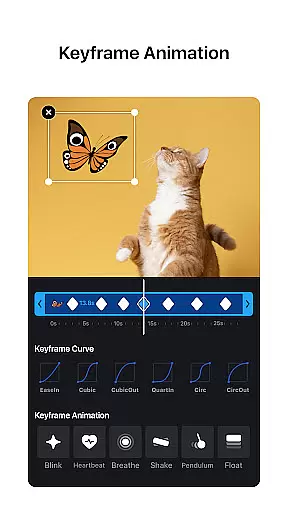
Keyframe animation represents another sophisticated AI-powered capability within VN. The app provides 19 built-in animation effects that leverage computational power to create smooth transitions and complex visual elements. These automated yet customizable effects save considerable time while maintaining creative control.
Additionally, VN's speed curve feature demonstrates how artificial intelligence can optimize traditional editing tools. By offering six preset curves that intelligently adjust video playback rates, the app enables creators to manipulate time in their videos with unprecedented precision and ease.
User-friendly interface
Professional editing tools
No watermark on exports
Supports 4K video export
Flexible material import options
Limited advanced tutorials
Occasional sync issues
Heavy on storage space
Fewer third-party integrations
Ads in free version

Client application for NextPVR software
 3.00
3.00
HD Video player all format, HD Videos, Cast & Subtitle. No annoying ads.
4.60
Video Trimmer, Video to MP3 Converter. Extract music from video, Easy & Fast.
4.80
Cast to Chromecast, Xbox, Fire Stick, Roku, DLNA, Smart TV & No Feature Limited!
4.50
Browser for Sony TV to stream web videos, online movies and live tv
3.20
Connect EasyCap or UVC devices for recording and broadcast video/audio stream
3.60
Fast & Private HD Video Downloader with Built-in Proxy Browser and Video Player.
4.50
Video&Drama Player All Format is a HD video player, music player
3.00
Photo editor & video maker with music and slideshows.
4.10
Tik & Story Saver-Download ALL social media videos, photos & reels no watermark.
4.80
GENRAL PRO - General Pro is the best video player that fully supports all formats.
4.70
Video Player - Unlimited features, 30 days money back guarantee.
4.60
Watch a large amount of high-definition short drama content
4.60
Watch IPTV on your Android device
4.60
Full HD Video mp3 Player, MP4 player play 1080p, File manager, Video Downloader
4.40
Fast & Private Video Downloader App. Save all videos easily from the Internet.
4.40
Create & edit videos with AI
4.30
Stream Web Videos to Chromecast, Samsung, LG, Sony, Roku, Fire TV, DLNA + more
4.00
This app is an emulator of some specific IPTV boxes
3.50


User Reviews