
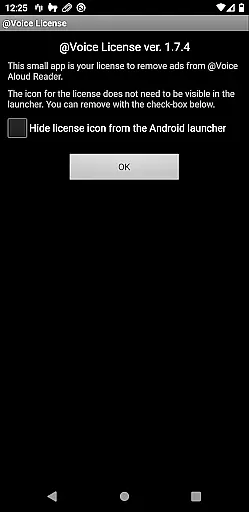
@Voice Premium License is a productivity-enhancing app designed as an optional upgrade for @Voice Aloud Reader. This app removes in-app advertisements, such as banner ads and full-screen ads that appear when loading new content, thereby conserving battery life and reducing data usage. By installing this license directly from the Google Play Store, users unlock additional features within the main @Voice app.
Key functionalities enabled by this premium license include continuous recording through entire reading lists or eBooks, the ability to use tags with speech replacements for different types of content, and potential future premium features. These enhancements provide a seamless and enriched user experience, making it ideal for those who rely on text-to-speech technology for reading articles, books, and more.
The @Voice Premium License offers several advanced features that significantly enhance the functionality of the @Voice Aloud Reader. One notable feature is the option for continuous recording through entire reading lists or eBooks without interruption, unlike the free version which stops after each article or chapter. This allows users to create uninterrupted audio files of their reading materials, providing a more fluid listening experience.
Another standout feature is the ability to use tags with speech replacements. Users can customize speech settings for different types of content, such as scientific articles or fiction, and easily switch between these presets using tags. This ensures optimal pronunciation and intonation tailored to the specific genre or context. Additionally, the removal of ads not only improves the visual interface but also enhances performance by saving battery life and minimizing data transfer. These features collectively offer a superior and more efficient reading experience.
Task management is a critical aspect of productivity applications, ensuring users can efficiently organize and execute their tasks. @Voice Premium License enhances the core functionalities of @Voice Aloud Reader by removing ads that could distract or slow down the user experience.
This seamless integration allows users to focus on their reading without interruptions from banner or full-screen ads, thus conserving device resources like battery life and data usage. The elimination of these distractions ensures a smoother task flow, which is essential for maintaining productivity.
Moreover, the premium license unlocks features that are pivotal for task continuity. For instance, it enables automatic recording through entire reading lists or eBooks, a function that significantly boosts productivity by reducing the need for manual intervention after each article or chapter.
Cross-device synchronization is vital for users who operate on multiple platforms and require reliable access to their data at all times. While @Voice Premium License primarily focuses on enhancing the reading experience, its integration with @Voice Aloud Reader indirectly supports synchronization reliability by streamlining the app's performance.
By removing ads and freeing up system resources, the premium version ensures that any cross-device synchronization processes within @Voice Aloud Reader occur without hiccups. This optimization contributes to more dependable real-time updates across devices, although this feature's primary focus remains on improving individual device performance.
Additionally, the ability to use tags with speech replacements offers a personalized touch that can be synchronized across devices, providing a consistent user experience. This consistency ensures that whether users are reading scientific articles or fiction, their customized settings are reliably applied, regardless of the device in use.
Ad-free experience
Continuous recording
Customizable speech
Enhanced efficiency
Future-proof features
Separate installation required
Premium cost involved
Dependent on main app
Limited to Google Play
No standalone use

Experience Reading - Night Mode for Documents
 4.40
4.40
Create study competitions, track your hours, and stay consistent with friends
4.5
Send files, sync SMS, notifications & clipboard across devices via local network
4.40
Cloud storage, automatic phone backup, and more.
4.10
ID.me Authenticator is a simple and free Two Factor Authentication solution
3.50
The AI assistant that thinks with you - write, code, and solve complex tasks
4.60
Access, manage and transfer files on Android, PC, Mac, NAS and cloud storages.
4.30
AT&T Internet customers can use this app to personalize their Wi-Fi network.
4.40
Daily processing of PDF documents.
4.40
Best Tool for the professionals Electrician, Electrical contractors, etc.
4.90
Scan paperwork into PDF/JPG, generate your own e-signature and send fax or email
4.70
Secure, fast, open-source, Remote Desktop Client for Windows and Linux with SSH
4.60
Calendar 2023 widget for Android. Appointment scheduler, planner, and reminder
4.60
To do list widget with a notebook organizer, checklist, simple shopping list
4.60
Docker, Kubernetes management over Portainer Mobile
4.40
Automates browsing any website and notifies you of important changes or events
4.30
Make apps & sites with natural language prompts
4.10
Create and edit presentations with Google Slides, part of Google Workspace.
4.00
Remotely view listen control and record cameras.
3.70


User Reviews