
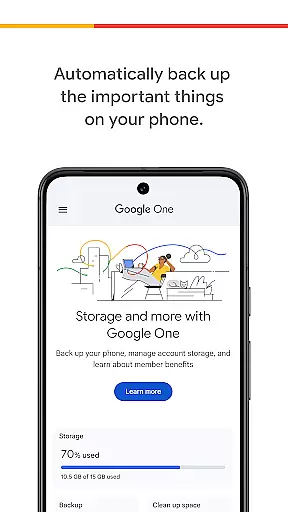
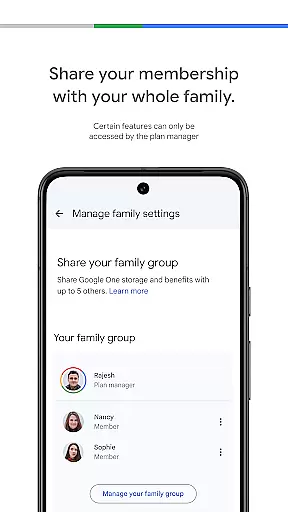
Google One is a productivity app designed to help users efficiently manage their digital storage and backups. The app's core functionality revolves around automatic phone backups, allowing users to safeguard essential data such as photos, contacts, and messages using the 15 GB of free storage provided with every Google account. This ensures that even if you lose, damage, or upgrade your device, all your important information can be seamlessly restored on a new Android phone.
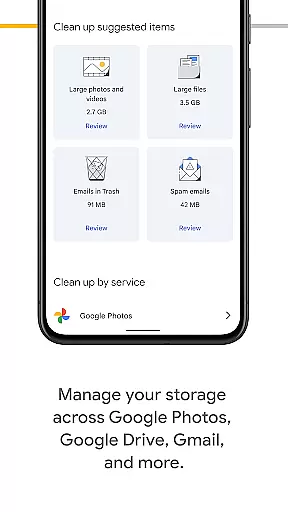
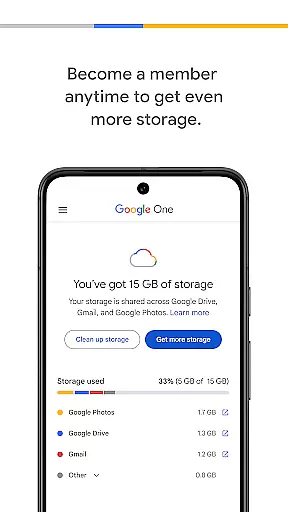
In addition to backup services, Google One offers comprehensive storage management across Google Drive, Gmail, and Google Photos. Users can monitor and control their existing storage space, ensuring optimal organization of their digital content. For those needing more capacity, Google One provides affordable membership plans that offer expanded storage options tailored to individual needs, making it an ideal solution for both personal and professional use.
Google One stands out with its robust feature set that caters to modern digital storage needs. One of the key features is its automatic backup system, which simplifies the process of protecting critical phone data. By leveraging Google's secure infrastructure, the app ensures that all backups are reliable and easily restorable, providing peace of mind for users concerned about data loss.
Beyond basic backups, Google One excels in offering flexible storage solutions. Users can choose from various membership plans to expand their storage capacity, accommodating everything from cherished memories to important work documents. The app also integrates seamlessly with other Google services like Google Drive, Gmail, and Google Photos, creating a unified platform for managing all digital assets. This integration not only enhances convenience but also maximizes productivity by streamlining access to files across different platforms.
Google One excels in core task management by offering users seamless control over their digital assets. The app provides automatic backup solutions for essential data such as photos, contacts, and messages, ensuring that users never lose important information.
With the ability to manage storage across Google Drive, Gmail, and Google Photos, users can efficiently allocate their 15 GB of free storage that comes with every Google account. This centralized management system simplifies the process of monitoring and adjusting storage needs.
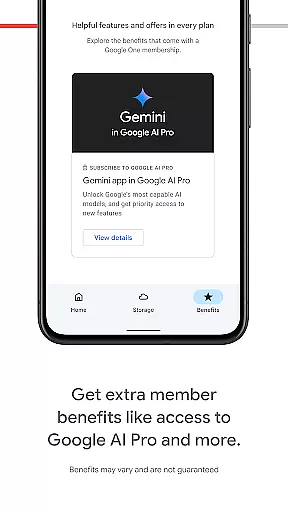
For those requiring more capacity, Google One offers flexible membership plans. Users can choose a plan that suits their requirements, gaining access to expanded storage for their memories, projects, and files.
Cross-device synchronization is a standout feature of Google One, providing reliable and consistent access to your data across multiple devices. Whether you upgrade your phone or switch between devices, all your backed-up data is readily available.
The synchronization process ensures that everything from photos to messages is up-to-date and accessible wherever you are. This reliability is crucial when transitioning to a new Android device, as it allows for the restoration of all your data seamlessly.
Moreover, Google One's robust infrastructure guarantees that your information remains secure during transfers. This peace of mind is vital for users who rely on constant access to their digital lives, regardless of the device they are using.
User-friendly interface
Secure cloud backups
Flexible storage plans
Seamless Google integration
Reliable data restoration
Limited free storage
Paid membership required
Android-focused features
Occasional sync issues
Privacy concerns

Experience real multitasking on your Android!
 4.00
4.00
Create study competitions, track your hours, and stay consistent with friends
4.1
A lightweight JSON & XML files creator, editor and viewer (Premium Version)
4.40
⏰ Finally a timer app which can run multiple timers simultaneously on your watch
3.90
CalenGoo is a very flexible and feature-rich calendar app
4.40
A beautiful digital clock with autostart and many other functions
4.70
Quickly and easily keep track of your work shifts
4.70
Experience and share your SolidWorks designs on your Android® phone and tablet.
2.50
Seamlessly read, manage, and organize all your PDF files solution in one place
4.40
Native client for Forgejo and Gitea
5.00
Android Wallet Password Manager
4.80
All document reader, all in one file viewer read PDF, DOCX, XLS, PPT, TXT files.
4.60
Calendar 2023 widget for Android. Appointment scheduler, planner, and reminder
4.60
PDF scanner & converter for files, photos, lottery, QR codes. One swipe away!
4.50
Pwnagotchi companion app
4.20
* block pre-roll ads, pop-up and forced redirect ads * Samsung certification app
4.00
Take control of your clipboard with Clipper!
3.90
All in one sketching tool. Technical and General drawing. Online Maps support.
3.70
Code on-the-go with VScode for Android. Edit,debug and collaborate from mobile!!
3.10


User Reviews