
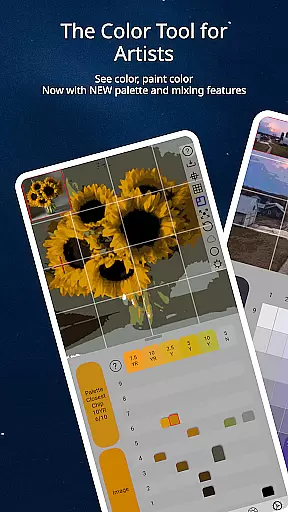
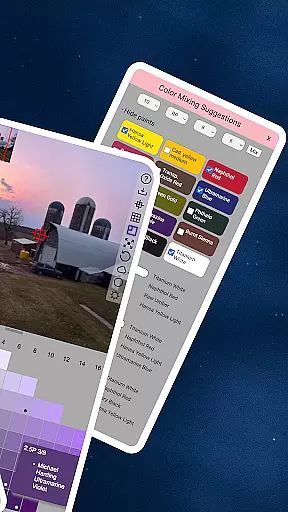
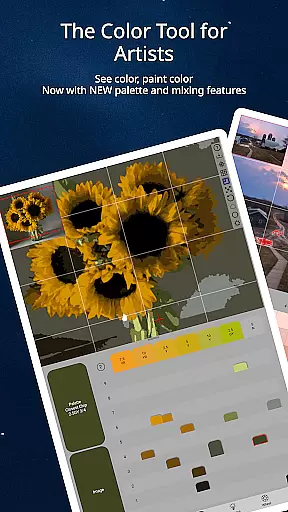
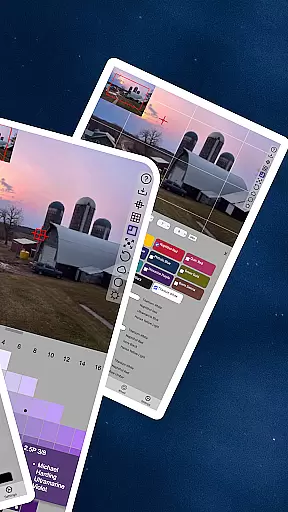
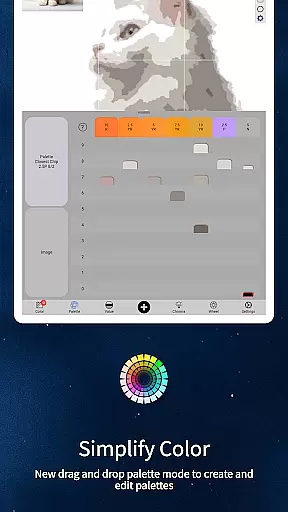
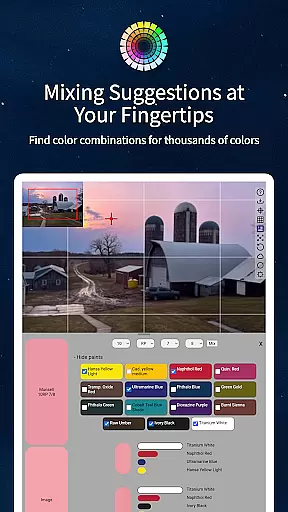
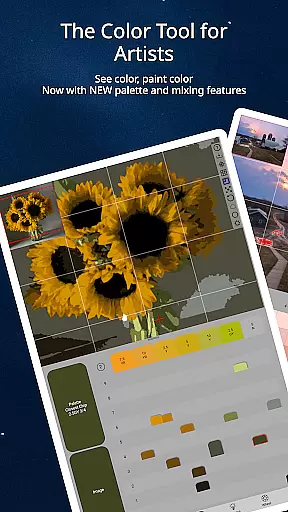
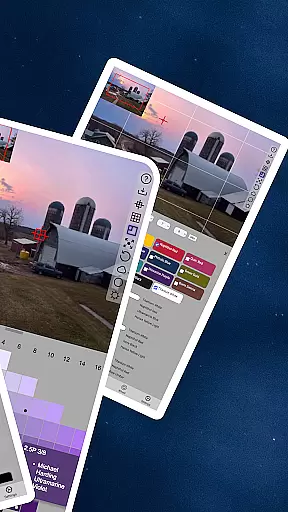
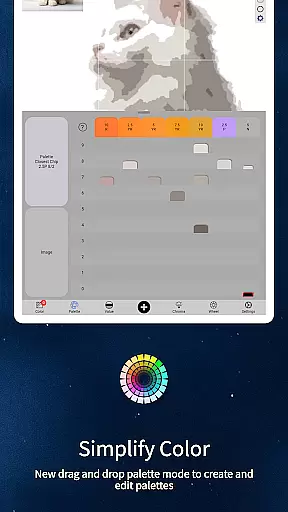
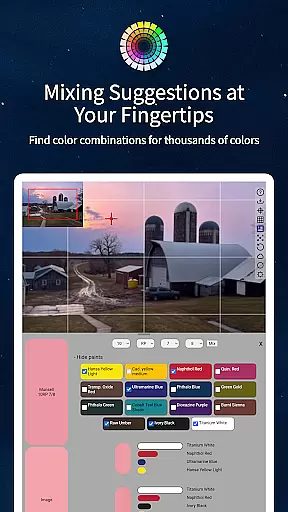
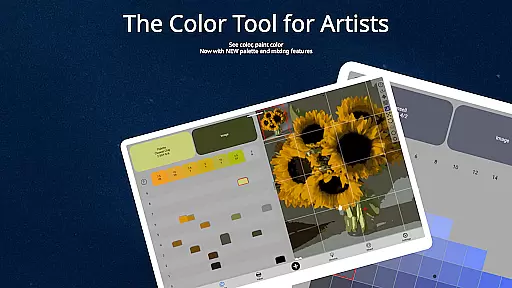
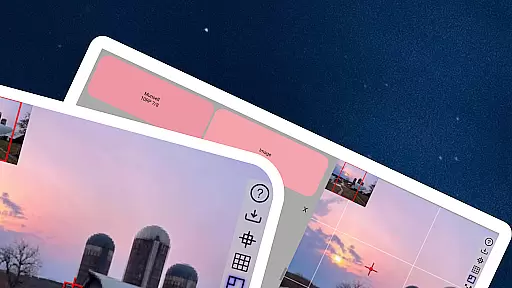
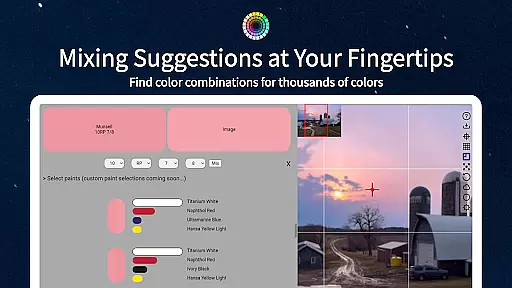
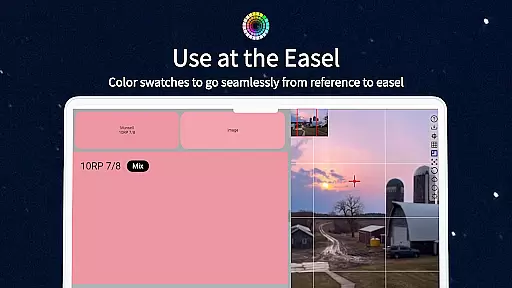
ChromaMagic is an innovative color analysis tool designed specifically for artists. This application allows users to load any photo or reference image and instantly identify the exact color properties using the Munsell color system. The app provides detailed breakdowns of hue, value, and chroma, enabling artists to understand and replicate colors more accurately in their work.
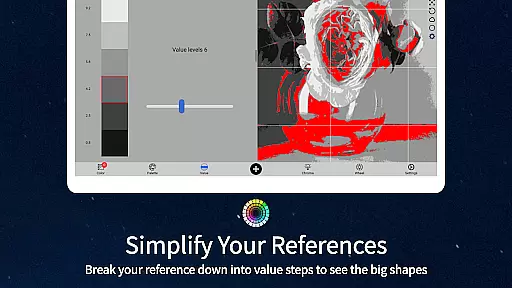
Beyond basic color identification, ChromaMagic offers advanced features including multiple viewing modes that help artists analyze their references through different lenses - from value shapes to grayscale conversion, saturation mapping, and color wheel distribution. These tools are particularly useful for painters looking to improve their color mixing skills and better translate what they see into their artwork.
The application's intuitive interface supports buttery-smooth zooming and panning, making it easy to navigate even high-resolution images. Its offline functionality and cross-device compatibility allow artists to use ChromaMagic anywhere, from studio easels to outdoor painting locations. The app also includes practical features like paint brand matching and color averaging for complex references.
ChromaMagic distinguishes itself through its comprehensive approach to color analysis. The application's core feature is its implementation of the Munsell color system, which breaks down colors into three measurable components: hue, value, and chroma. This scientific approach helps artists move beyond traditional color theory limitations and develop a more accurate understanding of color relationships.
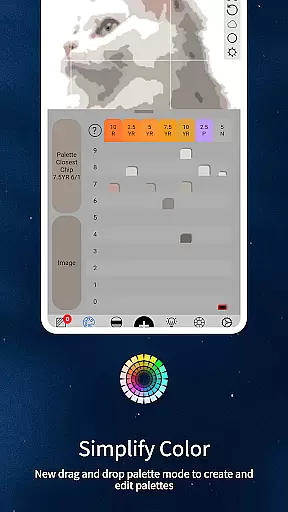
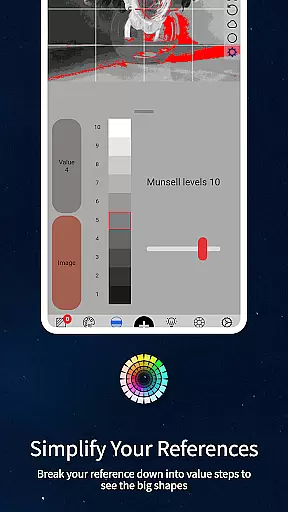
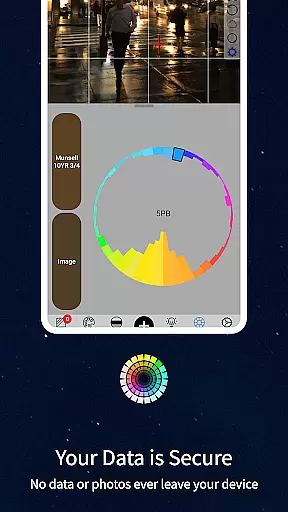
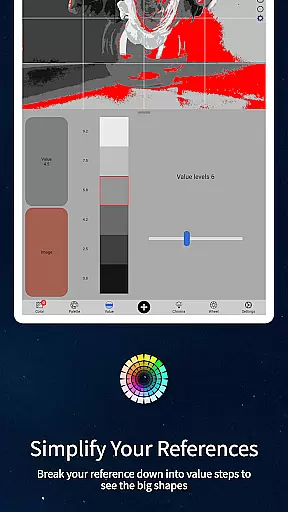
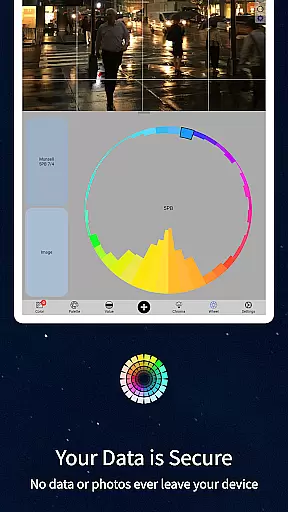
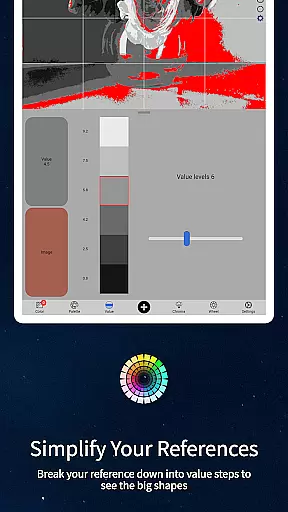
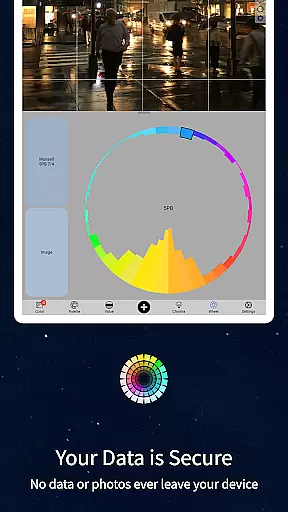
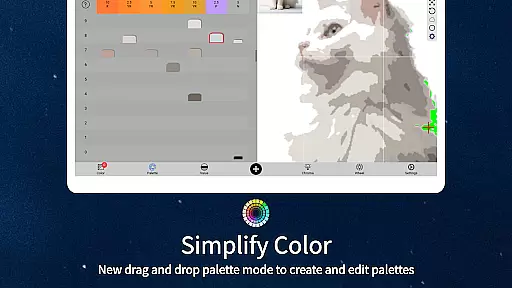
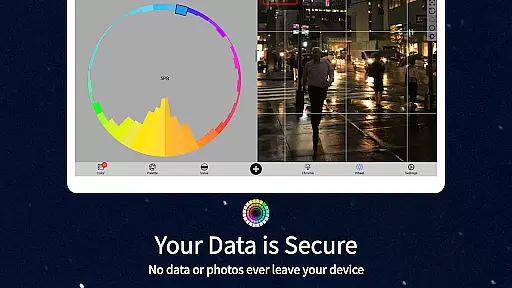
The app includes five distinct viewing modes that cater to different artistic needs. Value mode simplifies images into major tonal shapes, while grayscale mode helps identify subtle value differences. Saturation view reveals the intensity distribution across the image, and color wheel mode visualizes hue relationships. These modes work together to provide a complete picture of the color composition in any reference image.
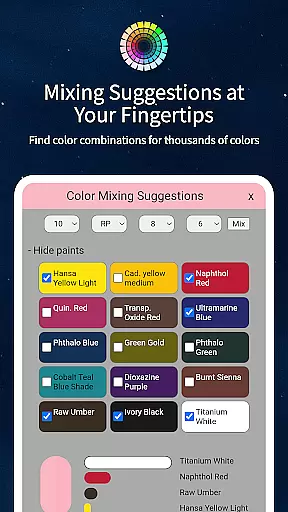
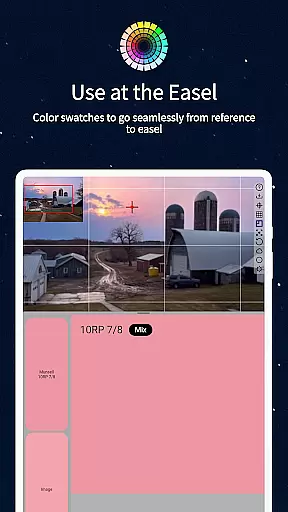
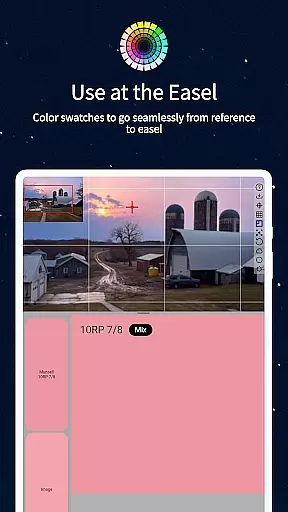
Practical features enhance the user experience significantly. The drag-and-drop functionality streamlines file loading, while the calibration tools ensure accurate color readings. The inclusion of paint matching data for hundreds of professional-grade oil paints bridges the gap between digital analysis and physical painting. Additionally, the ability to average colors over large pixel areas helps simplify complex color fields.
ChromaMagic offers a comprehensive suite of creative tools tailored for artists seeking precision and depth in their work. The application allows users to load any photo or reference image, providing instant insights into the color's hue, value, and chromau2014key components that are crucial for accurate color representation.
With five distinct modes, ChromaMagic goes beyond basic color identification. Artists can organize references into major value shapes, convert images to grayscale for detailed value analysis, assess color saturation levels, and visualize color distribution on a wheel. These features collectively ensure that artists have all the necessary tools to fully understand and replicate the colors they observe.
The app also includes practical functionalities such as links to hundreds of high-quality oil paints, making it easier for users to find the exact paint they need for a specific color. This level of integration enhances the overall utility of ChromaMagic, positioning it as an indispensable tool for both amateur and professional artists.
Flexibility in canvas and format options is vital for artists who need to adapt their work across various mediums and sizes. ChromaMagic addresses this need by offering a highly responsive interface that supports buttery smooth zooming and panning, allowing artists to examine their work at different scales without losing detail or experiencing lag.
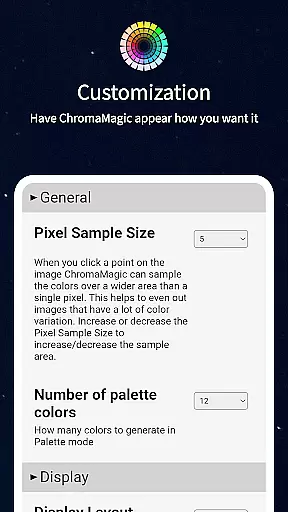
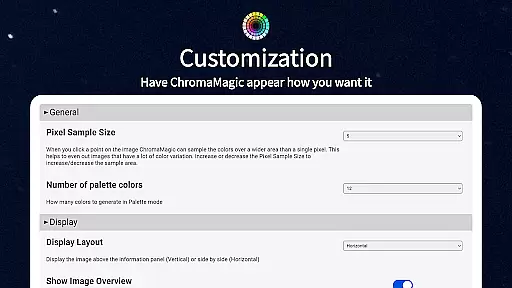
In addition to its adaptable viewing capabilities, ChromaMagic enables users to average colors over multiple pixels, with the option to cover up to 2500 pixels. This feature is particularly useful when dealing with complex images that contain too many colors, helping artists simplify and focus on broader color patterns.
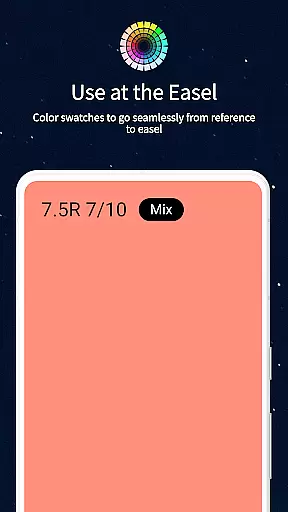
Furthermore, ChromaMagic ensures that artists can use the app in diverse environments, whether at home, on the bus, or even up a mountain, thanks to its offline functionality. This versatility guarantees that no matter where inspiration strikes, users have access to a reliable and flexible set of tools to support their creative process.
Accurate color analysis
Multiple viewing modes
Cross-device compatibility
Offline functionality
Intuitive user interface
Steep learning curve
Advanced features only
No beginner tutorials
Premium price point
Complex interface

Draw anime & manga drawing, art with templates to create stunning picture!
 4.50
4.50
Create stunning video, photo & magic from text with FlixAI GPT video generator.
3.10
Photo editor for art, avatars, filters & fun transformations.
4.60
Your AI soulmate — meaningful chats, and unique emotional moments
4.70
Turn your drawings into flipbook-style animations with simple creative tools
4.60
Minecraft & Roblox Clothes
4.70
Image resizer to resize, crop, rotate, flip, change dpi photo or picture in bulk
4.60
Resize photos and print photos in exact size with our powerful photo printer!
3.80
2D animation studio for Android tablets - unlimited layers, infinite timeline
4.70
Convert image to JPG PNG HEIC PDF, support almost all kinds of image formats
4.70
Unleash your drawing and painting potential
4.50
Just trace a projected picture on paper and color! Draw & Paint with AR drawing
4.40
Draw, make movies & animate cartoons easily with our 2D animation maker app
4.40
AI generated images & photos, turn your words into drawing, painting & pictures.
4.30
Sketch, plan, take notes and illustrate on an infinite canvas.
4.20
Text to Image, Image to Video & AI Chat
4.20
Unleash the artist in you with our AR drawing and tracing tool for photo drawing
4.10
Get creative and make art with your Sesame Friends!
4.00
A luxurious gold watch face for an elegant and refined look.
4.3


User Reviews