
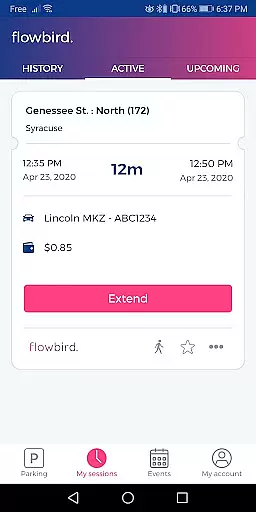
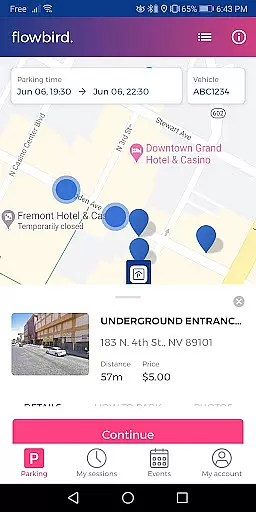
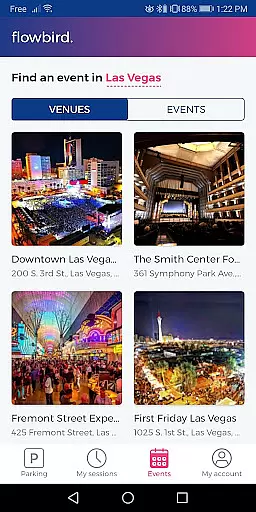
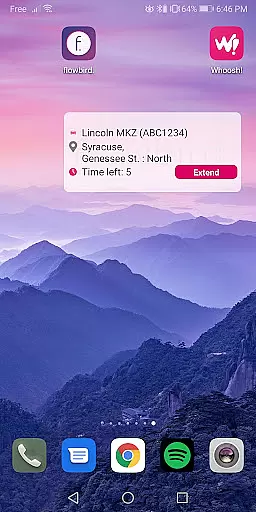
Flowbird Parking is a mobile application designed to simplify the parking experience for users. The app allows drivers to pay for parking directly from their smartphones, eliminating the need to use physical parking meters. One of its standout features is the ability to receive notifications when parking time is about to expire, allowing users to extend their parking duration remotely. This functionality varies by location, ensuring flexibility and convenience tailored to local regulations.
In addition to payment processing, Flowbird Parking offers helpful tools such as Parking Pressure display for certain areas, which helps users identify less congested parking spots. The app also includes a 'Find my car' feature for those who tend to forget where they parked, as well as secure login options like fingerprint authentication. With free registration, users can access these features in any supported location, making it an essential tool for modern urban drivers.
Flowbird Parking stands out with its comprehensive set of features that cater to various parking needs. The app supports mobile payments through smartphones or web browsers, offering a seamless transaction process that adheres to Payment Card Industry Data Security Standards, ensuring top-level security for user data. Its Parking Pressure display provides real-time insights into parking availability, helping users make informed decisions quickly.
Another notable feature is the 'Find my car' functionality, which uses location services to guide users back to their vehicles. The inclusion of fingerprint login enhances security while simplifying the login process. By integrating these advanced capabilities, Flowbird Parking not only streamlines the payment process but also enriches the overall parking experience, saving users time and reducing stress associated with finding and paying for parking spaces.
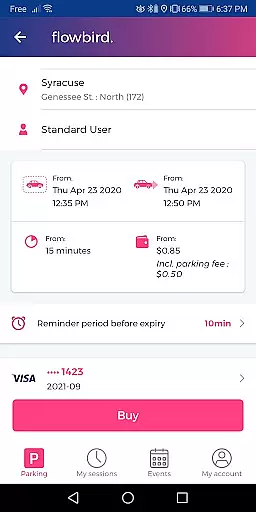
Detailed vehicle information is crucial for ensuring a seamless parking experience. The Flowbird Parking app provides essential details about your vehicle, allowing you to manage multiple vehicles easily through the app.
Upon registration, users can input specific vehicle information such as license plate numbers. This data is then used to streamline the parking process, making it easier to select the correct vehicle when initiating a parking session.
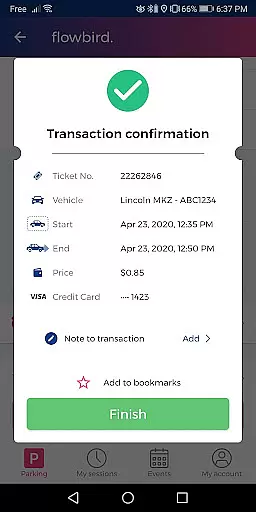
The app's ability to store and retrieve detailed vehicle information not only simplifies the user experience but also ensures that parking transactions are accurately recorded against the correct vehicle. This minimizes potential issues with parking enforcement.
By maintaining precise vehicle records, Flowbird Parking enhances user convenience and supports efficient parking management, ultimately contributing to a hassle-free parking experience.
Price transparency in parking apps like Flowbird Parking ensures users are fully aware of parking costs before confirming their transactions. This transparency builds trust and allows users to make informed decisions regarding their parking choices.
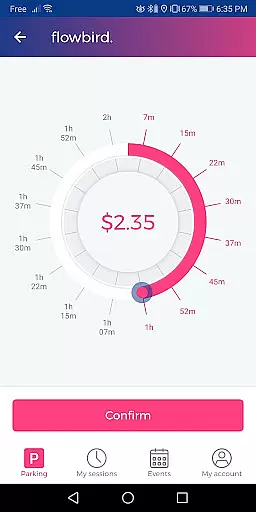
Flowbird Parking displays clear pricing information based on the selected location and duration. Users can view the cost of parking in real-time as they adjust the parking duration dial within the app.
In addition to showing base parking fees, the app also informs users about any additional charges or discounts applicable to their selected parking spot. This comprehensive price display helps prevent unexpected costs.
With its commitment to price transparency, Flowbird Parking empowers users to manage their parking expenses effectively while enjoying the convenience of mobile payments and notifications.
User-friendly interface
Secure payment system
Real-time parking updates
Remote time extension
Free account registration
Limited location support
Requires internet connection
Parking rules vary
No offline functionality
Dependent on local regulations

App Mirroring for Tesla Car's Browser
 2.80
2.80
Theme for Car Launcher
4.1
* This app needs an adapter cable and a certain OBD2 adapter to work *
4.20
Play what you want through Android Auto
4.90
The Texaco App allows you to pay for fuel from the comfort of your car!
4.80
7-Day Returns on All Cars
4.80
PayByPhone: A quick and easy way to pay for parking.
3.80
Autotrader is your online solution for buying and selling new and used cars.
4.40
Get price alerts, vehicle history details and more for cars near you!
4.50
Quick and easy car diagnostics to get you the right fix.
4.70
Ultimate OBD2 Car Scanner: Diagnostics, Service and Modification Tool
4.30
Realtime Charts is a plugin for the Torque Pro App (OBD 2 & Car)
4.20
Car Sounds Engine Sounds app welcomes Auto Lovers to feel Car Simulator Sound
4.20
myAudi offers users services and Audi connect services for Audi drivers
4.10
Control maps, media and messaging, with the Google Assistant while you drive
4.10
Monitor your behind-the-wheel behavior to become a safer driver and save.
4.10
AlfaOBD software for Fiat Group cars native diagnostic
3.70
Earn and save with Fuel Rewards®
3.20
Attention! This is the theme for the Car Launcher app
4.3


User Reviews