
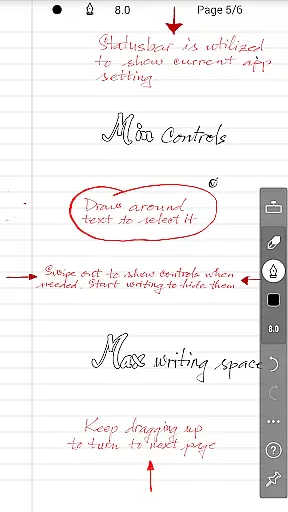
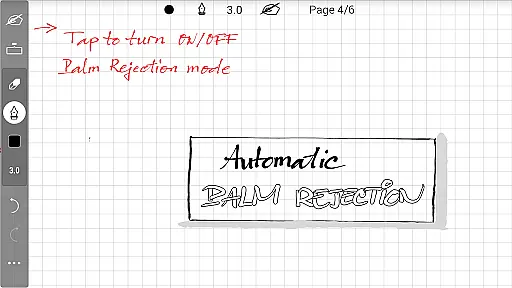
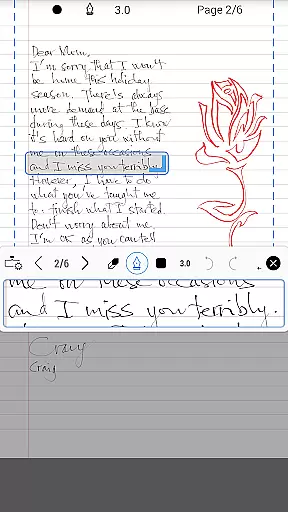
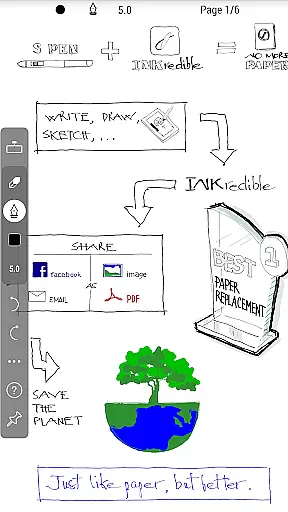
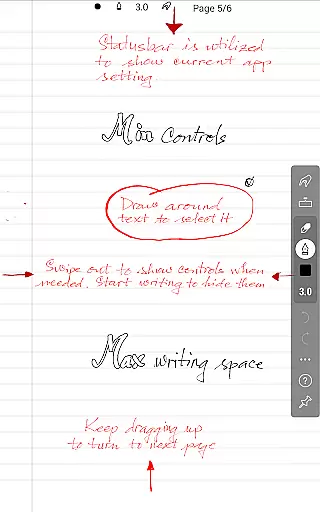
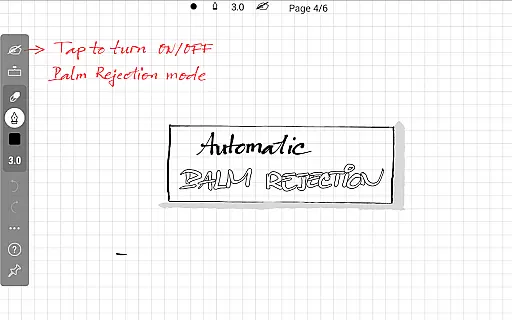
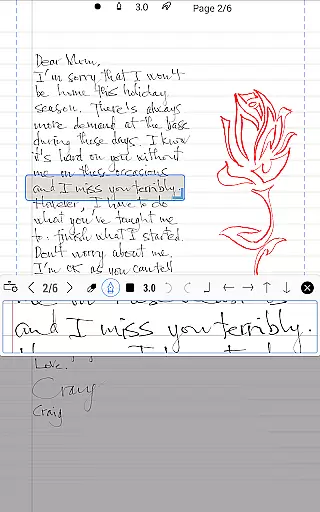
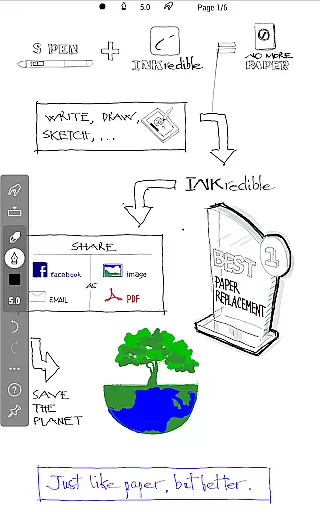
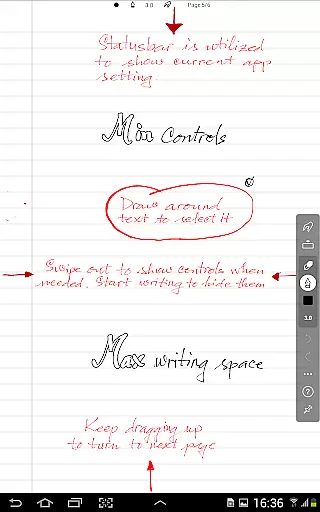
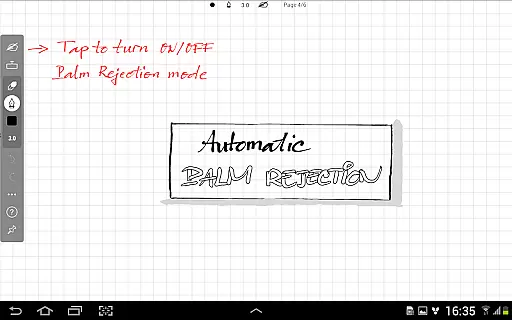
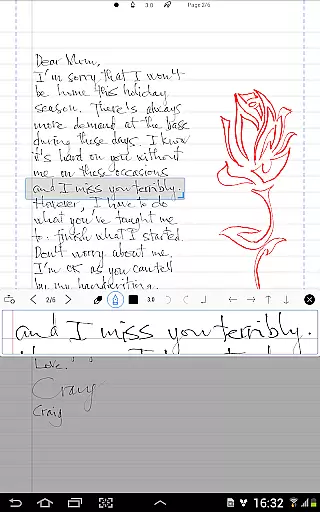
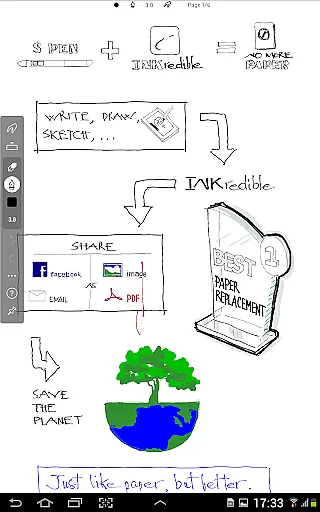
INKredible PRO is a premium handwriting app designed to deliver an exceptional writing experience on tablets. This app includes all in-app purchase features of INKredible, offering a $9 value, along with free future updates. With its advanced automatic palm and wrist rejection technology inherited from the popular Notes Plus app, INKredible PRO ensures that writing on a tablet feels as natural and fluid as using pen and paper. The app focuses on simplicity, providing a distraction-free environment where UI controls are hidden, allowing users to concentrate on their writing. Additionally, its sophisticated vector-graphics inking technology enhances the beauty of digital handwriting, making it look more elegant than traditional penmanship.
This app is perfect for students, professionals, and anyone who values the authenticity of handwriting but desires the convenience and versatility of digital tools. Whether you need to take notes, create sketches, or draft documents, INKredible PRO offers a seamless and enjoyable writing experience that bridges the gap between traditional methods and modern technology.
INKredible PRO stands out with its unique set of features tailored to enhance the writing experience on digital platforms. One of its core strengths is the automatic palm and wrist rejection technology, which allows users to write naturally without worrying about unintended touches. This feature, combined with the app's distraction-free interface, creates an immersive writing environment that mimics the comfort of pen and paper.
The app also boasts over three years of R&D in vector-graphics inking technology, ensuring that every stroke is rendered beautifully using sophisticated Bezier curve manipulations. This results in handwriting that not only looks better than on paper but also maintains its quality at any resolution, whether for printing or displaying purposes. Users can zoom in to appreciate the fine details and precision of their digital handwriting. Furthermore, INKredible PRO supports various customization options, enabling users to tailor the app to their preferences and achieve the perfect writing experience.
INKredible PRO excels in core task management by offering a seamless writing experience on a tablet. The app focuses on providing users with an unparalleled platform for note-taking and task organization without distractions. With its minimalistic approach, INKredible hides UI controls to maintain a clean slate, allowing you to concentrate solely on your writing tasks.
The app's dedication to a singular mission ensures that all features are geared towards enhancing productivity. By integrating advanced inking technology, it guarantees that jotting down notes or managing lists feels as natural as using pen and paper. This focused functionality aids users in efficiently completing their task management activities within the app.
For those who rely on digital tools for organizing their workflow, INKredible PRO's task management capabilities mean that everything from quick sketches to detailed planning can be executed smoothly. The absence of unnecessary features ensures that users can accomplish more in less time, streamlining both personal and professional projects.
Cross-device synchronization is a pivotal feature of INKredible PRO, ensuring that your valuable content is reliably available across all your devices. Whether transitioning from a tablet to a smartphone or a computer, this app maintains the integrity and formatting of your notes, providing consistent access no matter where you are.
This reliable synchronization instills confidence in users who need to access their documents on the go. It leverages robust cloud services to keep your data up-to-date and secure, minimizing the risk of losing important information. As updates occur, they are swiftly mirrored across all linked devices, maintaining uniformity and coherence in your work.
With INKredible PRO's steadfast commitment to synchronization excellence, professionals and students alike can enjoy peace of mind knowing their work is safely stored and easily retrievable. This facilitates a fluid and flexible working style, adapting to the dynamic needs of modern life while keeping productivity at its peak.
User-friendly interface
Advanced palm rejection
High-quality rendering
Customizable settings
Free future updates
Limited to tablets
No cloud sync
Premium price
Few templates
Learning curve

Client for Nextcloud Deck
 4.60
4.60
A customizable calendar for your Wear OS watch
4.20
QuickBooks Workforce lets teams view pay info and track time in one place.
4.70
Mega cloud explorer plugin for Solid Explorer
3.80
CalenGoo is a very flexible and feature-rich calendar app
4.40
All in One PDF Reader: Manage, Read and Edit your Documents
4.20
Fill, sign & send docs, forms, agreements & contracts via electronic signature.
4.50
Create and edit presentations with Google Slides, part of Google Workspace.
4.00
Quickly and easily keep track of your work shifts
4.70
8 custom complications. Custom Time Fonts. Beautiful color schemes. A++ Design.
5.00
Scan paperwork into PDF/JPG, generate your own e-signature and send fax or email
4.70
App Lock with fingerprint, password: Lock apps & hide photos with lock screens
4.60
Stay on top of your to-dos with Google Tasks, part of Google Workspace.
4.60
The AI assistant that thinks with you - write, code, and solve complex tasks
4.60
Total remote control for your Android device, PC and cloud services (IFTTT)!
4.20
Easily read and manage all your PDF files
4.10
The ultimate file manager for rooted devices. The original and still the best.
4.00
Smart PDF reader & editor to view, organize and manage PDF documents easily.
3.70
Auto-shutoff Alarm with Sunrise, Sunset & Fixed Options.
3.50


User Reviews