
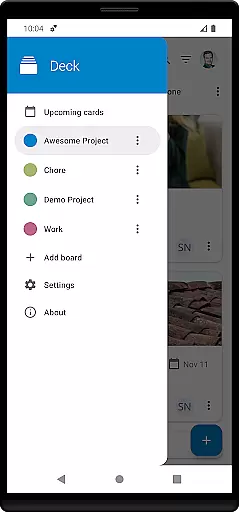
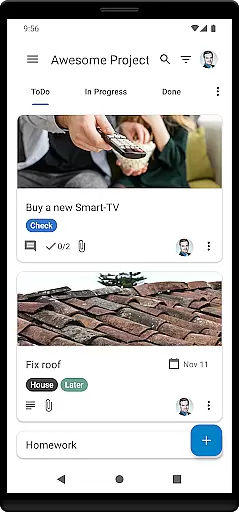
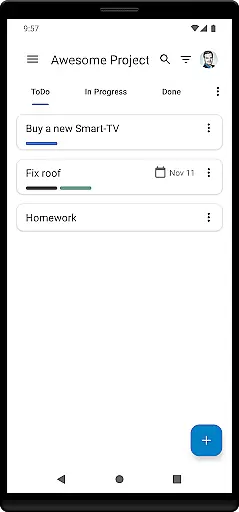
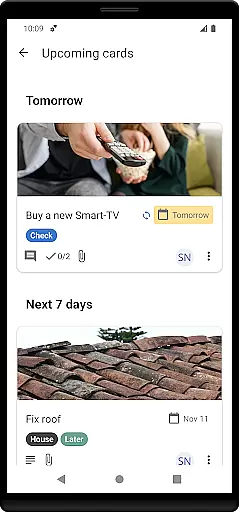
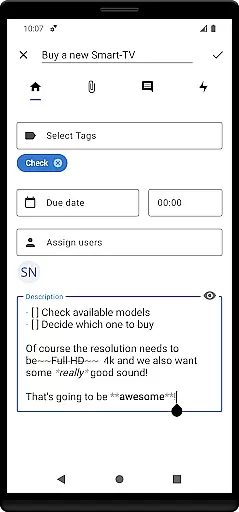
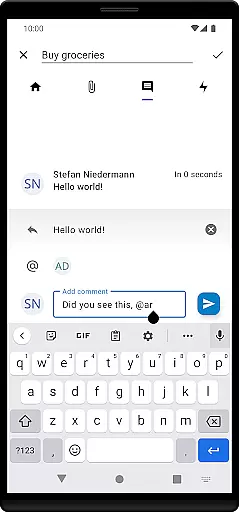
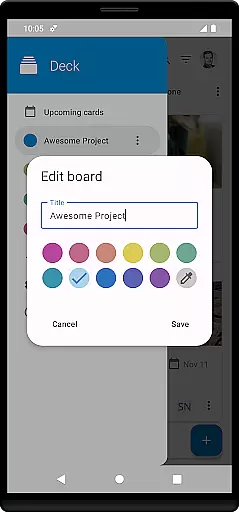

Nextcloud Deck is a productivity-focused application designed to streamline task management and team collaboration. This app allows users to create and organize tasks using customizable boards, lists, and cards, making it an ideal tool for both personal and professional project management.
The app supports multiple accounts and works seamlessly offline, ensuring users can access their data anytime, anywhere. With features like tags, attachments, activities, and comments, Nextcloud Deck enhances workflow efficiency. Additionally, its dark mode and multilingual support provide a comfortable and accessible user experience across different preferences and regions.
Nextcloud Deck stands out with its comprehensive set of features tailored for effective task management. Users can manage multiple accounts from a single interface, which is particularly beneficial for those juggling various projects or teams. The offline functionality ensures that users are not constrained by internet availability, allowing uninterrupted productivity.
The app's core revolves around managing cards, lists, and boards, enabling users to structure their tasks systematically. Tags and color-coded labels help in categorizing tasks efficiently, while attachments, activities, and comments foster seamless communication and documentation within teams. Furthermore, the availability of dark mode reduces eye strain during extended use, and the app's translation into numerous languages makes it globally accessible.
Nextcloud Deck offers a robust platform for managing tasks, lists, and boards efficiently. This functionality is crucial for users who need to organize their projects and daily activities in a structured manner.
The app allows you to create multiple boards for different projects, each containing various lists that represent stages of your workflow. You can easily add cards to these lists, which represent individual tasks, making it simple to track progress and assign responsibilities.
With support for tags, attachments, activities, and comments, the app ensures that all relevant information is linked directly to the corresponding task. This comprehensive approach helps users maintain clarity and focus, ensuring that nothing falls through the cracks.
By integrating seamlessly with Nextcloud, this app provides a secure and private environment for task management, enhancing productivity without compromising on data security.
Cross-device synchronization is a vital feature for users who operate across multiple devices and need consistent access to their data. Nextcloud Deck excels in providing reliable synchronization, ensuring that your boards, lists, and cards are always up-to-date, regardless of the device you use.
The app supports offline functionality, allowing you to make changes even when you're not connected to the internet. Once you regain connectivity, all updates are synced automatically, maintaining consistency across your devices.
This reliable synchronization extends to attachments, activities, and comments, ensuring that every piece of information is accurately reflected on all your devices. This seamless integration enhances collaboration, as team members can see real-time updates and contribute effectively from any location.
By leveraging the power of Nextcloud's infrastructure, Nextcloud Deck guarantees that your data remains secure and synchronized, offering peace of mind and boosting overall productivity.
User-friendly interface
Offline capabilities
Multi-account support
Effective task organization
Global accessibility
Requires Nextcloud setup
Limited standalone functionality
No built-in calendar
Dependent on third-party integrations
Advanced features need technical know-how

A customizable calendar for your Wear OS watch
 4.20
4.20
Planet Free VPN - The best Fast Unlimited and Secure VPN Without Logs
4.50
Automates browsing any website and notifies you of important changes or events
4.30
⏰ Finally a timer app which can run multiple timers simultaneously on your watch
3.90
App lock - lock apps with fingerprint, password, pin or pattern, protect privacy
4.70
Cloud storage, automatic phone backup, and more.
4.10
Activate Two Factor Authentication (2FA or Multi OTP), Password manager and more
4.10
Create and edit presentations with Google Slides, part of Google Workspace.
4.00
Quickly and easily keep track of your work shifts
4.70
We're working to become the best machining app on the market! www.cncdirt.com
4.80
Subscribe to Webcal & .ics calendars and keep them up-to-date!
4.50
Experience Reading - Night Mode for Documents
4.40
A lightweight JSON & XML files creator, editor and viewer (Premium Version)
4.40
Secure your apps with lock screens, use custom themes and different features.
4.40
Todo reminder
4.10
All in one sketching tool. Technical and General drawing. Online Maps support.
3.70
Make your handwriting beautiful, even more than pen on paper.
3.60
Code on-the-go with VScode for Android. Edit,debug and collaborate from mobile!!
3.10
The upgraded version of Name Wheel with AI and the power to add your own wheels.
4.0


User Reviews