
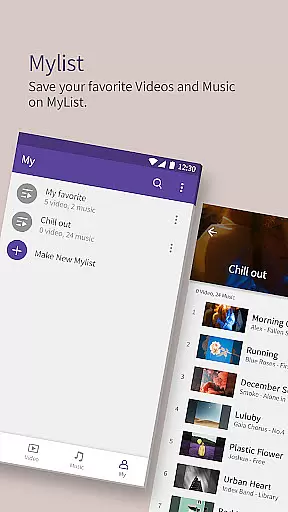
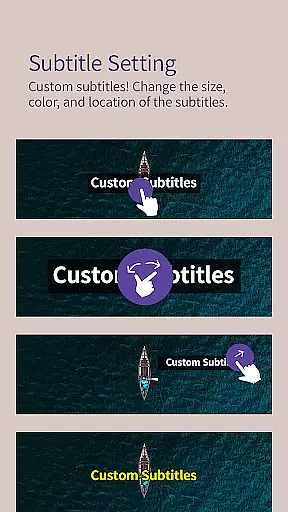
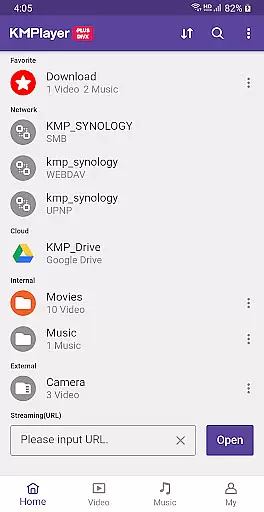
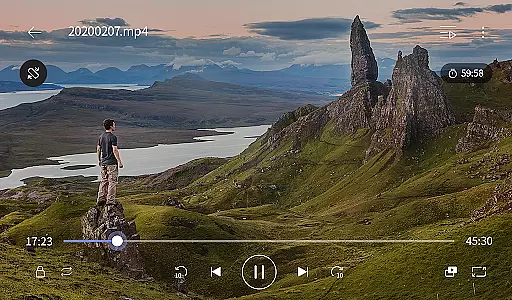
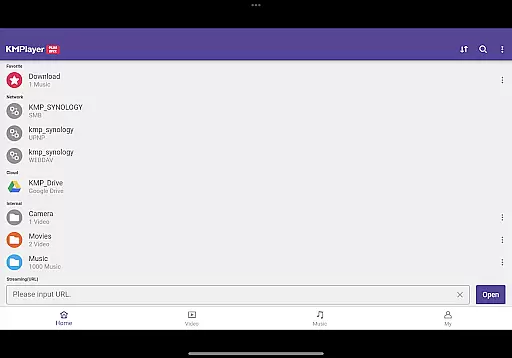
KMPlayer Plus (Divx Codec) is a versatile video player that supports Divx codec, making it ideal for users who need to play various video formats. The app offers high-definition playback for HD, 4K, and even 8K videos, ensuring an exceptional viewing experience across all resolutions.
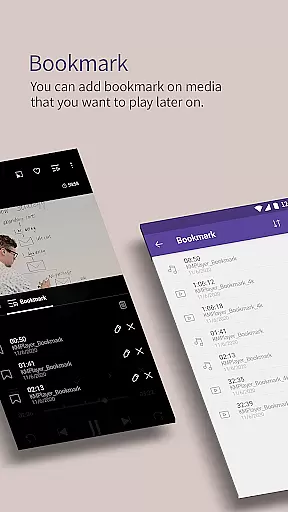
With advanced features like bookmarking, color adjustment, and section repeat, KMPlayer Plus enhances user control over media playback. It also supports a wide range of subtitle formats including SubRip, MicroDVD, and WebVTT, catering to global audiences. Whether you're watching local files or streaming from the web, this app provides comprehensive functionality in a sleek interface.
KMPlayer Plus stands out with its extensive codec support, covering popular formats such as DXMF, DIVX, and MP4V. This ensures compatibility with most video files without requiring additional plugins or converters. The inclusion of advanced playback controls like speed adjustment, zoom, and equalizer allows users to customize their experience precisely.
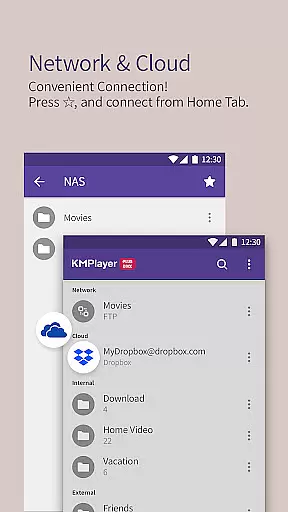
Beyond basic playback, the app offers innovative features like popup play for multitasking, cloud integration with Dropbox and OneDrive, and network streaming via FTP and SMB. These capabilities make it a powerful tool for both casual viewers and tech-savvy users who demand flexibility and performance in their media player.
KMPlayer Plus (Divx Codec) stands out for its extensive video format compatibility, ensuring users can enjoy a seamless playback experience across various file types.
The app officially supports Divx codec and covers a wide range of Avi and MKV file formats including DXMF, DX50, DIVX, DIV4, DIV3, and MP4V. This ensures that whether you're watching standard definition or high-definition videos, KMPlayer Plus has got you covered.
Additionally, the player provides clear guidance on unsupported codecs such as DTS, EAC3, and TrueHD, helping users understand potential limitations. By listing supported FourCC codes, it empowers users to verify their media files' compatibility before playback.
This comprehensive codec support makes KMPlayer Plus an ideal choice for users who work with diverse video formats and require reliable playback without format-related interruptions.
While KMPlayer Plus (Divx Codec) primarily focuses on video playback, it also incorporates several AI-powered features that enhance the overall user experience.
The app offers advanced functionalities like speed control, allowing playback rate adjustments from 0.25x to 4x, which is particularly useful for analyzing video content or enjoying media at preferred speeds. The equalizer feature brings audio enhancement capabilities typically found in dedicated music players.
Moreover, the inclusion of GIF creation tools and MP3 conversion utilities demonstrates the application's commitment to providing versatile media handling options. These features enable users to extract and convert audio from videos efficiently.
Although not traditional editing tools, these AI-enhanced features provide users with creative flexibility, making KMPlayer Plus not just a video player but a comprehensive media management solution.
User-friendly interface
Wide codec support
Advanced playback controls
Cloud integration
Multitasking features
Limited free trial
Some features require subscription
Occasional codec issues
High system requirements
Complex settings for beginners

Search & download videos from net with all video downloader, auto-detect & safe.
 4.60
4.60
Video player with powerful streaming playback and various convenient features.
2.10
Make your own Animations, Video and Photo Edits, Visual Effects, and more!
4.00
IPTV Loader, loads your own Playlist. DOES NOT CONTAIN ANY LIST OR CHANNELS
4.60
All in one multi protocols stream receiver for AirPlay, Cast and DLNA.
3.60
Connect EasyCap or UVC devices for recording and broadcast video/audio stream
3.60
This app is an emulator of some specific IPTV boxes
3.50
A Simple app to download Video & Music from the Internet.
4.70
convenient, safe and fast at Video Downloader & Player
4.60
Tik & Story Saver-Download ALL social media videos, photos & reels no watermark.
4.80
High-Quality USB Camera Viewer & HDMI Display
4.70
GENRAL PRO - General Pro is the best video player that fully supports all formats.
4.70
?100% FREE! Download & save videos? safely in this app. All formats supported.
4.60
Seamlessly connect and control your smart devices, anytime, anywhere with ease.
4.60
Photo and Music Video Creator into Stunning Videos—Effortlessly
4.40
1)AirPlay/DLNA Mirroring/Streaming, up to 4 connections; 2)Samba/NAS/DMS Player.
4.00
Stream Web Videos to Chromecast, Samsung, LG, Sony, Roku, Fire TV, DLNA + more
4.00
AirMirror is Receiver for Screen Mirroring and Casting from Apple Devices.
3.60
You can play SWF format file!
2.50


User Reviews