
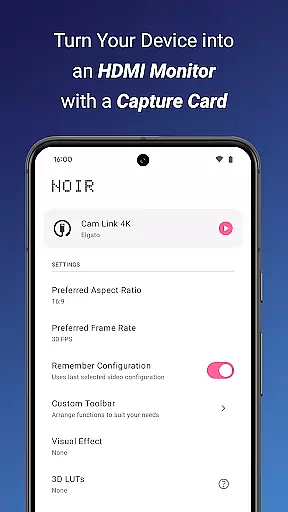
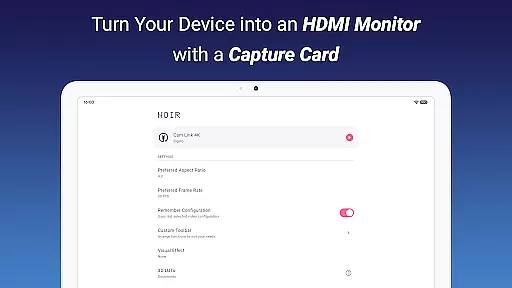
Noir Pro is a professional-grade video player and editor designed for users who require advanced features and high performance. This application transforms your device into a versatile monitor, compatible with gaming consoles, laptops, cameras, and other HDMI-output devices when paired with a USB-C capture card. It supports UVC video streaming and UAC audio streaming, offering both OpenGL ES and Vulkan graphics backend options.
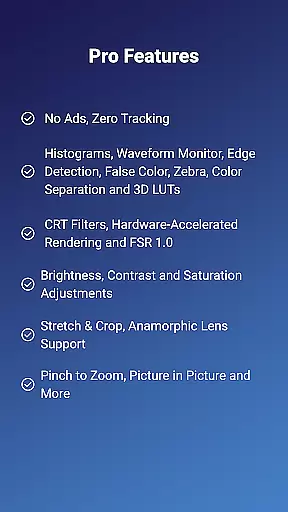
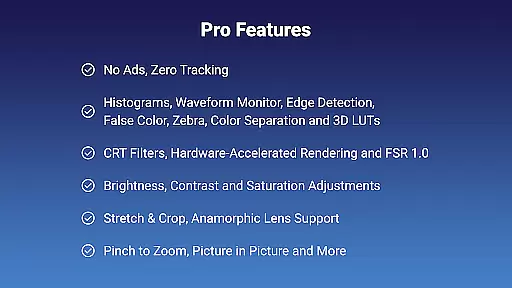
With its extensive list of PRO features, Noir Pro stands out in the realm of mobile video players. These include 3D LUTs, Waveform Monitor, Histogram, Edge Detection, False Color, Zebra, Color Separation, CRT Filters, FSR 1.0, Pinch to Zoom, Stretch and Crop, Anamorphic Lens Support, and more. The app also provides brightness, contrast, and saturation adjustments, app-specific volume control, Picture in Picture Mode, and in-app screenshot capabilities.
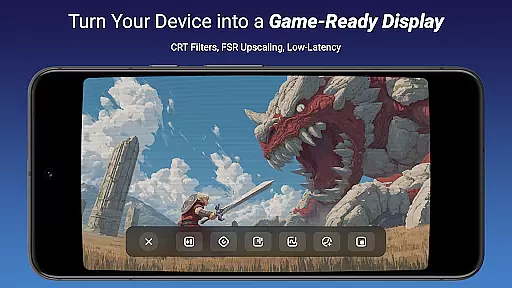
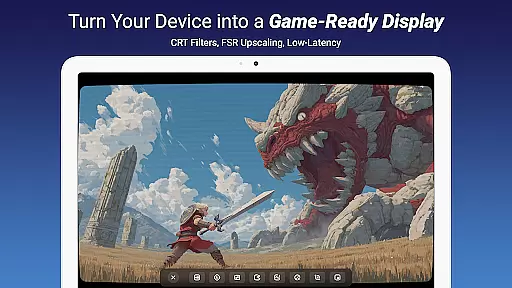
Whether you're using it as a camera monitor, primary display for gaming consoles, secondary monitor for laptops, or drone monitor, Noir Pro delivers a seamless experience. Its compatibility with various devices and support for USB streaming make it an indispensable tool for professionals and enthusiasts alike.
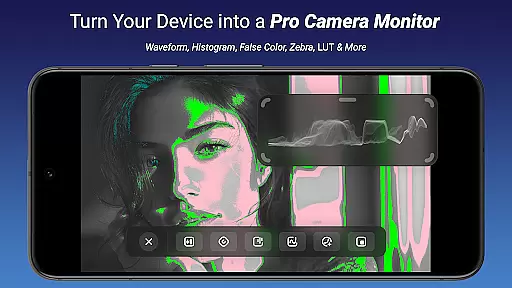
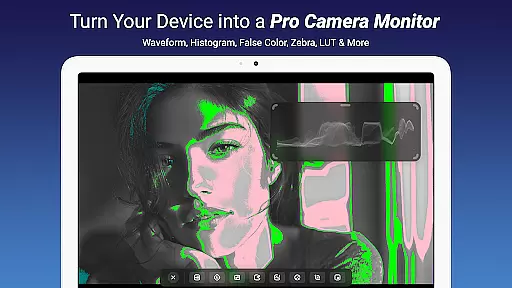
Noir Pro boasts an impressive array of features tailored for video professionals and enthusiasts. One standout feature is the support for 3D LUTs, allowing precise color grading directly on your mobile device. The inclusion of advanced monitoring tools like Waveform Monitor, Histogram, Edge Detection, False Color, and Zebra ensures accurate exposure and focus during video capture.
The app's versatility extends to its support for different types of video processing techniques such as Color Separation and CRT Filters, which add unique visual effects. Additionally, Noir Pro offers FSR 1.0 (FidelityFX Super Resolution), enhancing image quality without compromising performance. Users can also benefit from Pinch to Zoom, Stretch and Crop functionalities, and Anamorphic Lens Support, providing flexibility in framing and composition.
<Beyond these technical capabilities, Noir Pro enhances user experience through practical features like brightness, contrast, and saturation adjustments, app-specific volume control, Picture in Picture Mode, and in-app screenshot functionality. These features collectively ensure that users have comprehensive control over their video playback and editing environment.
Video format compatibility is a crucial feature for any video player and editor, ensuring that users can work with a wide range of video files without conversion hassles. Noir Pro supports an extensive array of formats through its UVC video streaming capability, accommodating everything from common MP4 files to more specialized codecs.
This app's support extends to both OpenGL ES and Vulkan graphics backends, providing flexibility in processing power and efficiency depending on the user's device capabilities. Whether you're handling high-resolution gaming footage or professional video projects, this compatibility ensures smooth playback and editing.
For content creators using HDMI-output devices like cameras, gaming consoles, or drones, Noir Pro's ability to interface directly enhances workflow. The inclusion of MJPEG support up to 1080p50fps underlines its proficiency in managing various video streams effectively.
Users benefit from not having to worry about format restrictions or additional software for basic video tasks. This broad compatibility empowers creators by saving time and resources while maintaining high-quality output across different types of projects.
AI-powered editing features represent the cutting edge of video editing technology, enabling users to enhance their videos with minimal effort. Noir Pro incorporates advanced AI tools such as 3D LUTs, Waveform Monitors, and Histograms that allow precise color grading and exposure adjustments.
The inclusion of Edge Detection, False Color, and Zebra patterns assist editors in achieving professional-grade image accuracy. These features help identify areas of interest within the frame, ensuring optimal exposure levels and focus.
Noir Pro also offers creative filters like CRT effects and FSR 1.0 for upscaling, alongside practical functionalities such as Brightness, Contrast, and Saturation adjustments. Such comprehensive toolsets enable both amateur and professional editors to produce visually stunning content efficiently.
By leveraging these intelligent features, users can significantly reduce the time spent on manual corrections while achieving polished results. This positions Noir Pro as a powerful ally for anyone looking to streamline their video editing process without compromising on quality or creativity.
Advanced color grading
Comprehensive monitoring tools
Versatile video processing
High-performance graphics
User-friendly interface
Requires specific hardware
Premium pricing
Complex setup process
Limited free features
Occasional lag issues

IPTV-Smarters Player Pro M3U - Watch Live Stream TV Channels with Chromecast
 4.00
4.00
Photo and Music Video Creator into Stunning Videos—Effortlessly
4.40
Create & edit videos with AI
4.30
Support 1000+ Video Format, Subtitle Download, mp3 & Background Play, Cast On TV
4.60
Fast & Private Video Downloader App. Save all videos easily from the Internet.
4.40
Download videos and play them offline
4.70
Watch IPTV on your Android device
4.60
Browser for Samsung TV to stream webvideos, online movies and livestreams in HD
4.10
Download Hub, easy and private way to download and enjoy your videos offline
4.80
An easy-to-use and all-round screen recorder with audio
4.80
?100% FREE! Download & save videos? safely in this app. All formats supported.
4.60
Snaptubè Video Downloader app allows to download videos and music in Snaptube. .
4.60
Add date and time watermark to photos and videos
4.50
Fast video downloader & private browser. Save HD clips to watch offline.
4.40
VLC for Android is the best open source video and music player, fast and easy!
4.10
Manage your IPTV live channels and VOD playlists (no playlist included)
3.80
Livestream, news, & gaming content. Watch, chat, and upload. Join Rumble today!
3.80
Watch full episodes of your favorite Cartoon Network and Cartoonito shows!
3.50
Video player with powerful streaming playback and various convenient features.
2.10


User Reviews