
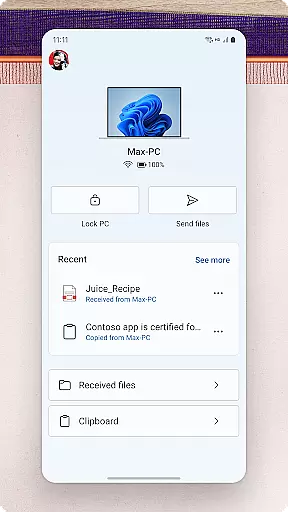
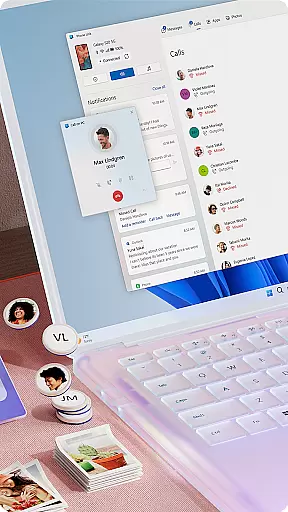
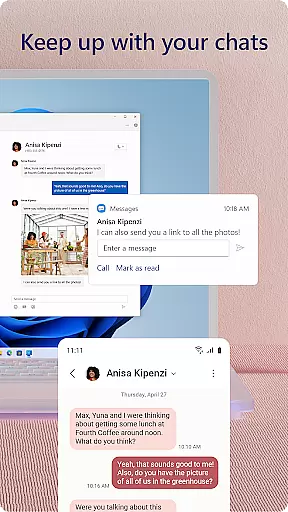
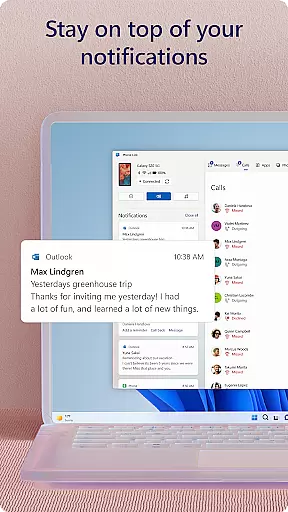
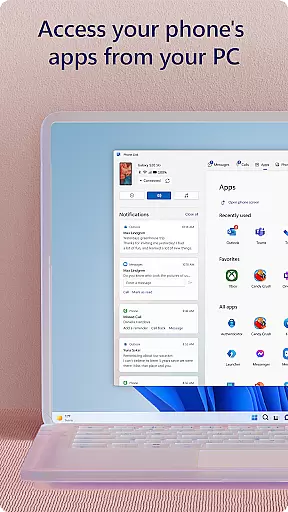
Link to Windows is a productivity-focused application that bridges the gap between your Android phone and Windows PC. This app allows users to seamlessly interact with their mobile devices directly from their computers. Key functionalities include making and receiving calls, managing notifications, accessing mobile apps, and handling text messages on the PC. The app also supports advanced features like drag-and-drop file transfers and cross-device copy-paste, which are particularly beneficial for users of Microsoft Duo, Samsung, and HONOR phones.
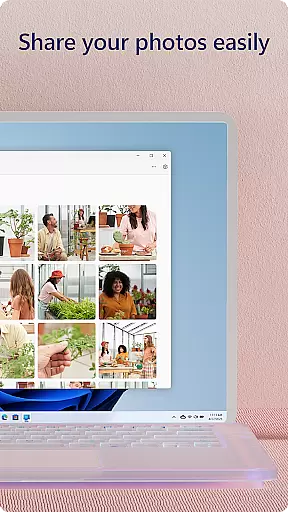
The true value of Link to Windows lies in its ability to integrate the mobile and desktop experiences. Users can effortlessly share photos, reply to messages, and even control their phone's apps using the PC’s larger screen and input devices. This creates a unified ecosystem that enhances workflow efficiency and convenience. Whether you're a professional managing multiple tasks or simply looking to streamline daily communications, this app provides a practical solution for integrating your digital devices.
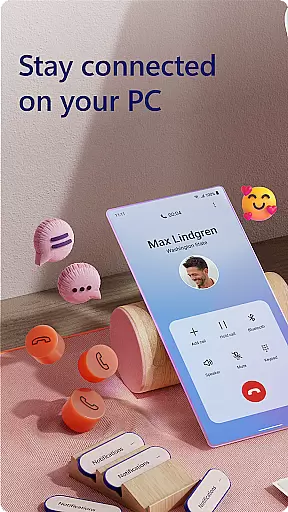
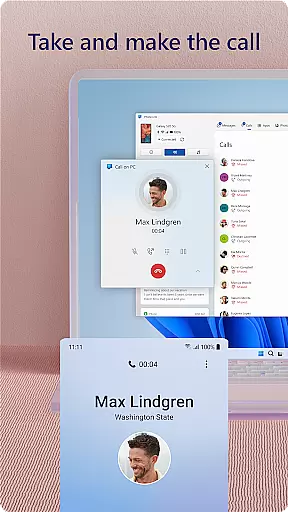
Link to Windows offers an impressive array of features designed to boost productivity. One of its standout capabilities is the ability to make and receive calls directly from the PC, provided the computer has Bluetooth functionality. This feature alone transforms how users handle communications, allowing them to stay focused on their work without needing to switch between devices constantly.
Beyond call management, the app enables users to access and interact with their favorite mobile applications right from the desktop interface. With support for reading and replying to text messages, managing notifications, and transferring files through simple drag-and-drop actions, it significantly reduces the friction typically associated with cross-device workflows. Exclusive enhancements for select devices, such as cross-device copy-paste and phone screen mirroring, further enrich the user experience, making multitasking more fluid and efficient than ever before.
Core task management is essential for productivity applications, enabling users to organize and prioritize their daily activities efficiently. Link to Windows excels in this area by seamlessly integrating your Android phone with your Windows PC, allowing you to manage various tasks without switching devices.
The app provides instant access to your phone's functionalities such as text messaging, calls, notifications, and even mobile apps directly from your PC. This unified experience ensures that you never miss important updates while working on your computer. The ability to reply to messages or interact with mobile apps using your PCu2019s larger screen and keyboard significantly enhances multitasking capabilities.
Additionally, Link to Windows supports advanced features like cross-device copy and paste, file drag-and-drop, and accessing photos instantly. These functions streamline workflows by reducing the need to manually transfer files between devices. Users can effortlessly share images, documents, and other content, making collaboration smoother and more efficient.
By leveraging these comprehensive task management features, users can maintain productivity and focus on their work without being interrupted by their mobile devices. The seamless integration offered by Link to Windows transforms how users interact with their phones, providing a cohesive digital environment that maximizes efficiency.
Cross-device synchronization reliability is crucial for ensuring that data and actions performed on one device are accurately reflected on another. Link to Windows achieves this by creating a robust connection between your Android phone and Windows PC, allowing real-time updates and interactions across devices.
One of the standout features is the ability to make and receive calls directly from your PC. This functionality requires a stable Bluetooth connection but ensures that communication remains uninterrupted regardless of which device you're actively using. Similarly, managing notifications on your PC keeps you informed about what's happening on your phone without needing to pick it up constantly.
For compatible devices, Link to Windows offers exclusive features like Phone screen, where you can view and control your phoneu2019s interface on your PC. This feature is particularly useful for responding to urgent messages or controlling media playback. Additionally, the drag-and-drop functionality allows quick file transfers, enhancing productivity by minimizing the steps needed to move content between devices.
Overall, the reliable synchronization provided by Link to Windows ensures that users can depend on consistent performance and seamless interaction between their phone and PC. This reliability fosters a more integrated and efficient user experience, empowering individuals to stay connected and productive across all their devices.
Seamless device integration
Enhanced multitasking abilities
User-friendly interface design
Advanced file sharing options
Exclusive features for select devices
Limited to specific devices
Requires Windows 10 or later
Some features need Android 11
Bluetooth necessary for calls
May require high RAM capacity

Experience real multitasking on your Android!
 4.00
4.00
Native client for Forgejo and Gitea
5.00
Easily read and manage all your PDF files
4.10
Device's storage information in a simple and clear graphical form (infographics)
4.10
CalenGoo is a very flexible and feature-rich calendar app
4.40
Simple and reliable communication between inmates, friends and family
3.20
Functional QR scanner and barcode reader that requires little storage space.
4.60
Ultimate Virtual AI Character for immersive Roleplay Chat. Perfect Companion
3.90
Set up, print, and get support—in one place
4.20
Scientific calculator for Android - looks and operates like the real thing!
4.90
Android Wallet Password Manager
4.80
Direct Chat without saving contacts & Dual WA Account on Single Device
4.70
Lightweight PDF, Word, Excel reader.
4.60
A lightweight JSON & XML files creator, editor and viewer (Premium Version)
4.40
Pwnagotchi companion app
4.20
Secure, open-source, SPICE and SSH Remote Desktop for QEMU KVM virtual machines
4.00
* block pre-roll ads, pop-up and forced redirect ads * Samsung certification app
4.00
⏰ Finally a timer app which can run multiple timers simultaneously on your watch
3.90
AI Video AI Image Private LLM AI Browser Llama Gemma Ollama Connect LLM Studio
4.2


User Reviews