
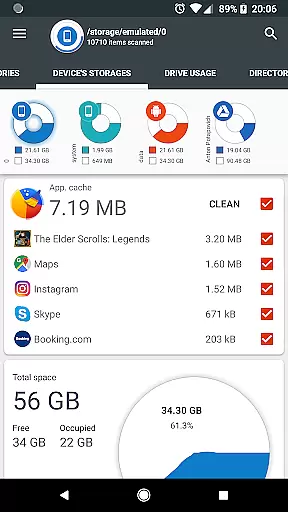
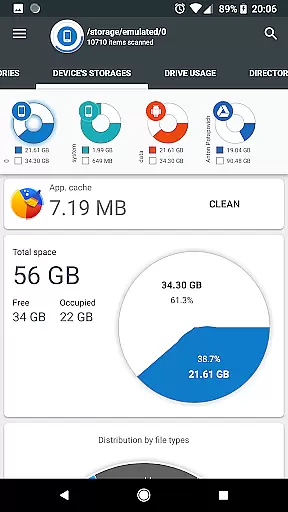
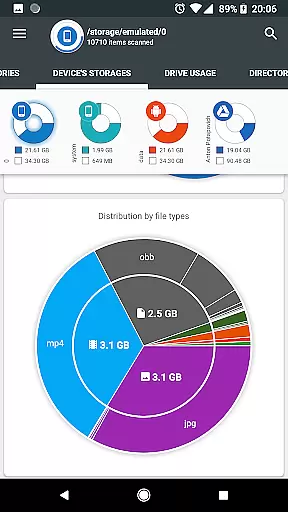
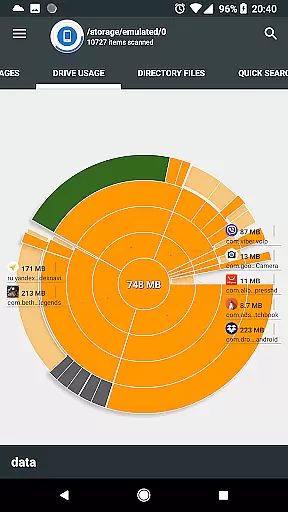
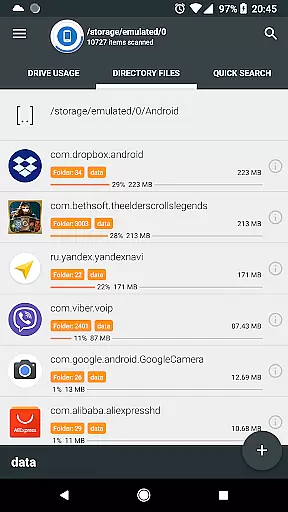
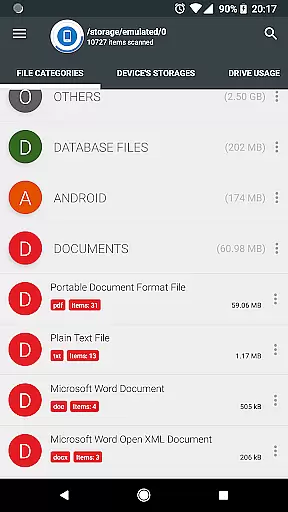
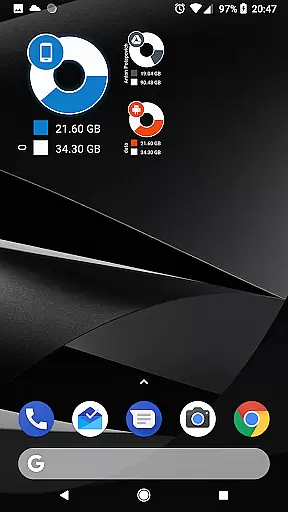
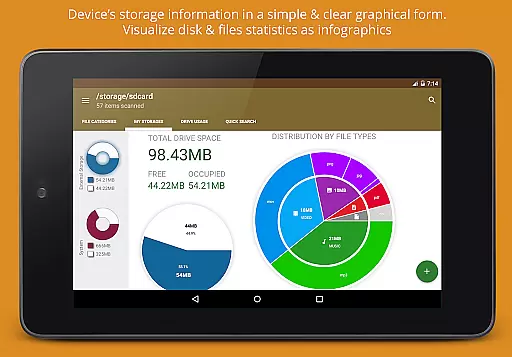
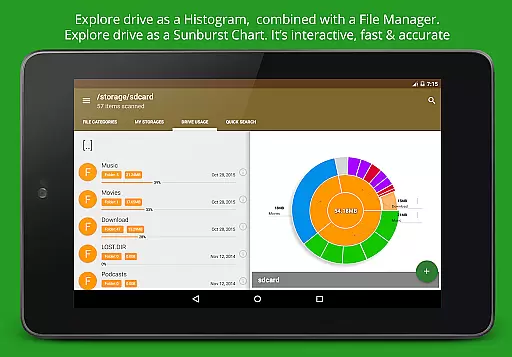
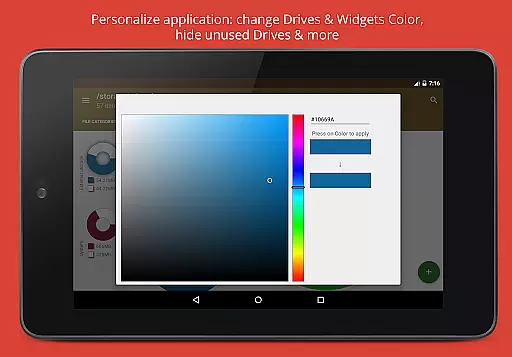
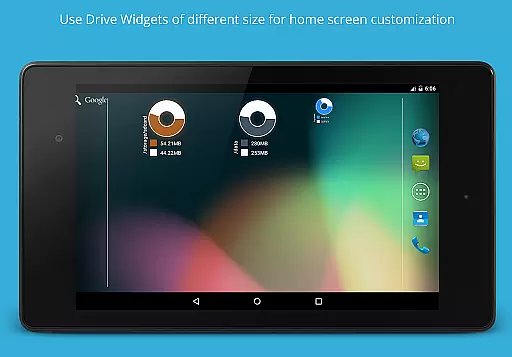
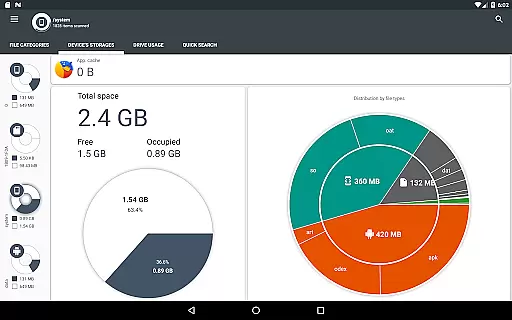
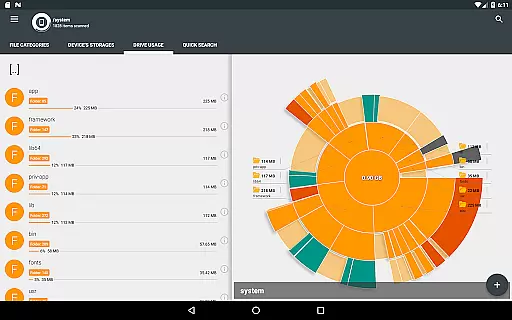
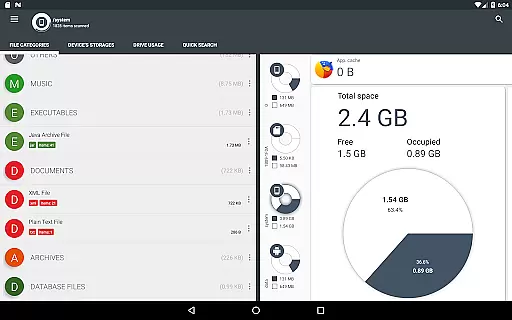
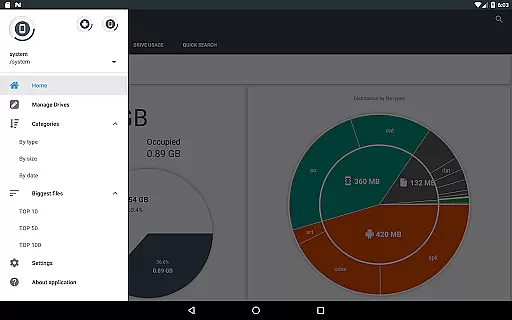
Disk & Storage Analyzer [PRO] is a comprehensive productivity tool designed to help users manage their device's storage efficiently. This application provides detailed insights into the usage of internal storage, SD cards, and USB devices through intuitive infographics such as pie charts and sunburst diagrams. By presenting data in a clear graphical format, it enables users to understand their storage consumption at a glance.
One of the standout features of this app is its ability to connect with cloud drives like Google Drive, Dropbox, and Yandex.Disk. Users can access file-specific data from these platforms, allowing them to build statistics and reports directly within the app. Additionally, Disk & Storage Analyzer [PRO] offers tools for managing installed applications, including cache cleaning and app deletion, which further enhances its utility as a storage management solution.
This app is particularly useful for individuals who need to maintain optimal device performance by regularly monitoring and freeing up storage space. Its user-friendly interface and powerful analytical capabilities make it an essential tool for both casual users and tech-savvy professionals looking to streamline their digital life.
Disk & Storage Analyzer [PRO] boasts a variety of advanced features that set it apart from other storage management apps. The application provides detailed file-specific data, including name, path, size, and last modified date, which are crucial for building accurate storage statistics. These details are presented in visually appealing infographics, making it easier for users to interpret complex data sets.
A key feature is its support for cloud drive integration, enabling users to connect services like Google Drive, Dropbox, and Yandex.Disk. Once connected, the app reads and analyzes files from these platforms, offering comprehensive reports and usage diagrams. Furthermore, the app includes functionality for managing installed applications, allowing users to view app-specific data such as package name, app icon, code size, data size, cache size, and last used date. This feature also supports cache cleaning and app deletion, helping users optimize their device's performance.
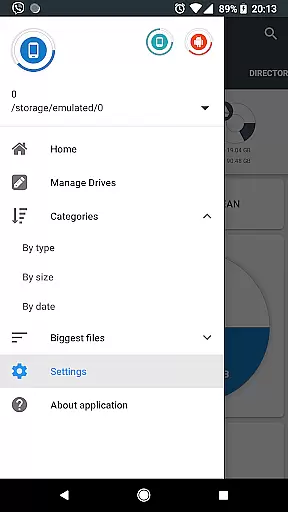
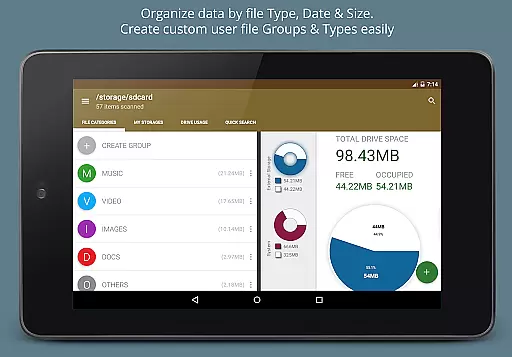
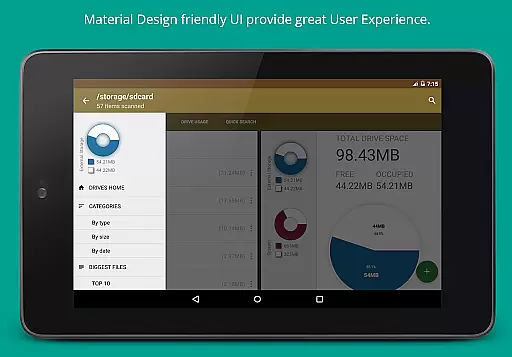
The app's global search capability indexes files on startup, providing quick access to search results or categorized content. Long clicks on files or categories reveal context menus with options to open, delete, or share files. With structured file categorization by type, size, and date, Disk & Storage Analyzer [PRO] ensures that users can easily navigate and manage their storage resources effectively.
Disk & Storage Analyzer [PRO] excels in core task management by offering users comprehensive tools to monitor and manage their device's storage effectively. The application provides detailed insights into file usage across various storage mediums, including internal storage, SD cards, and USB devices.
Through an intuitive interface, users can access graphical representations of their data, such as pie charts and sunburst diagrams. These visual aids help users understand their storage distribution at a glance, making it easier to identify large or unnecessary files that may be taking up valuable space.
The app goes beyond simple storage analysis by allowing users to take direct action. With features like cache cleaning and the ability to delete selected apps, users can free up space without needing to navigate away from the application. This seamless integration of analysis and action ensures efficient task management.
By providing clear statistics and enabling direct intervention, Disk & Storage Analyzer [PRO] empowers users to maintain optimal device performance through effective storage management.
Cross-device synchronization is a crucial feature for users managing data across multiple platforms, and Disk & Storage Analyzer [PRO] addresses this need with reliable functionality. The app supports connections to various cloud services, including Google Drive, Dropbox, and Yandex.Disk, ensuring that users can access their data wherever it is stored.
Once connected, the application reads file-specific data from these cloud drives, building comprehensive statistics and reports. This allows users to visualize their cloud storage usage in the same way they would with local storage, maintaining consistency across different data sources.
Reliability is further enhanced by the app's indexing capabilities. At startup, files from both device and cloud storage are indexed, enabling quick searches and categorized views. This means users can swiftly locate files regardless of their storage location, streamlining their workflow.
With its robust support for cloud services and consistent user experience, Disk & Storage Analyzer [PRO] ensures that users can rely on accurate and timely data synchronization across all their devices.
User-friendly interface
Comprehensive storage analysis
Cloud drive integration
Cache cleaning functionality
Advanced file categorization
No free version available
Requires multiple permissions
May have stability issues
Limited customer support
Complex for beginners

Professional calendar app for Google Calendar, MS Outlook & Exchange
 4.20
4.20
Stay on top of your to-dos with Google Tasks, part of Google Workspace.
4.60
Find and delete junk files & block unwanted notifications & manage files
3.70
Functional QR scanner and barcode reader that requires little storage space.
4.60
Calendar 2023 widget for Android. Appointment scheduler, planner, and reminder
4.60
* block pre-roll ads, pop-up and forced redirect ads * Samsung certification app
4.00
Daily processing of PDF documents.
4.40
Browse and view your photos and videos from the phone with photo & video hide.
4.10
Note taking, handwriting, record audio, PDF annotation, planner & journal
4.20
Android Wallet Password Manager
4.80
Use powerful, industry-leading AI tools to generate visual charts from any data
4.80
QuickBooks Workforce lets teams view pay info and track time in one place.
4.70
The long-awaited modern gallery app for your Nextcloud server
4.70
A simple Whisper AI keyboard for reliable speech transcription and rewording
4.60
PDF scanner & converter for files, photos, lottery, QR codes. One swipe away!
4.50
This small app MUST BE INSTALLED after purchase, else license won't work
4.40
Take control of your clipboard with Clipper!
3.90
ID.me Authenticator is a simple and free Two Factor Authentication solution
3.50
Code on-the-go with VScode for Android. Edit,debug and collaborate from mobile!!
3.10


User Reviews