
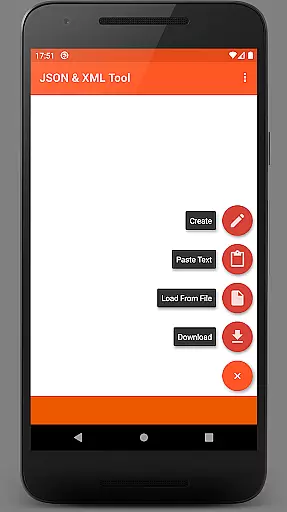
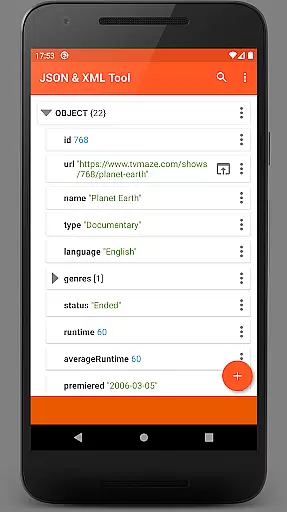
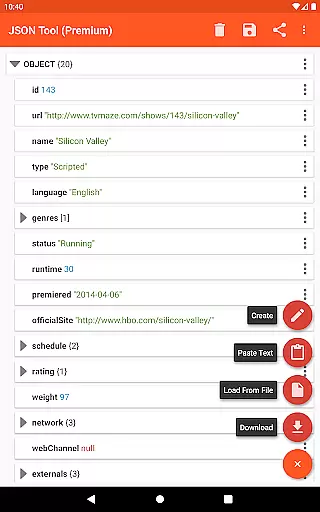
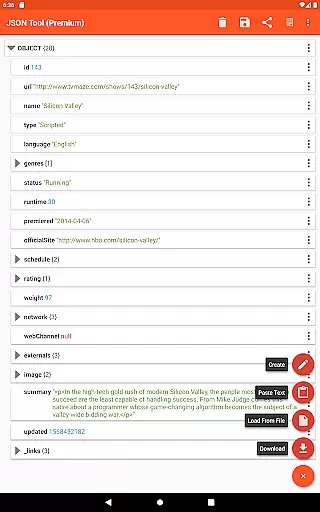
JSON & XML Tool Premium is a powerful productivity application designed for effortless creation, viewing, and editing of JSON and XML files. The app's standout feature is its simple hierarchical view that makes file navigation intuitive and efficient. Whether you're working on game addons or handling data conversion tasks, this tool provides the necessary functionality to streamline your workflow.
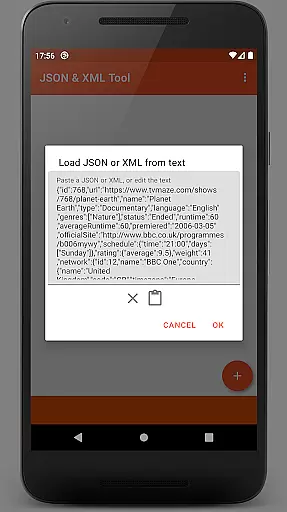
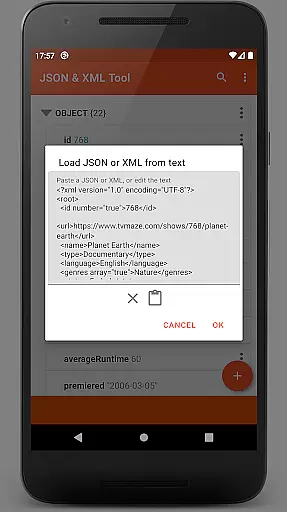
The app supports multiple file loading methods including internal SAF-based file picker, external file pickers, URL downloads, and text pasting. It also enables receiving files from other applications through ACTION_SEND intents. With additional capabilities like PDF export, JMESPath query support, and formatted text output, it ensures comprehensive file handling in various professional scenarios.
This versatile tool is particularly beneficial for developers, data analysts, and IT professionals who frequently work with structured data formats. Its ability to handle complex editing tasks while maintaining user-friendly accessibility makes it an essential utility for anyone dealing with JSON and XML files regularly.
JSON & XML Tool Premium offers an extensive set of features that cater to both basic and advanced file manipulation needs. The app's core functionality revolves around its powerful editing capabilities, allowing users to rename node elements, modify values, and switch between different value types seamlessly. Users can also add, duplicate, remove elements, and rearrange array structures with ease.
Beyond basic editing, the app provides several productivity-enhancing features. These include dark theme support for comfortable extended use, multiple file loading options through SAF framework, and ACTION_SEND integration for sharing files across applications. The app's ability to extract and transform elements using JMESPath query language adds another layer of sophistication for advanced users.
Additional notable features include formatted text output, PDF export functionality, and preview capabilities that help maintain proper file structure. The app's registration as a JSON/XML file handler upon installation streamlines workflow integration, making it an indispensable tool for professionals working with these data formats.
At the heart of the JSON & XML Tool Premium app lies its robust core task management system, which is essential for efficiently handling JSON and XML files. This feature allows users to perform a variety of tasks such as viewing, creating, and editing these file types with ease.
The app's hierarchical view simplifies navigation through complex data structures, making it accessible even to those who may not be technically inclined. Users can seamlessly switch between different value types, rename node elements, modify values, and manage arrays with simple commands to add, duplicate, or remove elements.
This level of control empowers users to manipulate their data precisely how they need to, whether that involves editing game addons or converting files from one format to another. The ability to save work as a new file or overwrite an existing one ensures that users have flexible options for managing their projects.
Cross-device synchronization is a pivotal aspect of modern productivity tools, ensuring that your work is available wherever you are. The JSON & XML Tool Premium app provides reliable synchronization across devices, although it primarily relies on cloud services or manual transfer since it uses the Storage Access Framework (SAF) and doesn't require traditional storage permissions unless under specific circumstances.
When using external file pickers without proper access rights, the app might request storage permissions to facilitate smoother operations. Once files are loaded via SAF or downloaded from the web by providing a URL, they can be accessed across different devices depending on where they're stored.
Moreover, additional features like dark theme support, sharing capabilities via ACTION_SEND, previewing as text, formatted outputs, PDF exporting, and JMESPath query language integration enhance the user experience. These features ensure that no matter where you access your files from, you'll have a consistent and comprehensive set of tools at your disposal.
User-friendly interface
Comprehensive editing tools
Multiple file loading options
Advanced JMESPath support
PDF export capability
Premium version only
Occasional permission requests
Steep learning curve
Limited free features
Requires technical knowledge

AI Video AI Image Private LLM AI Browser Llama Gemma Ollama Connect LLM Studio
 4.0
4.0
Auto-shutoff Alarm with Sunrise, Sunset & Fixed Options.
3.50
Native client for Forgejo and Gitea
5.00
Mega cloud explorer plugin for Solid Explorer
3.80
Smart PDF reader & editor to view, organize and manage PDF documents easily.
3.70
Secure, fast, open-source, Remote Desktop Client for Windows and Linux with SSH
4.60
Experience and share your SolidWorks designs on your Android® phone and tablet.
2.50
Simple notepad & memo. Take notes, to-do list, shopping list with reminders.
4.80
Note taking, handwriting, record audio, PDF annotation, planner & journal
4.20
QuickBooks Workforce lets teams view pay info and track time in one place.
4.70
A beautiful digital clock with autostart and many other functions
4.70
App Lock with fingerprint, password: Lock apps & hide photos with lock screens
4.60
Calendar 2023 widget for Android. Appointment scheduler, planner, and reminder
4.60
Tally and goal counter for Wear OS & mobile
4.50
Experience Reading - Night Mode for Documents
4.40
Automates browsing any website and notifies you of important changes or events
4.30
Easily read and manage all your PDF files
4.10
Unlock AutoNotification
4.00
All in one sketching tool. Technical and General drawing. Online Maps support.
3.70


User Reviews