
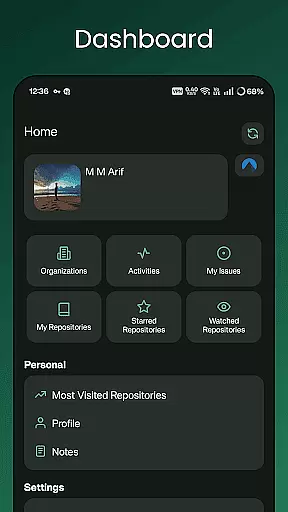
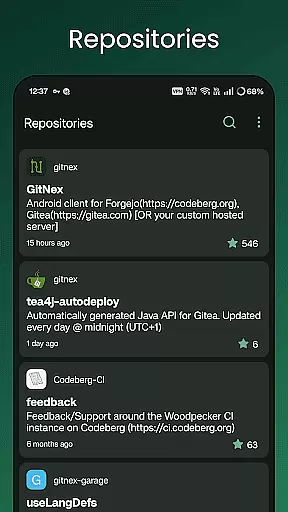
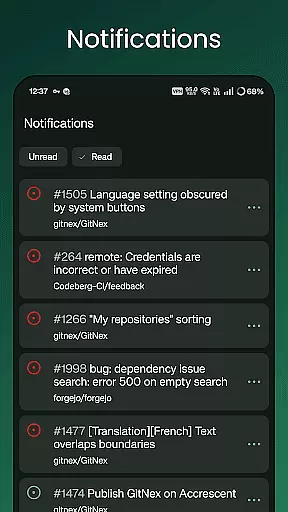
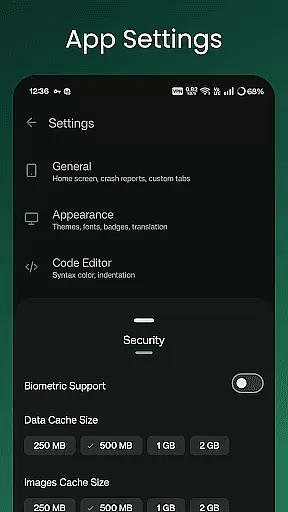
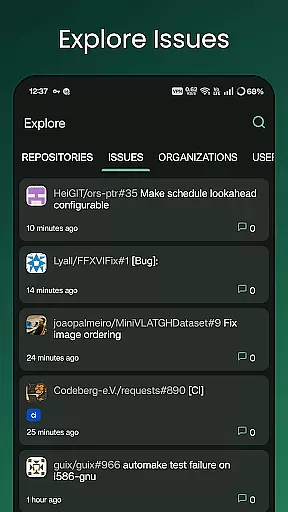
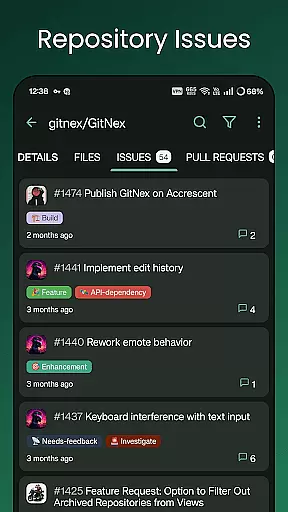
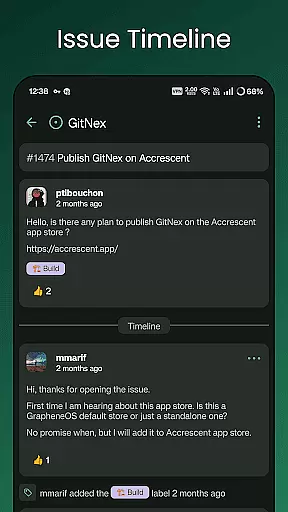
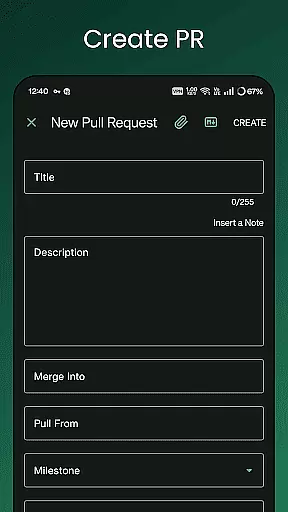
GitNex is a powerful open-source Android client designed for managing Git repositories on Forgejo and Gitea. This productivity-focused app allows users to efficiently handle multiple accounts, browse files and directories, and create various repository elements such as issues, pull requests, wikis, and more.
The app's intuitive interface provides access to repositories, organizations, issues, labels, milestones, and releases with ease. With features like markdown support, emoji integration, extensive settings, notifications, and self-signed certificate support, GitNex ensures a comprehensive and secure repository management experience.
Whether you're a developer or part of a development team, GitNex enhances your workflow by offering tools for exploring repositories, viewing profiles, and accessing detailed commit histories. Its robust feature set makes it an essential tool for efficient project management and collaboration.
GitNex stands out with its extensive feature set tailored for productivity. The app supports multiple accounts, enabling users to manage different profiles seamlessly. Its file and directory browser, along with the file viewer, allows for easy navigation and inspection of repository contents.
One of the key strengths of GitNex is its ability to create and manage various repository components including files, issues, pull requests, wikis, milestones, releases, and labels. Users can also explore repositories, issues, organizations, and users through the app's exploration tools.
Additional notable features include markdown and emoji support, extensive settings for customization, real-time notifications, repository commit tracking, self-signed certificate support, and multiple themes. These features collectively provide a versatile and user-friendly environment for effective Git repository management.
GitNex for Forgejo and Gitea excels in core task management by offering a comprehensive suite of features tailored to developers and project managers. The app supports multiple accounts, allowing users to manage tasks across different repositories seamlessly.
With functionalities such as pull requests, issues lists, labels, milestones, and releases, GitNex ensures that every aspect of task management is covered. Users can create new files, issues, pull requests, wiki pages, milestones, releases, and labels directly from their mobile device.
The extensive settings and markdown support enhance the task management experience, providing flexibility and customization options that cater to individual preferences. This makes GitNex an indispensable tool for efficient and organized project management on the go.
Cross-device synchronization is a critical feature of GitNex, ensuring that all your data remains consistent and up-to-date across various devices. Whether you're working from your desktop or mobile device, GitNex provides reliable synchronization that keeps everything in sync.
The app's support for self-signed certificates adds an extra layer of security during data transfer, making sure that your information remains protected. Additionally, real-time notifications keep you informed about any updates or changes, so you're always aware of the latest developments in your projects.
By integrating themes and extensive settings, GitNex not only ensures reliable synchronization but also offers a personalized user experience that adapts to your workflow, enhancing productivity and convenience.
User-friendly interface
Multiple account support
Comprehensive feature set
Open-source and customizable
Active community support
Limited to Android
Requires server setup
No built-in tutorials
Occasional bugs
Complex for beginners

Client for Nextcloud Deck
 4.60
4.60
Professional calendar app for Google Calendar, MS Outlook & Exchange
4.20
Mind Map and brainstorm, note taking and idea collection
4.80
Customizable calendar widget for seamless event sync, planning & scheduling.
4.00
Stay on top of your to-dos with Google Tasks, part of Google Workspace.
4.60
Create and edit presentations with Google Slides, part of Google Workspace.
4.00
Best Tool for the professionals Electrician, Electrical contractors, etc.
4.90
Seamlessly read, manage, and organize all your PDF files solution in one place
4.40
Put a lock on your cloud: Take the security of your data into your own hands
3.70
Scientific calculator for Android - looks and operates like the real thing!
4.90
Use powerful, industry-leading AI tools to generate visual charts from any data
4.80
Scan paperwork into PDF/JPG, generate your own e-signature and send fax or email
4.70
Send files, sync SMS, notifications & clipboard across devices via local network
4.40
Make apps & sites with natural language prompts
4.10
Cloud storage, automatic phone backup, and more.
4.10
⏰ Finally a timer app which can run multiple timers simultaneously on your watch
3.90
A Revolutionary All-in-One Artificial Intelligence Tools
3.80
Experience and share your SolidWorks designs on your Android® phone and tablet.
2.50
AI Video AI Image Private LLM AI Browser Llama Gemma Ollama Connect LLM Studio
4.5


User Reviews