
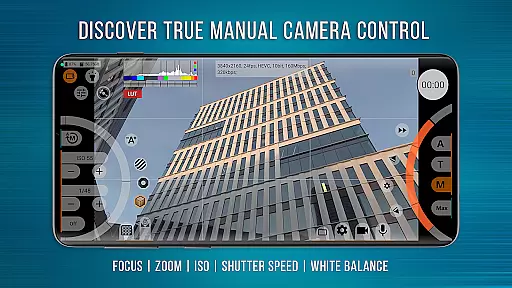
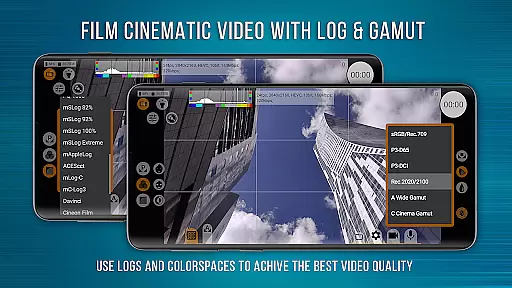
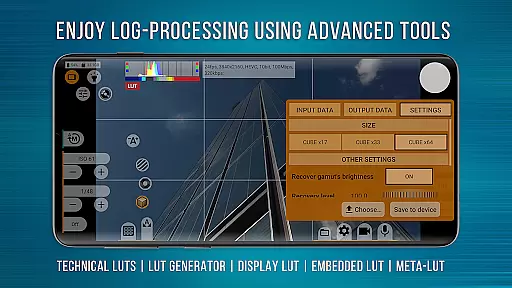
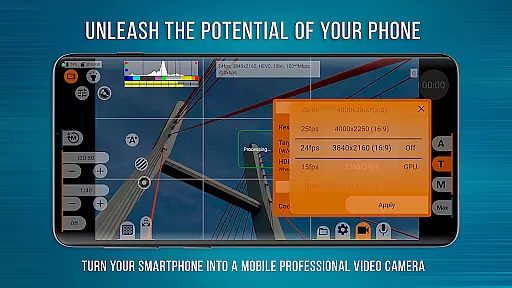
mcpro24fps Manual Video Camera represents the pinnacle of professional mobile videography on Android devices. Designed exclusively for filmmakers and videographers, this app transforms your smartphone into a powerful cinema camera. It offers advanced features previously only found in professional camcorders, including 10-bit shooting, Log video recording without GPU activation, and extensive post-production control through technical LUTs.
The application supports multiple cameras, various resolutions, and codecs like AVC (h264) and HEVC (h265). Videographers can enjoy precise control over focus, zoom, exposure, and white balance settings. With options for optical stabilization, tone curve adjustments via GPU, and hardware corrections, mcpro24fps caters to both amateur enthusiasts and seasoned professionals seeking cinematic excellence.
Whether you're filming music videos, live reports, or festival films, mcpro24fps provides the tools necessary to realize bold creative ideas. The app's responsive interface ensures seamless operation while offering reliable automatic modes alongside convenient manual settings. Turn your phone into a versatile video camera and start creating cinematic masterpieces today.
mcpro24fps stands out with its comprehensive suite of professional videography features. One of the most notable capabilities is the support for 10-bit shooting and HDR video formats like HLG and HDR10, allowing videographers to capture footage with exceptional color depth and dynamic range. The app also enables recording in Log mode without engaging the GPU, mimicking the functionality of larger professional cameras.
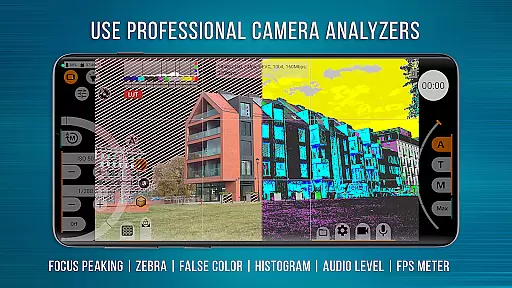
In addition to its impressive video capabilities, mcpro24fps offers advanced audio settings. Users can select different sound sources, sampling rates, and codecs such as AAC and WAV. The app allows integration of WAV audio into MP4 files, providing flexibility in sound editing. Furthermore, features like programmable focus and zoom, focus peaking, expo peaking, spectral, and zebra tools empower users with complete frame control and easy exposure adjustments.
Another standout feature is the extensive use of GPU resources for tasks like tone curve adjustments, additional noise reduction, and image correction through extra filters. The app also supports metadata management, variable bitrate mode, and experimental constant bitrate mode. These functionalities ensure that videographers have all the tools needed to produce high-quality cinematic content directly from their smartphones.
Real-time capture and preview functionality is essential for professional videographers who need precise control over their shots. mcpro24fps offers an advanced real-time video processing system that ensures every frame is captured exactly as intended.
The application supports multiple cameras, allowing users to switch between lenses seamlessly while maintaining separate settings for each camera. This flexibility enables videographers to adapt quickly to different shooting scenarios without losing their customized configurations.
With features like Focus Peaking and Expo Peaking, users can achieve complete frame control during shooting. These tools highlight areas of sharp focus and exposure, ensuring that every shot meets professional standards. Additionally, the Spectral and Zebra tools provide easy exposure control, helping videographers maintain optimal lighting conditions.
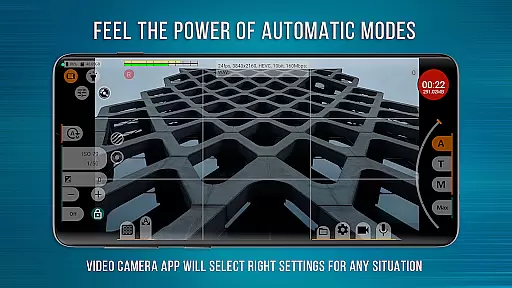
The responsive interface of mcpro24fps ensures that all these features work together smoothly, providing a reliable and intuitive user experience. Whether shooting in automatic or manual modes, videographers can trust that their creative vision will be accurately reflected in the final footage.
While primarily designed for professional video capture, mcpro24fps also incorporates advanced AI-powered enhancement features that maintain natural-looking results. Unlike typical beauty filters that create artificial effects, this application focuses on subtle enhancements that preserve the authenticity of the original image.
The AI Beauty feature works through sophisticated GPU-based processing, applying gentle corrections to skin tones and textures while maintaining realistic details. This approach ensures that subjects look their best without appearing overly processed or unnatural.
Additional noise reduction through the GPU helps maintain image clarity, especially in low-light conditions. The application intelligently distinguishes between unwanted noise and important image details, resulting in cleaner footage without losing essential visual information.
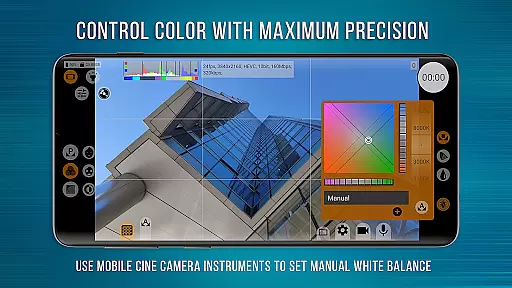
Furthermore, the technical LUTs (Look-Up Tables) provided by mcpro24fps enable seamless color grading during post-production. These LUTs help maintain consistent color accuracy across different shooting environments, ensuring that the final product looks professional and polished while retaining its natural appearance.
Advanced video settings
Professional Log modes
Extensive GPU utilization
Precise manual controls
Reliable automatic modes
Complex for beginners
High device requirements
No built-in editor
Limited free version
Occasional stability issues

Remote control of the phone camera from your Wear OS smartwatch
 3.70
3.70
Long exposure camera with computational photography
2.60
Trendy TikTok time warp scan funny filter app brings you unique photos & videos.
4.40
A must-have app for landscape photographers
4.60
Raw Image Viewer. Gallery with support of raw images (.cr3, .cr2, .nef, .raf).
2.00
Professional quality photo edits with the new Snapseed.
4.00
Easily create custom gifts, cards, photo books & more on the Shutterfly app!
4.60
AI-powered video creator by MiniMax - Where ideas meet cinema
4.20
Solocator stamps photos you take with GPS location, Compass Direction, Date/Time
3.80
Find time and duration of different sunlight phases at any location
4.90
AI Photo Editor with 100+ Filters, Effects! Remove BG, Retouch & Photo Enhancer.
4.80
Cartoon and artistic effects for your photos and videos
4.70
Take videos and pictures with the popular TikTok TIME WARP SCAN filter.
4.60
HD Camera Pro with HD Video shooting, Panorama, Photo editor , Beauty Camera.
4.50
Natural Beauty, Selfie Retouch
4.30
Luminar: Photo Editor - easy picture editing with AI
4.20
Photo editor: face & body editor, beauty cam, filters and quality enhancer.
4.00
Create amazing frames with up to five photos. Rounded corners, effects and more!
3.60
Remote control the phone camera shutter from your smartwatch and take a picture
1.60


User Reviews