
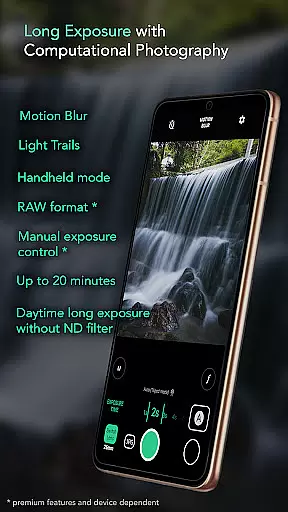
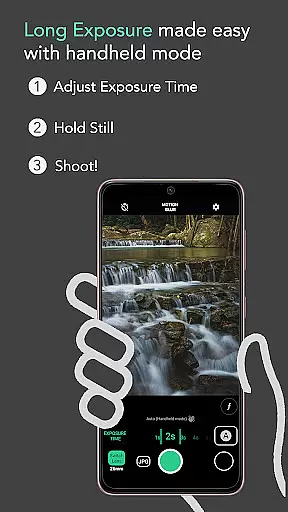
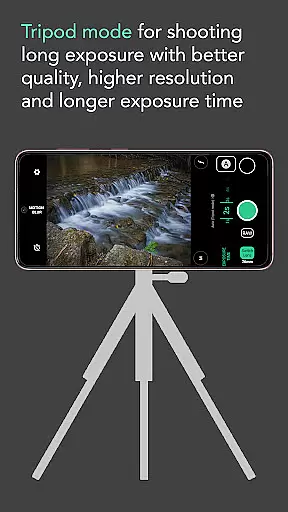
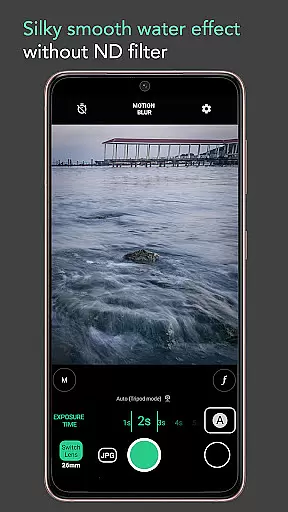
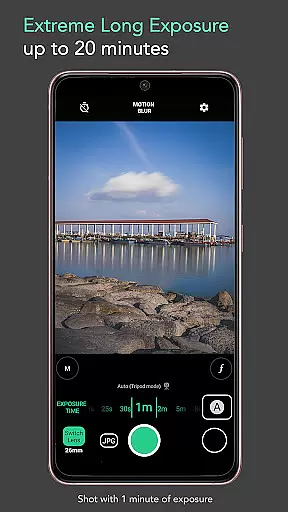
Motion ProCam is a specialized photography application designed to simplify the process of capturing long exposure images. This app enables users to effortlessly create stunning motion blur and light trails by intelligently aligning multiple shots, eliminating the need for a neutral density (ND) filter even in bright daylight conditions.
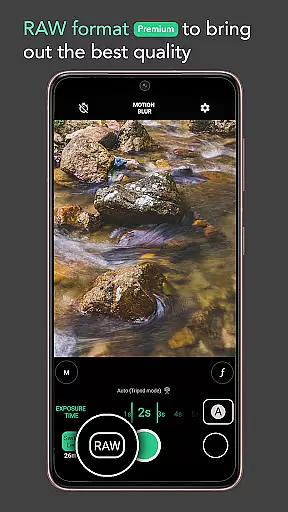
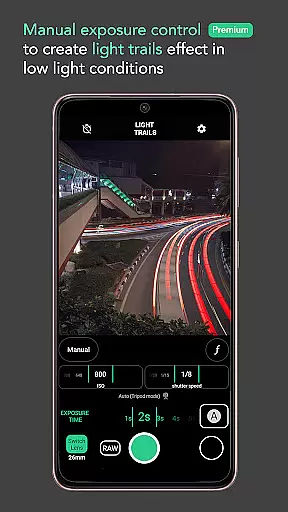
With advanced computational photography techniques, Motion ProCam combines numerous images to produce a final long exposure photo with impressive effects. The app offers both automatic stabilization for handheld shooting and premium features like RAW format support and manual exposure control for professional-grade results.
Ideal for landscape and urban photographers, this app allows capturing smooth water effects, light trails, cloud movement, and more, making it an essential tool for creative photography enthusiasts.
Motion ProCam stands out with its innovative approach to long exposure photography. The app's auto-stabilization feature compensates for hand movements during handheld shots, while its sophisticated image processing algorithms merge multiple frames into one seamless long exposure image.
Photographers can choose between different effects including motion blur and light trails, with exposure times ranging up to 20 minutes. The premium version offers RAW file support and precise manual exposure controls, giving enthusiasts complete creative control over their shots.
The app's versatility extends to various photography scenarios from capturing waterfalls and seascapes to removing crowds and creating creamy smooth water surfaces. These features make Motion ProCam a comprehensive solution for both amateur and professional photographers seeking to expand their creative possibilities.
Real-time capture and preview functionality is essential for ensuring that users can accurately frame and adjust their shots before capturing the final image. In Long Exposure - Motion ProCam, this feature allows photographers to visualize the potential outcome of their long exposure photography.
The application provides an intuitive interface where users can see changes in exposure settings reflected immediately on the screen. This real-time feedback enables users to fine-tune their camera settings without any guesswork, ensuring optimal image quality.
By offering a seamless preview experience, the app empowers users to experiment with different exposure times and effects such as motion blur or light trails. The ability to preview these adjustments in real time significantly enhances the creative process, allowing photographers to achieve their desired artistic results with precision.
While Long Exposure - Motion ProCam focuses primarily on long exposure photography, it also incorporates elements of AI beauty and enhancement to ensure images maintain a natural look. This balance between enhancement and realism is crucial for preserving the authenticity of landscapes and scenes captured through long exposures.
The app uses computational photography techniques to combine multiple images into one final photo, enhancing details while avoiding artificial-looking results. By intelligently processing each frame, it ensures that enhancements like silky smooth water or creamy lakes do not appear overly processed or unrealistic.
This approach not only improves image quality but also respects the original scene's integrity, providing enthusiasts with professional-grade photos that reflect true-to-life colors and textures. Users benefit from advanced features like auto stabilization and manual exposure control, which contribute to creating stunning yet naturalistic photographs.
Easy-to-use interface
Daylight long exposure
Auto stabilization
Premium RAW support
Versatile shooting modes
Premium features locked
Limited free options
High battery consumption
Steep learning curve
Occasional processing errors

[3DSteroid Pro] is a stereoscopic application for Android.
 4.30
4.30
HD Photo gallery and photo manager to edit, hide private photos, videos & albums
4.2
Perfect body tune & face app - photo retouch, makeup, slim body & beautify face.
4.80
Be your best in every shot! Fix, edit and retouch your face in selfies & photos.
3.70
Create AI Photos, Improve and restore quality of blurry, old or damaged pics.
4.20
Transform photos into videos! Create realistic or anime-style images easily!
4.50
Easily create custom gifts, cards, photo books & more on the Shutterfly app!
4.60
Enhance, upscale, and transform your images — on your device, without limits
4.70
A unique animation app. Powerful, easy to use, and lots of fun.
4.30
Cartoon and artistic effects for your photos and videos
4.70
Take videos and pictures with the popular TikTok TIME WARP SCAN filter.
4.60
Light-weight Media Gallery app for Android made with Jetpack Compose
4.60
PhotoSync Bundle Add-On License. Enables all features and services in PhotoSync.
4.60
Photo Exif Editor allows to view, add and modify EXIF data of multiple photos
4.50
Professional photography on your mobile phone
4.20
What celebrity do you look like? Celebs will find your celebrity match!
4.10
Photobooth mini FULL app will allow you to add more fun to your parties
4.00
USB Storage Access for Photos, Videos, Music and Documents
3.80
Photo Album Watch Face shows your favorite pictures as a Watchface.
1.90


User Reviews