


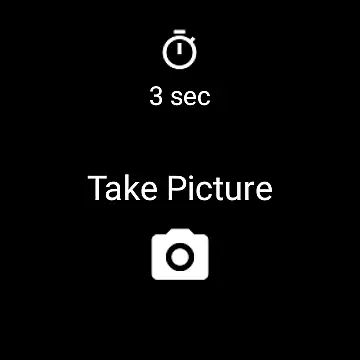
Camera Remote Watch is a smart photography tool that allows users to remotely control their phone's camera shutter directly from a smartwatch. This innovative app enables hands-free picture taking, making it perfect for group photos, selfies, or capturing moments discreetly. The app works seamlessly with both Android devices and Wear OS smartwatches, ensuring broad compatibility.
Once the phone and watch are connected, users can adjust the camera view on their phone while using the smartwatch as a remote trigger. After taking a photo, the image is saved in the phone's gallery, and a copy is also displayed on the smartwatch for instant review. This feature ensures you can retake shots if needed, providing greater flexibility and control over your photography experience.
Camera Remote Watch offers several key features that enhance the photography experience. First, the app provides a reliable Bluetooth connection between your phone and smartwatch, allowing for seamless communication without requiring physical contact with the phone. This makes it ideal for situations where you want to avoid camera shake or need to capture images from a distance.
Another standout feature is the instant feedback mechanism. After triggering the camera shutter from the watch, a copy of the photo is sent to the smartwatch display. This allows users to quickly check the quality of the shot and decide whether to retake the picture. Additionally, the app supports a wide range of devices, including Wear OS smartwatches, making it versatile for different users.
The app also includes helpful resources such as an FAQ section and tutorial videos available on its official website. These materials guide users through setup and troubleshooting, ensuring a smooth user experience even for those using unofficially supported Android devices.
Real-time capture and preview functionality is essential for ensuring that users can take photos remotely with confidence. Camera Remote Watch offers a seamless connection between your smartwatch and phone, allowing you to trigger the camera shutter directly from your wrist.
The app ensures that as soon as you tap the Camera button on your watch, the phone captures the image instantly. This immediacy is crucial for capturing fleeting moments without any delay.
Additionally, after taking a photo, the image is displayed on your smartwatch, providing an immediate preview. This feature allows you to quickly assess if the picture meets your expectations or if another attempt is needed.
By offering real-time feedback, Camera Remote Watch enhances the photography experience, making it more efficient and reliable, especially in situations where handling the phone is inconvenient.
While Camera Remote Watch does not focus heavily on AI beauty and enhancement features, it still provides value by ensuring natural and unaltered photo captures. The emphasis here is on genuine representation rather than augmented reality.
Users who prioritize authenticity will appreciate that their photos remain unedited, preserving the moment's true essence. This approach caters to those who prefer raw and realistic images over heavily processed ones.
For users seeking enhanced images, they can utilize third-party apps available in the Android ecosystem. These apps offer various filters and editing tools that complement the straightforward capture process of Camera Remote Watch.
Ultimately, the appu2019s commitment to delivering unmodified images aligns well with photographers who value natural beauty and seek to maintain the integrity of their captured scenes.
Hands-free operation
Wide device compatibility
Instant photo review
Easy setup process
Supports Wear OS
Slow photo transfer
Limited unofficial support
Requires Bluetooth
Watch screen timeout
No advanced settings

Add Watermark - Sign your pictures with a text or logo. Effective, quick, easy!
 4.50
4.50
[3DSteroid Pro] is a stereoscopic application for Android.
4.30
Movie camera, supports pro recording settings for filming. Try it and be amazed!
4.50
Raw Image Viewer. Gallery with support of raw images (.cr3, .cr2, .nef, .raf).
2.00
USB Storage Access for Photos, Videos, Music and Documents
3.80
Use AI Video Generator to turn your words to ai generated videos.
4.50
live datamoshing
4.00
The original Rarevision VHS look seen everywhere!
4.70
Enhance, upscale, and transform your images — on your device, without limits
4.70
Collage your moments in one tap: 1000+ layouts, filters, stickers, and texts.
4.90
Photo editor: AI filters, photo enhancer, pic collage maker, AI art generator.
4.80
See your baby AI baby face generator AI baby maker Face generator babymaker fun!
4.70
1M influencer's special filter
4.60
Create collages easily! Nice pic collage maker & background eraser for Instagram
4.50
Effortlessly organize, view and share your photos & videos with Gallery app!
4.40
AI portrait generator and polaroid AI selfie, fun AI generated AI photo creator!
4.30
Virtual makeup, hair filters & body tuner—edit from face to full body!
4.20
Create & Edit with AI: AI Remove, Enhance, Retouch, Filter
4.10
Photo Album Watch Face shows your favorite pictures as a Watchface.
1.90


User Reviews