
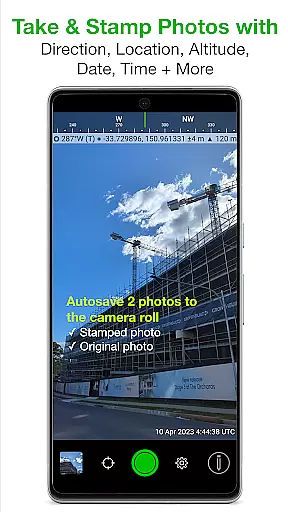
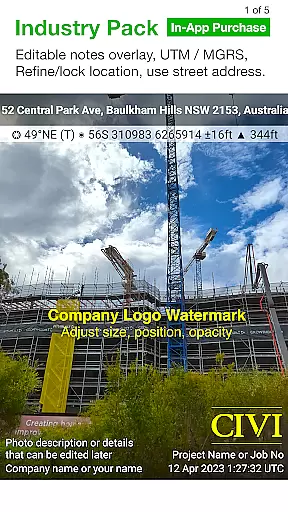
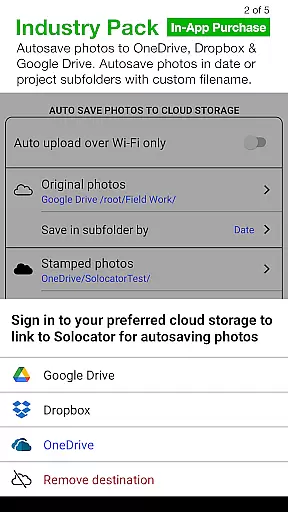
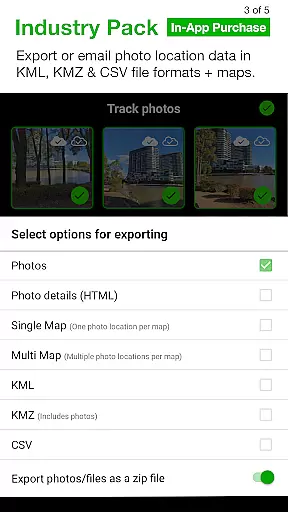
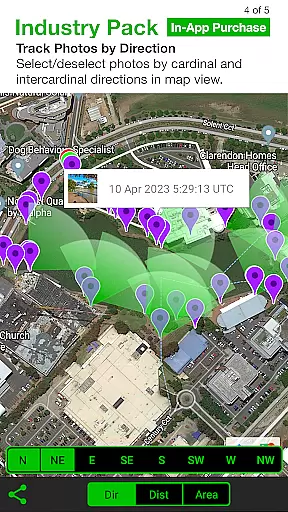
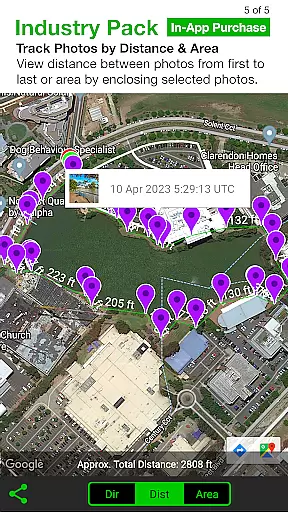
Solocator is a professional GPS camera app designed for fieldwork and photo documentation across various industries. The app allows users to overlay critical information such as location, direction, altitude, date, and time directly onto photos, making it an essential tool for proof and record-keeping. With the optional Industry Pack, users can capture additional field notes like project names and descriptions.
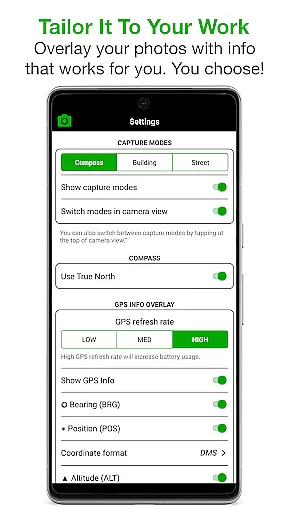
One of Solocator's standout features is its highly customizable overlay options. Users can tailor the information displayed on photos to include GPS coordinates, compass direction, tilt and roll angles, and even street addresses. This flexibility makes it suitable for a wide range of applications, from construction site documentation to environmental surveys. The app also supports autosaving photos with or without overlays and offers advanced sharing capabilities, including Exif metadata export.
The app is particularly valuable for professionals who need accurate geotagged photos for their work. Its ability to integrate with cloud storage services and export data in KML, KMZ, and CSV formats adds another layer of utility. Whether you're a government agency conducting inspections or a contractor documenting project progress, Solocator provides the tools necessary to streamline photo-based workflows.
Solocator stands out with its comprehensive set of features tailored for professional use. The app offers multiple overlay options that can be customized to suit specific needs, including GPS position, compass direction, altitude, and more. These overlays are available in various formats, such as UTM and MGRS, which can be unlocked with the Industry Pack. This level of customization ensures that users can capture exactly the information they need for each project.
In addition to its robust overlay system, Solocator includes practical camera functionalities. It supports both front and rear cameras, pinch zoom, self-timer, flash, and exposure controls. The app also features an autosave function that saves two versions of each photo: one with overlays and one without. This dual-saving feature is particularly useful for maintaining original copies while still having stamped images for documentation purposes.
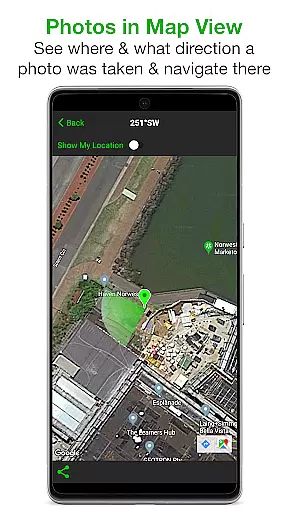
Another key aspect of Solocator is its advanced sharing and exporting capabilities. Users can sort photos by time, location, distance, or project name and view them in map view. The app supports sharing via email or through cloud storage services like Google Drive and Dropbox. With the Industry Pack, users can also export photo data in professional formats such as KML, KMZ, and CSV. These features make Solocator not just a camera app but a complete solution for managing and sharing geotagged photo documentation.
Solocator excels in real-time capture and preview, offering users immediate visual feedback while taking photos. This feature is crucial for fieldwork where accuracy of overlaid data such as GPS coordinates, compass direction, and altitude is essential.
The app supports both front and back cameras with standard controls like pinch zoom, self-timer, flash, and exposure adjustments. These capabilities ensure that users can capture high-quality images regardless of the situation or environment they are working in.
With Solocator's real-time overlays, users can tailor the information displayed on their photos to suit specific needs. Options include GPS position, UTM/MGRS formats, compass direction, altitude, tilt and roll angles, and more. This level of customization allows professionals across various industries to document their work accurately and efficiently.
By providing a comprehensive set of tools for real-time photo documentation, Solocator ensures that users can rely on the app for accurate and detailed records, enhancing productivity and reliability in professional settings.
While Solocator does not focus on AI beauty enhancements typical in social media apps, it offers natural enhancement through precise data overlays. The app stamps photos with critical information like location, direction, altitude, date, and time, ensuring authenticity and credibility in photo documentation.
The Industry Pack available as an in-app purchase further enhances this natural enhancement by allowing users to add field notes such as project name, photo description, and watermark. These features provide context and personalization without altering the image's natural appearance.
Solocatoru2019s ability to autosave two versions of each photou2014one with overlays and one originalu2014ensures that users have both enhanced and untouched records. This dual-saving feature supports transparency and verification processes vital in professional environments.
Overall, Solocator's approach to enhancement lies in its ability to enrich images with valuable metadata rather than cosmetic alterations, maintaining the integrity and natural state of the captured scene while adding layers of useful information.
User-friendly interface
Highly customizable overlays
Accurate GPS stamping
Cloud integration
Professional export formats
Industry Pack costs extra
Limited free features
Compass required for full functionality
Occasional GPS inaccuracies
Steep learning curve

Long exposure camera with computational photography
 2.60
2.60
[3DSteroid Pro] is a stereoscopic application for Android.
4.30
1M influencer's special filter
4.60
Edit like a pro with Hypic. Apply filters, AI effects, & magic touch.
4.40
Pet Camera
3.70
Photo editor & gallery. Crop pictures & edit photos offline, no wifi!
4.50
AI Photo Editor with 100+ Filters, Effects! Remove BG, Retouch & Photo Enhancer.
4.80
AI photo enhancer with Sora 2! Enhance, descratch, and colorize your old photos.
4.50
The original Rarevision VHS look seen everywhere!
4.70
Collage your moments in one tap: 1000+ layouts, filters, stickers, and texts.
4.90
Android Native system HD camera app. Never been so simple and faster.
4.70
Take videos and pictures with the popular TikTok TIME WARP SCAN filter.
4.60
AI photo editor with hair editor, retouch tools, hair color changer & filters!
4.50
Photo Exif Editor allows to view, add and modify EXIF data of multiple photos
4.50
Movie camera, supports pro recording settings for filming. Try it and be amazed!
4.50
Create AI photos & videos with Enhancer; restore, fix, beautify, enhance photos
4.50
Virtual makeup, hair filters & body tuner—edit from face to full body!
4.20
Create & Edit with AI: AI Remove, Enhance, Retouch, Filter
4.10
Snap photos remotely using your Garmin watch as the camera trigger
4.0


User Reviews