
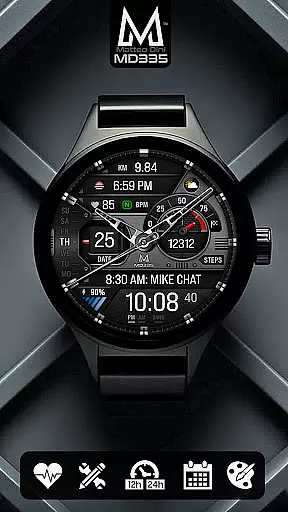
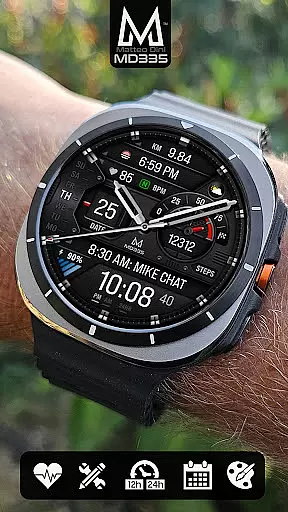
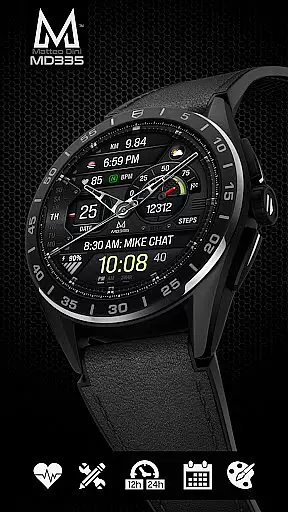
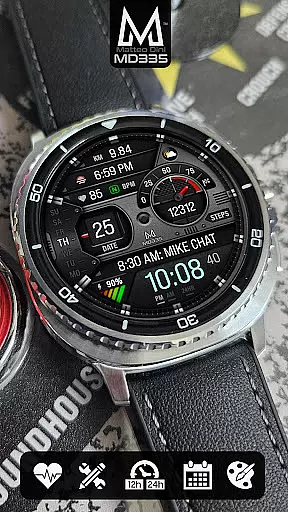
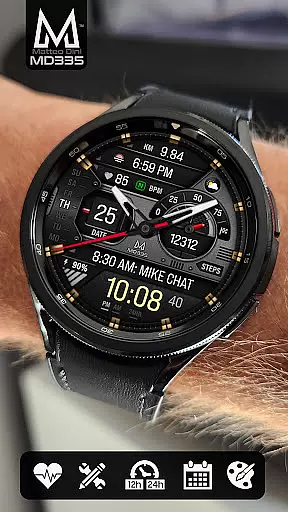
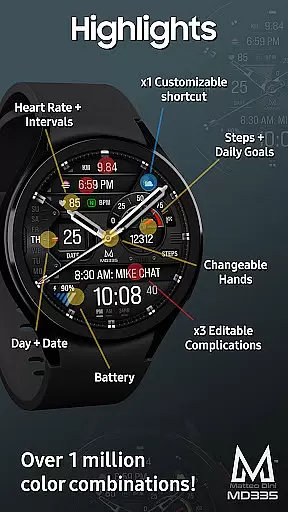
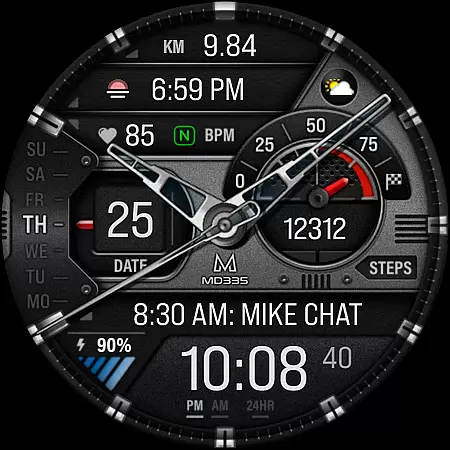
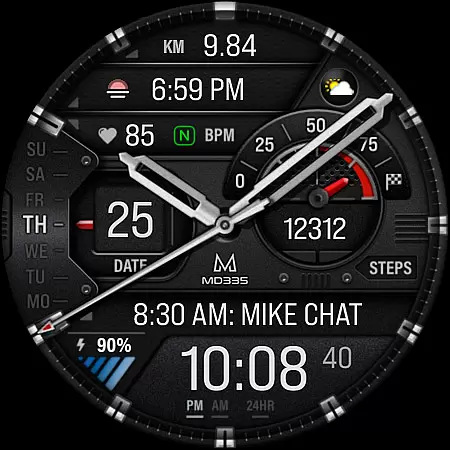
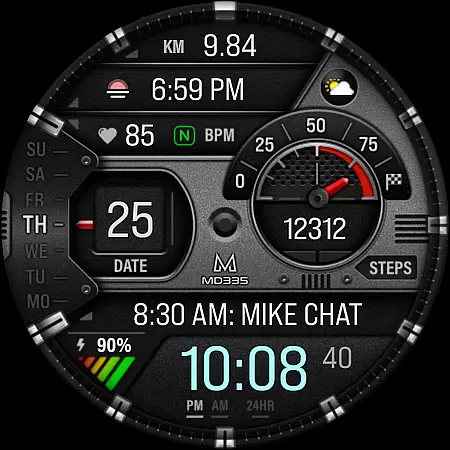
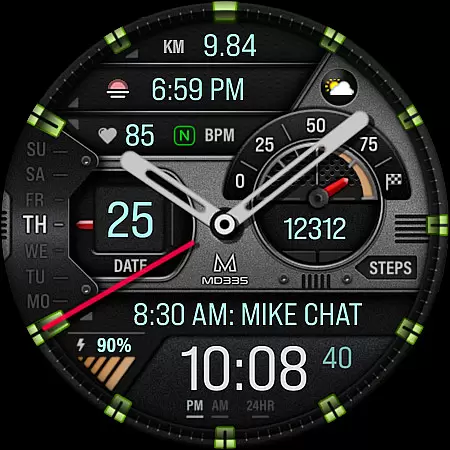
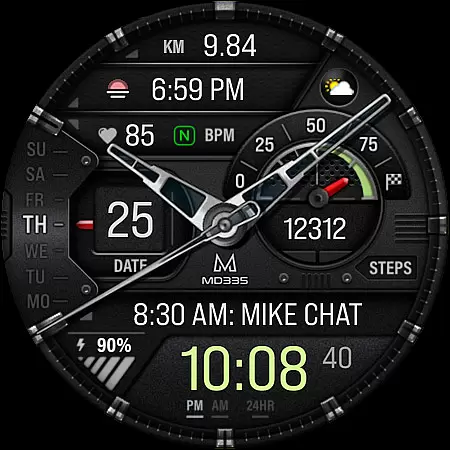
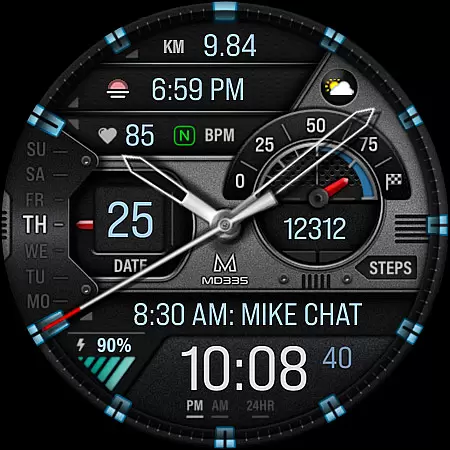
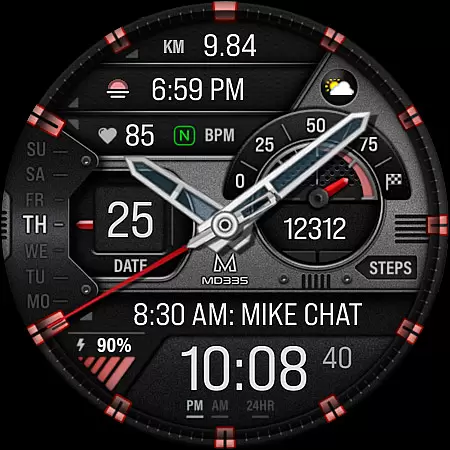
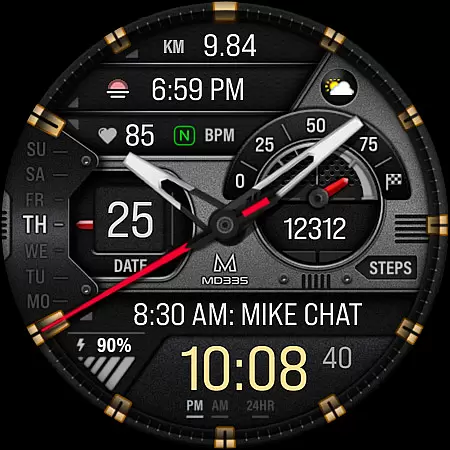
MD335 Hybrid watch face is a feature-rich, customizable watch face designed for Wear OS devices. It supports all Wear OS devices with API Level 33+ and offers users the ability to personalize their watch faces extensively. With 4 preset app shortcuts, 1 customizable shortcut, and 3 customizable complications, users can tailor the display to show preferred data such as weather, heart rate, steps, and more.
The hybrid design includes hideable hands, changeable themes, and adjustable colors, ensuring that users can match the watch face to their personal style. The minimal and full Always-On Display (AOD) options provide both aesthetic appeal and functionality. This versatile watch face enhances user experience by integrating essential features like date, day, battery status, and heart rate monitoring directly on the watch interface.
MD335 Hybrid watch face stands out with its comprehensive customization options. Users can choose from various complications to display data such as weather, health metrics, and world clock. The watch face supports both 12-hour and 24-hour formats based on phone settings, offering flexibility in time display. Preset app shortcuts include Calendar, Battery, Measure Heart Rate, and Set Alarms, providing quick access to frequently used functions.
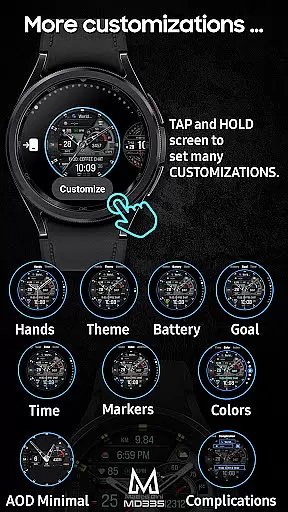
Customization is straightforward; users can touch and hold the display, then tap on the customize option to modify the watch face. The ability to change hands, themes, and colors of different elements ensures a personalized look. Additionally, the Minimal and Full AOD modes cater to both battery-saving and information-rich display preferences. These features collectively enhance usability and visual appeal, making MD335 a top choice for tech-savvy users seeking both form and function in their smartwatch experience.
Companion app integration is essential for hybrid watch faces like MD335, ensuring seamless synchronization between the wearable and its paired smartphone.
This particular watch face supports extensive customization options directly from your phone, allowing users to modify complications, shortcuts, and aesthetic elements such as colors and themes.
Despite known issues with the Samsung Wearable app's editor, MD335 offers a workaround by recommending on-watch customization. This ensures that users can still personalize their experience without being hindered by temporary software limitations.
The ability to sync settings across devices enhances user convenience, providing a cohesive and efficient smartwatch experience.
MD335 Hybrid watch face is designed to be compatible with a wide range of Wear OS devices, specifically those operating on API Level 33+ including models like Samsung Galaxy Watch 4-8, Ultra, and Pixel Watch.
This broad compatibility ensures that users across different devices can enjoy the advanced features and sleek design of this watch face.
By supporting both new and existing Wear OS devices, MD335 guarantees an optimized performance tailored to each device's capabilities.
Users benefit from consistent functionality whether they are using a high-end model or an older version, making it a versatile choice for tech-savvy individuals seeking reliable performance.
Highly customizable
Supports multiple complications
User-friendly interface
Versatile design options
Comprehensive app shortcuts
Complex setup process
Limited support for older devices
Preset complications only
Occasional loading issues
External app dependencies

Gym Log & Workout Tracker | Fitness Journal, Training & Weight Lifting Planner
 4.90
4.90
Wear Os Watch Face - Animated Snow Effect & Christmas Lights
4.3
Contemporary digital watch face with five complications
4.1
Digital, flexibly customizable watch face. For Wear OS 5.0, API 34+ and later.
5.00
3 Complications. All shadow on/off. 30 Themes color palette...
4.2
The ultimate destination for kids ages 3-8 to explore the Marvel Universe!
4.30
Retro digital watch face with customizable colors and a unique lighting effect
4.60
Want to take charge of your health? Let Google Fit help you reach your goals.
3.50
Start and succeed with PAP
4.10
The most customizable minimal watch face. For Wear OS 5.0, API 34+ and later
4.70
The most customizable hybrid watch face. For Wear OS 5.0, API 34+ and later
4.70
Ideal for surviving in the wasteland left after nuclear fallout
4.50
A customizable Christmas watch face for Wear OS with a countdown.
4.20
Hyper-Realistic Airplane Dashboard Watch Face With 10 Skins and Custom AOD
4.00
A digital watch face that celebrates Christmas.
4.00
Structured watch face with seven complications and modular UI elements
3.90
Christmas and New Year - Themed Watchface
4.1
A watch face that fuses motorsport precision with contemporary smartwatch design
4.0
Funny animated watch face for Thanksgiving
4.0


User Reviews