
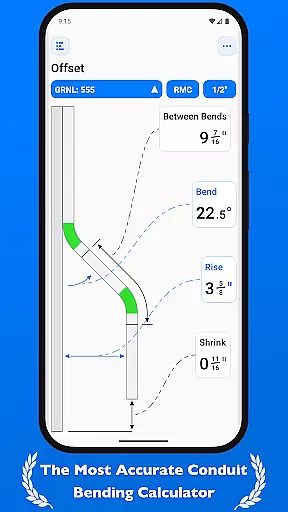
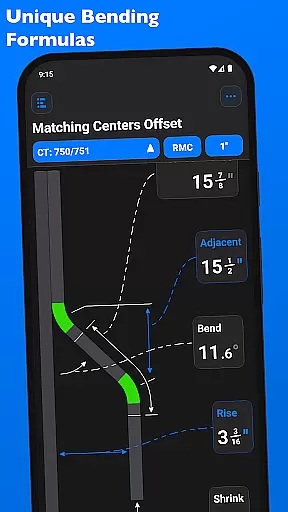
QuickBend is a cutting-edge conduit bending calculator app designed for precision and ease of use. It stands out by offering the most accurate measurements, accounting for factors like shoe and bender radius, conduit type, and size diameter. The app employs a centerline radius algorithm to ensure rigorous and field-tested calculations, making it an indispensable tool for electricians and DIY enthusiasts alike.
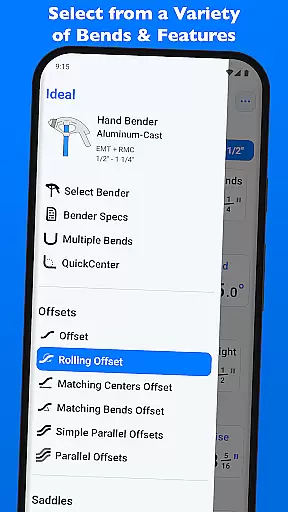
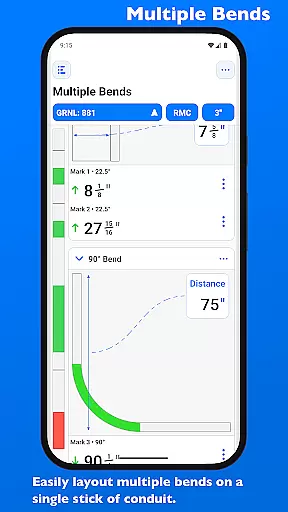
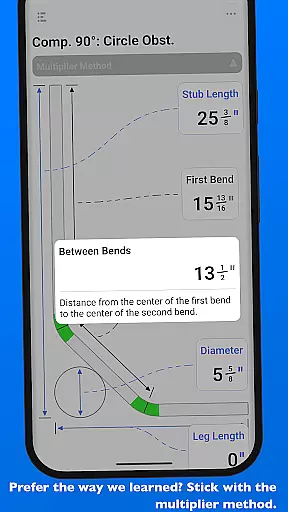
Beyond its core functionality, QuickBend provides comprehensive information and documentation for individual bends. This feature-rich app supports various bend types, including Offset, Rolling Offset, and Compound 90° bends, among others. With capabilities to layout multiple bends on a single conduit and obtain precise measurements, QuickBend ensures efficiency and accuracy in every project.
The app's intuitive interface allows users to toggle between inches and centimeters, switch input styles, and benefit from visual cues indicating bend feasibility. Designed with productivity in mind, QuickBend streamlines workflows, saving time and reducing errors, ultimately empowering users to focus on their craftsmanship.
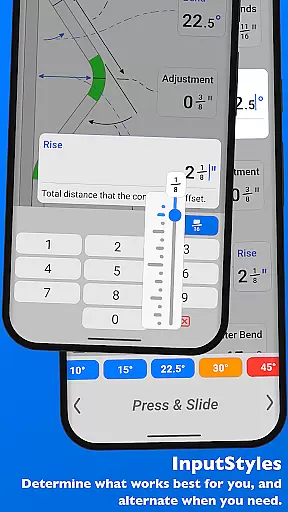
QuickBend distinguishes itself through innovative features tailored for productivity. One standout aspect is its dual input methods: a number pad for direct entry and a slider bar for tactile adjustments, catering to different user preferences. The app also incorporates QuickCheck, a unique system that uses color-coded text to signal impossible (red) or unlikely (orange) bends, enhancing decision-making during the planning phase.
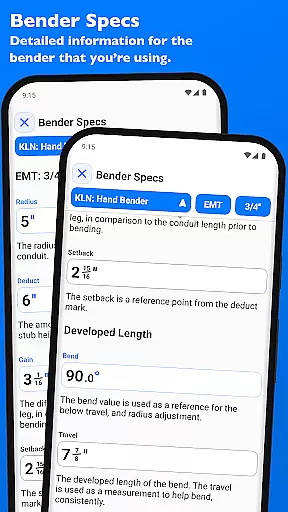
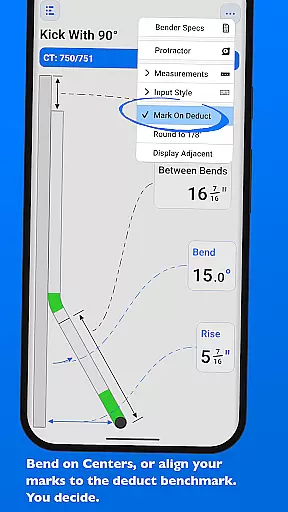
Another remarkable feature is the ability to manage and customize bender specifications. Users can edit detailed information such as centerline radius, deduct, gain, and setback values. Additionally, QuickBend offers a pinning function for frequently used benders, enabling swift selection without excessive navigation. These tools collectively contribute to a seamless and efficient bending process.
Furthermore, QuickBend supports extensive customization options, allowing users to select different bender types, shoe sizes, and conduit materials within the same interface. This consolidation eliminates unnecessary steps, ensuring a fluid workflow. With meticulous attention to detail and manufacturer-specified bender data, QuickBend delivers unparalleled accuracy and adaptability for both novice and experienced professionals.
QuickBend revolutionizes task management for electricians and DIY enthusiasts by offering precise conduit bending calculations. The app's core functionality centers around its ability to manage complex bending tasks with accuracy and efficiency.
The application supports a wide range of bend types, from simple offsets to intricate compound bends. Each calculation takes into account crucial factors such as shoe radius, bender specifications, and conduit dimensions, ensuring professional-grade results every time.
What sets QuickBend apart is its intuitive interface that allows users to seamlessly switch between different measurement systems and input methods. The innovative Press & Slide feature, along with traditional number pad entry, caters to various user preferences while maintaining exceptional precision.
Users benefit from the app's comprehensive approach to task management, which includes detailed documentation for each bend, visual feedback through color-coded warnings, and the ability to layout multiple bends on a single conduit. This robust feature set streamlines workflow and minimizes errors in electrical installations.
While primarily a standalone productivity tool, QuickBend offers reliable data management features that ensure consistent performance across sessions. Although not traditionally a cross-device synchronization tool, the app maintains crucial data integrity through its session management capabilities.
The application's strength lies in its ability to save and recall detailed bender specifications and frequently used configurations. Users can pin their most-used benders for quick access, effectively creating a personalized workspace that remains consistent with each use.
QuickBend's reliability extends to its comprehensive database of manufacturer-specified bender details. The app maintains accurate records of centerline radius, deduct, gain, and setback information, ensuring that calculations remain consistent and trustworthy regardless of when or where they're performed.
For professionals who work across multiple job sites, the app's ability to store detailed bend information and maintain calculation accuracy serves as a reliable substitute for traditional cross-device synchronization. This ensures that whether working from a mobile device or returning to previous calculations, users can trust in the consistency and precision of their results.
User-friendly interface
Accurate measurement tools
Comprehensive bend support
Customizable bender specs
Efficient workflow design
Premium version required
Steep learning curve
Limited free features
No offline mode
Occasional bugs

Seamlessly integrate data and reports to build your presentation to impress
 4.80
4.80
The long-awaited modern gallery app for your Nextcloud server
4.70
Smart PDF reader & editor to view, organize and manage PDF documents easily.
3.70
The upgraded version of Name Wheel with AI and the power to add your own wheels.
4.2
Remotely view listen control and record cameras.
3.70
Secure, fast, open-source, Remote Desktop Client for Windows and Linux with SSH
4.60
Pwnagotchi companion app
4.20
App lock - lock apps with fingerprint, password, pin or pattern, protect privacy
4.70
AT&T Internet customers can use this app to personalize their Wi-Fi network.
4.40
8 custom complications. Custom Time Fonts. Beautiful color schemes. A++ Design.
5.00
Mind Map and brainstorm, note taking and idea collection
4.80
Understand anything with a personalized AI research assistant
4.80
The AI assistant that thinks with you - write, code, and solve complex tasks
4.60
To do list widget with a notebook organizer, checklist, simple shopping list
4.60
A Pixel Art watchface inspired by other iconic 90s designs for Wear OS devices!
4.40
Automates browsing any website and notifies you of important changes or events
4.30
All in One PDF Reader: Manage, Read and Edit your Documents
4.20
Todo reminder
4.10
* block pre-roll ads, pop-up and forced redirect ads * Samsung certification app
4.00


User Reviews