
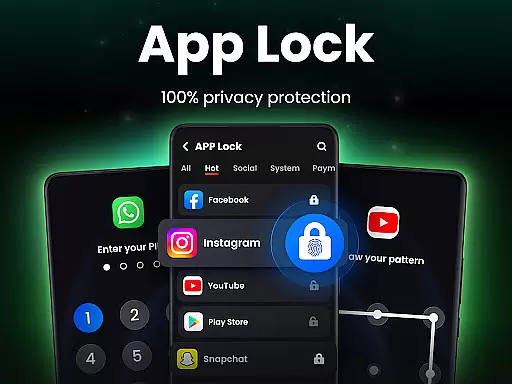
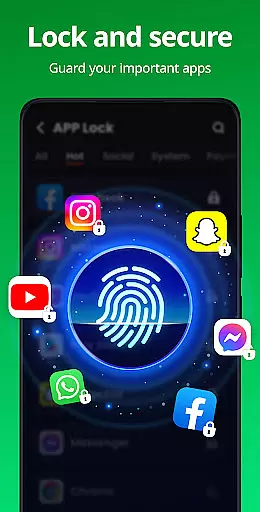
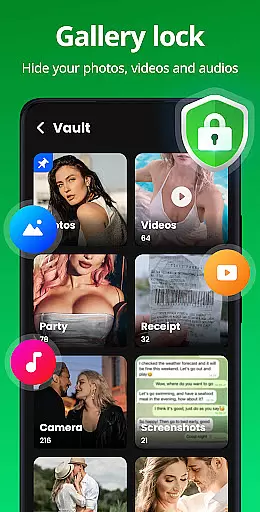
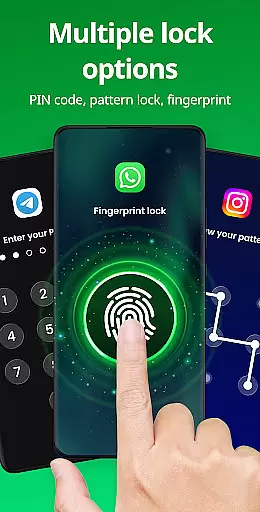
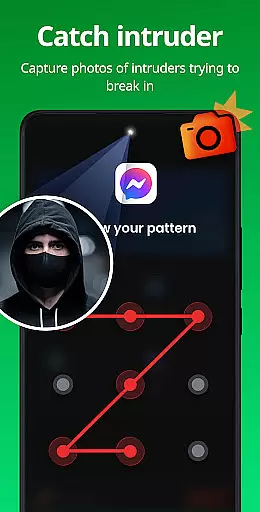
App Lock is a powerful productivity tool designed to safeguard your private data with just one click. This app allows users to lock specific applications using PIN, pattern, or fingerprint authentication, ensuring complete privacy and security. Whether you want to protect sensitive social media apps like WhatsApp and Instagram, or secure personal files in your Gallery and Contacts, App Lock provides an essential layer of protection. The app also features advanced functionalities such as Safe Vault for hiding private photos/videos, Intruder Selfie to capture unauthorized access attempts, and Disguise App to mask its presence on your device. Suitable for anyone looking to enhance their mobile privacy, App Lock ensures that your personal information remains confidential and protected from prying eyes.
In addition to locking apps, the application offers customization options like themes and settings for relocking behavior, making it both versatile and user-friendly. With features like Uninstall Protection and Random Keyboard, it prevents accidental data loss and password guessing. App Lock is ideal for parents who wish to avoid unintended in-app purchases by their children or professionals who need to maintain strict confidentiality over their communications and files. Its comprehensive suite of security tools makes it an indispensable utility for maintaining control over your digital privacy.
App Lock stands out due to its robust feature set tailored for maximum security and ease of use. One of its primary functions is the ability to lock apps through multiple methods including PIN, pattern, or fingerprint recognition. This flexibility ensures that users can choose the most convenient and secure method for their needs. Additionally, the app extends its protective capabilities to various parts of your device, such as the Gallery, Contacts, Messages, and even payment apps like Google Pay and PayPal, preventing unauthorized access and accidental transactions.
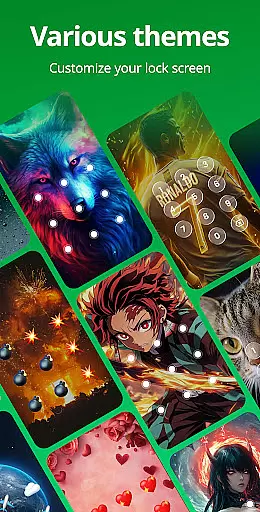
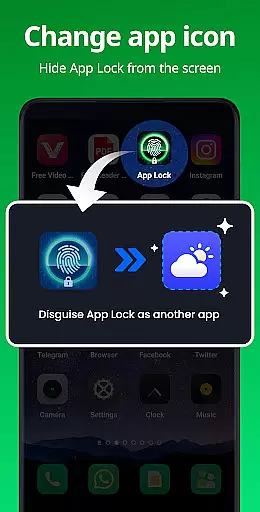
Beyond basic locking mechanisms, App Lock includes innovative features like Safe Vault, which hides private photos and videos, rendering them invisible in the standard gallery view unless accessed via the app's secure interface. Another standout feature is Intruder Selfie, which automatically takes a picture of anyone attempting to break into your locked apps with incorrect credentials. For added stealth, the Disguise App function allows users to change the app icon to appear as something else, effectively camouflaging it from curious onlookers. Customization options abound with multiple themes available for the lock screen, along with practical settings like Hide Pattern Draw Path and Random Keyboard to thwart password snooping. These thoughtful additions make App Lock not only highly functional but also adaptable to individual preferences and requirements.
At the heart of App Lock's functionality is its robust core task management system, designed to streamline the way users secure their digital space. This app allows you to lock individual apps with a simple touch, ensuring that your private data remains protected from unauthorized access.
The application employs various locking mechanisms including PIN, pattern, or fingerprint authentication, which are essential for maintaining stringent security protocols. By enabling these features, users can safeguard sensitive applications such as WhatsApp, Instagram, and Facebook, preventing unwarranted browsing of personal chats and media.
Moreover, App Lock extends its utility beyond mere app locking by offering comprehensive protection for galleries, contacts, and messages. With this level of task management, no one can snoop on your private photos, videos, or messages without the correct credentials, providing peace of mind and enhancing personal security.
While App Lock focuses primarily on securing apps and data on a single device, it also recognizes the importance of cross-device synchronization reliability in today's interconnected world. Although direct cross-device sync isn't its main feature, the app ensures that your settings and preferences remain consistent and reliable when using the app across different sessions on the same device.
App Lock provides options like relock settings which automatically relocks apps after exiting or when the screen turns off. Users have the flexibility to customize relock times according to their needs, ensuring seamless protection even as they switch between tasks or devices throughout their day.
Furthermore, with features such as lock new apps detection, users can quickly secure newly installed applications with minimal effort. This proactive approach not only enhances productivity but also reinforces the overall security framework, making sure that all entry points to personal data are adequately guarded against unauthorized access.
Easy-to-use interface
Multiple locking methods
Advanced privacy features
Customizable themes
Intruder detection system
Requires many permissions
May drain battery faster
Limited free features
Occasional bugs reported
Fingerprint sensor dependency

Create study competitions, track your hours, and stay consistent with friends
 4.0
4.0
Total remote control for your Android device, PC and cloud services (IFTTT)!
4.20
Simple and reliable communication between inmates, friends and family
3.20
To do list widget with a notebook organizer, checklist, simple shopping list
4.60
Secure your apps with lock screens, use custom themes and different features.
4.40
Share files & memories safely. Keep your photos and videos secure.
4.40
Simple notepad & memo. Take notes, to-do list, shopping list with reminders.
4.80
AT&T Internet customers can use this app to personalize their Wi-Fi network.
4.40
Seamlessly read, manage, and organize all your PDF files solution in one place
4.40
QuickBooks Workforce lets teams view pay info and track time in one place.
4.70
Scan paperwork into PDF/JPG, generate your own e-signature and send fax or email
4.70
The Pro Version of Android's tiniest Notepad app. Just 0.3MB but feature-packed!
4.60
Secure, fast, open-source, Remote Desktop Client for Windows and Linux with SSH
4.60 4.20
4.20
Device's storage information in a simple and clear graphical form (infographics)
4.10
Todo reminder
4.10
Take control of your clipboard with Clipper!
3.90
⏰ Finally a timer app which can run multiple timers simultaneously on your watch
3.90
All in one sketching tool. Technical and General drawing. Online Maps support.
3.70


User Reviews