


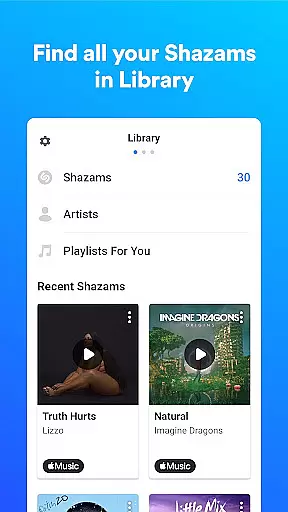




Shazam is a powerful music identification app that allows users to instantly recognize songs playing around them or in other apps, even while wearing headphones. With over 2 billion installs and 300 million users globally, it has become an essential tool for music lovers. The app not only identifies tracks but also provides additional features such as time-synced lyrics, artist information, and concert discovery.
One of Shazam's standout capabilities is its ability to work offline, ensuring users can identify songs without an internet connection. It integrates seamlessly with popular streaming platforms like Apple Music, Spotify, YouTube Music, and Deezer, allowing users to save and listen to identified songs directly within these services. Whether you're discovering new music through personalized recommendations or sharing your favorite tracks on social media, Shazam offers a comprehensive music experience tailored to modern lifestyles.
Shazam stands out with its advanced song recognition technology, capable of identifying tracks in seconds. The app goes beyond basic music detection by offering time-synced lyrics, enabling users to follow along as the song plays. Additionally, Shazam provides direct links to music videos on Apple Music and YouTube, enhancing the overall listening experience.
Another key feature is Auto Shazam, which continuously identifies songs even when the app is running in the background. Users can also explore music charts to see what's trending locally or globally, discover similar songs, and receive personalized playlists based on their listening history. With integration into Wear OS, Shazam ensures users can identify music anytime, anywhere, making it an indispensable tool for staying connected to the world of music.
Shazam offers seamless companion app integration, ensuring that users can identify songs across various platforms and devices. This feature allows for a unified experience whether you are using Shazam on your smartphone or Wear OS device.
The synchronization between devices is smooth, allowing users to access their song history and preferences from any linked device. This means you can start identifying music on your phone and continue the experience on your Wear OS without missing a beat.
By integrating with major music streaming services like Apple Music, Spotify, YouTube Music, and Deezer, Shazam enhances its utility. Users can effortlessly open any identified song directly in these platforms, providing a comprehensive music discovery and playback solution.
This level of integration ensures that no matter where or how you are listening to music, Shazam remains a consistent and reliable tool for discovering new tracks and accessing detailed information about them.
Shazam's compatibility with Wear OS devices highlights its versatility and user-centric design. By offering a dedicated app for Wear OS, Shazam ensures that users can identify music even when they are away from their phones.
The Wear OS version maintains the core functionalities of Shazam, such as instant song identification and access to song history. This makes it incredibly convenient for users who are on the go and want to capture a song playing in the moment without needing their smartphone.
Additionally, the app supports offline functionality, which is crucial for smartwatch users who may not always have an internet connection. This feature ensures that users can still identify songs and sync the data once they are back online.
Overall, Shazam's thoughtful integration with Wear OS devices showcases its commitment to providing a flexible and accessible music identification solution, enhancing the user experience across different types of devices.
Instant song recognition
Offline functionality
Seamless streaming integration
Time-synced lyrics
Personalized music recommendations
Limited offline features
Requires account creation
Ads in free version
Occasional recognition errors
Location permissions needed

Walking app for weight loss: walk & step tracker, pedometer, indoor treadmill
 4.60
4.60
A customizable Christmas watch face for Wear OS with a countdown.
4.20
Watch face for Wear OS.
4.20
Digital, flexibly customizable watch face. For Wear OS 5.0, API 34+ and later.
5.00
sleep, alarm, snoring, stress, healing, focus, sound therapy, circadian rhythm
4.10
Hybrid watch face for Wear OS with customizable complications by Matteo Dini MD
4.70
Your music, your playlists, and more—offline and unlimited.
4.20
Your local weather forecast, storm tracker, radar maps & live weather news
3.40
Start and succeed with PAP
4.10
Christmas Theme Watch Face for Wear Os
5.00
Hyperlocal rain alerts by MyRadar using patent-pending technology, radar & more
4.80
Easy Voice Recorder is your everyday companion to record important moments.
4.70
Retro digital watch face with customizable colors and a unique lighting effect
4.60
Ideal for surviving in the wasteland left after nuclear fallout
4.50
The #1 source of faces for your smartwatch!
4.00
Hyper-Realistic Airplane Dashboard Watch Face With 10 Skins and Custom AOD
4.00
Professional weather radar and more
3.90
Christmas is near, let's count together the days left until Santa comes
4.5
3 Complications. All shadow on/off. 30 Themes color palette...
4.3


User Reviews