
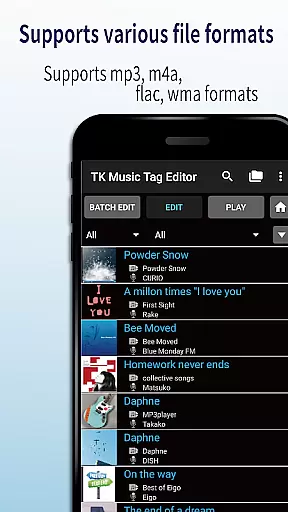
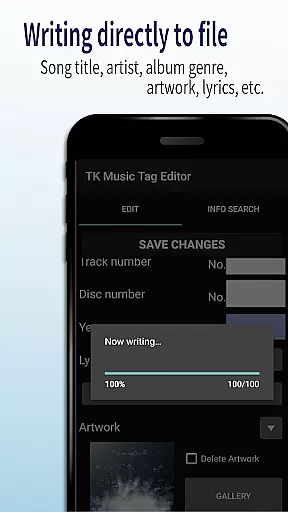
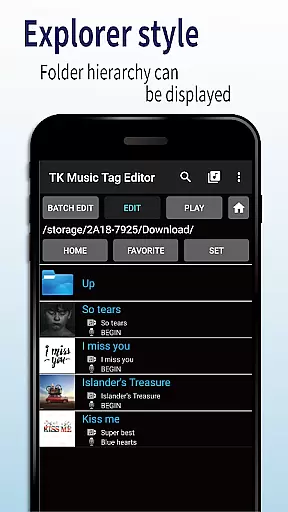
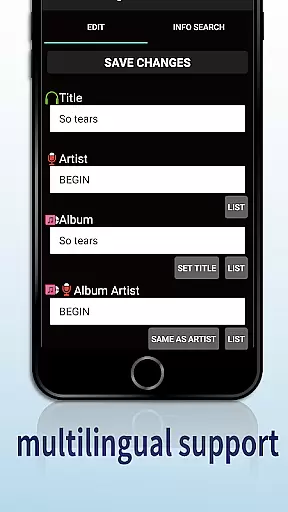
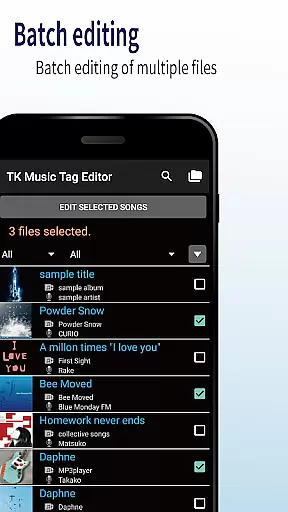
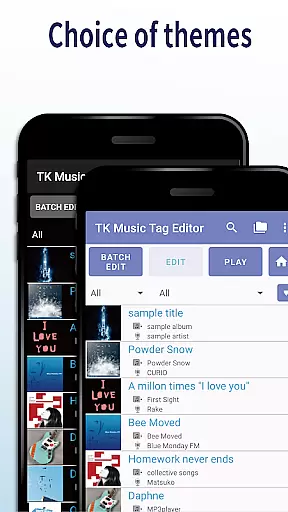
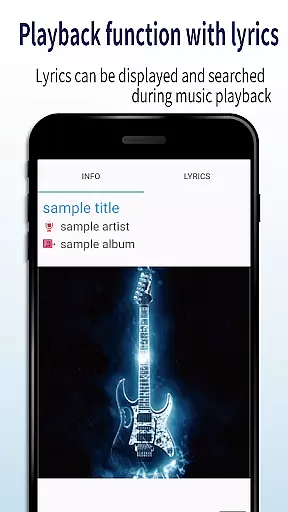
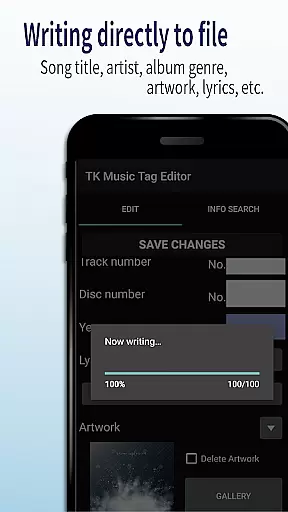
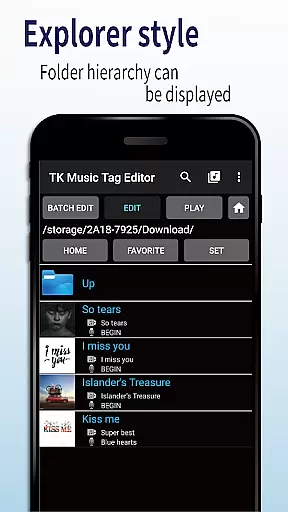
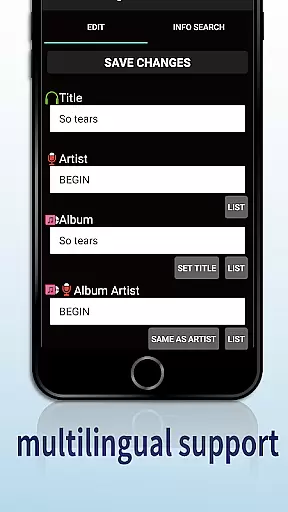
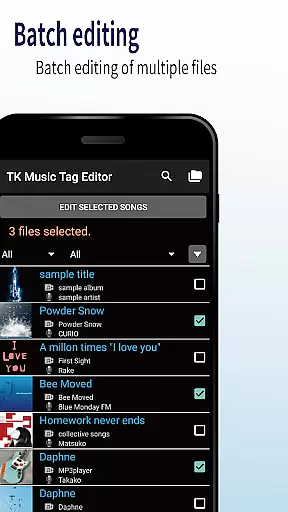
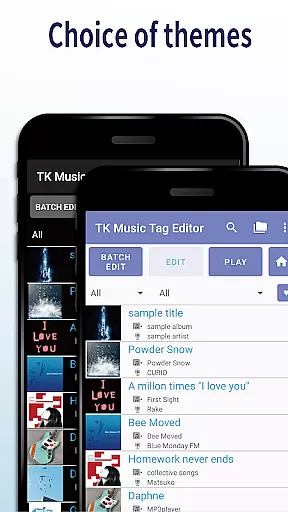
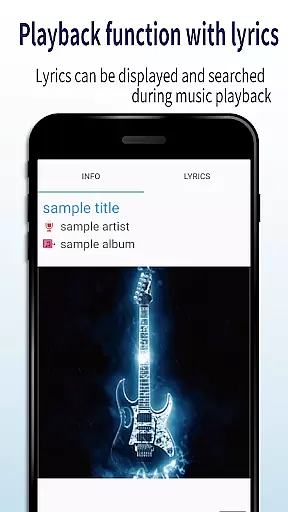
TK Music Tag Editor -Complete- is a comprehensive metadata editing tool designed for music enthusiasts who need precise control over their audio files. This app allows users to directly modify essential metadata fields such as artist, album, cover art, and lyrics within mp3, m4a, flac, and wma files. The changes are written directly into the music files, ensuring that the metadata remains intact across different devices, including PCs.
In addition to basic tag editing, TK Music Tag Editor offers advanced features like simultaneous filename editing, playlist creation, and support for multiple file formats. Whether you're organizing a large music library or preparing tracks for professional use, this app provides the tools needed to maintain accurate and consistent metadata. Its ability to handle various file formats makes it an indispensable utility for anyone working with digital audio files.
One of the standout features of TK Music Tag Editor is its ability to write tags directly into music files. This ensures that metadata such as title, artist, album, and cover art remains consistent regardless of where the file is accessed. Users can also edit lyrics and other detailed information, providing a complete solution for managing music libraries.
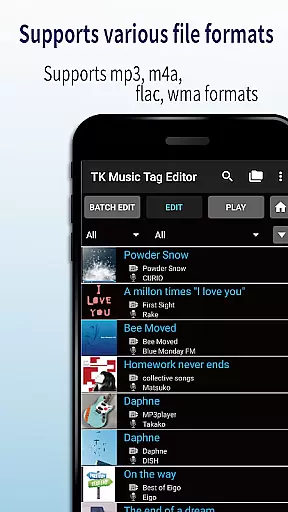
The app supports simultaneous editing of music filenames, allowing users to standardize naming conventions easily. Additionally, it includes a playlist creation feature, enabling users to organize their favorite tracks effortlessly. With support for multiple file formats including mp3, m4a, flac, and wma, TK Music Tag Editor caters to a wide range of audio file types. The app's robust functionality and user-friendly interface make it an excellent choice for both casual listeners and audio professionals.
Video Players & Editors like TK Music Tag Editor -Complete- excel in their ability to handle a variety of file formats, ensuring that users can manage metadata across different types of audio files. This app supports mp3, m4a, flac, and wma formats, providing flexibility for users with diverse music libraries.
The application's capability to edit tags directly within these various formats ensures that metadata remains intact regardless of the device or platform used to access the files. This means whether you're on a PC or using a different mobile device, your music information stays consistent and reliable.
Additionally, the app offers a unique feature to detect mp3 files mistakenly labeled with m4a extensions and correct them. This functionality not only enhances organization but also ensures that files are correctly identified and accessible on any system, improving overall user experience.
By supporting such a wide range of formats and ensuring cross-device compatibility, TK Music Tag Editor -Complete- provides a comprehensive solution for managing music metadata efficiently and effectively.
TK Music Tag Editor -Complete- incorporates AI-powered editing features that significantly enhance the user's ability to manage and organize their music library. One standout feature is the simultaneous editing of music filenames, allowing users to rename files based on specific patterns like 'Song Title (Artist)' automatically.
This intelligent automation extends to creating and managing playlists effortlessly. Users can curate lists of songs they wish to hear, streamlining the process of organizing music collections. Such features save time and reduce manual effort, making playlist management more intuitive.
Moreover, future updates promise even more advanced functionalities as the developers plan to add additional editable metadata fields. This forward-thinking approach indicates a commitment to continuously improving the appu2019s capabilities through smart technology.
While using these powerful editing tools, it's important to proceed with caution since changes are made directly to the music files. However, this risk is mitigated by the app's robust support for multiple formats and its intelligent detection and correction of mislabeled files, ensuring data integrity and reliability.
User-friendly interface
Comprehensive tag editing
Multi-format support
Direct file writing
Playlist management
No batch editing
Limited advanced options
Occasional bugs
Basic UI design
No cloud sync

Photo and Music Video Creator into Stunning Videos—Effortlessly
 4.40
4.40
?100% FREE! Download & save videos? safely in this app. All formats supported.
4.60
Video Downloader is an utility that can save videos and music from web sites
4.20
Cast to Chromecast, Xbox, Fire Stick, Roku, DLNA, Smart TV & No Feature Limited!
4.50
Powerful HD video player with support for all formats & subtitles.
4.0
Movie maker & video editing app with AI effects and green screen
4.30
A Simple app to download Video & Music from the Internet.
4.70
Viddo: Generate Action Figure, AI Anime, AI kiss, AI hug Video from image & text
4.40
Enjoy your favorite videos and channels with the official YouTube app.
3.90
An easy-to-use and all-round screen recorder with audio
4.80
Snaptubè Video Downloader app allows to download videos and music in Snaptube. .
4.60
Search & download videos from net with all video downloader, auto-detect & safe.
4.60
Create photo video with music & template. AI video maker for stunning slideshow.
4.60
Browser for Samsung TV to stream webvideos, online movies and livestreams in HD
4.10
LumaFusion: The Ultimate Storytelling Experience for Video Editing
4.10
Online Videos Player
3.90
Livestream, news, & gaming content. Watch, chat, and upload. Join Rumble today!
3.80
Save photos and videos from social apps in one tap.
3.60
The smartest M3U IPTV Player your playlists have ever seen.
4.3


User Reviews