
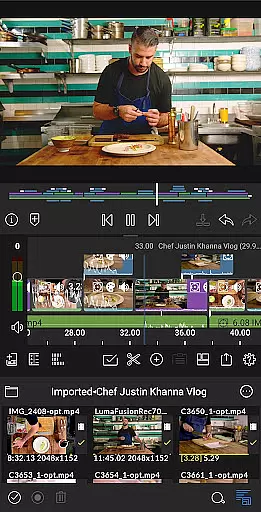
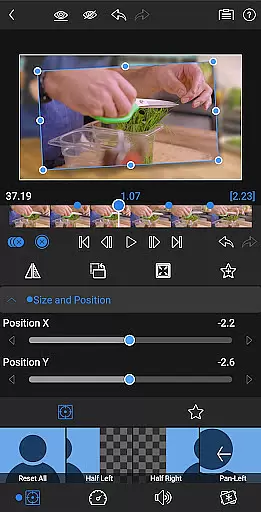
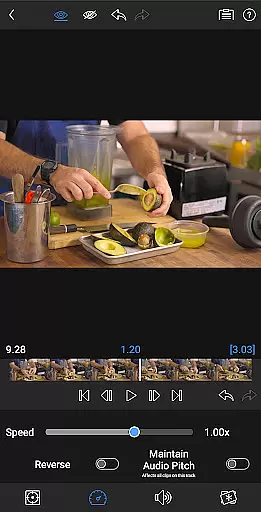
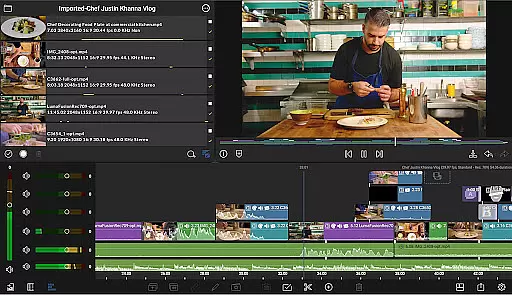
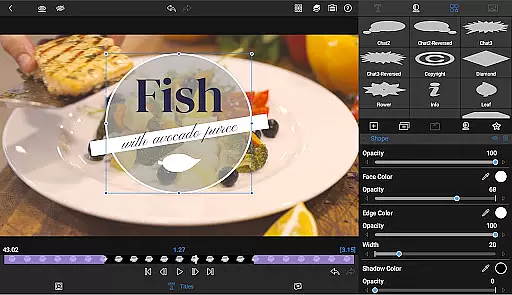
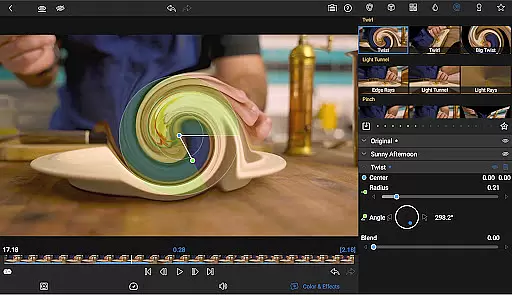
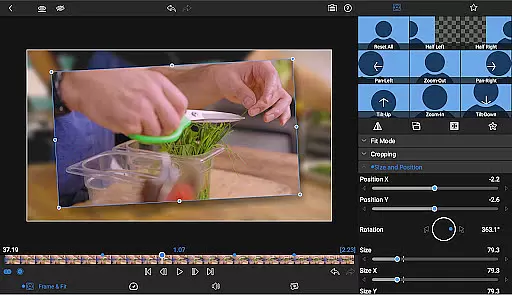
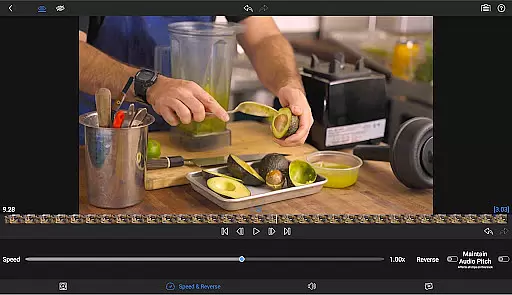
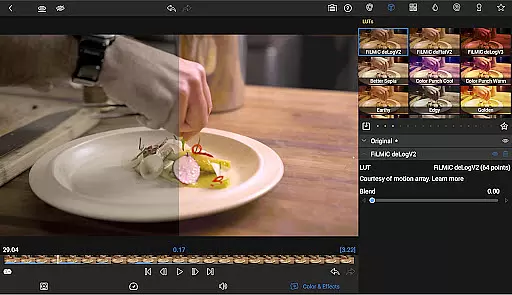
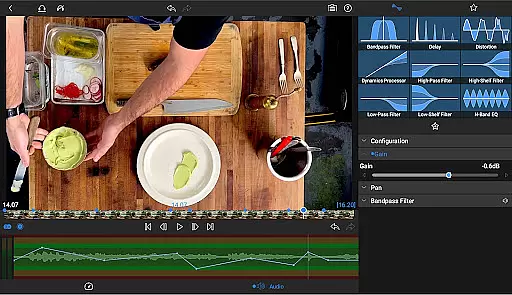
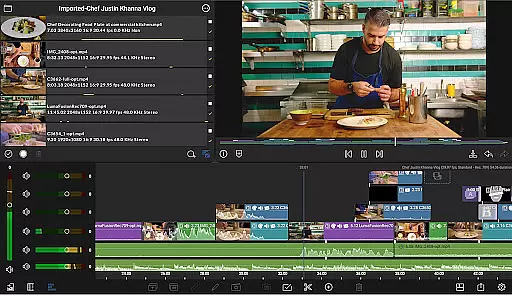
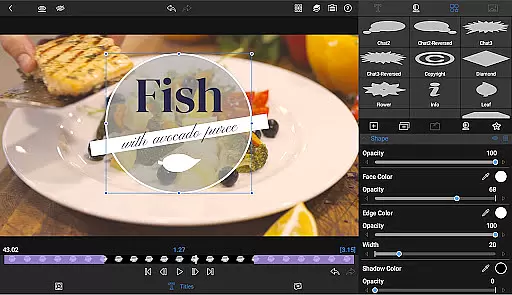
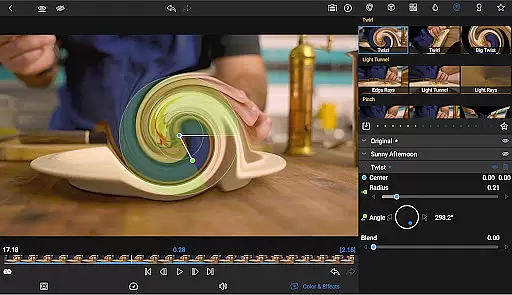
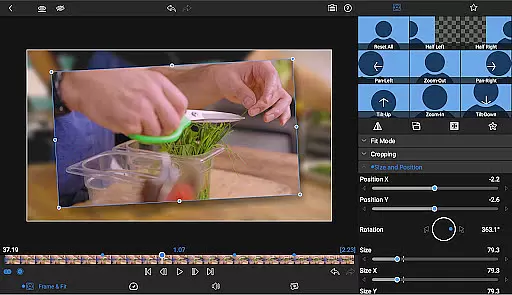
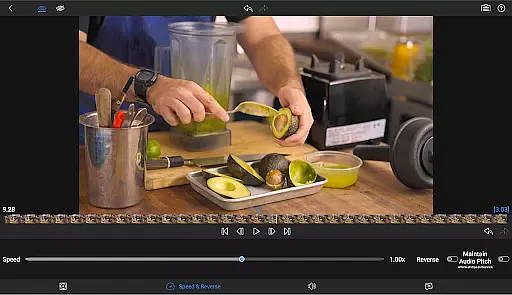
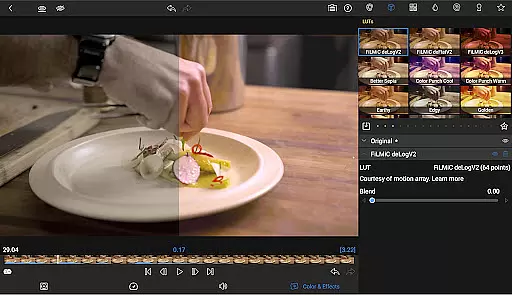
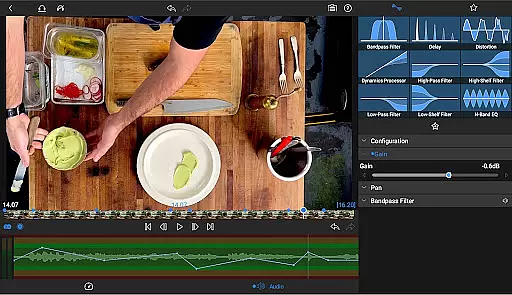
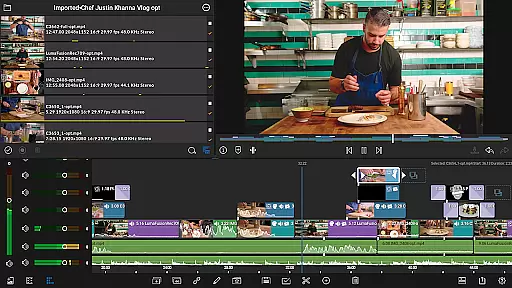
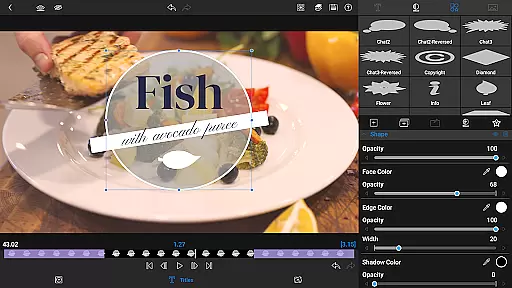
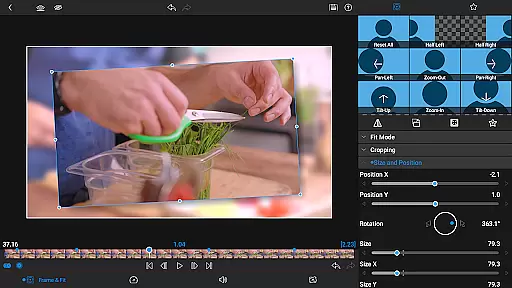

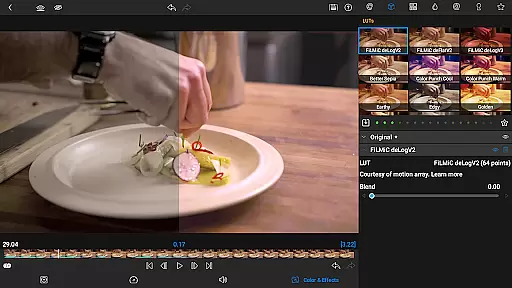
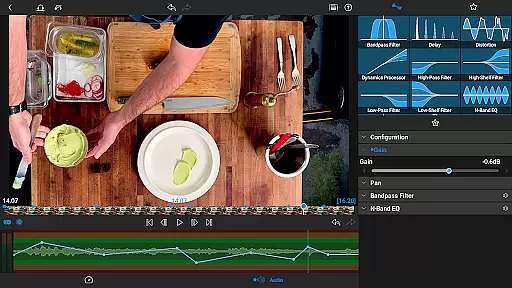
LumaFusion is the gold standard for storytellers, offering a fluid, intuitive touch-screen editing experience. With professional editing tools, it supports up to 4K media and provides six video-with-audio or graphic tracks alongside six additional audio-only tracks. The app features advanced audio control, layered effects, color correction, and creative titles.
Designed for both novice and professional editors, LumaFusion allows users to create complex edits with ease. Its flexible timeline, green screen capabilities, and powerful color correction tools make it ideal for crafting high-quality videos. Whether you're editing a short film or managing a social media channel, LumaFusion adapts to various workflows and aspect ratios.
The app's comprehensive feature set includes voiceover recording, customizable text presets, and access to royalty-free assets through the Creator Pass subscription. By exporting projects in multiple resolutions and formats, users can seamlessly share their creations across platforms. LumaFusion ensures that every creator has the tools needed to produce professional-grade content on mobile devices.
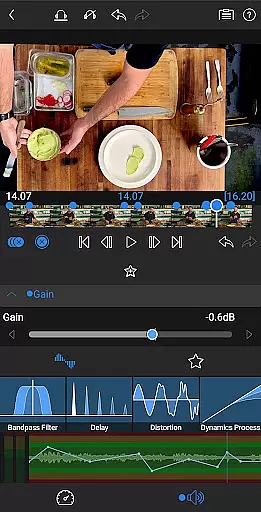
LumaFusion stands out with its robust feature set tailored for video editing professionals. It offers a unique combination of a flexible track-based and magnetic timeline, enabling smooth handling of media layers. Users can apply transitions, markers, tags, and notes to organize their projects efficiently while leveraging advanced audio controls like Graphic EQ and Parametric EQ.
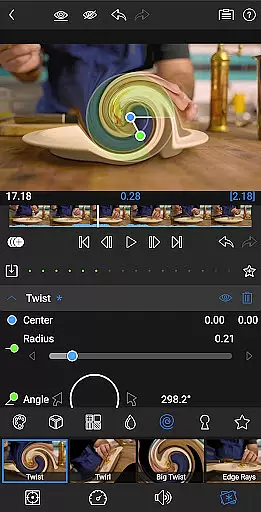
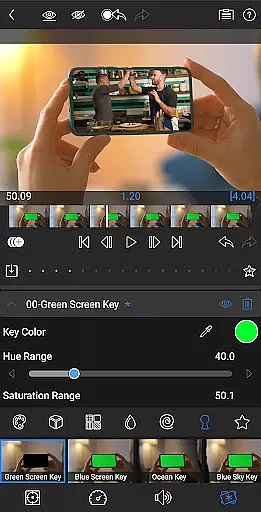
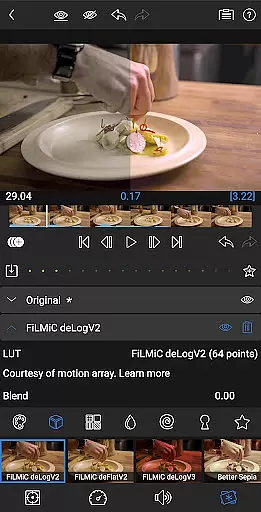
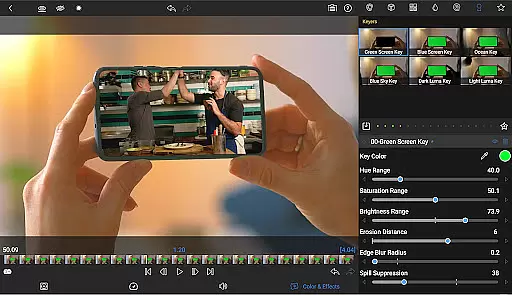
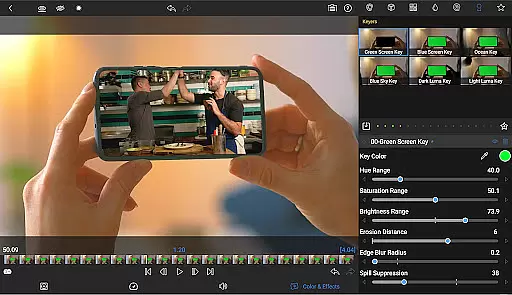
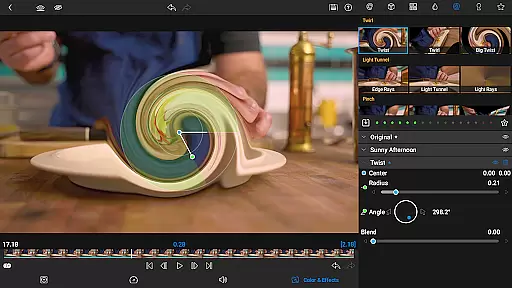
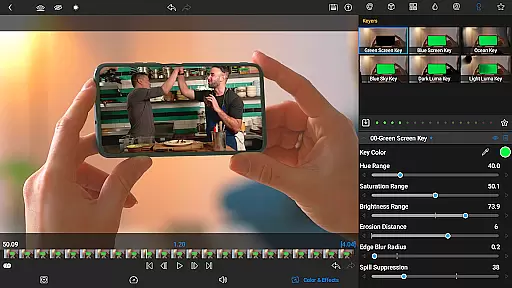
In addition to its core editing capabilities, LumaFusion provides layered effects such as green screen, luma, and chroma keys, along with precise color correction tools. The app supports unlimited keyframes for animating effects and allows importing LUTs for professional color grading. These features ensure that editors can achieve their desired look with accuracy.
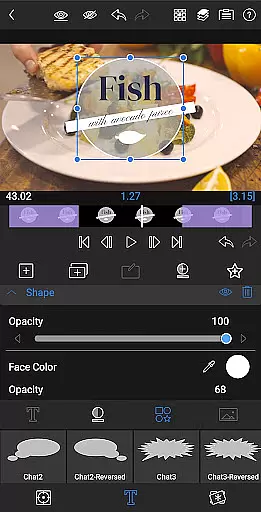
For those seeking creative freedom, LumaFusion includes multilayer text options, customizable fonts, and the ability to import custom fonts. Projects benefit from speed ramping and enhanced keyframing available via in-app purchase or subscription. With exceptional free support, including online tutorials and a reference guide, LumaFusion empowers creators to master video editing on Android devices.
Video format compatibility is a crucial feature for any video editing application, ensuring that users can work with a wide range of video files without conversion hassles. LumaFusion supports media up to 4K resolution across six video-with-audio or graphic tracks, providing flexibility for various project requirements.
The app allows direct editing from the Media library and USB-C drives, streamlining the workflow for content creators who handle large video files. This seamless integration ensures that no matter where your content is stored, you can access and edit it effortlessly within the app environment.
With support for multiple aspect ratios and frame rates ranging from 18fps to 240fps, LumaFusion caters to diverse video production needs. Whether you're creating widescreen cinema or social media clips, the app's versatile format handling enables you to focus on storytelling rather than technical limitations.
AI-powered editing features are revolutionizing video production by automating complex tasks and enhancing creative possibilities. While LumaFusion maintains a traditional approach to video editing, its advanced tools like Green screen, luma, and chroma keys offer powerful compositing capabilities that were once only possible through sophisticated AI algorithms.
The app includes professional color correction tools and waveform displays that help editors create unique looks while maintaining precise control over their footage. Although not strictly AI-driven, these features demonstrate how intelligent design can simplify traditionally challenging processes in video post-production.
LumaFusion's implementation of speed ramping and enhanced keyframing (available as an in-app purchase) shows how modern editing applications blend traditional techniques with innovative approaches. These features enable users to add dynamic effects to motion sequences and refine animations with Bu00e9zier curves, demonstrating the app's commitment to pushing creative boundaries.
Intuitive interface
Professional-grade tools
Flexible timeline
Advanced audio controls
Comprehensive export options
Subscription required for full access
Some features locked behind paywall
Complex for beginners
High system requirements
Limited free support channels

Your media, on your terms.
 4.10
4.10
?100% FREE! Download & save videos? safely in this app. All formats supported.
4.60
All format media Player, no need video converter any more!
4.00
Explore the largest library of free GIFs, Stickers & Memes - or create your own!
3.90
Add date and time watermark to photos and videos
4.50
Browser for Fire TV to stream webvideos, online movies, livestreams in HD
4.40
Fast private browser with secure, seamless access & supported video downloads!
4.00
Create, Publish & Maximize
4.70
Manage your YouTube channel on the go
4.40
#1 Torrent App on Android ** No Ads Ever + Battery Saver **
4.80
Video Trimmer, Video to MP3 Converter. Extract music from video, Easy & Fast.
4.80
Video Downloader, Multiple Resolution Options, Video Player
4.50
Fast & Private HD Video Downloader with Built-in Proxy Browser and Video Player.
4.50
Create & edit videos with AI
4.30
1)AirPlay/DLNA Mirroring/Streaming, up to 4 connections; 2)Samba/NAS/DMS Player.
4.00
Stream Web Videos to Chromecast, Samsung, LG, Sony, Roku, Fire TV, DLNA + more
4.00
AI Video Editor:AI Music, Text to Video,Text to Speech,Auto Caption,Video Effect
4.00
Cast to Smart TV, Fire TV. Cast video, photo - Fast & Stable!
3.90
Save photos and videos from social apps in one tap.
3.60


User Reviews