
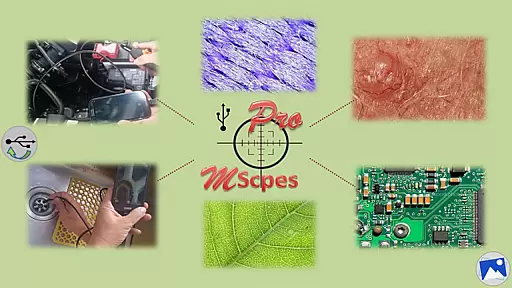
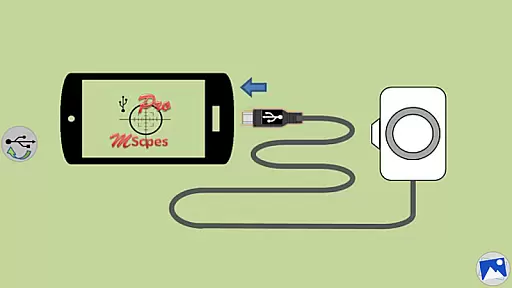
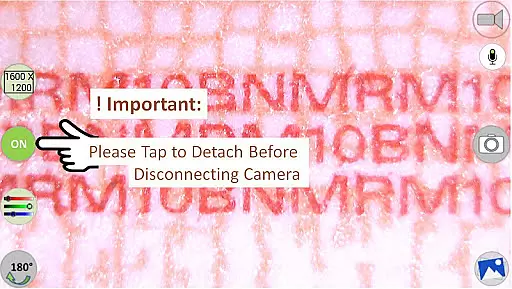
MScopesPro for USB Camera is a versatile application designed to enhance the functionality of USB video class cameras when connected to Android devices. This app allows users to view, capture images, and record videos from digital microscopes, endoscopes, borescopes, camcorders, or webcams via USB connection. For devices with type-A connectors, an OTG adapter is necessary to bridge the connection with smartphones or tablets.
One of the standout features of MScopesPro is its ability to facilitate microscopy or endoscopy on-the-go. The portability offered by this app significantly increases the convenience and flexibility in observing microscopic objects or hard-to-reach areas such as cracks, pipes, or cavities. With no need to root the device, users can enjoy a seamless experience across various supported Android devices.
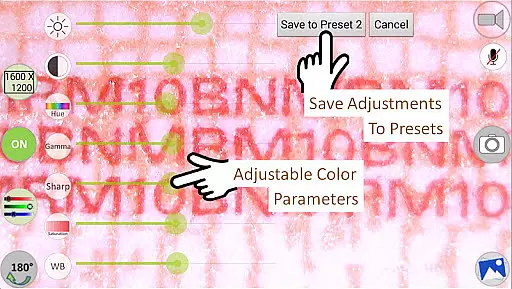
The Pro version of the app offers advanced functionalities including full-screen mode, zoom and pan capabilities, multiple image type support, customizable preview options, adjustable color parameters, and more. These features collectively provide users with a powerful toolset for capturing high-quality images and videos while maintaining creative control over their content.
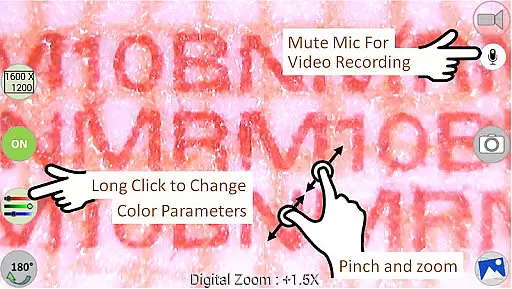
MScopesPro for USB Camera boasts an array of sophisticated features that cater to both amateur enthusiasts and professional users. Among these are full-screen mode which allows 100% preview without any obstructive buttons, and intuitive zoom and pan controls operable with one or two fingers directly on the preview screen. Users can choose between JPEG or PNG image formats and have the option to add date and time stamps, notes, or cross-hairs on their previews and captured images.
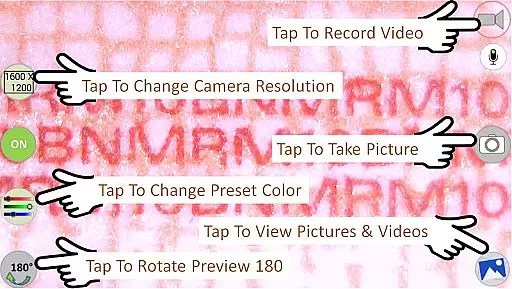
The app also supports multiple camera resolutions and preview sizes ranging from 640x480 up to 1600x1200 pixels. Adjustable color parameters like brightness, contrast, hue, gamma, sharpness, saturation, and white balance give users extensive control over their visual output. Additionally, three customizable presets allow saving frequently used color settings for quick access.
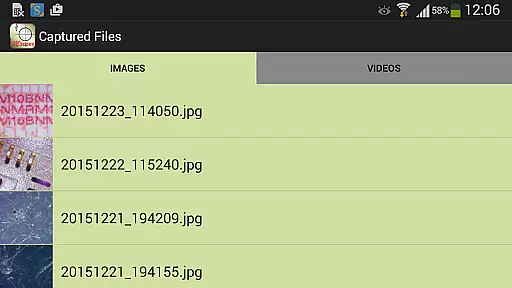
Further enhancing user experience are practical options such as microphone control during video recording, easy sharing and editing buttons for images and videos, deletion capabilities, and file browsing through swipe gestures. Collectively, these features make MScopesPro a comprehensive solution for anyone looking to leverage USB cameras on their mobile devices effectively.
One of the key strengths of MScopesPro for USB Camera lies in its extensive video format compatibility. The application supports multiple preview sizes including 640x480, 800x600, 1280x720, and 1600x1200, catering to a wide range of user preferences and device capabilities.
Beyond resolution options, the app facilitates both jpeg and png image types, ensuring that users can capture images in their desired format without compromise. This flexibility is crucial for professionals who require specific formats for further analysis or documentation.
The software's foundation on the work of the Independent JPEG Group, along with its use of libusb and libuvc libraries, underpins its robust compatibility features. These underlying technologies ensure efficient handling and processing of various video formats, providing a seamless experience when viewing or recording.
MScopesPro takes video and image editing to the next level by incorporating AI-powered editing features. Users can adjust color parameters such as brightness, contrast, hue, gamma, sharpness, saturation, and white balance, allowing for precise control over the visual output.
A standout feature is the ability to save adjusted color parameters to three presets. This functionality not only streamlines the editing process but also leverages AI to learn and adapt to user preferences, enhancing productivity and consistency across different projects.
In addition to advanced color adjustments, the app provides intuitive buttons to share, edit, and delete images and videos. These AI-enhanced tools simplify complex tasks, making professional-grade editing accessible to users of all skill levels.
User-friendly interface
Advanced customization options
Supports multiple camera resolutions
Intuitive gesture controls
Comprehensive feature set
Compatibility issues with some devices
Does not work on Android 5.1.1
Requires OTG adapter for certain connections
No built-in tutorial or guide
Premium version may be costly

The smartest M3U IPTV Player your playlists have ever seen.
 4.0
4.0
Video Downloader is an utility that can save videos and music from web sites
4.20
Powerful HD video player with support for all formats & subtitles.
4.0
Turn your phone into a wireless camera!
4.20
Mix with Virtual DJ directly from your phone or tablet !
3.10
Browser for Fire TV to stream webvideos, online movies, livestreams in HD
4.40
Powerful video player with advanced hardware acceleration and subtitle supports
4.20
AI Video Editor with Music, Filter, Slideshow, Effect, Merge & Trim Video.
4.80
Livestream, news, & gaming content. Watch, chat, and upload. Join Rumble today!
3.80
Flud is a simple and beautiful BitTorrent client for Android.
4.80
A Quick and Pro Video Editor
4.70
Find, download, and play torrents with the official BitTorrent® Pro app
4.70
Screen recorder with audio to take live videos & Screenshot in high quality!
4.70
Create photo video with music & template. AI video maker for stunning slideshow.
4.60
Fast, private downloading, video saving, social media
4.50
Your media, on your terms.
4.10
Make your own Animations, Video and Photo Edits, Visual Effects, and more!
4.00
Save photos and videos from social apps in one tap.
3.60
Video player with powerful streaming playback and various convenient features.
2.10


User Reviews