

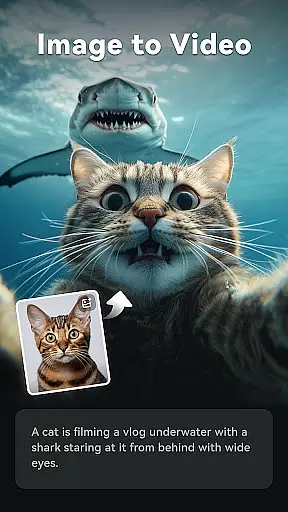
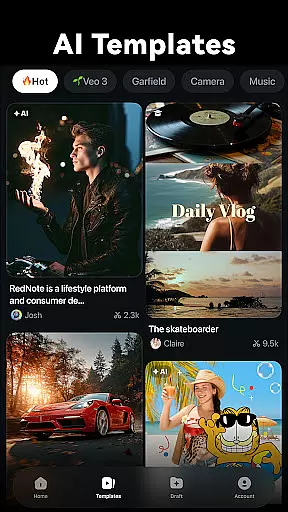
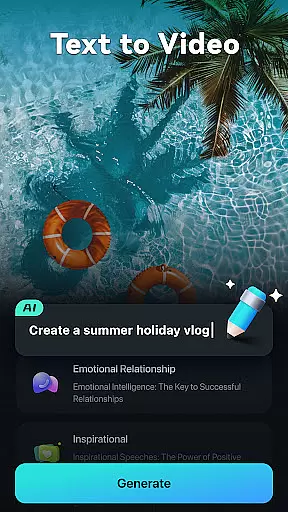
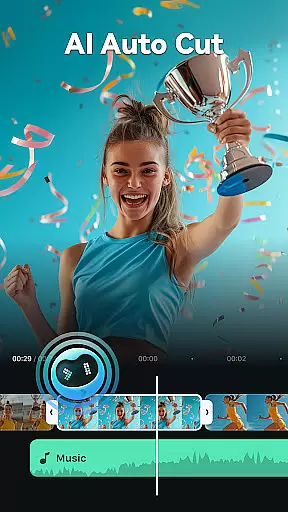

Filmora is an AI-powered video editor tailored for social media creators, offering a balance between advanced functionality and user-friendliness. The app enables users to transform basic media elements like photos, clips, and text into engaging content optimized for platforms such as TikTok, Reels, and YouTube. With no prior editing experience required, Filmora provides intuitive tools that cater to both beginners and professionals.
At its core, Filmora offers powerful AI-driven features including Image to Video, Text to Video, Dynamic Captions, and AI Auto Cut. These tools allow users to create dynamic videos effortlessly by leveraging artificial intelligence. Additionally, the app supports professional-grade editing with advanced features like keyframing, speed curves, PIP (Picture in Picture), masking, and smart object tracking. Whether you're looking to produce quick social media posts or high-quality cinematic edits, Filmora delivers the tools necessary to achieve your vision.
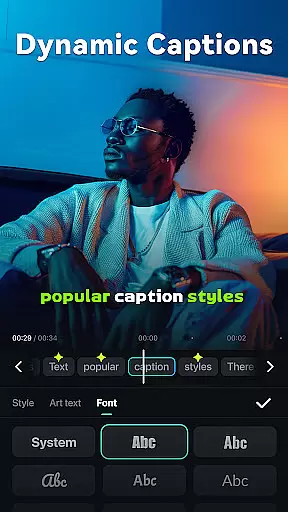
Filmora stands out with its innovative AI-powered features designed to streamline video creation. Tools like Image to Video and Text to Video enable users to generate professional-looking content from simple inputs such as photos or text prompts. The AI Auto Cut feature intelligently stitches together highlight moments, while Dynamic Captions automatically convert speech into visually appealing subtitles. These capabilities ensure that even users without technical expertise can produce scroll-stopping videos.
For more experienced editors, Filmora offers a comprehensive suite of advanced features. The all-in-one Keyframe tool allows precise control over animations, while customizable Speed Curves let users adjust playback speeds with artistic precision. Additional functionalities include PIP (Picture in Picture) for layering multiple media elements, Masking for creative blending effects, and Smart Tracking for seamless object or face tracking. These robust features make Filmora suitable for both casual creators and professional videographers seeking refined editing power.
Video format compatibility is a crucial feature for any video editor, ensuring that users can work with a wide range of video files without conversion hassles. Filmora supports an extensive array of video formats, allowing creators to import and export videos in their desired resolutions and codecs.
The application's broad format support includes popular standards such as MP4, AVI, MOV, and more, catering to both amateur and professional needs. This versatility ensures that whether you're editing footage from a smartphone or a high-end camera, Filmora maintains the original quality while offering flexibility in output choices.
For content creators focused on social media platforms like TikTok, Reels, and YouTube, this compatibility translates into faster workflows. You can directly upload your edited videos without worrying about platform restrictions or additional processing steps.
Ultimately, Filmora's robust video format compatibility empowers users to focus on their creative process rather than technical limitations. The ability to handle diverse formats seamlessly makes it an ideal tool for turning raw footage into scroll-stopping content efficiently.
Filmora stands out with its advanced AI-powered editing features, revolutionizing how users approach video creation. These intelligent tools automate complex processes, enabling even beginners to produce professional-quality videos effortlessly.
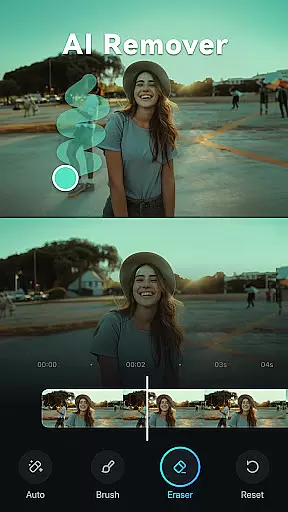
Among these features is Dynamic Captions, which automatically converts speech to text, generating engaging word-by-word captions. This not only enhances accessibility but also increases viewer engagement by highlighting key moments in your narrative. Additionally, the AI Remover simplifies the task of erasing unwanted elements from videos, saving significant editing time.
Another groundbreaking feature is VideoGen, which allows seamless swapping or adding of elements within videos. Whether you're looking to change backgrounds or insert new objects, this tool executes tasks with precision that traditionally required expert skills.
By integrating these AI capabilities, Filmora significantly reduces the learning curve associated with video editing. Users can now transform simple clips into cinematic masterpieces quickly, making it an invaluable asset for social media creators aiming to captivate audiences across platforms.
User-friendly interface
Powerful AI features
Professional editing tools
Versatile platform support
Extensive royalty-free library
Paid subscription required
Advanced tools may overwhelm beginners
Occasional performance lags
Limited free trial options
Watermark on free version

Video player, file manager for all formats, 4K/HD media player supports subtitle
 4.30
4.30
Create & edit videos with AI
4.30
HD video maker with no watermark, no ads & vlog maker with music, PIP, text
4.50
This app was created to edit the metadata of music files.
4.20
Video player with powerful streaming playback and various convenient features.
2.10
Play and download HD videos from all sources — fast, simple, and all-in-one.
4.5
Download videos and play them offline
4.70
Browser for Samsung TV to stream webvideos, online movies and livestreams in HD
4.10
Cast movies, tv shows and live streams to Chromecast, Roku, DLNA, Fire TV & more
4.60
Video Trimmer, Video to MP3 Converter. Extract music from video, Easy & Fast.
4.80
An easy-to-use and all-round screen recorder with audio
4.80
All in one HD video downloader & player for multiple formats with full privacy
4.70
Search & download videos from net with all video downloader, auto-detect & safe.
4.60
Create photo video with music & template. AI video maker for stunning slideshow.
4.60
VLC Remote lets you control your VLC Media Player on Mac, PC or Linux.
4.60
Cast to Chromecast, Xbox, Fire Stick, Roku, DLNA, Smart TV & No Feature Limited!
4.50
Connect 2 UVC devices for recording and broadcast video/audio stream
3.90
Save photos and videos from social apps in one tap.
3.60
Connect EasyCap or UVC devices for recording and broadcast video/audio stream
3.60


User Reviews