
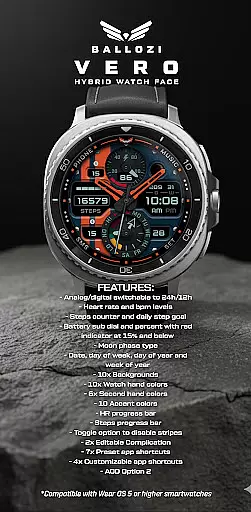
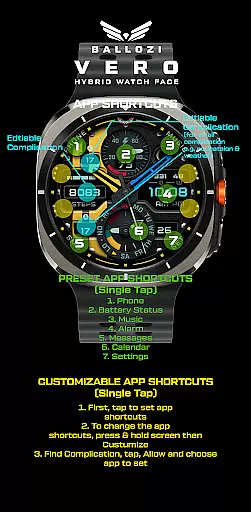
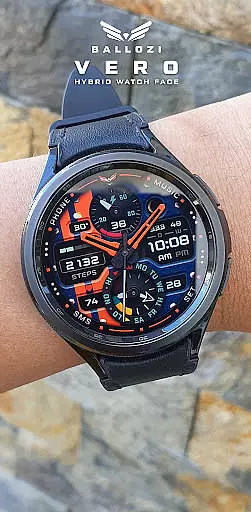
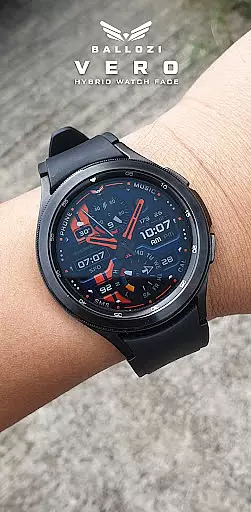
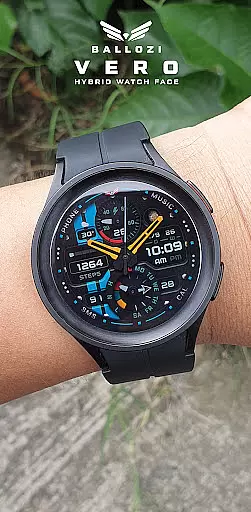
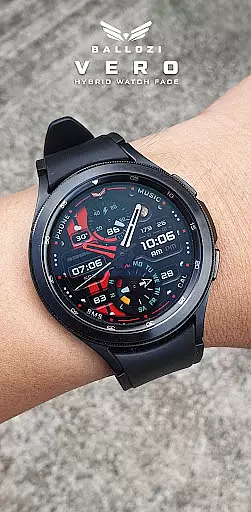
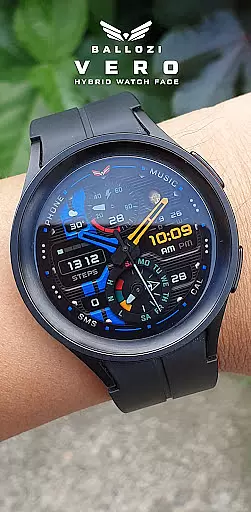
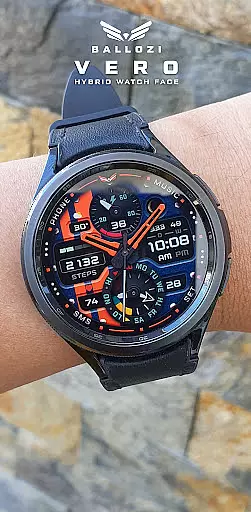
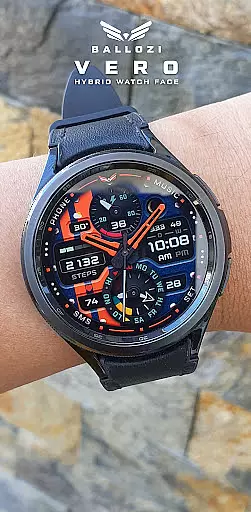
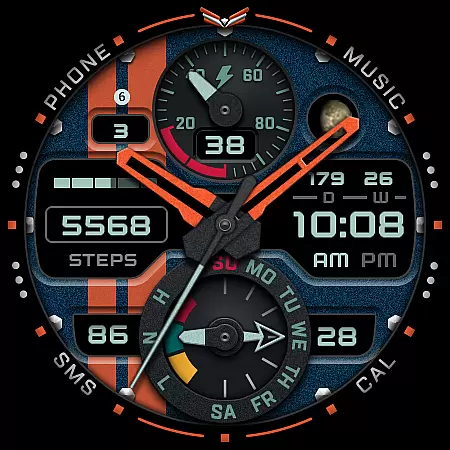
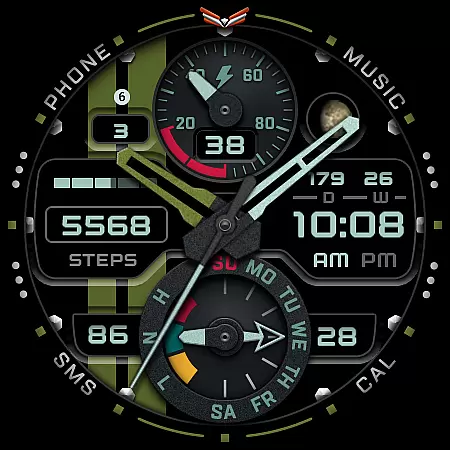
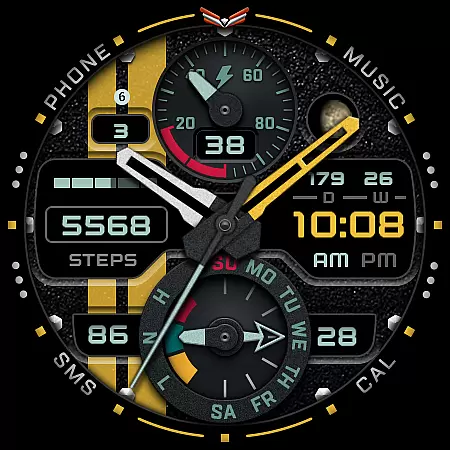
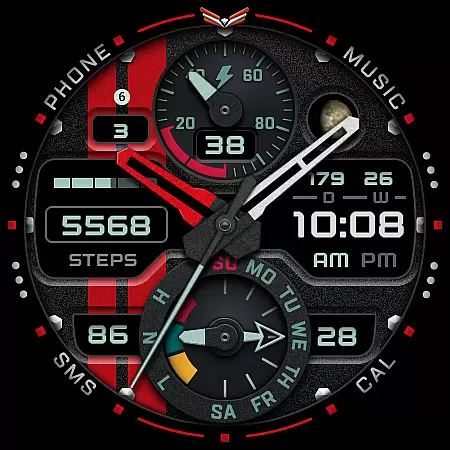
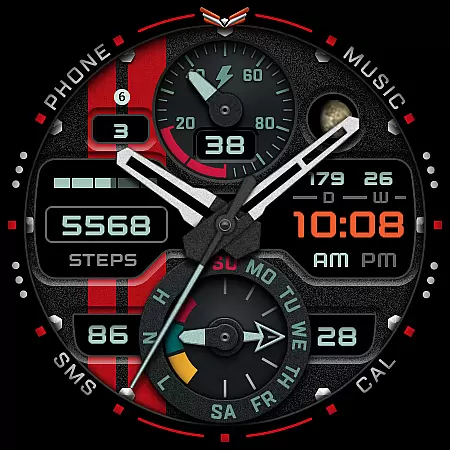
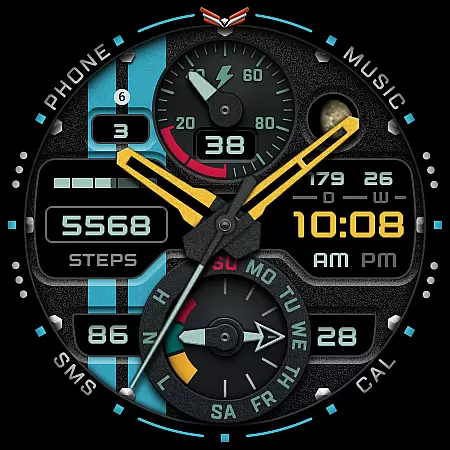
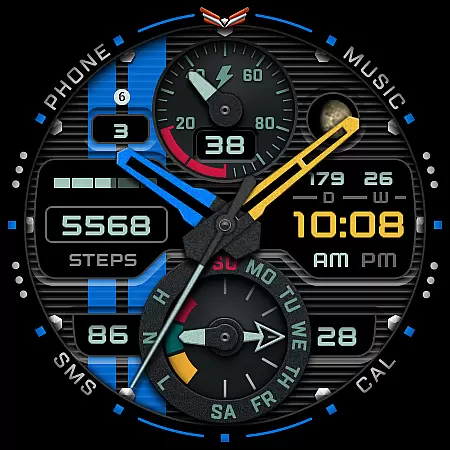
Ballozi VERO is a versatile hybrid watch face designed for Wear OS devices, offering both analog and digital display options. This military-style watch face provides comprehensive fitness tracking features including heart rate monitoring, step counting, and progress bars for health metrics.
With support for over 10 background options, multiple color choices for watch hands and accents, and customizable complications, users can personalize their watch interface extensively. The inclusion of practical features like moon phase tracking, date displays, and battery indicators makes it suitable for various smartwatch models running Wear OS 5.0 or higher.
Ideal for fitness enthusiasts and tech-savvy individuals who value both style and functionality in their wearable devices. The watch face's compatibility with Galaxy Watch series and other Wear OS devices ensures broad usability across different smartwatch brands.
The Ballozi VERO watch face stands out with its extensive customization options and practical features. Users can switch between analog and digital displays while choosing from 10 background designs and multiple color schemes for watch hands and accents.
Health and fitness tracking capabilities include heart rate monitoring with progress visualization, step counting with daily goals, and battery status indicators that warn when power levels drop below 15%. The inclusion of moon phase tracking and various date displays adds to the watch face's utility.
Advanced features encompass two editable complications, seven preset app shortcuts, and four customizable app shortcuts. These allow quick access to essential functions such as phone, music control, alarm settings, and messaging apps. The AOD Option 2 feature ensures visibility even in low-power mode.
Companion app integration is essential for Android Wear applications as it ensures seamless synchronization between the wearable and its paired smartphone. BALLOZI VERO excels in this area by providing users with multiple installation options tailored to different devices.
The application supports direct installation through mobile devices, after which users can activate the watch face via their smartwatch's interface. For Samsung users, the Galaxy Wearable app serves as the control center where they can manage and apply their selected watch faces.
BALLOZI VERO also extends compatibility to other Wear OS devices, allowing users to find the installed watch face within their respective brand apps. This flexibility enhances user experience by catering to a wide range of devices and ensuring that the companion app process is straightforward and efficient.
Device compatibility is a critical aspect of any Wear OS application, determining the range of devices on which the app can function correctly. BALLOZI VERO is designed specifically for Wear OS, supporting smartwatches running version 5.0 or higher (API level 34+).
This compatibility ensures that users with up-to-date Wear OS devices can fully utilize the features of this sporty analog watch face. The design takes advantage of the latest Wear OS capabilities, offering functionalities like heart rate monitoring, step counting, and battery indicators.
Additionally, BALLOZI VERO provides an optimized experience for round watches, leveraging the circular display to present ten background options and customizable watch hands. By focusing on round watch compatibility, the application delivers a visually appealing and feature-rich experience tailored to the strengths of Wear OS devices.
Highly customizable design options
Comprehensive fitness tracking features
Wide device compatibility
Multiple display modes
Extensive shortcut options
Not suitable for square watches
Complex setup process
Limited rectangular support
Requires Wear OS 5.0+
No built-in weather feature

Highly customizable hybrid watch face for Wear OS, perfect for everyday use.
 4.60
4.60
Christmas - Festive - Christmas Village - Winter - Christmas lights
5.00
Wear Os Watch Face - Animated Snow Effect & Magic Spark - 6 Scenes
4.10
The #1 source of faces for your smartwatch!
4.00
The Chevron App allows you to pay for fuel from the comfort of your car!
4.80
Animated video-game inspired “secret agent” simulation, right on your wrist!
4.20
Control your Samsung Smart TVs, appliances, and SmartThings-compatible devices
4.60
Track airplanes and follow flights with our real-time flight tracker
4.50
Download full tracks, listen to music offline, make unlimited playlists.
4.80
The most customizable hybrid watch face. For Wear OS 5.0, API 34+ and later
4.70
Retro digital watch face with customizable colors and a unique lighting effect
4.60
A realistic hybrid watch face with many customization options.
4.60
Christmas watch face. For Wear OS devices.
4.30
Locate your family members by GPS phone location tracker everywhere and anytime
4.30
sleep, alarm, snoring, stress, healing, focus, sound therapy, circadian rhythm
4.10
Daily Weather forecast with 15 weather images for Day & Night plus Big Bold time
4.10
Authentic military-tactical design with ZULU time! Realistic and functional!
3.80
A watch face that fuses motorsport precision with contemporary smartwatch design
4.5
Funny animated watch face for Thanksgiving
4.0


User Reviews