
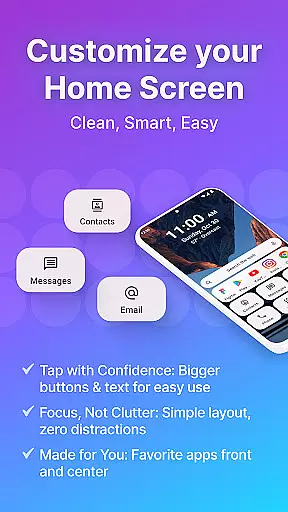
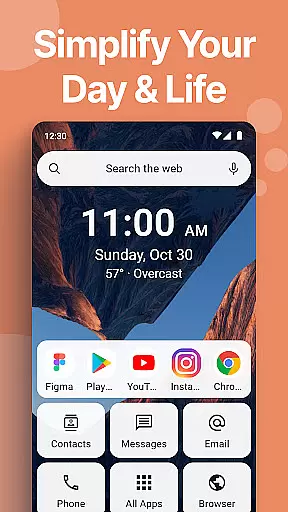
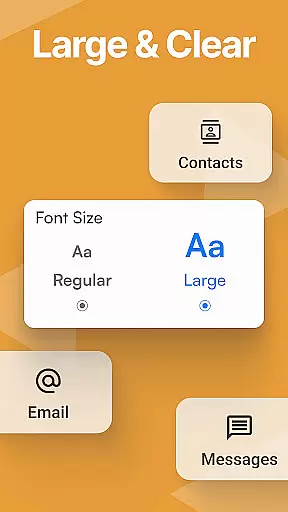
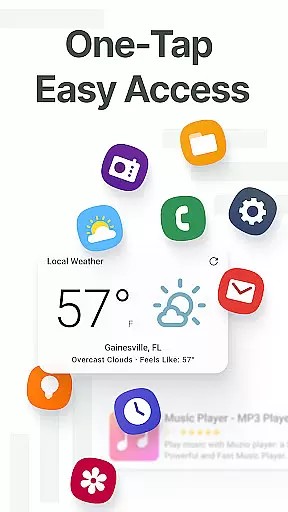
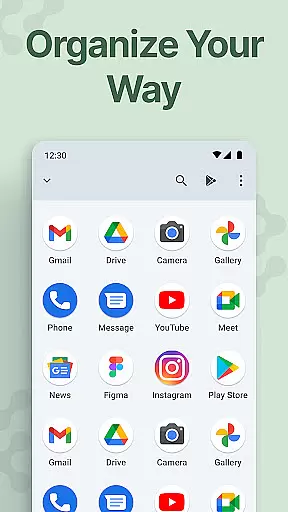
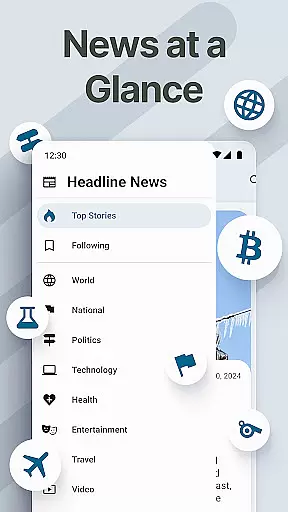
Easy Homescreen is a personalized home launcher for Android that simplifies and organizes your phone experience. It transforms cluttered screens into clean, easy-to-navigate spaces with oversized buttons, clear text, and smart personalization features. Designed for accessibility and comfort, it offers large fonts, simplified controls, and customizable options like themes and app icons.
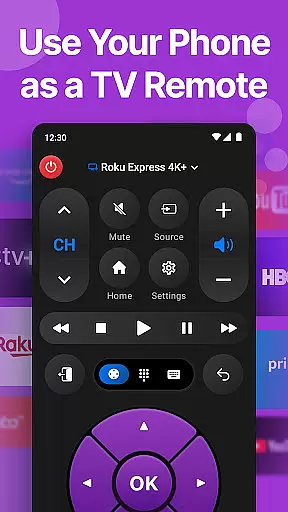
This launcher stands out through its user-focused design that adapts to individual needs. It displays only frequently used tools, hides unnecessary apps, and includes essential features such as a universal remote and weather app. With minimalistic UI and calming aesthetics, Easy Homescreen reduces digital noise, making your phone feel less like a device and more like home.
Easy Homescreen offers an array of advanced features designed to enhance usability and customization. The app supports widgets, lockscreen widgets, and top widgets, ensuring you stay on top of your day without intrusive notifications. Its built-in organizer keeps everything clean and accessible, while the optional Easy Keyboard provides larger keys for improved typing accessibility.
One of the standout features is its ability to customize fonts, themes, and app icons, allowing users to express their personal style. Whether you prefer bold, playful, or professional aesthetics, Easy Homescreen adapts to your vibe. Additionally, the app emphasizes accessibility-first design, offering large buttons and easy navigation tailored for all ages and tech-savviness levels.
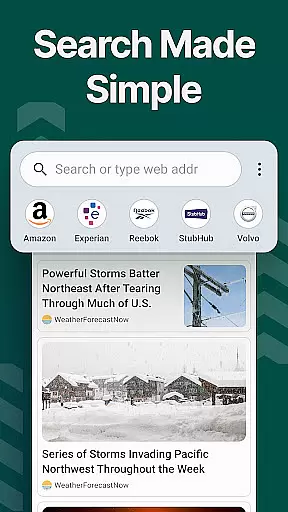
The app also integrates seamlessly with other functionalities, such as search settings powered by Yahoo, enhancing your overall browsing experience. By prioritizing user control and comfort, Easy Homescreen ensures every tap feels intuitive and empowering, ultimately creating a joyful and stress-free Android experience.
Customization is at the heart of Easy Homescreen, offering users a wide array of options to tailor their smartphone experience. With features ranging from custom fonts and themes to personalized app icons, this launcher allows for an unprecedented level of personal expression. Whether you prefer a bold, playful look or a more professional appearance, Easy Homescreen adapts seamlessly to match your style.
The application simplifies the process of organizing apps, conversations, and shortcuts with its minimalist approach. Users can easily hide seldom-used tools and emphasize frequently accessed ones, ensuring that everything they need is just a tap away. This not only declutters the home screen but also enhances usability by prioritizing essential functions.
Moreover, Easy Homescreen includes advanced customization capabilities such as widget support and lockscreen widgets. These features provide helpful information at a glance without being intrusive, keeping users informed while maintaining a clean interface. The ability to personalize every aspect of the home screen ensures that each interaction feels intuitive and uniquely yours.
Easy Homescreen excels in theme compatibility, allowing users to transform their device's appearance effortlessly. With a diverse selection of themes, users can choose designs that resonate with their personal aesthetics, from calming minimalism to vibrant expressions. This flexibility ensures that everyone can find a visual style that suits their mood and preferences.
Beyond mere aesthetics, the launcher guarantees that all themes are fully compatible with its UI interface. This means that regardless of which theme you select, the oversized buttons, clear text, and smart personalization features remain consistent and functional. Such attention to detail provides a seamless user experience, where beauty meets practicality.
In addition to pre-designed themes, Easy Homescreen supports custom font options, giving users even more control over their deviceu2019s look and feel. By integrating these elements harmoniously, the launcher maintains a cohesive design language across different themes. This commitment to compatibility ensures that every customization choice enhances both the form and function of your Android device.
User-friendly interface
Customizable themes
Accessibility features
Smart personalization
Minimalist design
Limited widget variety
No dark mode
Occasional bugs
Ads in free version
Learning curve

A light in the dark, a unique style and an andless cutomization!
 4.30
4.30
Wear Os Watch Face - Seasonal - Animated Snow Effect - 9 Animals
4.20
Over 28,000 high quality icons to bring color & homogeneity to your phone.
4.60
Try creating your own keyboard with "Keyboard theme for android" app now!
4.50
Ultimate Gallery Lock App - Hide Pictures, Videos and Lock Apps Instantly!
4.60 4.50
4.50
Icons made of colorful linear lines
4.60
400+ Beautifully crafted widgets inspired by NOTHING.
4.70
Transform your device in a game console
4.40
300+ Stunning and well-designed widgets inspired by NOTHING.
4.70
A minimalist productivity launcher. One-hand-friendly. Zero ads.
4.70
Ultra realistic gold analog watch face with lots of customization options.
4.50
Vibrant Adaptive Icons with Material You and Enhanced Monet Colors.
4.50
AI-powered Copilot. Personalized keyboard with gifs, stickers & themes
4.40
Romantic Kiss Stickers App. Start romantic messaging now!
4.30 3.50
3.50
Interactive Miniature Painting Catalogue
3.30
Struggling to find apps? Use this app to locate and open any app on your phone!
2.20
Custom edge gestures for volume control, brightness, apps, and shortcuts.
4.3


User Reviews